
1. پیژندنه
This manual provides detailed instructions for the installation, operation, and maintenance of your AZZA Solano 1000R CSAZ-1000R Full Tower Computer Case. Please read this manual thoroughly before beginning installation to ensure proper setup and to maximize the performance and longevity of your system components.
2. د محصول ب Featuresې
- Optimized Thermal Management: Features multiple fans for superior cooling, including a 230mm top fan, a 230mm side fan, two 140mm front fans, and a 120mm rear fan.
- Bottom-Mounted Power Supply: Designed for improved thermal separation and stability, allowing installation facing up or down.
- د کیبل پرمختللی مدیریت: Pre-drilled motherboard tray and ample space behind for organized cable routing, enhancing airflow and aesthetics.
- Tool-Less Design: Thumb screws for easy installation of optical drives and hard disk drives.
- اسانه مخکینۍ I/O: USB and audio ports, along with an eSATA port, located on the top panel for easy access.
- پراخه داخلي: Full tower design accommodates large components, including extended graphics cards and tall CPU coolers.
- جمالیاتی ډیزاین: Black exterior with a vibrant red painted interior and red LED fans.
3. د بسته محتويات
مهرباني وکړئ تصدیق کړئ چې ټول توکي ستاسو په کڅوړه کې شتون لري:
- AZZA Solano 1000R CSAZ-1000R Full Tower Case
- د لوازمو بکس (چې پیچونه، سټینډ آفونه، کیبل اړیکې او نور لري)
- د کارونکي لارښود (دا لاسوند)
4. اجزا ختمview
4.1 بهرنی Views
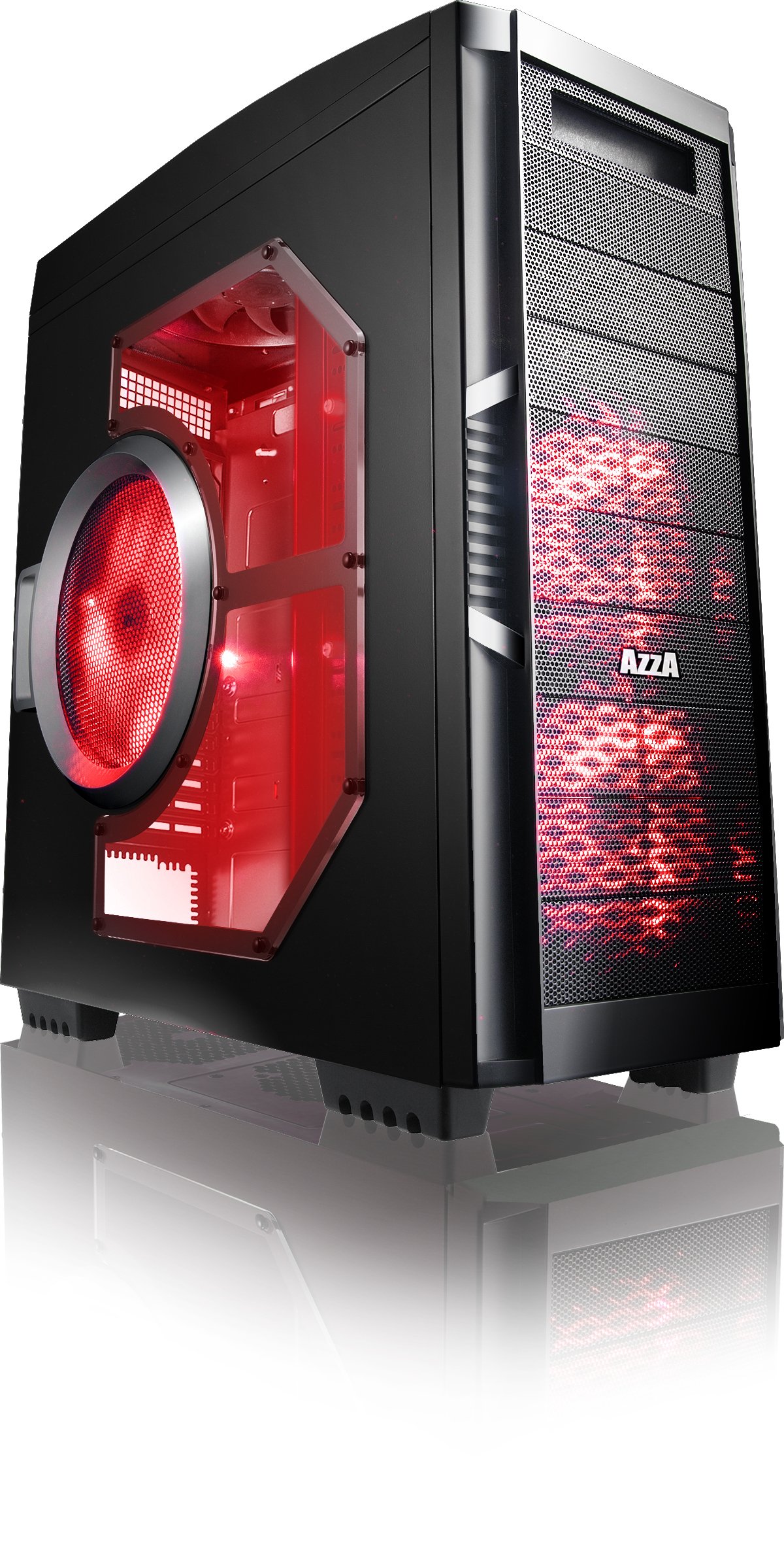
شکل ۱: مخکینۍ برخه view of the AZZA Solano 1000R case, showcasing the red LED fans on the front and side panel.

شکل 4.2: مخکی view of the AZZA Solano 1000R case, highlighting the two 140mm red LED intake fans behind the mesh panel.

شکل 4.3: اړخ view of the AZZA Solano 1000R case, showing the large 230mm red LED side panel fan and the transparent window.

Figure 4.4: Top-front angled view of the AZZA Solano 1000R case, showing the top ventilation grille, front I/O panel with USB and audio ports, and power button.
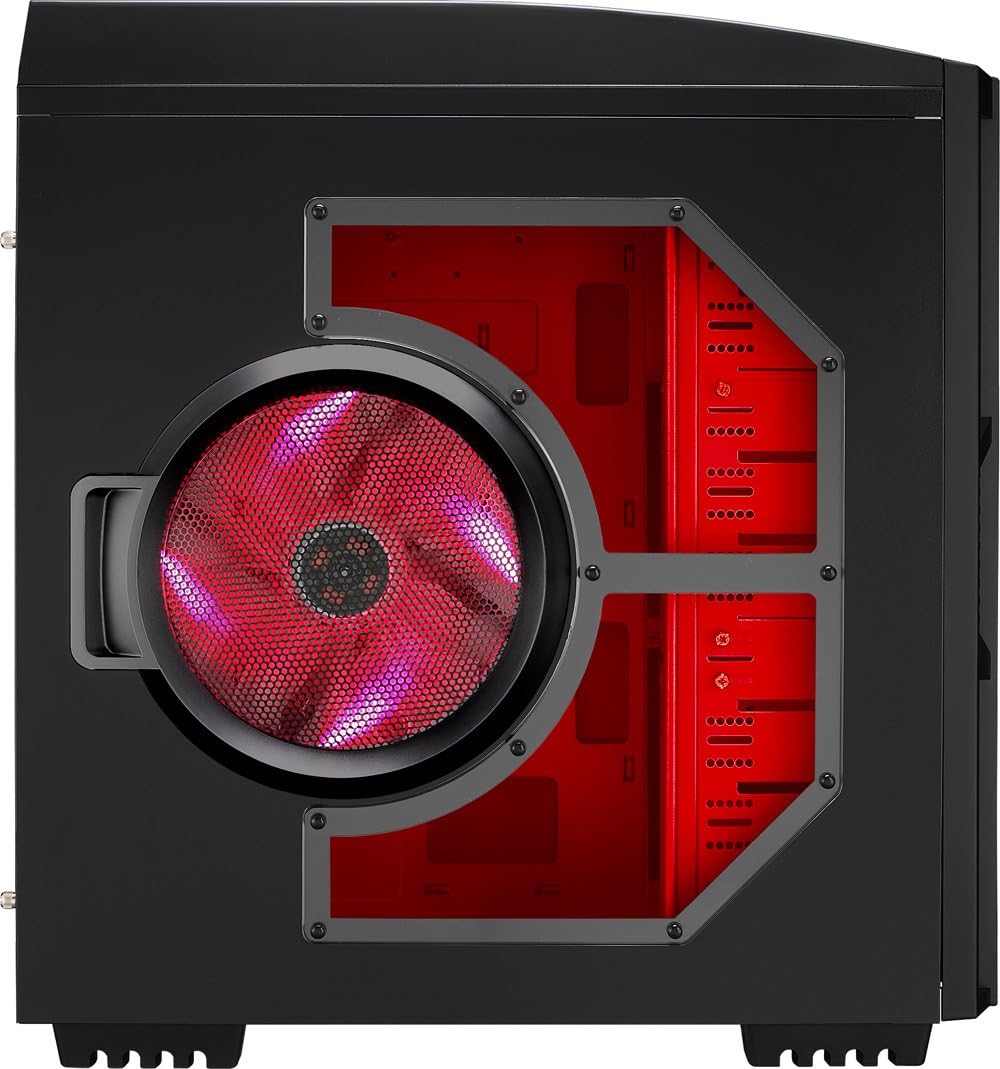
شکل ۴.۲: شاته اړخ view of the AZZA Solano 1000R case, displaying the red interior, rear exhaust fan, and expansion slots.
4.2 داخلي Views

شکل 4.6: داخلي view of the AZZA Solano 1000R case with the left side panel removed, revealing the red painted motherboard tray, drive bays, and cable routing cutouts.

Figure 4.7: Angled interior view of the AZZA Solano 1000R case, focusing on the multiple 5.25" and 3.5" drive bays.

Figure 4.8: Angled interior view of the AZZA Solano 1000R case, showing the rear 120mm exhaust fan, expansion slots, and the extensive drive bay structure.

شکل 4.9: داخلي view of the AZZA Solano 1000R case with the right side panel removed, showing the space behind the motherboard tray for cable management.
5. د نصب لارښود
د نصبولو پیل کولو دمخه، ډاډ ترلاسه کړئ چې ستاسو کاري ځای پاک او جامد نه دی. سپارښتنه کیږي چې د جامد ضد لاس پټه واغوندئ.
۳.۱ د قضیې چمتو کول
- قضیه په یوه فلیټ او مستحکم سطحه کېږدئ.
- د کیس په شا کې د ګوتو پیچونو خلاصولو او پینلونو شاته سلایډ کولو سره د اړخ پینلونه لرې کړئ.
5.2 د مادر بورډ نصب کول
- Install the I/O shield provided with your motherboard into the opening at the rear of the case.
- Align the motherboard with the pre-installed standoffs. If necessary, install additional standoffs according to your motherboard's form factor.
- Carefully place the motherboard onto the standoffs, ensuring the I/O ports align with the shield.
- د لوازمو بکس څخه د مناسبو پیچونو سره مور بورډ خوندي کړئ.
۲.۴ د بریښنا رسولو نصبول
- Position the power supply unit (PSU) in the bottom-rear compartment of the case. You can orient it with the fan facing up or down, depending on your cooling preference and PSU design.
- د بریښنا رسولو سره چمتو شوي پیچونو په کارولو سره PSU د قضیې سره ضمیمه کړئ.
۳.۴ د ذخیره کولو ډرایو نصب کول (HDD/SSD)
- For 3.5" HDDs, slide the drive into an available drive bay until it clicks into place. Use the provided thumb screws for additional security if desired.
- For 2.5" SSDs, an adapter bracket (not included) may be required to fit into the 3.5" bays. Secure the SSD to the adapter, then install the adapter into a 3.5" bay.
- Connect the SATA data and power cables to your installed drives.
5.5 Optical Drive Installation
- Remove the desired 5.25" front bay cover from the case.
- Slide the optical drive into the bay from the front until it aligns with the screw holes.
- Secure the optical drive using the provided thumb screws.
- Connect the SATA data and power cables to the optical drive.
۲.۵ د توسعې کارت نصبول
- د قضیې په شا کې اړین پراخیدونکي سلاټ پوښونه لرې کړئ.
- Insert your graphics card or other expansion card into the appropriate PCIe/PCI slot on your motherboard.
- Secure the card with the provided screw or tool-less latch mechanism.
5.7 د کیبل مدیریت
Utilize the cutouts and space behind the motherboard tray to route and organize your cables. This improves airflow and gives your build a cleaner appearance. Use cable ties from the accessory box to bundle cables.
۵.۷ د مخکینۍ پینل I/O نښلول
Connect the front panel cables (USB, Audio, Power Switch, Reset Switch, Power LED, HDD LED) to the corresponding headers on your motherboard. Refer to your motherboard manual for exact header locations.
6. عملیات
۸ پاور آن/بند
Press the power button located on the top panel to turn your system on or off. A power LED will illuminate when the system is active.
6.2 د فین کنټرول
The case features a fan speed control switch (L/M/H) at the rear, primarily for the top, side, and rear fans. Adjust this switch to balance cooling performance and noise levels according to your preference.
7. ساتنه
7.1 پاکول
Regular cleaning helps maintain optimal airflow and component longevity.
- بهر: بهرنۍ سطحې په نرمۍ سره مسح کړئ، دamp ټوکر د کثافاتو پاکونکو څخه ډډه وکړئ.
- د دوړو فلټرونه: The case includes mesh filters at the bottom. Periodically remove and clean these filters to prevent dust buildup.
- داخلي: Use compressed air to remove dust from inside the case, especially from fans and heatsinks. Ensure the system is powered off and unplugged before cleaning the interior.
8. ستونزه حل کول
- سیسټم نه فعالیږي: Ensure all power cables (24-pin ATX, 8-pin CPU, GPU power) are securely connected. Verify the PSU switch is in the 'ON' position. Check front panel power switch connection to the motherboard.
- مينه وال چې نه ګرځېږي: Check fan power connections to the motherboard or fan controller. Ensure the fan speed switch is not set to 'Off' or 'Low' if fans are not spinning at all.
- Side Panel Not Closing: If a large CPU cooler or tall components prevent the side panel from closing, especially due to the side fan, consider relocating the side fan to the exterior of the panel if possible, or ensure your cooler fits within the case's clearance specifications.
- Cable Management Difficulty: If the rear panel bulges due to thick cables, try rerouting cables more efficiently or using flatter cables where possible.
9. مشخصات
| فیچر | تفصیل |
|---|---|
| د ماډل شمیره | CSAZ-1000R |
| د قضیې ډول | بشپړ برج |
| رنګ | تور / سور |
| د محصول ابعاد (L x W x H) | 19.7 x 8.1 x 21.5 انچه (500 x 206 x 546 mm) |
| د توکي وزن | ۶ پونډه (۳ کیلو ګرامه) |
| د یخولو طریقه | هوا |
| د بریښنا رسولو د نصبولو ډول | لاندې غر |
| ټول USB پورټونه | 2 (USB 2.0) + 1 (eSATA) |
| Hard Disk Form Factor Support | ۷۸۷ انچه |
| شامل شوي مینه وال | 2x 230mm (Top, Side), 2x 140mm (Front), 1x 120mm (Rear) |
10. تضمین او ملاتړ
For warranty information and technical support, please refer to the official AZZA webسایټ یا خپل محلي پرچون پلورونکي سره اړیکه ونیسئ. د تضمین ادعاوو لپاره د پیرود ثبوت وساتئ.