
1. پیژندنه
The SANYO VPC-CG20 is a compact, high-definition camcorder and 10-megapixel digital camera designed for capturing both video and still images. This device features Full HD 1080i video recording at 60 frames per second, a 10-megapixel still image sensor, and a 5x optical zoom lens. It includes a 2.7-inch wide LCD monitor for easy framing and playback, along with optical image stabilization for clearer footage and photos. This manual provides essential information for setting up, operating, and maintaining your VPC-CG20 camcorder.
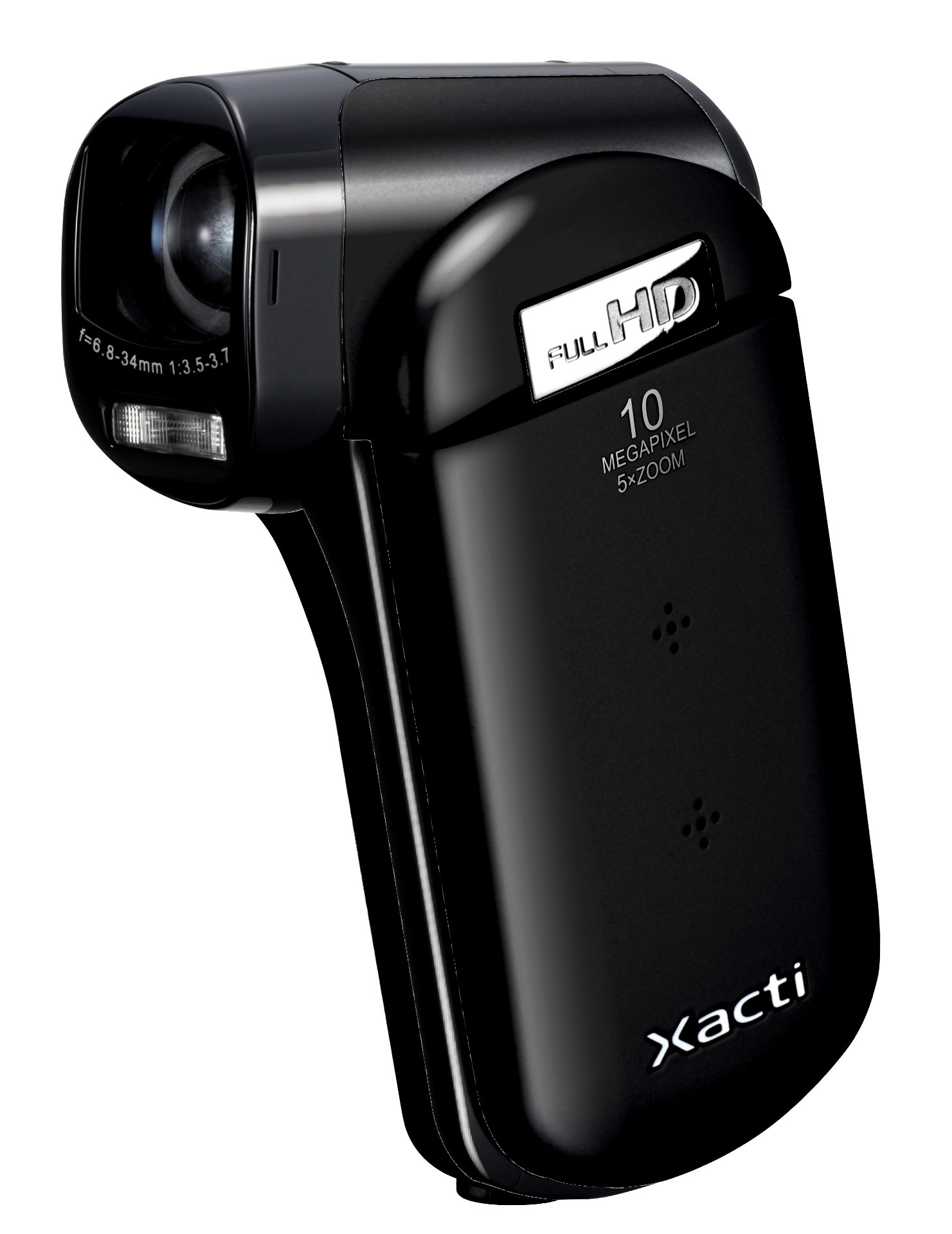
انځور 1.1: مخکی view of the SANYO VPC-CG20 High Definition Camcorder.
2. د بسته محتويات
مهرباني وکړئ وګورئ چې لاندې ټول توکي ستاسو د محصول په کڅوړه کې شامل دي:
- SANYO VPC-CG20 Camcorder
- د چارج وړ بیټرۍ
- AC اډاپټر/چارجر
- USB کیبل
- د AV کیبل
- د لاس پټه
- د کارونکي لارښود (دا لاسوند)
3. برخې او کنټرولونه
د خپل کیمکارډر د مختلفو برخو او کنټرولونو سره ځان بلد کړئ.
3.1. مخکینۍ View
The front of the camcorder features the lens, flash, and microphone.
3.2. شاته View
The rear panel typically includes the record button and power indicator.
3.3. اړخ View (LCD Monitor Open)
When the 2.7-inch LCD monitor is open, you will find navigation buttons, menu access, and the zoom lever. The USB and AV ports are also located on the side, often beneath a protective cover.
3.4. لاندې View
The bottom of the camcorder houses the battery compartment and the SD card slot.
4. ترتیب کول
4.1. د بیټرۍ چارج کول
- Insert the rechargeable battery into the camcorder's battery compartment, ensuring correct orientation.
- Connect the AC adapter to the camcorder's power input.
- Plug the AC adapter into a wall outlet. The charging indicator light will illuminate.
- Charge the battery until the indicator light changes or turns off, signaling a full charge.
4.2. Inserting an SD Memory Card
The VPC-CG20 uses SD memory cards for storage.
- Open the SD card slot cover, usually located on the bottom or side of the camcorder.
- Insert the SD card with the metal contacts facing the correct direction (refer to the diagram near the slot). Push until it clicks into place.
- د SD کارت سلاټ پوښ په خوندي ډول وتړئ.
یادونه: Ensure the SD card is not locked (write-protected) before insertion.
۶. د کامکارډر چلول
5.1. بریښنا کول/بندول
- To power on, open the LCD monitor. The camcorder will typically power on automatically.
- To power off, close the LCD monitor.
۲. د ویډیو ثبتول
The VPC-CG20 records Full HD 1080i video (1920 x 1080) at 60 frames per second in H.264/MPEG-4 format.
- Ensure the camcorder is in video recording mode (check the mode switch or menu).
- د ۲.۷ انچه LCD مانیټر په کارولو سره خپل عکس چوکاټ کړئ.
- فشار ورکړئ ریکارډ button to start recording. The record indicator will light up.
- فشار ورکړئ ریکارډ د ثبت کولو بندولو لپاره بیا تڼۍ.
5.3. عکسونه اخیستل
The camcorder can capture 10-megapixel still images in JPEG format.
- Switch the camcorder to still image mode.
- Compose your shot on the LCD monitor.
- فشار ورکړئ شټر button halfway to focus, then press fully to take the picture.
۳.۳. د زوم کارول
Use the zoom lever to adjust the 5x optical zoom. Push the lever towards 'T' for telephoto (zoom in) and 'W' for wide-angle (zoom out).
5.5. د انځور ثبات
The VPC-CG20 features optical image stabilization to reduce blur from camera shake during both video recording and photo capture. This feature is typically active by default.
5.6. پلې بیک
- Switch the camcorder to playback mode.
- Use the navigation buttons to select the desired video or photo.
- فشار ورکړئ لوبه وکړئ تڼۍ ته view videos or display photos.
5.7. د کمپیوټر سره نښلول
د لیږد لپاره files, connect the camcorder to your computer using the supplied USB cable. The camcorder will appear as a removable storage device, allowing you to copy files.
6. ساتنه
۱. د کامکارډر پاکول
- د کیمکارډر بدن پاکولو لپاره نرم، وچ ټوکر وکاروئ.
- د لینز او LCD سکرین لپاره، د لینز پاکولو لپاره یو ځانګړی ټوکر او محلول وکاروئ. د کثافاتو موادو څخه ډډه وکړئ.
- عضوي محلولونه لکه الکول یا پتلی مه کاروئ.
6.2. ذخیره کول
کیمکارډر په یو سړه او وچ ځای کې وساتئ چې د مستقیم لمر وړانګو او سختو تودوخې څخه لرې وي. که تاسو د اوږدې مودې لپاره ذخیره کوئ نو بیټرۍ لرې کړئ.
7. ستونزه حل کول
| ستونزه | د حل لاره |
|---|---|
| کامکارډر نه چالانېږي. | Ensure the battery is charged and correctly inserted. Try charging the battery. |
| ویډیو نشي ثبتولی / عکسونه اخیستلی نشي. | Check if an SD card is inserted and has sufficient free space. Ensure the SD card is not write-protected. |
| د انځور/ویډیو کیفیت خراب دی. | Clean the lens. Ensure adequate lighting. Check shooting mode settings. |
| Computer does not recognize camcorder. | Ensure the USB cable is securely connected. Try a different USB port or cable. Restart both camcorder and computer. |
8. مشخصات
| فیچر | تفصیل |
|---|---|
| د ماډل نوم | VPC-CG20 |
| د ویډیو نیول حل | 1080p (Full HD 1920 x 1080, 60i) |
| اغیزمن لاهم حل | 10 MP |
| نظری زوم | 5x |
| د انځور ثبات | نظري |
| د سکرین اندازه | ۷۸۷ انچه |
| د فلش حافظې ډول | SD (SDHC compatible) |
| د ویډیو نیول بڼه | H.264، MPEG-4 |
| د ملاتړ شوي انځور بmatه | JPEG |
| د ارتباط ټیکنالوژي | USB |
| د تمرکز ډول | اتوماتیک تمرکز |
| د شوټینګ طریقې | د مخ کشف |
| د توکي وزن | 0.35 پونډه (تقریبا 159 ګرامه) |
9. تضمین او ملاتړ
For information regarding the product warranty, please refer to the warranty card included in your original packaging or visit the official SANYO support website. For technical assistance, troubleshooting beyond this manual, or service inquiries, please contact SANYO customer support through their official channels.
مهرباني وکړئ د تضمین ادعاګانو لپاره د پیرود ثبوت وساتئ.