
1. محصول ختم شوview
The Microsoft Wireless Desktop 800 offers the freedom and convenience of wireless technology for your computing needs. This set includes a wireless keyboard and mouse, designed for ease of use and reliable performance.
کلیدي ځانګړتیاوې:
- Wireless keyboard and mouse combination
- Secure wireless connection & snap-in transceiver
- Easy-access hot keys for common functions
- 1000 DPI optical tracking for responsive cursor control
- Optimized power management for extended battery life
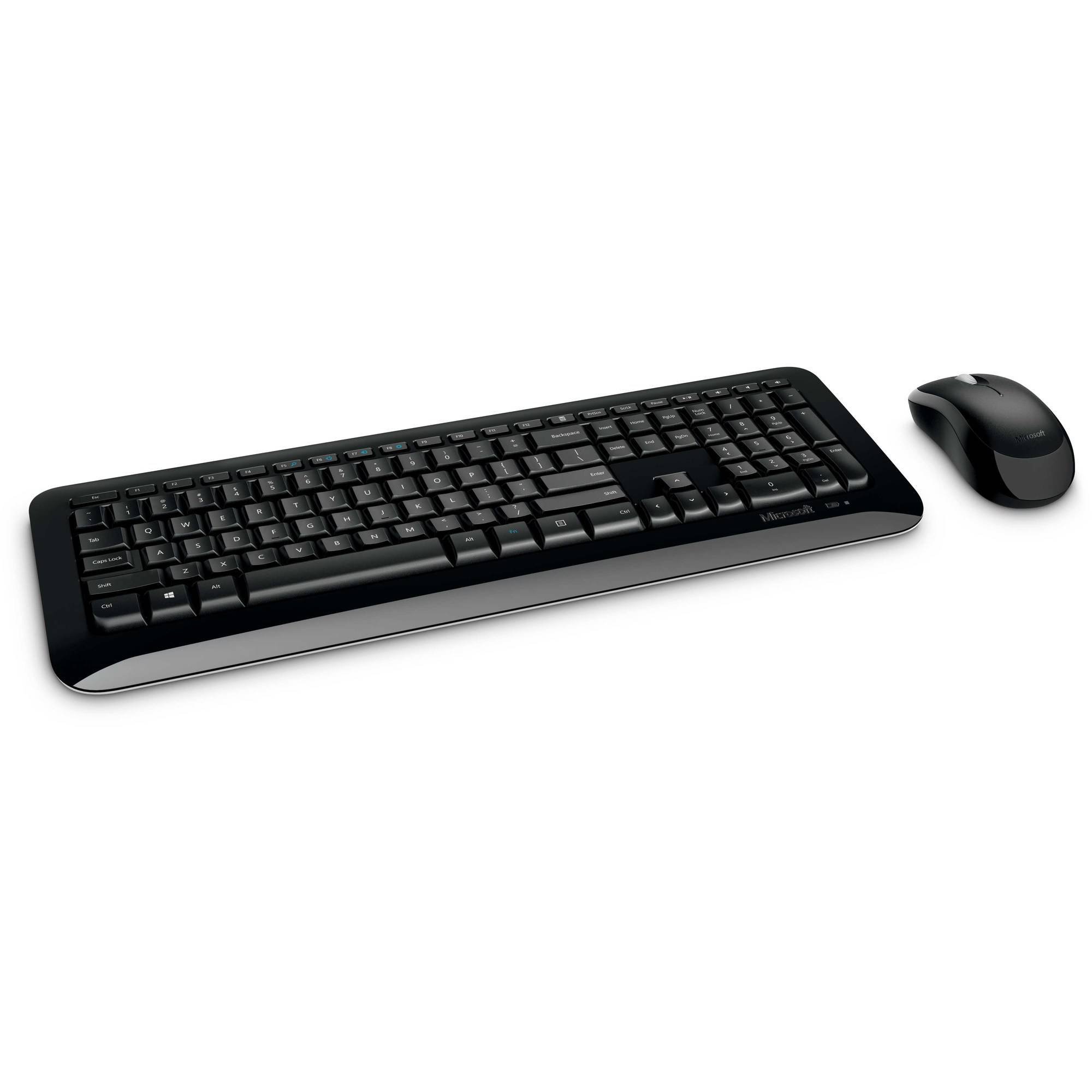
Figure 1: Microsoft Wireless Desktop 800 Keyboard and Mouse.
۴. د تنظیم لارښوونې
Setting up your Microsoft Wireless Desktop 800 is a straightforward process. Follow these steps to get started:
- بیټرۍ نصب کړئ: Insert the required batteries into both the keyboard and the mouse. The keyboard typically uses AAA batteries, and the mouse uses AA batteries. Ensure correct polarity.
- Connect Transceiver: Locate the tiny USB transceiver. Plug this wireless receiver into an available USB port on your computer.
- پاور آن: Turn on the mouse using its power switch (usually located on the underside). The keyboard does not typically have a power switch and activates upon battery insertion and connection.
- اتوماتیک پیوستون: Your keyboard and mouse should automatically connect to your computer. If not, refer to the troubleshooting section.
The transceiver can be conveniently snapped into the bottom of the mouse for secure storage when traveling, which also automatically turns off the mouse to conserve battery life.

Figure 2: The compact USB transceiver.
3. ستاسو وسیله چلول
د کیبورډ دندې:
- خوندي بې سیم اتصال: The keyboard utilizes 2.4 GHz wireless technology, providing a reliable connection with a range of up to 30 feet, minimizing interference.
- Easy Access Hot Keys: Quickly access frequently used tools such as zoom, audio controls, and the calculator using dedicated shortcut keys.
- Windows Start Button: Press the Windows Start button to quickly launch the Start menu on compatible Windows operating systems.
د موږک دندې:
- د مایکروسافټ آپټیکل ټیکنالوژي: Experience responsive and precise cursor control with 1,000-dots-per-inch (DPI) tracking.
- سکرول ویل: د اسنادو له لارې تګ راتګ او webpages efficiently using the integrated scroll wheel.
- محیطي ډیزاین: The mouse is designed for comfortable use in either the right or left hand.
4. Maintenance and Battery Management
- د بیټرۍ ژوند شاخص: The battery status indicator will glow red when the battery is running low, signaling that replacement is needed soon.
- د بریښنا سویچ: To extend the battery life of your mouse, use the power switch located on its underside to turn it off when not in use or during travel.
- د بیټرۍ اوږد ژوند: Enjoy fewer interruptions with up to 15 months of battery life for the keyboard and mouse (individual battery life may vary).
- پاکول: د کیبورډ او موږک سطحې پاکولو لپاره نرم، وچ ټوکر وکاروئ. د سخت کیمیاوي موادو یا کثافاتو موادو کارولو څخه ډډه وکړئ.
5. ستونزه حل کول
If you encounter issues with your Microsoft Wireless Desktop 800, consider the following common solutions:
- هیڅ اړیکه:
- Ensure the USB transceiver is securely plugged into a working USB port on your computer.
- Check that the batteries in both the keyboard and mouse are correctly installed and not depleted. Replace if necessary.
- Move the keyboard and mouse closer to the transceiver to rule out range issues.
- موقتي اړیکه:
- Avoid placing the transceiver near other wireless devices or large metal objects that could cause interference.
- ډاډ ترلاسه کړئ چې ستاسو د کمپیوټر عملیاتي سیسټم تازه دی.
- د موږک کرسر نه حرکت کوي:
- Check the mouse batteries.
- Ensure the optical sensor on the bottom of the mouse is clean and not obstructed.
- Use the mouse on a suitable surface; highly reflective or transparent surfaces may affect tracking.
6. مشخصات
| فیچر | تفصیل |
|---|---|
| برانډ | مایکروسافټ |
| ماډل | بې سیم ډیسټاپ 800 |
| رنګ | تور |
| د ارتباط ټیکنالوژي | Radio Frequency (2.4 GHz) |
| مطابقت لرونکې وسیلې | لپ ټاپ، شخصي کمپیوټر |
| د کیبورډ توضیحات | بې سیم کیبورډ |
| د خوځښت کشف | آپټیکل (۱۰۰۰ DPI) |
| د کیبورډ شاته رڼا کول | No (Single Color support refers to key legends) |
| د عملیاتي سیسټم مطابقت | Windows 8, Windows 7, Windows Vista, Windows XP |
| Hand Orientation (Mouse) | متضاد |
| د بریښنا سرچینه | د بیټرۍ چلول |
| د کیلي ګانو شمېر (کی بورډ) | 104 |
| بیټرۍ ته اړتیا ده | 2 AAA (keyboard), 2 AA (mouse) - included |
| د توکي وزن | 0.51 پونډه |
| د کیبورډ ترتیب | QWERTY |
7. د تضمین معلومات
The Microsoft Wireless Desktop 800 comes with a Manufacturer Warranty. For specific details regarding coverage, duration, and claims process, please refer to the warranty documentation included with your product or visit the official Microsoft support webسایټ
8. System Requirements and Support
د سیسټم اړتیاوې:
- عملیاتي سیسټم: Windows 8, Windows 7, Windows Vista, or Windows XP
- نور: د USB پورټ شتون لري
د پیرودونکي ملاتړ:
For further assistance, technical support, or to download the latest drivers, please visit the official Microsoft support webسایټ. تاسو کولی شئ هلته اضافي سرچینې او FAQs هم ومومئ.
آنلاین ملاتړ: ملاتړ. مایکروسافټ. com