
پیژندنه
The Microsoft LifeCam HD-3000 is a high-definition webcam designed for clear video conferencing and communication. It features true 720p HD video capabilities, a 16:9 widescreen aspect ratio, and a built-in noise-cancelling microphone to ensure clear audio. Its universal attachment base allows for flexible placement on various devices and surfaces.
This manual provides essential information for setting up, operating, maintaining, and troubleshooting your LifeCam HD-3000.

Figure 1: Microsoft LifeCam HD-3000, showcasing its compact design and universal attachment base.
چمتو کول
The Microsoft LifeCam HD-3000 is designed for simple plug-and-play installation on compatible operating systems.
- خلاص کړئ Webکیم: Carefully remove the LifeCam HD-3000 from its packaging.
- کمپیوټر سره وصل کړئ: Plug the USB cable of the LifeCam HD-3000 into an available USB 2.0 port on your desktop, laptop, or notebook computer.
- د موټر چلوونکي اتومات نصب کول: For Windows 7 and newer operating systems, the necessary drivers will typically install automatically upon connection. Allow a few moments for the system to recognize the device and complete the installation.
- موقعیت ورکړئ Webکیم: Utilize the universal attachment base to securely position the webcam. It can be placed on top of a monitor, on a flat surface like a desk, or adjusted for various angles. The flexible rubberized foot provides stability.
- نصب کول تایید کړئ: Once installed, you can verify the webcam's functionality through your computer's camera application or a video conferencing software.

شکل 2: مخکی view of the LifeCam HD-3000, showing the lens and microphone placement.
عملیاتي لارښوونې
The LifeCam HD-3000 is designed for ease of use with various video communication platforms.
- ویډیو کنفرانس: د webcam is compatible with popular video calling applications such as Microsoft Teams, Zoom, Skype, and Google Hangouts. Select "Microsoft LifeCam HD-3000" as your video input device within the settings of your chosen application.
- د لوړ تعریف ویډیو: The camera captures true 720p HD video, providing clear and detailed images for your calls and recordings. The 16:9 widescreen format is ideal for cinematic video recording and broader field of view.
- د شور لغوه کوونکی مایکروفون: The built-in unidirectional microphone features acoustic noise cancellation, ensuring your voice is captured clearly with reduced background noise. Select "Microsoft LifeCam HD-3000" as your audio input device in your application settings.
- د رڼا سمون: The LifeCam HD-3000 includes light correction features to optimize video quality in various lighting conditions.
- د حل ترتیبات: Depending on your internet speed and application, you may be able to adjust the video resolution. Lower resolutions can be beneficial for slower internet connections to maintain smooth video. Refer to your video conferencing software's settings for these options.
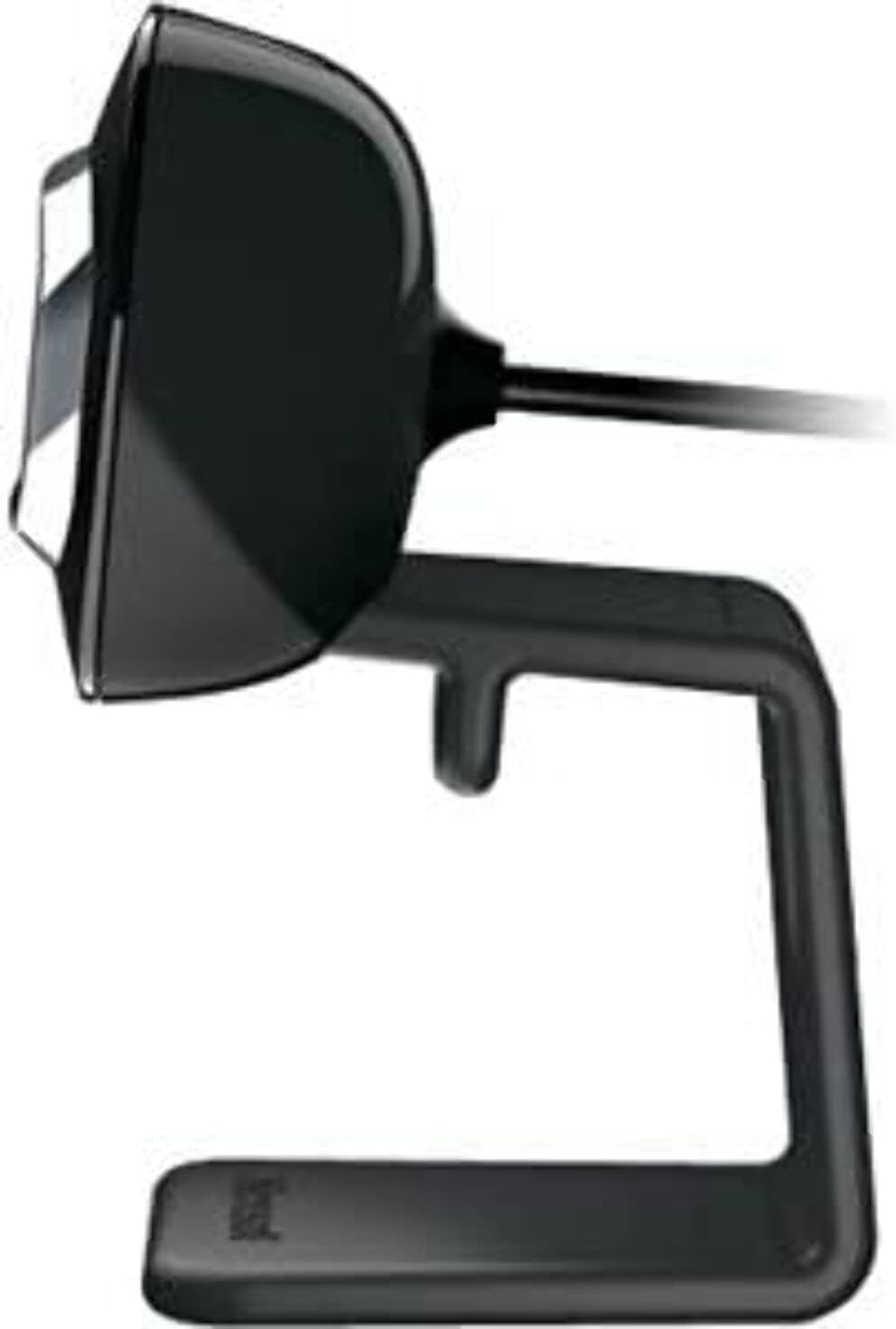
شکل 3: اړخ view of the LifeCam HD-3000, illustrating its slim profile.
ساتنه
Proper care and maintenance will help prolong the life of your Microsoft LifeCam HD-3000.
- د لینز پاکول: Use a soft, lint-free cloth specifically designed for optics to gently wipe the camera lens. Avoid abrasive materials or harsh cleaning chemicals, which can scratch or damage the lens.
- د بدن پاکوالی: د بدن پاکول webcam with a soft, slightly damp ټوکر. ډاډ ترلاسه کړئ چې رطوبت د USB پورټ یا مایکروفون خلاصیدو ته نه ننوځي.
- ذخیره کول: کله چې کارول نه وي، ذخیره کړئ webکیم په پاک، وچ چاپیریال کې د سختې تودوخې او مستقیم لمر وړانګو څخه لرې وساتئ.
- د کیبل پاملرنه: Avoid bending or crimping the USB cable excessively. Do not pull the cable to disconnect the webکیم؛ تل د USB نښلونکی ونیسئ.
د ستونزو حل کول
If you encounter issues with your LifeCam HD-3000, try the following troubleshooting steps:
- Webکیمره ونه موندل شوه:
- Ensure the USB cable is securely plugged into a functioning USB port. Try a different USB port.
- خپل کمپیوټر بیا پیل کړئ.
- Check your computer's Device Manager (Windows) or System Information (macOS) to see if the webکیم لیست شوی او پیژندل شوی.
- هیڅ ویډیو یا تور سکرین نشته:
- ډاډ ترلاسه کړئ webcam is selected as the primary video device in your video conferencing application's settings.
- Check privacy settings on your operating system that might be blocking camera access for certain applications.
- Ensure no physical obstruction is covering the lens.
- Poor Video Quality (Blurry, Grainy):
- ډاډ ترلاسه کړئ چې لینز پاک دی (د ساتنې برخې ته مراجعه وکړئ).
- د رڼا شرایط وګورئ. webcam has light correction, but sufficient ambient light is beneficial.
- Verify your internet connection stability if streaming video.
- Adjust resolution settings within your application if available.
- No Audio or Muffled Sound:
- Ensure the LifeCam HD-3000 microphone is selected as the audio input device in your application settings and operating system sound settings.
- د خپل سیسټم ترتیباتو کې د مایکروفون د حجم کچه وګورئ.
- Ensure there are no obstructions to the microphone opening.
- د سافټویر مسلې:
- If using specific Microsoft LifeCam software, ensure it is up to date.
- For Windows 10, the built-in camera software is often sufficient and may work better than older dedicated software.
مشخصات
| فیچر | تفصیل |
|---|---|
| د ماډل شمیره | د T4H-00002 لپاره تفتیش وسپارئ، موږ به په XNUMX ساعتونو کې له تاسو سره اړیکه ونیسو. |
| برانډ | مایکروسافټ |
| د ویډیو نیول حل | 720p HD |
| د اړخ نسبت | 16: 9 پراخه سکرین |
| مایکروفون | Built-in, Noise-Cancelling, Unidirectional |
| د ارتباط ټیکنالوژي | USB 2.0 |
| د هارډویر پلیټ فارم | کمپیوټر، لپ ټاپ |
| رنګ | تور |
| د توکي وزن | 3.17 اونس |
| د محصول ابعاد (LxWxH) | 11.13 x 5.75 x 5.88 انچه |
| ځانګړی ځانګړنه | د ټیټ رڼا سمون |
| د عکس سینسر ټیکنالوژي | CMOS |
Warranty and Protection Plans
Microsoft offers various options for product protection and support.
- Standard Return Policy: Typically, products purchased from Amazon.com are eligible for a return within 30 days of receipt for a refund or replacement. Please refer to Amazon's current return policy for specific details.
- د ساتنې اختیاري پلانونه: Extended protection plans may be available for purchase to cover your device beyond the standard manufacturer's warranty. These plans are offered by third-party providers and can include:
- دوه کلن محافظتي پلان
- دوه کلن محافظتي پلان
- Complete Protect (a monthly plan covering eligible past and future purchases)
ملاتړ
For further assistance, technical support, or driver updates, please refer to the official Microsoft support channels.
- د مایکروسافټ ملاتړ Webسایټ: Visit the official Microsoft support website for your region. This is the primary resource for troubleshooting guides, FAQs, and driver downloads.
- د مایکروسافټ پلورنځی: For general product information or to explore other Microsoft products, you can visit the په ایمیزون کې د مایکروسافټ پلورنځی.
- د ملاتړ سره اړیکه: If you require direct assistance, contact Microsoft customer support through their official channels, which typically include phone, chat, or email options.