
د خوندیتوب مهم معلومات
Please read and understand all instructions before using the laminator. Keep this manual for future reference.
- که چیرې د بریښنا تار یا پلګ خراب شوی وي، لامینیټر مه چلوئ.
- لامینټر د اوبو یا نورو مایعاتو څخه لرې وساتئ.
- Do not insert metal objects into the laminator.
- د عملیاتو په جریان کې د ماشین شاوخوا مناسب هوا ورکول ډاډمن کړئ.
- کله چې د کارولو یا پاکولو دمخه لامینټر خلاص کړئ.
- دا وسیله د افرادو (د ماشومانو په شمول) د فزیکي ، حسي یا ذهني وړتیاو کمښت ، یا د تجربې او پوهې نشتوالي سره د کارولو لپاره ندي ، پرته لدې چې دوی ته د دوی د خوندیتوب مسؤلیت لرونکي شخص لخوا د وسیلې کارولو په اړه نظارت یا لارښوونې ورکړل شوي وي.
محصول پای ته ورسیدview
The Amazon Basics 9-Inch Thermal Laminator is designed for home, office, or classroom use, providing high-quality lamination for various document sizes.
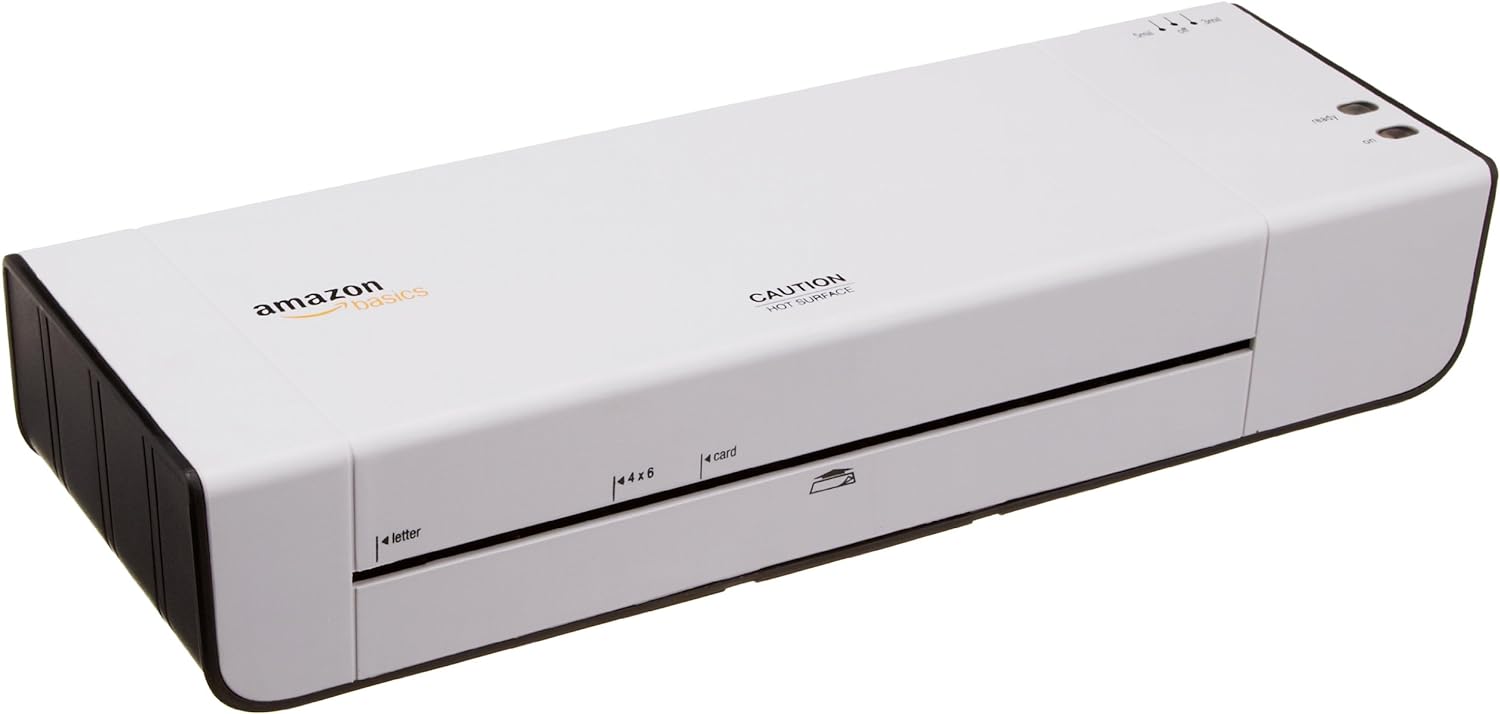
شکل 1: مخکی view of the Amazon Basics 9-Inch Thermal Laminator Machine, showing the feed slot and branding.
کلیدي ځانګړتیاوې:
- Laminates documents up to 9 inches wide.
- Two heat settings: 3 mil and 5 mil.
- Quick 4-minute warm-up time.
- Jam release lever for easy clearing.
- کمپیکٹ ډیزاین.
چمتو کول
بسته بندي کول:
لامینټر په احتیاط سره د هغې له بسته بندۍ څخه لرې کړئ. بسته بندۍ د راتلونکي ذخیره کولو یا لیږد لپاره وساتئ.
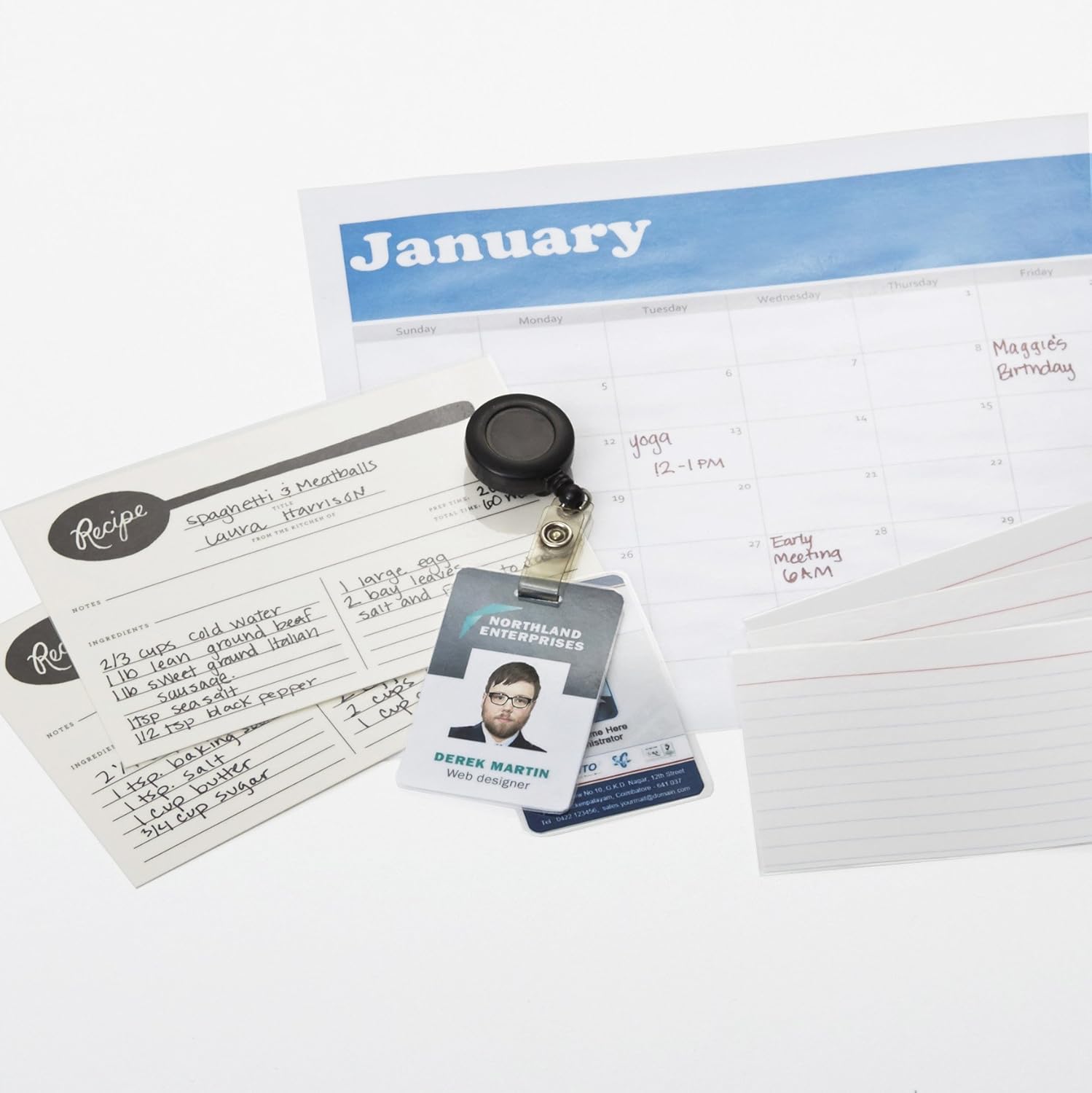
Figure 2: The laminator machine as it appears inside its frustration-free packaging.
ځای په ځای کول:
Place the laminator on a flat, stable, and heat-resistant surface. Ensure there is adequate space around the machine for proper ventilation and for documents to exit the rear.
د بریښنا پیوستون:
Plug the power cord into a standard electrical outlet. The power switch is located on the side of the unit.

3 شکل: تړل view of the power switch, 3mil/5mil heat settings, and release lever on the side of the laminator.
عملیاتي لارښوونې
Laminating a Document:
بریښنا فعاله او ګرمه کول:
Turn the power switch to the "On" position. The "Ready" indicator light will illuminate once the machine has warmed up (approximately 4 minutes).
د تودوخې ترتیب غوره کړئ:
Choose the appropriate heat setting based on the laminating pouch thickness:
- 3 mil: For normal documents, photos, and card stock.
- 5 mil: For thinner papers.
د سند چمتو کول:
Place the document inside a laminating pouch, ensuring it is centered and there is an even border around the edges. Use the included 3 mil thick, 8.9 by 11.4 inch laminating pouches or any compatible 3 mil or 5 mil pouch.

شکل 4: مثالample of laminating recipe cards, showing the document being fed into the laminator.
کڅوړه دننه کړئ:
Carefully insert the sealed edge of the laminating pouch into the laminator's feed slot. The machine will automatically pull the pouch through.

Figure 5: A calendar page being laminated, demonstrating the machine's ability to handle various document types.
لامینټ شوی سند ترلاسه کړئ:
Once the pouch exits the rear of the machine, allow it to cool on a flat surface before handling to ensure proper sealing.

Figure 6: A collection of laminated items, including recipe cards, ID badges, and a calendar, showcasing the versatility of the laminator.
ساتنه
پاکول:
Ensure the laminator is unplugged and completely cool before cleaning. Wipe the exterior with a soft, damp ټوکر د کثافاتو پاکوونکي یا محلول مه کاروئ.
Roller Cleaning (Optional):
Periodically, you may run a cleaning sheet (available separately) through the laminator to remove any adhesive residue from the rollers.
ذخیره کول:
Store the laminator in a cool, dry place when not in use. Ensure the power cord is neatly wrapped and not kinked.
د ستونزو حل کول
| ستونزه | احتمالي لامل | د حل لاره |
|---|---|---|
| لامینټر نه چالانیږي. | پلګ نه دی لګول شوی؛ د بریښنا سویچ بند دی؛ په آوټ لیټ کې بریښنا نشته. | Check power cord connection; ensure power switch is "On"; test outlet with another device. |
| Pouch jams in the machine. | Pouch inserted incorrectly; pouch too thick; foreign object. | فشار ورکړئ لیور خوشې کړئ to clear the jam. Ensure pouch is inserted sealed edge first and is within specified thickness (3 or 5 mil). |
| لامینیشن ورېځ یا بلبل دی. | Incorrect heat setting; machine not fully warmed up; low-quality pouch. | Ensure correct heat setting (3 mil for normal, 5 mil for thinner); wait for "Ready" light; use high-quality laminating pouches. |
| Lamination is not sealed properly. | Incorrect heat setting; machine not fully warmed up; document too thick for pouch. | Verify heat setting; wait for "Ready" light; ensure document fits pouch with adequate border. |
مشخصات
| فیچر | تفصیل |
|---|---|
| د ماډل شمیره | PL9-US |
| د لامینینګ پلنوالی | تر 9 انچو پورې |
| د تودوخې ترتیبات | 3 mil, 5 mil |
| د تودوخې وخت | نږدې 4 دقیقې |
| د رولرونو شمیر | 2 |
| وزن | 1.2 کیلو ګرامه |
| د بریښنا رسول | معیاري AC |
تضمین او ملاتړ
For warranty information and customer support, please visit the official Amazon Basics webسایټ یا مستقیم د ایمیزون پیرودونکي خدماتو سره اړیکه ونیسئ.
آنلاین ملاتړ: د ایمیزون اساساتو پلورنځی
Note: Reading the full user manual is recommended prior to the first use of this product.