پیژندنه
This manual provides instructions for the proper use and care of your Panasonic K1HY08YY0031 USB Cable. This cable is designed for connecting various Panasonic brand models and other compatible electronic devices for data transfer and charging purposes.
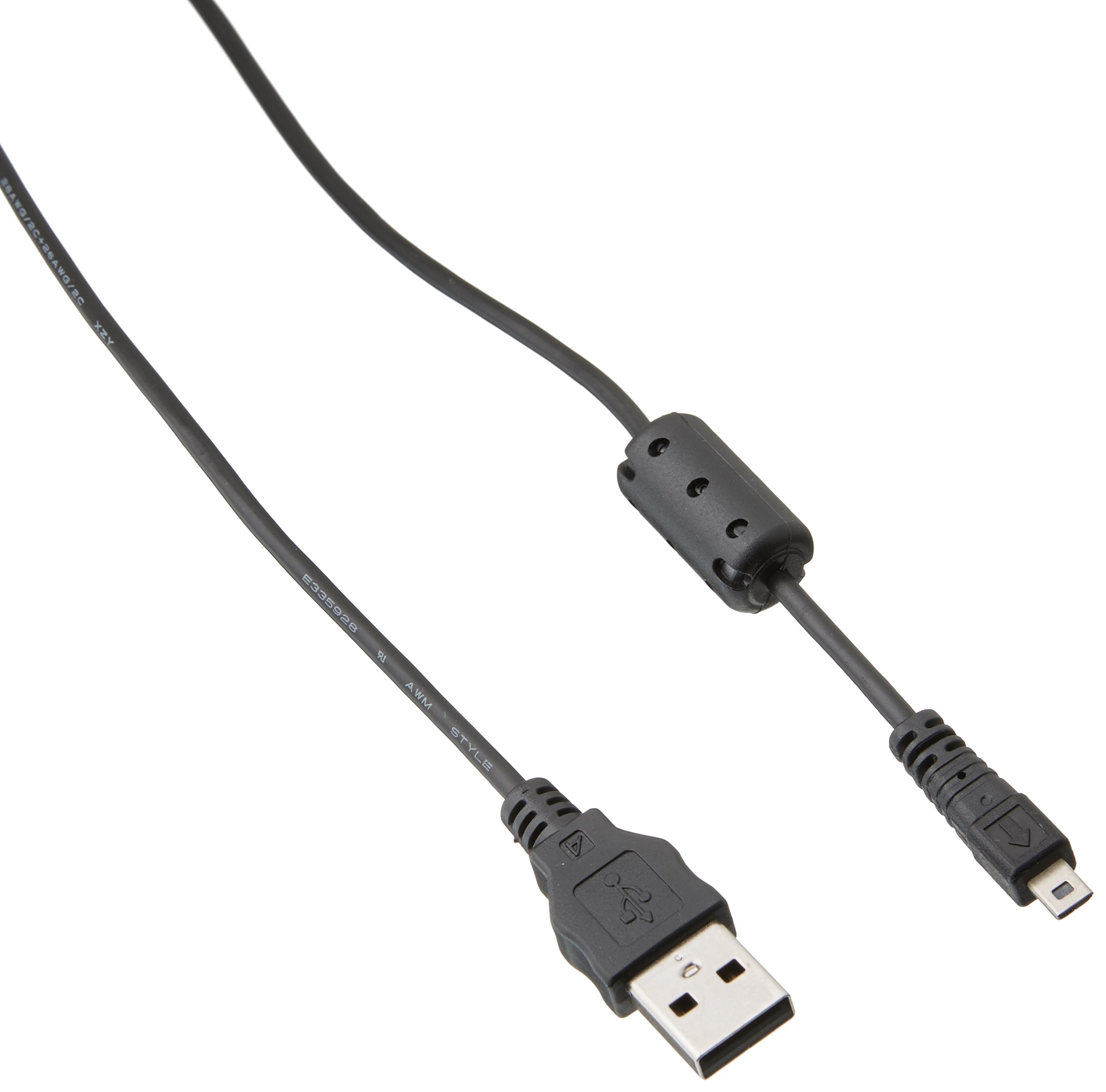
Image: The Panasonic K1HY08YY0031 USB Cable, featuring its standard USB Type A connectors on both ends, designed for reliable device connectivity.
چمتو کول
The Panasonic K1HY08YY0031 USB Cable is a plug-and-play device, requiring no special software installation for basic functionality.
- د بندرونو پیژندنه: Locate the appropriate USB Type A ports on your Panasonic device (e.g., camera, camcorder) and the host device (e.g., computer, charger).
- کیبل نښلول: Insert one end of the USB cable into the USB port of your Panasonic device.
- کوربه سره وصل شئ: Insert the other end of the USB cable into a compatible USB port on your computer, laptop, or a USB wall adapter for charging.
- پیوستون تایید کړئ: Ensure both ends of the cable are securely connected. Your device should indicate a connection (e.g., charging icon, data transfer prompt).
عملیاتي لارښوونې
د معلوماتو لیږد
To transfer data between your Panasonic device and a computer:
- Connect the cable as described in the "Setup" section.
- Once connected, your computer should recognize the Panasonic device as a removable storage device or prompt you to select a connection mode (e.g., Mass Storage, PC Connection).
- Follow the on-screen prompts on your computer or device to access and transfer files.
- د لیږدولو وروسته files, safely eject the device from your computer's operating system before disconnecting the cable to prevent data corruption.
چارج کول
To charge your Panasonic device using the USB cable:
- Connect the cable from your Panasonic device to a USB wall adapter or a powered USB port on a computer.
- ډاډ ترلاسه کړئ چې د بریښنا سرچینه فعاله ده.
- The device's charging indicator should activate, confirming that it is receiving power.
ساتنه
- ذخیره کول: Store the cable in a cool, dry place, away from direct sunlight and extreme temperatures. Avoid tightly coiling or bending the cable sharply, which can damage internal wires.
- پاکول: Use a soft, dry cloth to clean the cable and its connectors. Do not use liquid cleaners or solvents.
- سمبالول: Always grasp the connector head when plugging or unplugging the cable, rather than pulling on the cable itself. This prevents strain on the cable's connection points.
- معاینه: Periodically inspect the cable for any signs of wear, fraying, or damage to the insulation or connectors. Discontinue use if damage is observed.
د ستونزو حل کول
| ستونزه | احتمالي لامل | د حل لاره |
|---|---|---|
| وسیله د کمپیوټر لخوا نه پیژندل کیږي. | Loose connection, faulty USB port, incorrect device settings. |
|
| وسیله چارج نه کوي. | Faulty power source, damaged cable, device issue. |
|
| د معلوماتو ورو لیږد. | USB port speed limitations, large file sizes, background processes. |
|
مشخصات
| فیچر | تفصیل |
|---|---|
| برانډ | Panasonic |
| د ماډل شمیره | K1HY08YY0031 |
| برخه شمیره | K1HY08YY0031 |
| د نښلونکي ډول | د USB ډول A |
| د کیبل ډول | USB |
| مطابقت لرونکې وسیلې | Computer, Laptop, Smartphone, Tablet, Other USB-enabled Devices |
| نښلونکی جندر | له نارینه څخه نارینه |
| مواد | مسو |
| د توکي وزن | 1.44 اونس |
| د محصول ابعاد | 5 x 4 x 1 انچه |
| UPC | 361147000583 |
تضمین او ملاتړ
This product is an authorized aftermarket part. For specific warranty information, please refer to the documentation provided with your original Panasonic device or contact the seller directly. For technical support, please consult the support resources for your specific Panasonic device model.