
1. پیژندنه
The Xiaomi Mi 5000mAh Power Bank is a portable charging solution designed for smartphones and other USB-powered devices. Its slim 9.9mm design and lightweight construction (156 grams) make it highly portable, fitting easily into a pocket or bag. Equipped with a 5000mAh lithium-ion polymer battery, it provides reliable power on the go. The integrated battery indicator keeps you informed about the remaining charge level.
2. د خوندیتوب معلومات
- Do not expose the power bank to extreme temperatures (above 60°C / 140°F or below 0°C / 32°F), direct sunlight, or fire.
- Avoid dropping, disassembling, or attempting to repair the device yourself. This may cause damage or injury.
- Keep the power bank away from water, moisture, and other liquids.
- Use only certified charging cables and adapters. Using incompatible accessories may lead to fire, explosion, or other hazards.
- د ماشومانو د لاسرسي څخه لرې وساتئ.
- Dispose of the power bank according to local regulations for electronic waste. Do not dispose of it in household waste.
3. د بسته محتويات
- Xiaomi Mi 5000mAh Power Bank (Model XPB5000)
- USB Charging Cable (Micro USB to USB-A)
- د کارن لارښود
4. محصول ختم شوview
Familiarize yourself with the components of your Xiaomi Mi 5000mAh Power Bank.
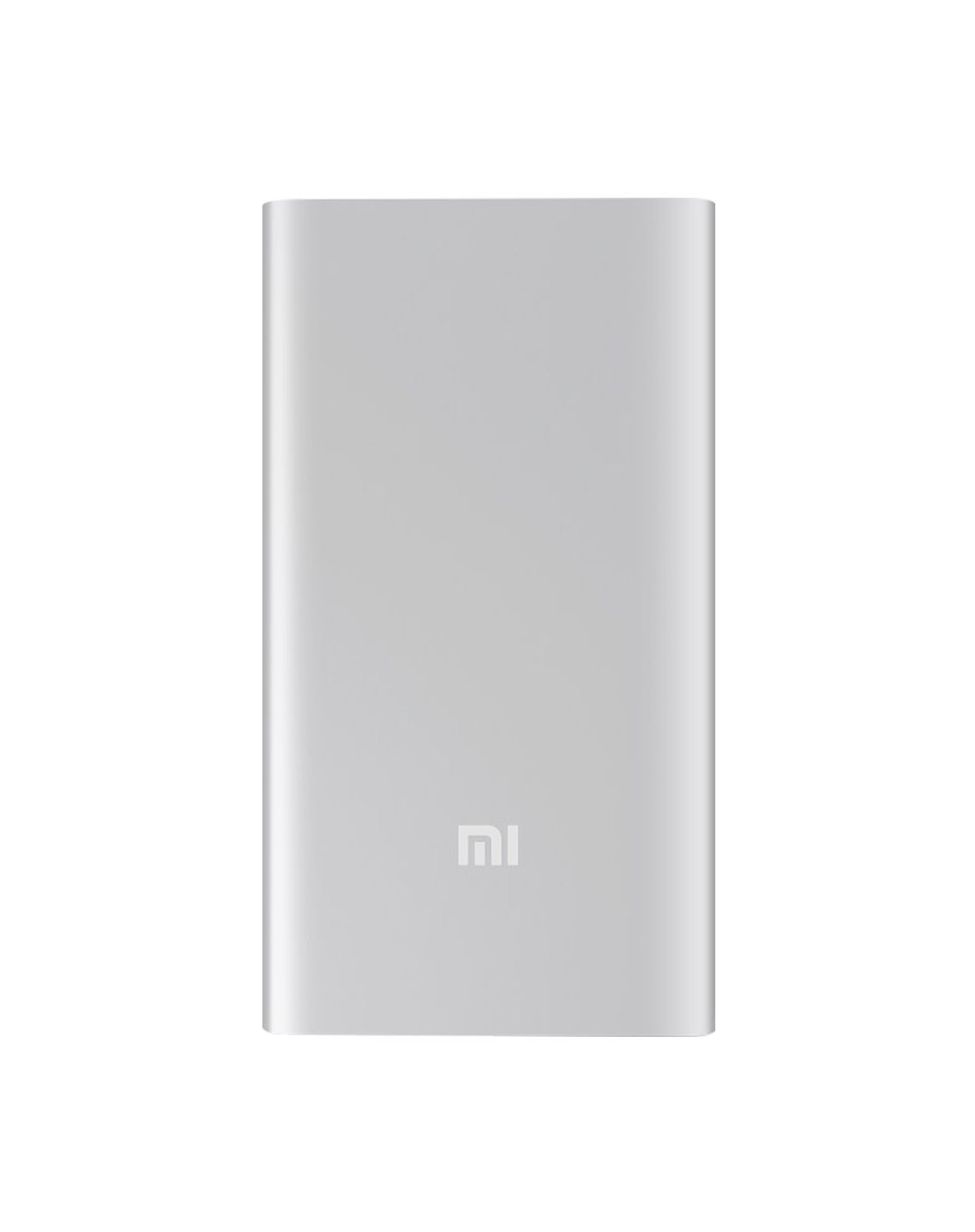
شکل 4.1: مخکی view of the Xiaomi Mi 5000mAh Power Bank, silver color with the 'Mi' logo.

شکل 4.2: پورته view of the power bank, highlighting the ports and indicators.
- د مایکرو USB ان پټ پورټ: Used to charge the power bank itself.
- د USB-A محصول پورټ: د بهرنیو وسایلو د چارجولو لپاره کارول کیږي.
- د بریښنا تڼۍ: Press once to check battery level; press and hold to turn on/off (if applicable, some power banks are auto-on).
- د LED شاخصونه: Four small lights that show the remaining battery capacity of the power bank. Each light typically represents 25% of the charge.
5. ترتیب کول
5.1 ابتدايي چارج
Before using your Xiaomi Mi 5000mAh Power Bank for the first time, it is recommended to fully charge it.
- Connect the Micro USB end of the provided cable to the power bank's Micro USB Input Port.
- Connect the USB-A end of the cable to a USB wall adapter (not included) or a computer's USB port.
- The LED indicators will light up and blink, showing the charging progress. All four LEDs will remain solid when the power bank is fully charged.
6. عملیاتي لارښوونې
۵.۱ د پاور بانک چارج کول
To recharge your power bank:
- Use the included USB cable to connect the power bank's Micro USB input port to a power source (e.g., wall charger, computer USB port).
- The LED indicators will show the charging status. When all four LEDs are solid, the power bank is fully charged.
6.2 ستاسو وسیله چارج کول
To charge a smartphone or other USB-powered device:
- Connect your device's charging cable to the USB-A Output Port of the power bank.
- د کیبل بل پای خپل آله سره وصل کړئ.
- د پاور بانک باید په اتوماتيک ډول ستاسو د وسیلې چارج کول پیل کړي. که نه، د چارج پیل کولو لپاره یو ځل د پاور تڼۍ فشار ورکړئ.
- The LED indicators will show the power bank's remaining charge while it is in use.
7. ساتنه
- پاکول: د پاور بانک د پاکولو لپاره نرم، وچ ټوکر وکاروئ. سخت کیمیاوي مواد یا د کثافاتو مواد مه کاروئ.
- ذخیره کول: Store the power bank in a cool, dry place away from direct sunlight and extreme temperatures. If storing for extended periods, charge it to about 50% every three months to prolong battery life.
- د بیټرۍ پاملرنه: د پاور بانک په مکرر ډول په بشپړه توګه چارج کولو څخه ډډه وکړئ، ځکه چې دا کولی شي د هغې ټول عمر کم کړي.
8. ستونزه حل کول
| ستونزه | احتمالي حل |
|---|---|
| د بریښنا بانک چارج نه کوي | Ensure the charging cable is securely connected to both the power bank and the power source. Try a different cable or wall adapter. Check if the power source is active. |
| وسیله د بریښنا بانک څخه چارج نه کوي | Check if the power bank has sufficient charge (indicated by LEDs). Ensure the cable connecting the device to the power bank is functional and securely connected. Press the power button on the power bank once. |
| ورو چارج کول | Ensure you are using a high-quality cable. The charging speed may vary depending on the device being charged and the power bank's remaining capacity. |
| د LED شاخصونه کار نه کوي | The power bank might be completely discharged or damaged. Try charging it for a few hours. If the issue persists, contact support. |
9. مشخصات
| فیچر | تفصیل |
|---|---|
| د برانډ نوم | Xiaomi |
| د ماډل شمیره | د XPB5000 معرفي کول |
| د بیټرۍ ظرفیت | 5000 mAh |
| د بیټرۍ حجرو جوړښت | لیتیم پولیمر |
| رنګ | سره زر |
| ځانګړي ځانګړتیاوې | د رڼا وزن |
| والیtage | 5 ولټه |
| اوسنۍ | 2.1 Amps |
| د بریښنا سرچینه | د بیټرۍ چلول |
| مطابقت لرونکې وسیلې | سمارټ فونونه |
| د مناسب تلیفون ماډلونه | Apple iPhone 5S, Apple iPhone 6 (and other USB-compatible devices) |
| د ننوتلو پورټ | 1 (Micro USB) |
| وتۍ بندر | ۱ (USB-A) |
| د توکي ابعاد (L x W x H) | 15 x 4.5 x 2.5 سانتي متره |
| وزن | ۴.۲ ګرامه (تقریبا) |
| جي ټي آی اين / يو پي سي | 06954176883742 / 700254076065 190268050890 |
Note: The specification 'Number of Ports: 6' from product data likely refers to the combination of physical ports (Micro USB input, USB-A output) and the four LED indicators.
10. تضمین او ملاتړ
10.1 د تضمین معلومات
According to the product specifications, this item is sold with "No Warranty". Please refer to your point of purchase for any return or exchange policies.
10.2 د پیرودونکي ملاتړ
For further assistance or inquiries regarding your Xiaomi Mi 5000mAh Power Bank, please contact the retailer where the product was purchased or visit the official Xiaomi support webد عمومي محصول معلوماتو لپاره سایټ.
رسمي ژیاومي Webسایټ: https://www.mi.com/global/support