
1. پیژندنه
This manual provides detailed instructions for the installation, operation, and maintenance of the Axis Communications Q6045-E MK II Outdoor 1080P PTZ Camera. This high-performance surveillance camera is designed for outdoor environments, offering 1080p HDTV resolution, 32x optical zoom, and advanced pan/tilt/zoom capabilities for comprehensive area monitoring.
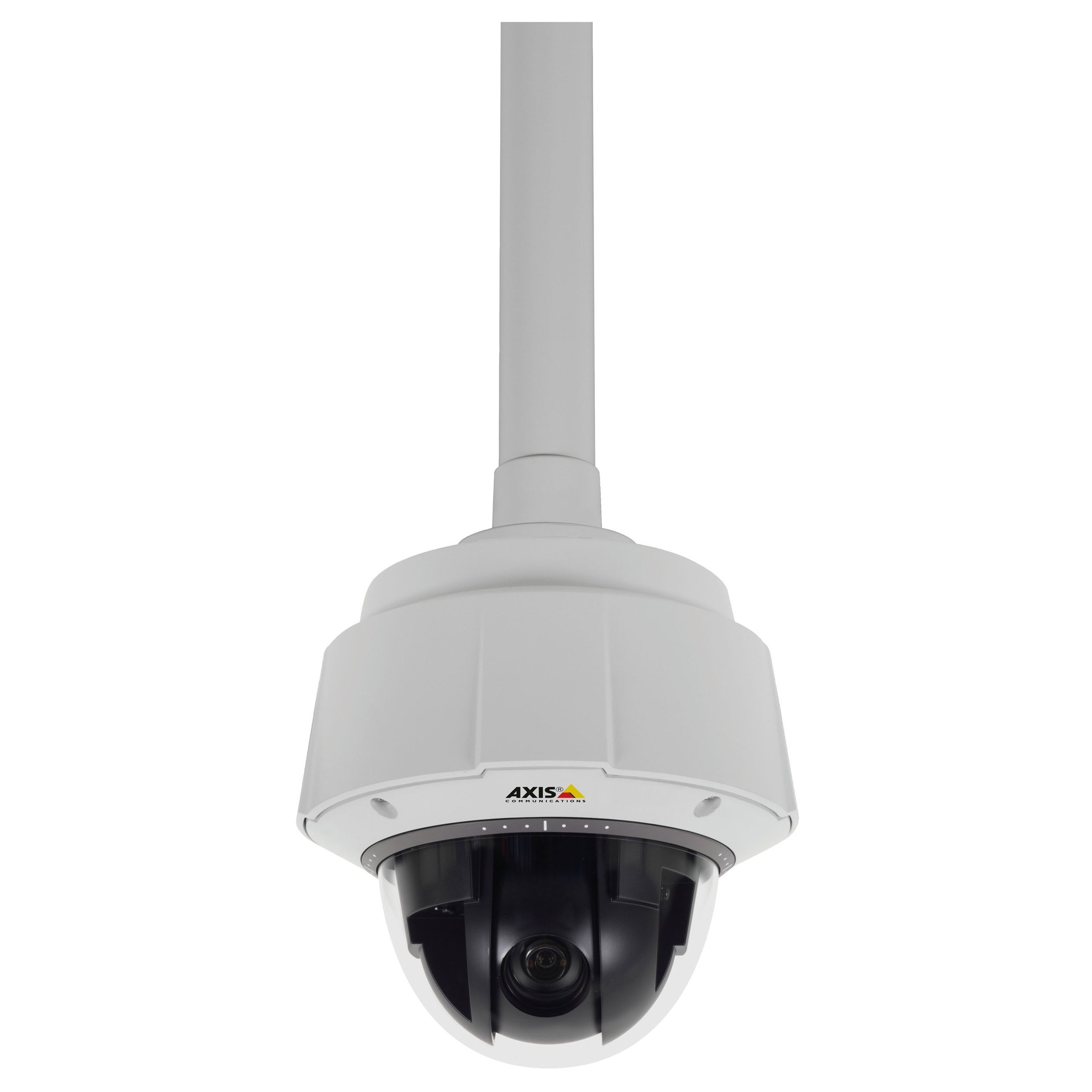
شکل 1: مخکی view of the Axis Communications Q6045-E MK II Outdoor 1080P PTZ Camera. This image displays the dome camera housing, designed for outdoor installation, with its robust construction and integrated lens system.
2. ترتیب کول
2.1 پیک کول او تفتیش کول
Carefully unpack the camera and all accessories. Verify that all components listed in the packing list are present and undamaged. Report any missing or damaged items to your supplier immediately.
2.2 د کیمرې پورته کول
The Q6045-E MK II is designed for wall mount installation in outdoor environments. Ensure the mounting surface is strong enough to support the camera's weight (approximately 13.16 pounds or 5.97 kg). Use appropriate mounting hardware for secure installation.
- یو مناسب بهرنی ځای غوره کړئ چې د مطلوب ساحې چمتو کوي view and is protected from direct impact.
- Secure the mounting bracket to the chosen surface using screws appropriate for the material.
- Attach the camera to the mounting bracket according to the specific instructions provided with the bracket. Ensure all connections are tight and secure.
2.3 د بریښنا نښلول
The camera supports AC/DC power sources. Connect the power cable to the camera's power input port and then to a suitable power supply. Ensure the power supply meets the camera's voltage او د زیان مخنیوي لپاره اوسني اړتیاوې.
د شبکې اتصال
The camera supports both wired and Wi-Fi connectivity. For wired connection, connect an Ethernet cable from your network switch or router to the camera's network port. For Wi-Fi setup, refer to the camera's web interface for wireless configuration after initial wired connection.
2.5 ابتدايي ترتیب
After connecting power and network, the camera will boot up. Access the camera's web د a web browser by entering its IP address. Follow the on-screen prompts to set up administrator credentials, network settings, and initial video parameters.
۳. د کیمرې چلول
۶.۱ په ژوندۍ بڼه لاسرسی View
د کیمرې ژوندۍ ویډیو فیډ ته د هغې له لارې لاسرسی ومومئ web interface or compatible video management software (VMS). This allows real-time monitoring of the surveillance area.
۳.۲ د پین، ټیلټ، او زوم (PTZ) کنټرول
The Q6045-E MK II features advanced PTZ capabilities. Use the controls within the web interface or VMS to:
- پان: کیمره په افقي ډول وګرځوئ ترڅو پراخه ساحه پوښئ.
- ټیلټ: کیمره په عمودي ډول تنظیم کړئ ترڅو view شیان په مختلفو لوړوالیو کې.
- زوم: Utilize the 32x optical zoom for detailed views of distant objects and digital zoom for further magnification.
The camera supports remote control for these functions.
۴.۲ د ویډیو څارنه او ثبت کول
The camera provides 1080p video resolution at up to 60 frames per second. Configure recording settings, including resolution, frame rate, and storage location (e.g., network video recorder, local storage if available), through the camera's interface or VMS. The camera supports MOV and MPEG-4 video capture formats.
3.4 Night Vision and Low Light Performance
Equipped with Night Color low light technology, the camera delivers enhanced image quality in challenging lighting conditions. Configure day/night mode switching and exposure settings as needed for optimal performance.
4. ساتنه
4.1 پاکول
Regularly clean the camera's lens and housing to ensure optimal image clarity and prevent accumulation of dirt or debris. Use a soft, damp cloth for the housing and a lens cleaning solution with a microfiber cloth for the lens. Avoid abrasive cleaners.
4.2 د فرم ویئر تازه معلومات
په دوره یي ډول د اکسس مخابراتو وګورئ website for firmware updates. Keeping the camera's firmware up-to-date ensures access to the latest features, performance improvements, and security patches. Follow the manufacturer's instructions carefully when performing firmware updates.
4.3 د چاپیریال په اړه نظرونه
The Q6045-E MK II has an International Protection Rating of IP541 and IP67, indicating its resistance to dust and water ingress. While designed for outdoor use, ensure proper installation to maximize its lifespan and performance in various weather conditions.
5. ستونزه حل کول
This section provides solutions to common issues you might encounter with your camera.
- ځواک نشته: Verify that the power cable is securely connected to both the camera and the power source. Check the power outlet and any associated circuit breakers.
- د ویډیو فیډ نشته: Ensure the camera is properly connected to the network (wired or Wi-Fi). Check network cables, router status, and camera's IP address. Confirm that the camera's status indicator lights are active.
- د عکس ضعیف کیفیت: Clean the camera lens as described in the Maintenance section. Check for obstructions in the camera's field of view. Adjust focus settings if available in the web انٹرفیس
- د PTZ کنټرولونه بې ځوابه دي: Ensure the camera has a stable network connection. If using remote control, verify the connection between the controller and the camera. A camera reboot might resolve temporary issues.
- Camera Offline Intermittently: This could indicate an unstable network connection. Check Wi-Fi signal strength or wired network cable integrity. Ensure the camera's power supply is consistent.
If problems persist, consult the Axis Communications support webسایټ یا د تخنیکي ملاتړ سره اړیکه ونیسئ.
6. مشخصات
Below are the technical specifications for the Axis Communications Q6045-E MK II Outdoor 1080P PTZ Camera (Model: 0694-004).
| فیچر | مشخصات |
|---|---|
| د ماډل نوم | 0694-004 |
| د کور دننه / بهر کارول | بهر |
| د ویډیو نیول حل | 1080p |
| اعظمي Webد کیم عکس حل | 2 MP |
| د زوم ډول | Digital Zoom, Optical Zoom (32x) |
| د ټیټ رڼا ټیکنالوژي | د شپې رنګ |
| د ارتباط ټیکنالوژي | تار لرونکی، وای فای |
| د ارتباط پروتوکول | وای فای |
| د بریښنا سرچینه | اې سي ډي سي |
| د نصب کولو ډول | دیوال غر |
| د نړیوال خوندیتوب درجه بندي | IP541، IP67 |
| د توکي ابعاد (L x W x H) | 8.3 x 8.3 x 11 انچه (21.1 x 21.1 x 27.9 سانتي متره) |
| د توکي وزن | 13.16 پونډه (5.97 kg) |
| د عکس سینسر ټیکنالوژي | CMOS |
| د کنټرول طریقه | لرې |
| د ویډیو نیول بڼه | MOV, MPEG-4 |
| جوړونکی | د محور مخابراتي شرکت |
| نیټه لومړی شتون لري | د ۲۰۲۴ کال د جنورۍ ۲۸ مه |
7. تضمین او ملاتړ
د تفصيلي تضمین معلوماتو، تخنیکي ملاتړ، او اضافي سرچینو لپاره، مهرباني وکړئ د اکسس مخابراتو رسمي ویب پاڼې ته مراجعه وکړئ. website. The manufacturer, AXIS COMMUNICATION INC., provides support for their products. Keep your purchase receipt and product serial number handy when contacting support.
جوړونکی: د محور مخابراتي شرکت
Webسایټ: www.axis.com