
معرفي او ختمview
The Eton Scorpion II is a rugged, multipowered portable emergency weather radio and flashlight designed for reliability in various conditions. This compact unit is an essential tool for outdoor activities and emergency preparedness, offering multiple ways to stay informed and powered.
Key features include AM/FM/NOAA weather bands for critical updates, a built-in LED flashlight for illumination, and a USB port for charging smartphones. Its robust exterior and aluminum carabiner ensure durability, while multiple power options provide continuous operation.
چمتو کول
Before initial use, it is recommended to fully charge the Scorpion II using the USB port. This ensures the internal 800 mAh Lithium Ion battery is ready for extended use.
- لومړنی لګښت: Connect the provided USB cable to the unit's USB input port and to a standard USB power source (e.g., computer, wall adapter). Allow several hours for a full charge.
- انتن: For optimal radio reception, extend the telescopic antenna fully.

عملیاتي لارښوونې
پاور آن/بند
فشار ورکړئ او ونیسئ ځواک button located on the unit to turn the radio on or off.
د راډیو تونل
د کارولو بند button to cycle through AM, FM, and NOAA weather bands. Use the ټون +/- buttons to manually adjust the frequency. The digital display will show the current frequency.
د حجم کنټرول
د آډیو آوټ پټ کچه د دې په کارولو سره تنظیم کړئ حجم +/- تڼۍ
LED Flashlight & SOS
فشار ورکړئ فلش رڼا button to activate the built-in LED flashlight. Some models may include an SOS function, which can be activated by pressing and holding the flashlight button, causing the light to flash Morse code for distress.

د سمارټ فون چارج کول
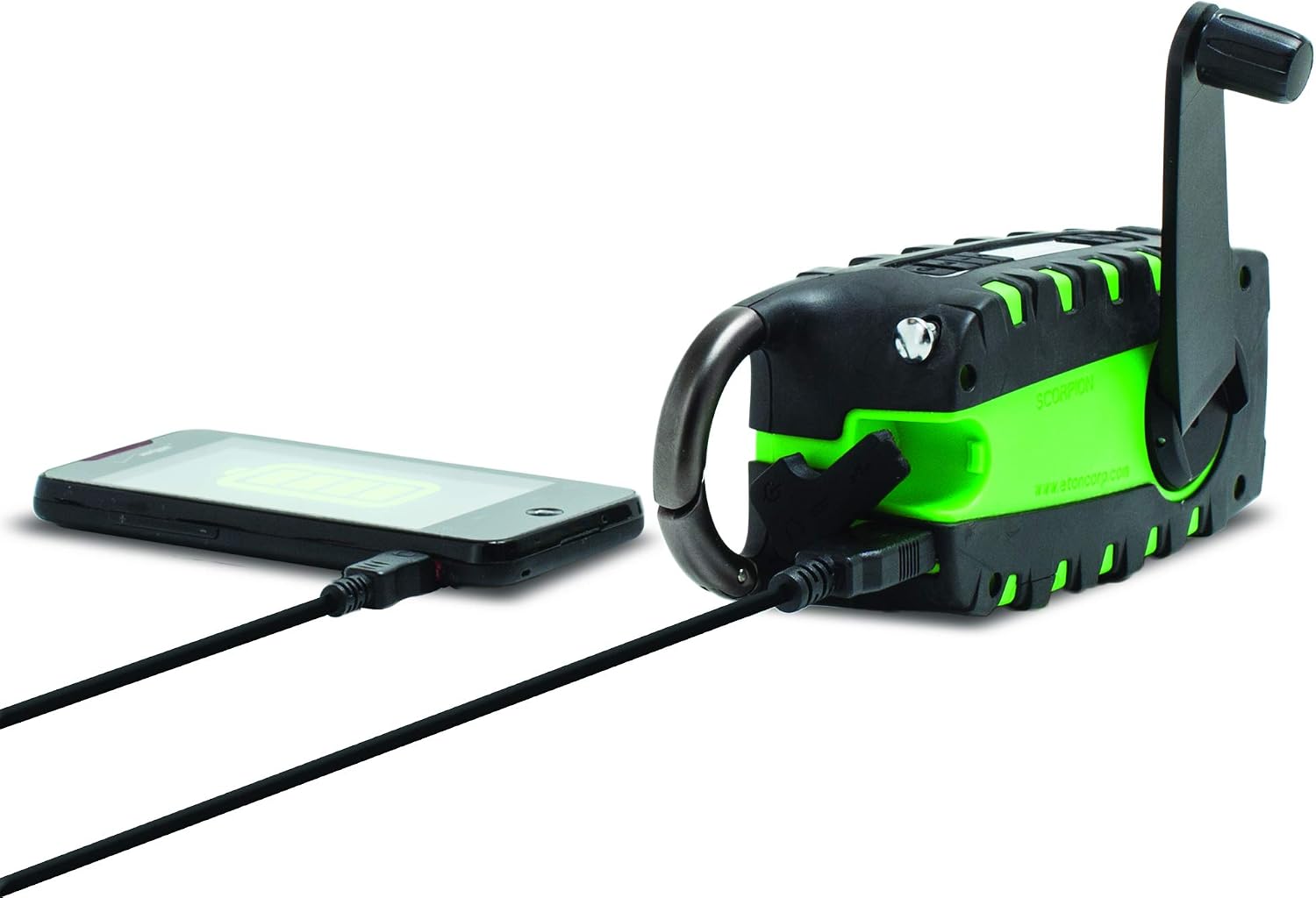
The unit features a USB output port to charge compatible smartphones. Connect your smartphone's charging cable to the Scorpion II's USB output. Ensure the Scorpion II has sufficient charge for this function.

د بریښنا سرچینې
The Eton Scorpion II offers multiple ways to power the unit and charge external devices:
- د لاس کرینک: Extend the hand crank handle and rotate it clockwise or counter-clockwise for manual power generation. Continuous cranking will charge the internal battery and power the radio.
- سولر پینل: Place the unit with its solar panel facing direct sunlight. The solar panel will slowly charge the internal battery. This method is ideal for maintaining charge over time or for trickle charging.
- د USB چارج کول: Use the micro-USB input port to charge the internal battery from any standard USB power source. This is the fastest method for a full charge.

ساتنه
To ensure the longevity and optimal performance of your Eton Scorpion II, follow these maintenance guidelines:
- پاکول: یونټ د نرم سره پاک کړئ ، دamp ټوکر د سختو کیمیاوي موادو یا خړوبولو پاکونکو څخه کار مه اخلئ.
- د بیټرۍ پاملرنه: For best battery life, fully charge the unit at least once every 3 months, even if not in use. Avoid completely draining the battery frequently.
- ذخیره کول: راډیو په یخ او وچ ځای کې د مستقیم لمر وړانګو او سختې تودوخې څخه لرې وساتئ.
- د اوبو مقاومت: The rugged exterior provides protection against splashes and dust, but the unit is not fully waterproof. Avoid submerging it in water.
د ستونزو حل کول
If you encounter issues with your Eton Scorpion II, refer to the following common troubleshooting steps:
- ځواک نشته: Ensure the unit is charged. Try hand cranking for a few minutes or connecting to a USB power source.
- د راډیو کمزوری استقبال: Fully extend the telescopic antenna. Try repositioning the unit to a different location, especially near a window or outdoors.
- Smartphone Not Charging: Verify that the Scorpion II has sufficient battery charge. Ensure the smartphone's charging cable is securely connected to the unit's USB output port.
- فلش لائټ کار نه کوي: Check if the unit is powered on and has battery charge. Press the flashlight button firmly.
مشخصات
| د محصول ابعاد | 2.2 x 3.6 x 7.2 انچه |
| د توکي وزن | 10.6 اونس |
| د توکي ماډل شمیره | NSP101WXGR |
| بیټرۍ | ۱ لیتیم آیون بیټرۍ ته اړتیا ده (داخلي) |
| د ارتباط ټیکنالوژي | USB |
| د بریښنا سرچینه | Solar Powered, Hand Crank, USB |
| د راډیو بینډونو ملاتړ شوی | AM, FM, NOAA Weather |
| ځانګړی ځانګړنه | Portable, LED Flashlight, Smartphone Charger |
په بکس کې څه دي
- Eton Scorpion II Rugged Multipowered Portable Emergency Weather Radio & Flashlight Green
- د USB چارج کیبل
تضمین او ملاتړ
For warranty information, technical support, or service inquiries, please refer to the documentation included with your product or visit the official Eton webسایټ د تضمین ادعاګانو لپاره خپل د پیرود رسید وساتئ.