
Ayra TDC LED Derby
Ayra TDC LED Derby Light Effect User Manual
Model: TDC LED Derby | Brand: Ayra
1. پیژندنه
The Ayra TDC LED Derby is a light effect unit designed to produce multiple narrow, colorful, and moving light beams. It is equipped with a 9W RGB LED chip and features sharp lenses for intense light projection. This device offers versatile operation modes, including standalone and DMX control, making it suitable for various lighting setups.
This manual provides essential information for the safe and efficient operation of your Ayra TDC LED Derby. Please read it thoroughly before use and retain it for future reference.
2. د خوندیتوب لارښوونې
- تل واحد د ځمکې لاندې بریښنا سایټ سره وصل کړئ.
- د حجم ډاډ ترلاسه کړئtage matches the specifications of the unit before connecting to power.
- واحد باران یا رطوبت ته مه ښکاره کوئ.
- د رڼا سرچینې ته د سترګو مستقیم تماس څخه مخنیوی وکړئ.
- کور مه خلاصوئ؛ دننه د کارونکي لپاره د خدمت وړ برخې نشته. ټولې خدمتونه وړ پرسونل ته راجع کړئ.
- د یونټ شاوخوا مناسب هوا ورکول ډاډمن کړئ ترڅو د ډیر تودوخې مخه ونیول شي.
- Mount the unit securely using appropriate clamps او د خوندیتوب کیبلونه.
- د پاکولو یا هر ډول ساتنې ترسره کولو دمخه د بریښنا څخه جلا کړئ.
3. د بسته محتويات
ډاډ ترلاسه کړئ چې ستاسو کڅوړه لاندې توکي لري:
- Ayra TDC LED Derby Light Effect Unit
- د بریښنا کیبل
- د کارونکي لارښود (دا لاسوند)

Figure 3.1: Ayra TDC LED Derby unit shown with its included power cable.
4. محصول ختم شوview
Familiarize yourself with the components and controls of the Ayra TDC LED Derby.

شکل 4.1: مخکی view of the Ayra TDC LED Derby, showing the LED lenses.

Figure 4.2: Rear panel of the Ayra TDC LED Derby, detailing the display, control buttons, DMX input/output, AC power input/output, and microphone.
د شا پینل کنټرولونه او اړیکې:
- ښودنه: Digital display for menu navigation and mode indication.
- MENU/UP/DOWN/ENTER Buttons: Used to navigate through settings and select operating modes.
- په DMX کې: 3-pin XLR input for DMX control signals.
- DMX وت: 3-pin XLR output for linking to other DMX devices.
- AC IN/FUSE: Power input (100-240V, 50-60Hz) with integrated fuse holder.
- AC LINK OUT: Power output for daisy-chaining power to other units.
- MIC: Built-in microphone for sound-activated modes.
5. ترتیب کول
5.1 پورته کول
The Ayra TDC LED Derby can be mounted using its integrated bracket. Ensure the mounting surface or truss is capable of supporting the unit's weight (4 kg). Always use a safety cable when mounting overhead.
- Attach a suitable clamp (not included) to the mounting bracket.
- Secure the unit to a truss or other stable structure.
- Connect a safety cable from the unit's safety eye to the mounting structure.
5.2 د بریښنا نښلول
Connect the supplied power cable to the AC IN socket on the rear panel and then to a grounded power outlet. Multiple units can be daisy-chained using the AC LINK OUT socket, provided the total current draw does not exceed the maximum rating of the power outlet.
6. عملیاتي طریقې
The Ayra TDC LED Derby offers four primary operating modes, selectable via the rear panel display and buttons.
6.1 یوازینی حالت
In standalone mode, the unit operates automatically through pre-programmed light shows without external control. Use the MENU button to navigate to standalone programs and the UP/DOWN buttons to select different patterns or effects. Press ENTER to confirm your selection.
۶.۲ د غږ فعال حالت
The built-in microphone detects ambient sound, and the light effect reacts to the beat of the music. Navigate to the sound-activated mode using the MENU button. The sensitivity of the microphone may be adjustable in some settings.
6.3 د ماسټر / غلام حالت
This mode allows multiple Ayra TDC LED Derby units to synchronize their light shows. Connect the DMX OUT of the master unit to the DMX IN of the first slave unit, and then daisy-chain subsequent slave units. Set the master unit to a desired operating mode (e.g., standalone or sound-activated), and set all slave units to slave mode. The slave units will then mimic the master unit's behavior.
6.4 د DMX کنټرول حالت
For advanced control, connect the unit to a DMX controller. The Ayra TDC LED Derby uses 5 DMX channels. Set the DMX address for each unit using the MENU and UP/DOWN buttons. Refer to the DMX channel chart below for specific functions.
DMX Channel Chart (5-Channel Mode):
| چینل | فعالیت | د ارزښت رینج | تفصیل |
|---|---|---|---|
| 1 | عملیاتي حالت | 0-255 | Selects various pre-programmed shows, sound active, or static colors. |
| 2 | د سټروب سرعت | 0-255 | د سټروب اغیز سرعت تنظیموي. |
| 3 | د سور LED شدت | 0-255 | Controls the brightness of the red LEDs. |
| 4 | د شنه LED شدت | 0-255 | Controls the brightness of the green LEDs. |
| 5 | د نیلي LED شدت | 0-255 | Controls the brightness of the blue LEDs. |
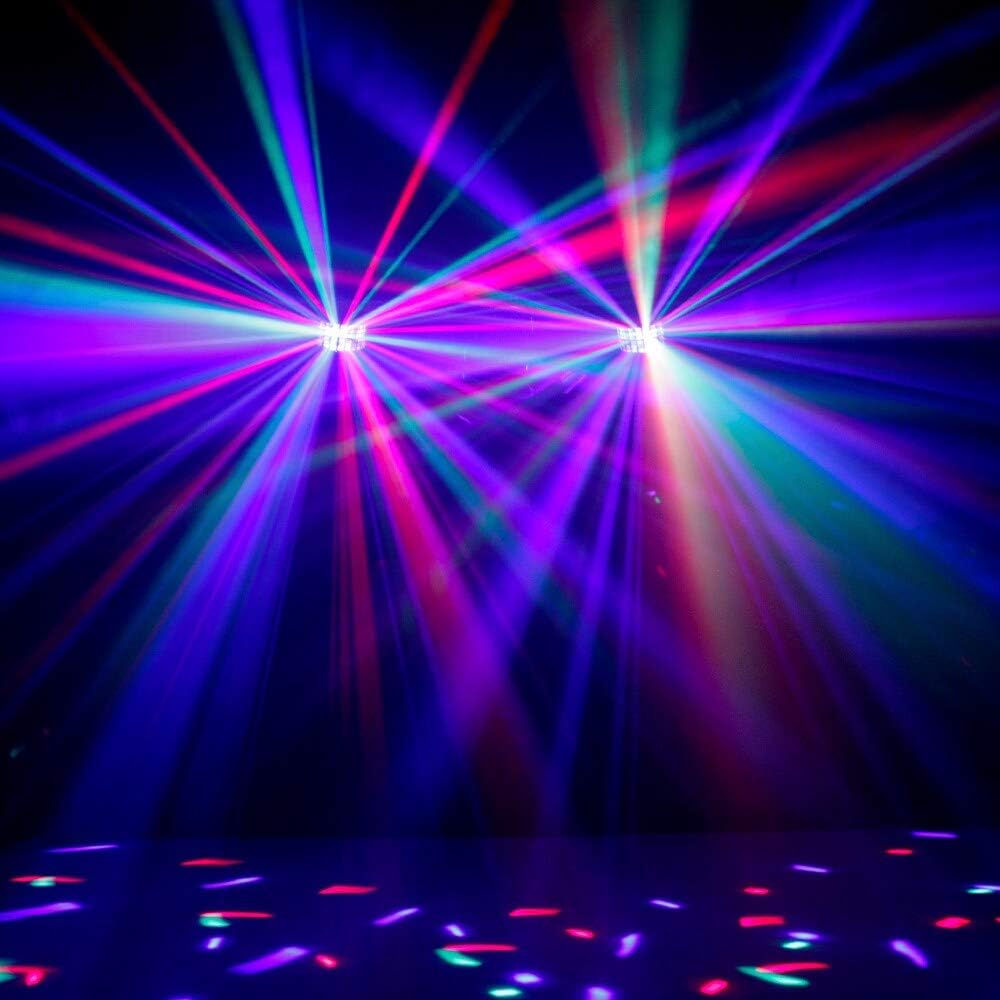
شکل 6.1: مثالample of multi-color light beams projected by the Ayra TDC LED Derby.

شکل 6.2: بل view of the multi-color light effect, demonstrating beam spread.
7. ساتنه
7.1 پاکول
To maintain optimal light output and extend the lifespan of the unit, regular cleaning is recommended.
- د پاکولو دمخه واحد له بریښنا څخه جلا کړئ.
- Use a soft, lint-free cloth to wipe the exterior housing.
- For lenses, use a soft cloth dampened with a mild glass cleaner. Avoid abrasive materials.
- ډاډ ترلاسه کړئ چې هیڅ مایع واحد ته نه ننوځي.
7.2 د فیوز بدلول
If the unit does not power on, check the fuse located in the AC IN socket. Disconnect power, open the fuse holder, and replace the fuse with one of the exact same type and rating (e.g., T1A 250V).
8. ستونزه حل کول
دا برخه هغه عامې ستونزې په ګوته کوي چې تاسو ورسره مخ کیدی شئ. که ستونزه دوام ومومي، د پیرودونکو ملاتړ سره اړیکه ونیسئ.
| ستونزه | احتمالي لامل | د حل لاره |
|---|---|---|
| واحد فعال نه دی. | برېښنا نشته؛ فیوز چاودېدلی دی. | Check power cable connection; Replace fuse (see 7.2). |
| د رڼا محصول نشته. | Unit is in standby; Incorrect mode selected; DMX signal issue. | Check display for standby indicator; Select an active operating mode; Verify DMX connections and address. |
| Sound-activated mode not working. | No sound detected; Microphone blocked; Sensitivity too low. | Ensure sufficient sound level near the unit; Check microphone for obstructions; Adjust sound sensitivity if available. |
| DMX control not responding. | د DMX غلط پته؛ د DMX کیبل غلط دی؛ د DMX کنټرولر ستونزه. | Verify DMX address matches controller setting; Test with a different DMX cable; Check DMX controller output. |
9. مشخصات
| فیچر | تفصیل |
|---|---|
| د محصول ابعاد (L x W x H) | 39 x 30 x 27 سانتي متره |
| د توکي وزن | 4 کیلوګرامه |
| د رڼا سرچینې ډول | LED (د ر Lightا پریښودو شیډول) |
| د رڼا سرچینه ځواک | 9 Watts (RGB LED) |
| د بریښنا سرچینه | AC adapter (100-240V, 50-60Hz) |
| د DMX چینلونه | 5 چینلونه |
| عملیاتي طریقې | Standalone, Sound-Activated, Master/Slave, DMX |
| د نصب کولو ډول | Rear Mount (Bracket) |
| د بلبونو شمیر | 1 (RGB LED chip) |
| بیټرۍ پکې شاملې دي | نه |
10. تضمین او ملاتړ
For warranty information or technical support, please refer to the documentation provided at the time of purchase or contact your local Ayra dealer. Keep your proof of purchase for any warranty claims.
Ask a question about this manual
Ask about setup, troubleshooting, compatibility, parts, safety, or missing instructions. Manuals+ will review the question and use this page’s manual context to help answer it.