
1. محصول ختم شوview
The BUFFALO DriveStation Ultra is a high-performance, high-capacity direct attached storage (DAS) solution designed for demanding data transfer needs, such as high-resolution video editing. This 10-drive desktop model offers a 40 TB storage capacity and features multi-interface support for both Mac and PC systems.
کلیدي ځانګړتیاوې عبارت دي له:
- Industry-leading throughput: Up to 972 MB/s Read and 737 MB/s Write speeds.
- Multi-interface support: Thunderbolt 2 for Mac, and eSATA/USB 3.0 for Windows.
- Advanced data protection: Supports RAID 6 configurations, allowing for up to two drive failures without data loss.
- Equipped with enterprise or NAS hard drives for continuous operation.
۲.۱ په بکس کې څه دي
- DriveStation™ Ultra unit
- تندر بولټ کیبل
- د USB 3.0 کیبل
- د eSATA کیبل
- د چټک تنظیم کولو لارښود
- د تضمین بیان
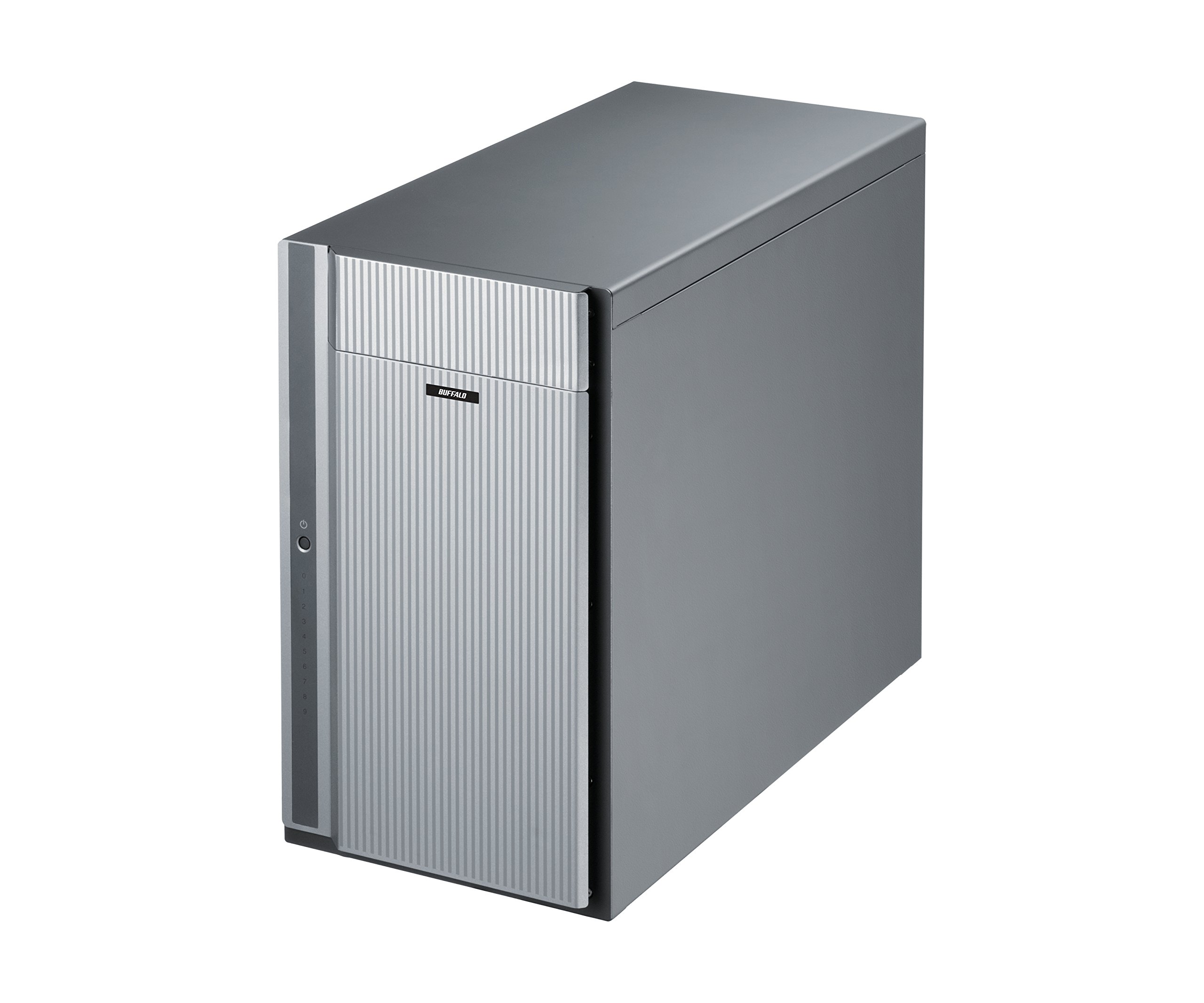
شکل 1: مخکی view of the BUFFALO DriveStation Ultra unit.
۴. د تنظیم لارښوونې
Follow these steps to set up your DriveStation Ultra:
- وسیله خلاص کړئ: Carefully remove the DriveStation Ultra and all accessories from its packaging.
- وسیله ځای په ځای کړئ: Place the unit on a stable, flat surface with adequate ventilation. Ensure no vents are obstructed.
- بریښنا وصل کړئ: Connect the power cable to the unit and then to a power outlet. Do not power on the device yet.
- کمپیوټر سره وصل کړئ: د لاندې پیوستون میتودونو څخه یوه غوره کړئ:
- Thunderbolt 2 (Mac): Use the provided Thunderbolt cable to connect the DriveStation Ultra to your Mac's Thunderbolt port.
- USB 3.0 (PC/Mac): Use the provided USB 3.0 cable to connect the DriveStation Ultra to your computer's USB 3.0 port.
- eSATA (PC): Use the provided eSATA cable to connect the DriveStation Ultra to your computer's eSATA port.
- پاور آن: Once connected, press the power button on the DriveStation Ultra. The device will initialize.
- د ډرایور نصب کول (که اړتیا وي): Your operating system should automatically detect the device. If prompted, install any necessary drivers from the included software or BUFFALO's support webسایټ
- د RAID ترتیب: The DriveStation Ultra comes pre-configured. For advanced RAID configurations (e.g., changing from default RAID 6), refer to the detailed software manual available on the BUFFALO support webسایټ

شکل 2: شاته view of the DriveStation Ultra, highlighting Thunderbolt, USB 3.0, and eSATA ports.
3. عملیاتي لارښوونې
Once the DriveStation Ultra is set up and recognized by your computer, it functions as an external storage device. You can access it like any other connected drive.
- د معلوماتو لیږد: ډریګ او پریږدئ files to and from the DriveStation Ultra. For optimal performance, use the Thunderbolt 2 connection on Mac systems or USB 3.0/eSATA on PC systems.
- فعالیت: Expect high-speed data transfers, particularly with large files, due to the optimized hardware and RAID configuration.
- خوندي لرې کول: Always safely eject the DriveStation Ultra from your operating system before disconnecting the cables or powering down the unit to prevent data corruption.
- د بریښنا مدیریت: The device is designed for continuous operation. If you need to power it off, use the power button on the unit after safely ejecting it from your computer.
4. ساتنه
Proper maintenance ensures the longevity and reliability of your DriveStation Ultra:
- پاکول: Use a soft, dry cloth to clean the exterior of the unit. Do not use liquid cleaners or aerosols directly on the device.
- وینټیلیشن: ډاډ ترلاسه کړئ چې د هوا د تویېدو د مخنیوي لپاره د هوا د تویېدو دروازې له دوړو او خنډونو څخه پاکې وي.
- د فرم ویئر تازه معلومات: Periodically check the BUFFALO support webد فرم ویئر تازه معلوماتو لپاره سایټ. د فرم ویئر تازه ساتل کولی شي فعالیت او ثبات ښه کړي.
- د معلوماتو بیک اپ: While the DriveStation Ultra offers RAID 6 for data protection, it is always recommended to maintain separate backups of critical data.
- د موټر چلولو روغتیا: Monitor the health of the drives using the included utility software or your operating system's disk management tools.
5. ستونزه حل کول
If you encounter issues with your DriveStation Ultra, try the following steps:
- وسیله ونه موندل شوه:
- ډاډ ترلاسه کړئ چې د بریښنا کیبل په خوندي ډول وصل دی او واحد فعال دی.
- Verify that the data cable (Thunderbolt, USB, or eSATA) is firmly connected to both the DriveStation Ultra and your computer.
- Try connecting to a different port on your computer or using a different cable.
- Restart your computer and the DriveStation Ultra.
- ورو فعالیت:
- Ensure you are using the correct high-speed interface (Thunderbolt 2, USB 3.0, or eSATA) and compatible cables.
- Check for background processes on your computer that might be consuming resources.
- Verify that the DriveStation Ultra has adequate ventilation to prevent thermal throttling.
- Drive Failure Indication:
- The DriveStation Ultra's RAID 6 configuration provides protection against up to two drive failures. Consult the detailed manual or BUFFALO support for drive replacement procedures.
- Do not attempt to replace drives without proper guidance to avoid data loss.
- نورې ستونزې: If the problem persists after trying these steps, refer to the comprehensive user manual on the BUFFALO support webسایټ یا د تخنیکي ملاتړ سره اړیکه ونیسئ.
6. مشخصات
| فیچر | تفصیل |
|---|---|
| د هارډ ډرایو ظرفیت | ۲ ټی بی میخانیکي هارډ ډیسک |
| برانډ | BUFFALO |
| لړۍ | DriveStation Ultra |
| د ماډل شمیره | HD-DN040T/R6 |
| د هارډویر پلیټ فارم | ماک، کمپیوټر |
| د توکي وزن | ۲.۴۵ پونډه |
| د محصول ابعاد (LxWxH) | 15.24 x 7.48 x 12.6 انچه |
| رنګ | سره زر |
| د هارډ ډرایو انٹرفیس | eSATA |
| د هارډ ډرایو راټیټولو سرعت | 7200 RPM |
| د ارتباط ټیکنالوژي | Thunderbolt, USB, eSATA |
| د لګولو ډول | بهرنۍ هارډ ډرایو |
| د لومړي شتون نیټه | د ۲۰۲۴ کال د جولای ۹ مه |
7. د تضمین معلومات
The BUFFALO DriveStation Ultra 10-Drive Thunderbolt Desktop DAS 40 TB (Model HD-DN040T/R6) comes with a 3 کلن محدود تضمین.
For detailed terms and conditions of the warranty, please refer to the warranty statement included in your product packaging or visit the official BUFFALO webسایټ
8. ملاتړ
For technical assistance, additional documentation, or to download the latest drivers and firmware, please visit the official BUFFALO support webسایټ
You can typically find support resources by searching for your product model (HD-DN040T/R6) on the BUFFALO support portal.
Contact information for customer service may also be available on the BUFFALO webسایټ یا ستاسو د محصول د چټک تنظیم لارښود کې.