
1. محصول ختم شوview
The Grandstream GXP1630 is a powerful Gigabit IP phone designed for small businesses. This Linux-based, 3-line IP Phone model includes 8 BLF keys and 4-way conferencing. It features a 132x64 backlit LCD screen for clear display, dual HD audio, multi-language support, integrated Power over Ethernet (PoE), and 3 XML programmable soft keys. The GXP1630 incorporates state-of-the-art security encryption technology (SRTP and TLS) and supports various automated provisioning options for easy mass deployment.
کلیدي ځانګړتیاوې:
- 3 SIP accounts, 3 line keys, 4-way conferencing
- 3 XML programmable context-sensitive soft keys
- HD audio on speakerphone and handset
- Up to 1000 contacts, call history up to 200 records
- Dual-switched Gigabit ports, integrated PoE
- 8 dual-colored BLF/speed dial keys
- EHS support for Plantronics headsets
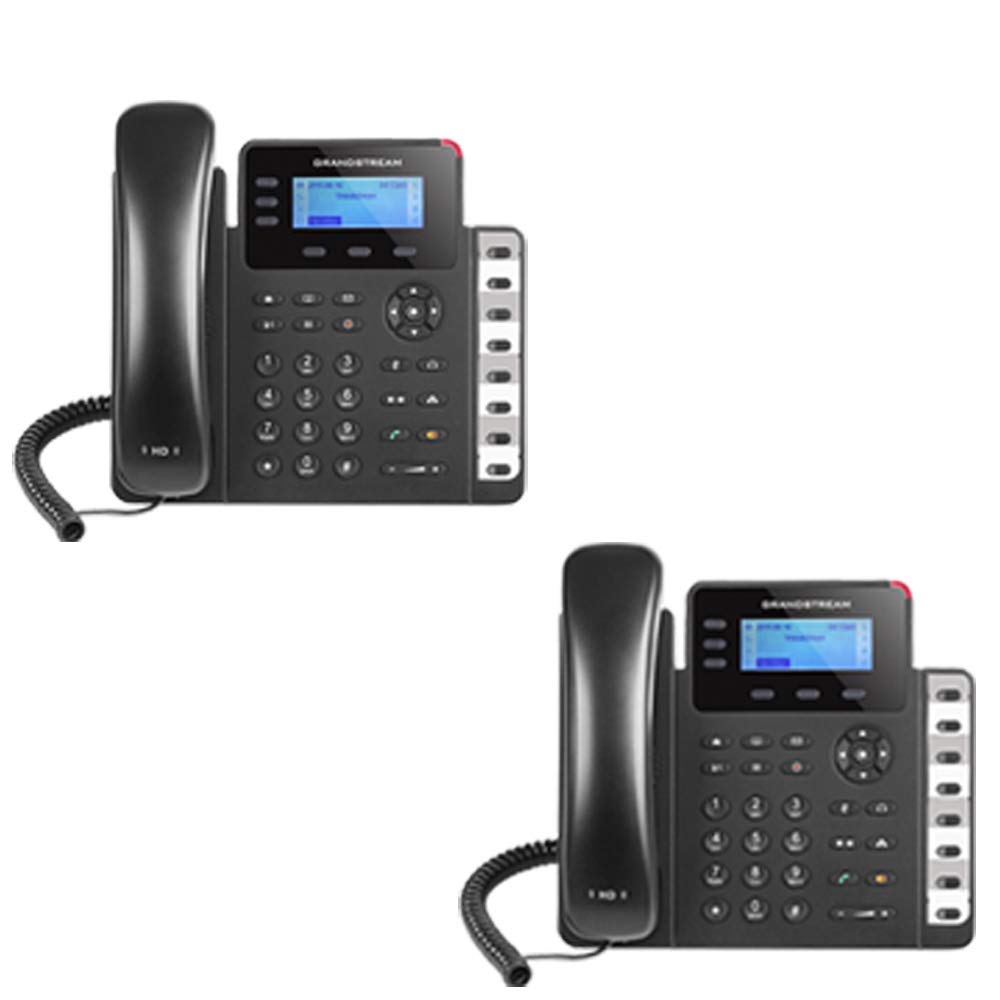
Figure 1: Grandstream GXP1630 Gigabit IP Phone
2. ترتیب او نصب کول
2.1 د بسته محتويات
ډاډ ترلاسه کړئ چې ټولې برخې شتون لري:
- Grandstream GXP1630 IP Phone unit
- لاسي صنایع او کویل شوی تار
- ایترنیټ کیبل
- د بریښنا اډاپټر (که چیرې PoE نه کاروي)
- د تلیفون سټینډ
۲.۲ د تلیفون سره وصل کول
- Connect the coiled cord to the handset and the handset port on the phone base.
- Connect the Ethernet cable from your network switch (with PoE) or router to the LAN port on the phone. If not using PoE, connect the power adapter to the phone and a power outlet.
- Optionally, connect a headset to the headset port.
- Attach the phone stand to the base unit.
۳.۳ لومړنی ځواک لوړول او چمتو کول
Once connected, the phone will power on and begin the boot-up sequence. The LCD screen will display status information. The GXP1630 supports automated provisioning options, including zero-configuration with Grandstream’s UCM series IP PBXs, encrypted XML files, and TR-069, to facilitate easy mass deployment and configuration.
۴. د تلیفون چلول
3.1 Using the Headset or Speaker
- To turn the speaker on or off during a call, press the سپیکر تڼۍ
- To use a connected headset, press the هیډسیټ تڼۍ
ویډیو ۱: پایview of using headset and speaker functions on Grandstream GXP1600 series IP phones.
3.2 زنګ وهل
There are three primary ways to initiate a call:
- Handset/Headset: هینډسیټ پورته کړئ یا فشار ورکړئ هیډسیټ تڼۍ
- سپیکر: فشار ورکړئ سپیکر تڼۍ
- Line Key Selection: Press an available line key.
Once you hear a dial tone (the corresponding line key will turn green), enter the phone number using the keypad. Then, press the لیږل تڼۍ یا د # key to place the call. To use a different SIP account, simply press a different line key before dialing.
3.3 Redialing a Number
د وروستي زنګ وهل شوي شمېرې بیا ډایل کولو لپاره:
- هینډسیټ پورته کړئ یا فشار ورکړئ سپیکر تڼۍ
- فشار ورکړئ لیږل تڼۍ یا د سرخیل soft key displayed on the phone screen.
The phone will redial using the same SIP account as the previous call.
۴.۱ زنګ ته ځواب ورکول
When an incoming call rings:
- یوازینی راتلونکی کال: Lift the handset, press the سپیکر button, or press the corresponding flashing line key.
- Multiple Incoming Calls (Call Waiting): If you are on an active call and another call comes in, you will hear a call waiting tone. The new incoming call's line key will flash red. Press the flashing red line key to answer the new call. Your current call will be placed on hold. You can toggle between calls by pressing the line key corresponding to each call.
3.5 د زنګ وهلو پای
د فعال کال پای ته رسولو لپاره:
- لاسي صنایع ودرول.
- فشار ورکړئ پای کال soft key on the phone screen.
3.6 Hold and Resume a Call
- د فعاله زنګ وهلو لپاره، فشار ورکړئ نیول button. The line key will typically flash.
- To resume a call that was placed on hold, press the corresponding blinking line key.
3.7 Volume Adjustment and Mute
- When the phone is idle, use the حجم د حلقې حجم تنظیمولو لپاره تڼۍ.
- د فعال تلیفون پرمهال ، فشار ورکړئ حجم button to adjust the call volume for the handset, headset, or speaker.
- To mute or unmute your microphone during a call, press the خاموش تڼۍ
4. ساتنه
To ensure optimal performance and longevity of your Grandstream GXP1630 IP Phone, consider the following maintenance tips:
- پاکول: د تلیفون د سطحې د پاکولو لپاره نرم، وچ ټوکر وکاروئ. د کثافاتو پاکوونکو یا محلولونو څخه ډډه وکړئ.
- د فرم ویئر تازه معلومات: Regularly check for and apply firmware updates provided by Grandstream. Keeping the firmware up to date can improve performance, add new features, and address security vulnerabilities.
- د چاپیریال شرایط: Operate the phone within recommended temperature and humidity ranges to prevent damage.
5. ستونزه حل کول
If you encounter issues with your GXP1630 IP Phone, try the following basic troubleshooting steps:
- د ډایل ټون نشته / زنګونه نشي وهلی: Check all cable connections (Ethernet, handset, power). Ensure the phone is properly registered with your SIP server.
- ځواک نشته: Verify the power adapter is securely connected to both the phone and a working power outlet, or that your network switch is providing Power over Ethernet (PoE).
- ضعیف آډیو کیفیت: Check network connectivity. Ensure the handset/headset cord is properly connected. Adjust the call volume using the volume buttons.
- Phone Unresponsive: As with any electronic device, occasional reboots can resolve minor issues. Disconnect the power for a few seconds and then reconnect it.
- د ښودلو مسلې: If the screen is blank or frozen, try rebooting the phone.
For more advanced issues, consult your IT administrator or Grandstream's official support resources.
6. مشخصات
| فیچر | تفصیل |
|---|---|
| د SIP حسابونه | 3 |
| د کرښې کیلي | 3 |
| کانفرانس | ۳۲-لاره |
| BLF/Speed Dial Keys | 8 dual-colored |
| آډیو | HD audio on speakerphone and handset |
| جال برسیر | Dual-switched Gigabit ports |
| پو | Integrated Power over Ethernet |
| ښودل | 132x64 backlit LCD |
| ابعاد | 8 x 12 x 6 انچه |
| وزن | 6 پونډه |
| رنګ | تور |
| مواد | پلاستیک |
| مطابقت لرونکې وسیلې | Grandstream IP phones, Plantronics headsets with EHS feature, devices supporting TR-069 and XML config files |
7. تضمین او ملاتړ
۸.۱ د جوړونکي تضمین
The Grandstream GXP1630 IP Phone comes with a د تولید کونکي دوه کلن تضمینمهرباني وکړئ د تضمین ادعاوو لپاره د پیرود ثبوت وساتئ.
7.2 تخنیکي ملاتړ
For technical assistance, product registration, or to access additional resources, please visit the official Grandstream website or contact your product vendor. Support resources often include FAQs, knowledge bases, and community forums.