
1. پیژندنه
The CHERRY KC 1000 is a reliable wired keyboard designed for professional office use and everyday computing. It features a full-size Italian QWERTY layout, a flat design, and quiet keystrokes for comfortable and efficient typing. This manual provides essential information for setting up, operating, maintaining, and troubleshooting your keyboard.
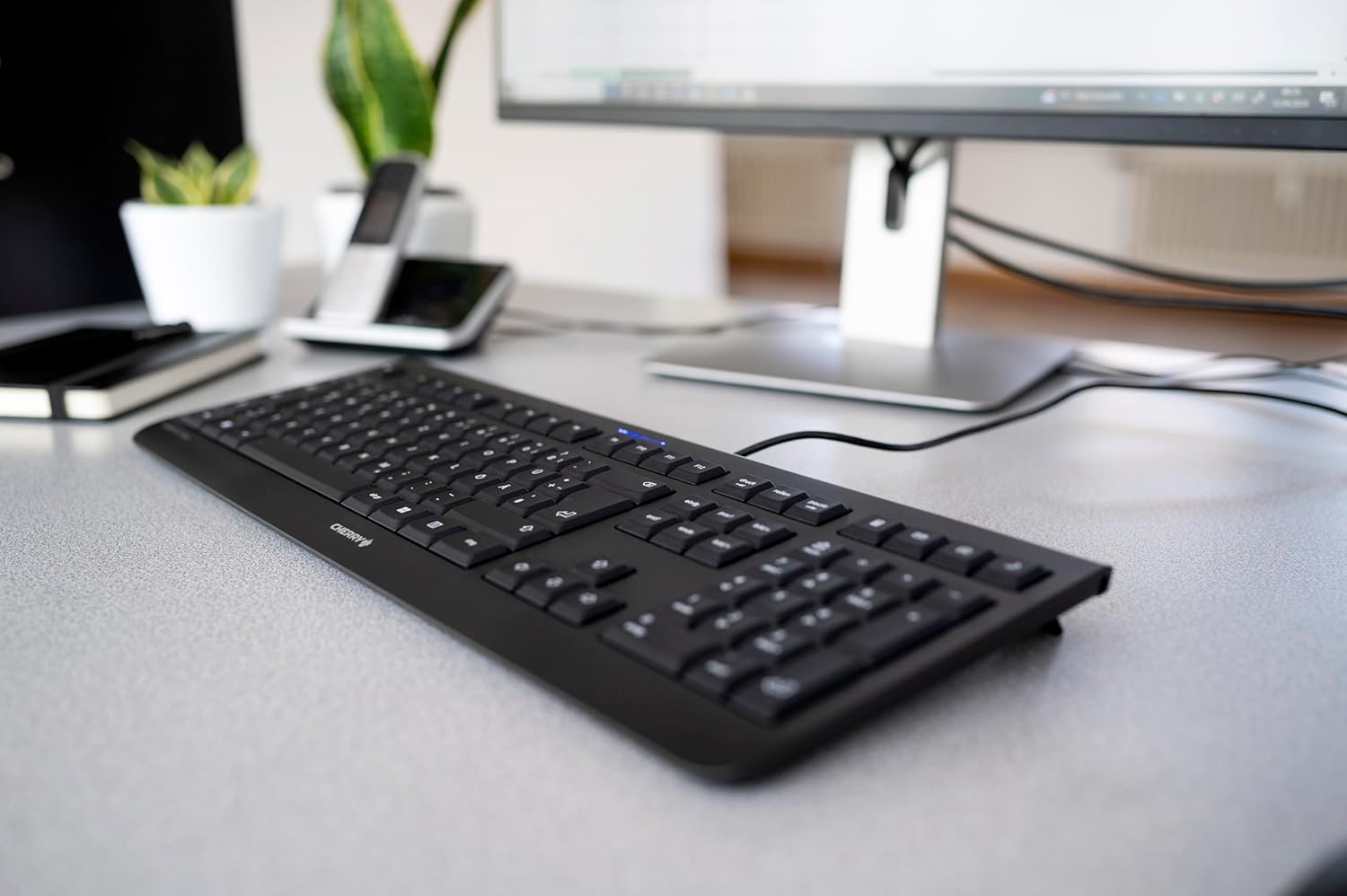
Image 1.1: The CHERRY KC 1000 keyboard in a typical office setup.
2. ترتیب کول
The CHERRY KC 1000 keyboard is designed for simple Plug & Play installation. No additional drivers are required for most operating systems.
۴.۲ د کیبورډ نښلول
- Locate an available USB-A port on your computer (desktop PC, laptop, or compatible device).
- Insert the USB connector of the CHERRY KC 1000 keyboard into the USB-A port.
- Your operating system will automatically detect and install the necessary drivers. This process usually takes a few seconds.
- کیبورډ اوس د کارونې لپاره چمتو دی.
The keyboard features a 180 cm (approximately 5.9 feet) long cable, providing ample flexibility for desk arrangements.

Image 2.1: The USB cable connection of the CHERRY KC 1000 keyboard.
۴. د کیبورډ چلول
The CHERRY KC 1000 offers a standard Italian QWERTY layout with additional function keys for enhanced productivity.
۴.۱ کلیدي ترتیب او دندې
The keyboard includes a full-size layout with a dedicated numeric keypad and cursor keys. The Italian QWERTY layout supports specific characters and symbols commonly used in the Italian language.

انځور 3.1: اوورview of the CHERRY KC 1000 Italian QWERTY key layout.
3.2 Special Function Keys
The keyboard features 4 additional keys located above the numeric keypad for quick access to common functions:
- محاسب: Opens the default calculator application.
- بریښنالیک: Launches your default email client.
- براوزر: ستاسو ډیفالټ خلاصوي web براوزر
- د خوب حالت: Puts your computer into sleep mode.
3.3 حالت LEDs
Three blue status LEDs are located above the function keys to indicate the status of:
- کیپس لاک: کله چې کیپس لاک فعال وي نو روښانه کیږي.
- NUM: Illuminates when Num Lock is active.
- سکرول: Illuminates when Scroll Lock is active.

Image 3.2: User interacting with the CHERRY KC 1000 keyboard.
4. ساتنه
Proper care and maintenance will ensure the longevity and optimal performance of your CHERRY KC 1000 keyboard.
۷.۲ د کیبورډ پاکول
- د پاکولو دمخه کیبورډ له خپل کمپیوټر څخه جلا کړئ.
- د نرم، لینټ پاک ټوکر څخه لږ څه کار واخلئampened with water or a mild cleaning solution (e.g., isopropyl alcohol) to wipe the keycaps and keyboard surface.
- Avoid using abrasive cleaners, solvents, or harsh chemicals, as these can damage the keyboard's finish or key legends.
- د کیلي ګانو ترمنځ د دوړو او کثافاتو لپاره، د فشار شوي هوا یا کوچني برش څخه کار واخلئ.
- ډاډ ترلاسه کړئ چې کیبورډ په بشپړه توګه وچ دی مخکې له دې چې خپل کمپیوټر سره وصل کړئ.
4.2 عمومي پاملرنه
- په کیبورډ کې د مایعاتو له توییدو څخه ډډه وکړئ.
- Do not expose the keyboard to extreme temperatures or direct sunlight for extended periods.
- Do not attempt to disassemble the keyboard, as this may void the warranty.
5. ستونزه حل کول
If you encounter issues with your CHERRY KC 1000 keyboard, refer to the following common troubleshooting steps.
۵.۱ کیبورډ ځواب نه ورکوي
- د USB اتصال وګورئ: Ensure the USB cable is securely plugged into both the keyboard and the computer's USB port. Try a different USB port.
- کمپیوټر بیا پیل کړئ: ځینې وختونه د کمپیوټر یو ساده بیا پیل کول کولی شي د اتصال ستونزې حل کړي.
- په بل کمپیوټر کې ازموینه: If possible, connect the keyboard to another computer to determine if the issue is with the keyboard or the original computer.
- د موټر چلوونکي بیا نصبول: Although Plug & Play, sometimes reinstalling drivers can help. Disconnect the keyboard, restart the computer, and then reconnect the keyboard.
۵.۲ کیلي په سمه توګه کار نه کوي
- پاکې کیلي: Dust or debris under the keycaps can cause keys to stick or not register. Refer to the cleaning instructions in Section 4.1.
- د سافټویر شخړې: Ensure no other software or keyboard utilities are interfering with the keyboard's operation.
5.3 Status LEDs Not Working
- Verify that the corresponding lock function (Caps Lock, Num Lock, Scroll Lock) is activated.
- If the keyboard is otherwise functional, a minor software glitch might be preventing the LED from lighting up. A computer restart may resolve this.
6. مشخصات
Below are the technical specifications for the CHERRY KC 1000 Wired Keyboard.
| فیچر | تفصیل |
|---|---|
| د ماډل نوم | چیری KC 1000 |
| د ماډل شمیره | JK-0800IT-2 |
| ارتباط | وائرډ USB-A |
| د کیبورډ ترتیب | Italian QWERTY |
| د کلیدونو شمیر | 109 |
| کلیدي ټیکنالوژي | Membrane or Rubber Dome |
| ځانګړي ځانګړتیاوې | Whisper-quiet keystroke, 4 additional function keys (Calculator, Email, Browser, Sleep Mode), 3 blue status LEDs |
| د کیبل اوږدوالی | 1.8 متره (5.9 فټ) |
| مواد | پلاستیک |
| رنګ | تور |
| وزن | 530 ګرامه |
| مطابقت لرونکې وسیلې | لپ ټاپ، کمپیوټر |
| تصدیقونه | c-tick, cULus, CE, FCC, BSMI, TÜV/GS, Blue Angel eco-label |
7. تضمین او ملاتړ
CHERRY products are manufactured to high-quality standards. For information regarding warranty coverage, please refer to the warranty card included with your product or visit the official CHERRY website. For technical support or further assistance, please contact CHERRY customer service through their official channels.
The product package includes: 1 CHERRY KC 1000 keyboard and a printed instruction manual.