
1. پیژندنه
This manual provides essential instructions for the proper setup, operation, and maintenance of your YI YAS.1616.INT 4K Action Camera Kit. Please read this manual thoroughly before using the product to ensure optimal performance and safety. Keep this manual for future reference.
2. محصول ختم شوview
2.1 د کټ مینځپانګې
The YI YAS.1616.INT 4K Action Camera Kit includes the following components:
- YI 4K Action Camera
- YI Monopod
- بلوتوث ریموت
- د چارج وړ بیټرۍ
- USB کیبل
- د لارښوونې لارښود

Image 2.1: Contents of the YI 4K Action Camera Kit.
2.2 د کیمرې ځانګړتیاوې
The YI 4K Action Camera is designed for high-quality video and photo capture, featuring:
- 4K/30fps Video Recording: Captures video at 60mbps, offering 4 times the quality of standard 1080p.
- Advanced Imaging Hardware: Equipped with an Amarelle A9SE75 chip, Sony IMX377 image sensor, and 7-layer optical glass lenses with an F2.8 large aperture for enhanced light intake.
- ۴.۳ انچه LCD ټچ سکرین: A 640 x 360 high-resolution display with Gorilla Glass Retina for easy previewing, shooting, and scratch resistance.
- د بیټرۍ اوږد ژوند: A 1400mAh 4.4V lithium-ion battery provides up to 120 minutes of 4K/30fps video recording on a single charge.
- د یخولو موثر سیسټم: Prevents overheating during extended recording sessions.
- ارتباط: Built-in Wi-Fi for smartphone app control and Bluetooth for remote control.
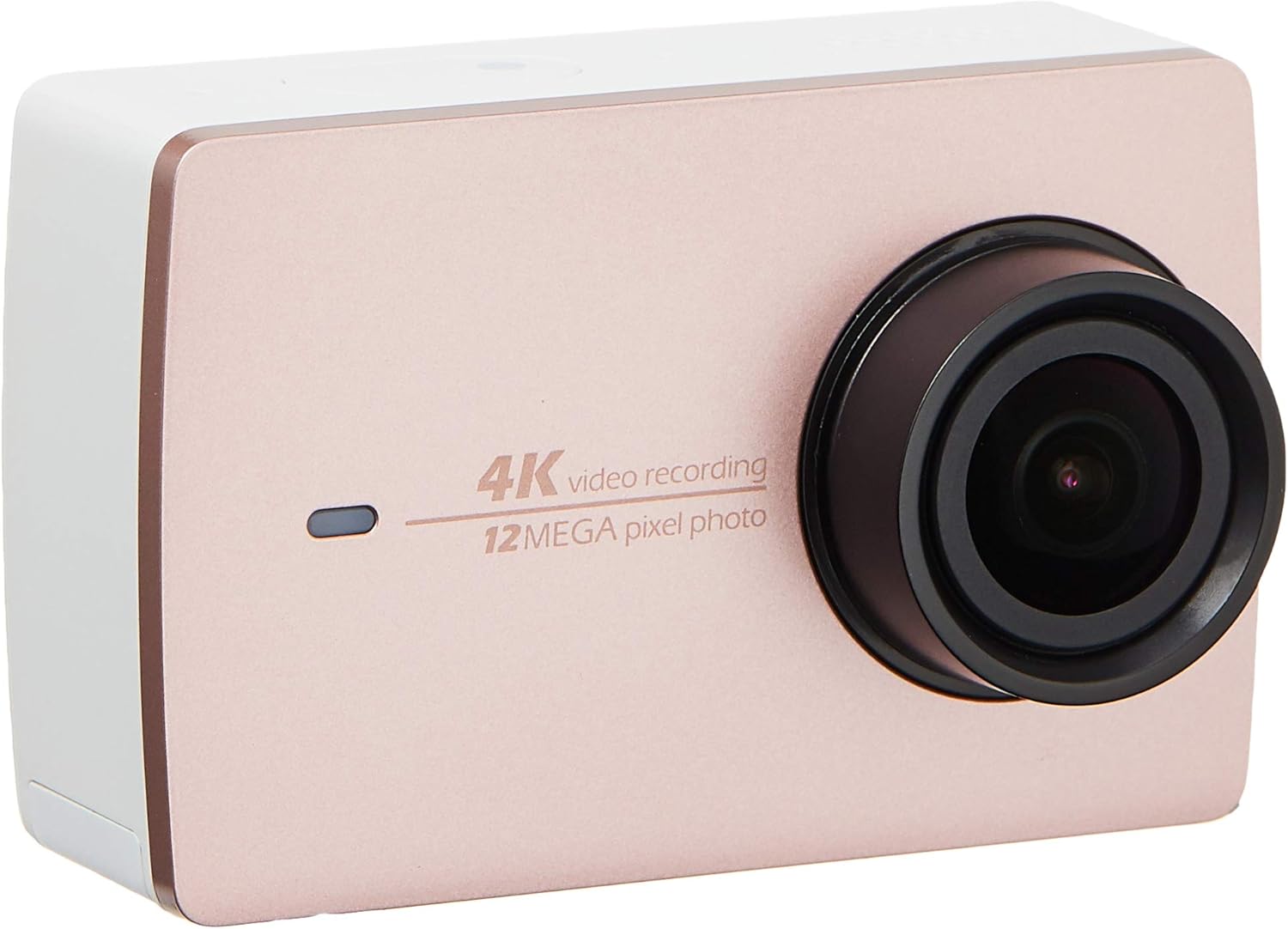
انځور 2.2: مخکی view of the YI 4K Action Camera.
3. ترتیب کول
۵.۱ د بیټرۍ نصب او چارج کول
- په کیمره کې د بیټرۍ کڅوړه ومومئ.
- Insert the 1400mAh lithium-ion battery, ensuring correct polarity.
- د بیټرۍ کڅوړه په خوندي ډول وتړئ.
- Connect the camera to a power source using the provided USB cable for charging. The charging indicator will illuminate.
3.2 د میموري کارت نصب کول
The YI 4K Action Camera supports SDHC and SmartMedia flash memory types.
- د حافظې کارت سلاټ پوښ خلاص کړئ.
- Insert a compatible memory card (not included) into the slot with the contacts facing the correct direction. Push until it clicks into place.
- د حافظې کارت سلاټ پوښ وتړئ.
3.3 بریښنا کول / بندول
- د فعالولو لپاره: د پاور تڼۍ فشار ورکړئ او ونیسئ تر هغه چې سکرین روښانه شي.
- د بریښنا بندولو لپاره: Press and hold the Power button until the camera shuts down.
3.4 Connecting the Bluetooth Remote
The included Bluetooth remote allows for convenient control of the camera.
- ډاډ ترلاسه کړئ چې کیمره فعاله ده.
- Activate Bluetooth pairing mode on the camera via the settings menu.
- Follow the remote's instructions to enter pairing mode.
- Once paired, the remote can be used to switch between video and photo modes and trigger recording/capture.

Image 3.1: The YI Monopod, included in the kit.
۳. د کیمرې چلول
۶.۲ د ټچ سکرین نیویګیشن
The 2.19" LCD touchscreen provides intuitive control:
- سوائپ: Navigate through different modes (Video, Photo, Time-lapse, etc.) and settings.
- ټایپ: Select options, adjust settings, or start/stop recording.
- مخکېview: View ستاسو نیول شوی footage and photos directly on the screen.
4.2 ویډیو ثبتول
- Select the Video mode on the touchscreen.
- Adjust video resolution (e.g., 4K/30fps) and other settings as desired.
- Press the Shutter button or tap the record icon on the screen to start recording.
- Press the Shutter button or tap the record icon again to stop recording.
۷.۱ د عکس اخیستل
- Select the Photo mode on the touchscreen.
- Adjust photo settings such as resolution, exposure, and white balance.
- Press the Shutter button or tap the capture icon on the screen to take a photo.
۴.۲ د وای فای اتصال او د اپلیکیشن کارول
The camera's built-in Wi-Fi allows connection to a smartphone app for remote control, live preview, and content management.
- Download the official YI Action Camera app from your device's app store.
- Enable Wi-Fi on the camera via the settings menu.
- Connect your smartphone to the camera's Wi-Fi network (SSID and password displayed on camera screen).
- Open the YI Action Camera app to control the camera, view footage، او لیږد files.
5. ساتنه
5.1 پاکول
- Use a soft, lint-free cloth to clean the camera body and touchscreen.
- د لینز لپاره، د لینز پاکولو لپاره ځانګړی ټوکر او محلول وکاروئ. د کثافاتو موادو څخه ډډه وکړئ.
- ډاډ ترلاسه کړئ چې ټول بندرونه د دوړو او کثافاتو څخه پاک دي.
5.2 ذخیره کول
- کیمره په یخ او وچ ځای کې د مستقیم لمر وړانګو او سختې تودوخې څخه لرې وساتئ.
- که چیرې بیټرۍ د اوږدې مودې لپاره ذخیره کوئ نو لرې یې کړئ ترڅو د لیکیدو مخه ونیسئ.
5.3 د فرم ویئر تازه معلومات
Periodically check the official YI website or the YI Action Camera app for available firmware updates. Keeping your camera's firmware updated ensures optimal performance and access to new features.
6. ستونزه حل کول
6.1 عام مسایل او حلونه
- کیمره فعاله نه ده: ډاډ ترلاسه کړئ چې بیټرۍ په بشپړه توګه چارج شوې او په سمه توګه داخل شوې ده.
- ثبت کول په غیر متوقع ډول ودریږي: Check if the memory card has sufficient space or if it's a high-speed card suitable for 4K recording. Ensure the battery is not depleted.
- د ټچ سکرین بې ځوابه: Try restarting the camera. If the issue persists, ensure the screen is clean and dry.
- د بلوتوث ریموټ نه وصل کیږي: Ensure both the camera and remote are in pairing mode and within range. Check the remote's battery.
- د وای فای اتصال مسلې: Verify the camera's Wi-Fi is enabled and your smartphone is connected to the correct network. Try restarting both devices.
For further assistance, refer to the official YI support resources.
7. مشخصات
| جوړونکی | YI |
| د ماډل شمیره | 90010 |
| د محصول ابعاد | 6.6 x 3 x 4.3 سانتي متره |
| وزن | 96.39 ګرامه |
| د عکس سینسر ټیکنالوژي | CMOS |
| د ویډیو نیول حل | 4K |
| اعظمي فوکل اوږدوالی | 1 |
| اعظمي اپرچر | 2.8 ملی متره |
| د فلش حافظې ډول | SDHC, SmartMedia |
| د ویډیو نیول بڼه | MP4 |
| ملاتړ شوی آډیو بڼه | AAC، MP3 |
| د سکرین اندازه | ۷۸۷ انچه |
| د ارتباط ټیکنالوژي | وای فای |

Image 7.1: YI 4K Action Camera with monopod, illustrating approximate dimensions.
8. تضمین او ملاتړ
8.1 د تضمین معلومات
دا محصول د الف سره راځي ۱ کلن محلي (سینګاپور) تضمین. مهرباني وکړئ د تضمین ادعاوو لپاره د پیرود ثبوت وساتئ. تضمین د عادي استعمال شرایطو لاندې د تولید نیمګړتیاوې پوښي.
8.2 د پیرودونکي ملاتړ
For technical support, service, or warranty inquiries, please visit the official YI Technology website or contact their authorized service centers in Singapore. Contact information can typically be found on the product packaging or the official webسایټ