
پیژندنه
Thank you for choosing the Divoom Onbeat 500 Portable Wireless Bluetooth Speaker. This device is designed to deliver powerful sound with convenient wireless connectivity. This manual will guide you through the setup, operation, and maintenance of your speaker to ensure optimal performance and longevity.
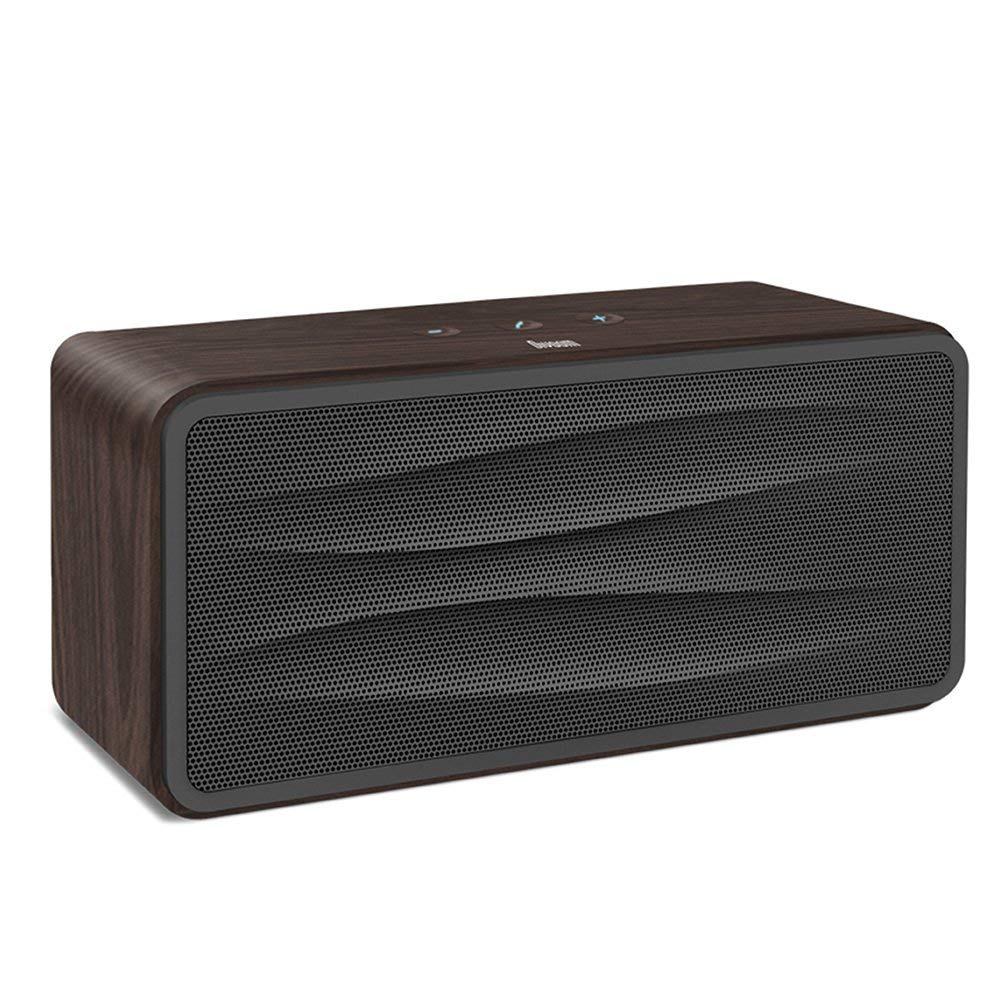
شکل 1: مخکی view of the Divoom Onbeat 500 speaker. This image displays the speaker's main grille and overall design.
د بسته محتويات
مهرباني وکړئ د لاندې توکو لپاره په بسته کې وګورئ:
- Divoom Onbeat 500 Speaker
- د مایکرو USB چارج کولو کیبل
- مرستندویه کیبل
- د کارونکي لارښود (دا لاسوند)
- د تضمین کارت
د محصول ځانګړتیاوې
The Divoom Onbeat 500 speaker offers a range of features for an enhanced audio experience:
- ځواکمن غږ: 2.1 channel design with a proprietary passive bass radiator for rich audio.
- د NFC ټیکنالوژي: Tap-to-pair functionality for quick and easy Bluetooth connection.
- د بلوتوټ ارتباط: Wirelessly play and control music from up to 33 feet (10 meters) away.
- جوړ شوی سپیکر تلیفون: Allows you to make and take calls directly from the speaker.
- اوږدمهاله بیټرۍ: Integrated 5000mAh battery provides extended playback time.
- مرستندویه معلومات: د غیر بلوتوث وسیلو سره د تار لرونکي اتصال لپاره.
چمتو کول
1. د سپیکر چارج کول
Before initial use, fully charge your Divoom Onbeat 500 speaker. Use the provided Micro USB charging cable to connect the speaker to a USB power source (e.g., computer USB port, USB wall adapter). The charging indicator light will illuminate during charging and turn off or change color when fully charged. A full charge typically provides 8-10 hours of playback.
2. بریښنا کول/بندول
- د فعالولو لپاره: د څو ثانیو لپاره د بریښنا تڼۍ فشار ورکړئ او ونیسئ تر هغه چې تاسو د اوریدلو وړ اشاره واورئ یا د شاخص رڼا روښانه وګورئ.
- د بریښنا بندولو لپاره: د څو ثانیو لپاره بیا د بریښنا تڼۍ فشار ورکړئ او ونیسئ تر هغه چې سپیکر بند شي.
3. د بلوتوث جوړه کول
The Onbeat 500 offers two methods for wireless connection:
NFC (Near Field Communication) Pairing:
If your device supports NFC, you can pair quickly:
- ډاډ ترلاسه کړئ چې ستاسو په سمارټ فون یا ټابلیټ کې NFC فعال شوی دی.
- With the Onbeat 500 powered on, gently tap your NFC-enabled device against the NFC area on the speaker.
- Confirm the pairing request on your device. The speaker will indicate a successful connection.
معیاري بلوتوث جوړه کول:
For devices without NFC or for manual pairing:
- Power on the Divoom Onbeat 500 speaker. It will automatically enter Bluetooth pairing mode if no device is connected, or you may need to press a dedicated Bluetooth button (refer to speaker controls).
- On your audio device (smartphone, tablet, computer), go to the Bluetooth settings and enable Bluetooth.
- لټون available devices. You should see "Divoom Onbeat 500" in the list.
- Select "Divoom Onbeat 500" to connect. The speaker will confirm the connection with an audible prompt.
4. د AUX پیوستون
To connect a device using the auxiliary cable:
- Connect one end of the provided auxiliary cable to the AUX-in port on the Divoom Onbeat 500.
- Connect the other end of the auxiliary cable to the headphone jack or audio output of your device.
- The speaker will automatically switch to AUX mode, or you may need to select it manually (refer to speaker controls).

شکل 2: اړخ view of the Divoom Onbeat 500, illustrating the location of the charging port, AUX input, and control buttons.
د سپیکر چلول
1. د میوزیک غږول
Once connected via Bluetooth or AUX, you can control music playback from your connected device. The speaker may also have integrated controls for volume adjustment, play/pause, and track skipping. Refer to the speaker's physical buttons for these functions.
۵. د سپیکر فون فعالیت
When connected to a smartphone via Bluetooth, the Divoom Onbeat 500 can be used as a speakerphone:
- د زنګ په ځواب کې: Press the Call button (often indicated by a phone icon) on the speaker.
- د زنګ وهلو پای: د کال تڼۍ بیا فشار ورکړئ.
- د زنګ رد کول: Press and hold the Call button.

شکل 3: شاته view of the Divoom Onbeat 500, highlighting the passive bass radiator for enhanced low-frequency sound.
ساتنه
1. پاکول
د خپل سپیکر ظاهري بڼه او فعالیت ساتلو لپاره:
- بهرنۍ برخه د نرم، وچ، لینټ نه پاک ټوکر سره پاکه کړئ.
- Do not use abrasive cleaners, alcohol, benzene, or other chemical solvents, as these may damage the finish.
- په هر ډول خلاصیدو کې د رطوبت له ننوتلو څخه ډډه وکړئ.
2. د بیټرۍ پاملرنه
د جوړ شوي لیتیم آئن بیټرۍ د ژوند اوږدولو لپاره:
- د بیټرۍ په مکرر ډول د بشپړ چارج کولو څخه ډډه وکړئ.
- سپیکر په یخ او وچ ځای کې وساتئ کله چې د اوږدې مودې لپاره نه کارول کیږي.
- Charge the speaker at least once every three months if stored for a long time to prevent deep discharge.
د ستونزو حل کول
If you encounter issues with your Divoom Onbeat 500, please refer to the following common solutions:
| ستونزه | احتمالي حل |
|---|---|
| سپیکر نه چالانېږي | Ensure the battery is charged. Connect the speaker to a power source using the Micro USB cable and try again. |
| د سپیکر څخه هیڅ غږ نشته | Check the volume level on both the speaker and your connected device. Ensure the speaker is correctly paired via Bluetooth or connected via AUX. Try re-pairing the Bluetooth device. |
| بلوتوث جوړه ناکامه ده | Ensure the speaker is in pairing mode. Turn off and on Bluetooth on your device. Move your device closer to the speaker. Clear previous Bluetooth connections on your device and try again. |
| ضعیف غږ کیفیت | Ensure the speaker and connected device are within range (for Bluetooth). Check for interference from other wireless devices. Try a different audio source or cable. |
مشخصات
Detailed technical specifications for the Divoom Onbeat 500 speaker:
- د موډل نوم: Divoom Onbeat 500
- د سپیکر ډول: د کمپیوټر سپیکر
- د ارتباط ټیکنالوژي: بلوتوث
- بې سیم مخابراتي ټیکنالوژي: بلوتوث
- د کنټرول طریقه: لمس
- د بریښنا سرچینه: د بیټرۍ چلول
- بیټرۍ: ۱ لیتیم آیون بیټرۍ (۲۲۰۰mAh)
- آډیو واټtage: 20 واټ
- د سپیکر اعظمي تولید ځواک: 100 واټ
- د شاوخوا غږ چینل ترتیب کول: 2.1
- مطابقت لرونکي وسایل: Android, Windows, iPhone (iOS)
- د نښلونکي ډول: USB (د چارج کولو لپاره)
- د محصول ابعاد: 22.5 x 7.49 x 10.49 سانتي متره (LxWxH)
- د توکي وزن: 1.55 کیلو ګرامه
- رنګ: چارکول
- ځانګړي ځانګړتیاوې: NFC, Built-in Speakerphone, Passive Bass Radiator
تضمین او ملاتړ
Your Divoom Onbeat 500 speaker comes with a limited warranty. Please refer to the included Warranty Card for detailed terms and conditions, including warranty period and coverage.
For technical support, service inquiries, or further assistance, please visit the official Divoom website or contact their customer service department using the information provided on your Warranty Card or product packaging. Please have your model number (Onbeat 500) and purchase details ready when contacting support.