
1. پیژندنه
This manual provides detailed instructions for the installation, operation, and maintenance of your Thomson 512331 720p WiFi IP Camera. This wireless security camera features 720p HD resolution, advanced night vision, motion detection, and remote viewing capabilities via a smartphone or tablet application. Designed for outdoor use, it boasts an IP66 weather-resistant rating and a durable metal construction.
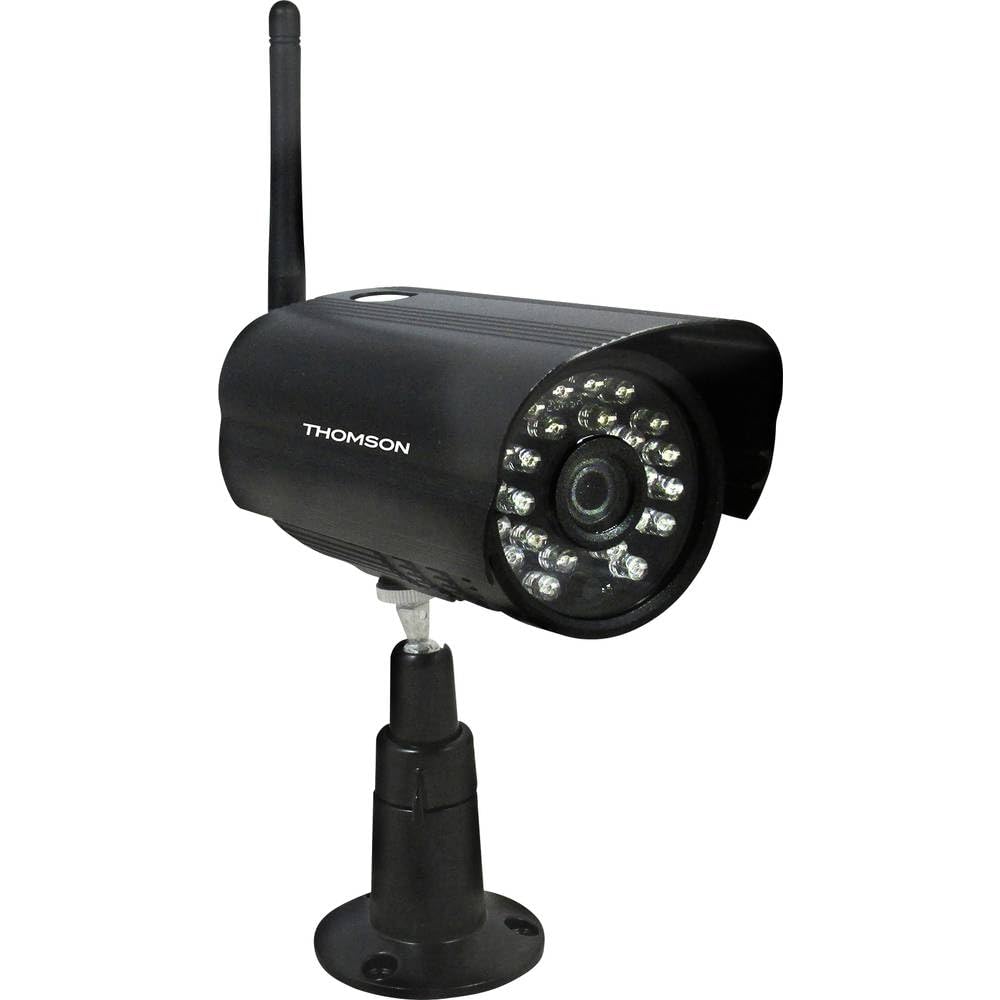
شکل 1: مخکی view of the Thomson 512331 720p WiFi IP Camera. This image shows the camera's main body, lens, and antenna connection point, highlighting its compact and robust design suitable for outdoor surveillance.
2. د بسته محتويات
مهرباني وکړئ تصدیق کړئ چې لاندې ټول توکي ستاسو په کڅوړه کې شامل دي. که کوم توکي ورک یا زیانمن شوي وي، د پیرودونکو ملاتړ سره اړیکه ونیسئ.
- Thomson 512331 IP Camera
- Power Adapter (230VAC/12VDC 500mA)
- وائی فای انتن
- د نصبولو کټ (سکرو او دیوال پلګونه)
- د کارونکي لارښود (دا لاسوند)
3. محصول ختم شوview
The Thomson 512331 camera is designed for reliable surveillance with the following key features:
- لینز: 3.6mm fixed lens for a wide field of view.
- قرارداد: 1280x720 (720p) HD video capture.
- د شپې لید: Infrared night vision with 24 LEDs, providing a range of up to 20 meters. Features color night vision capability.
- آډیو: Integrated microphone for audio acquisition.
- ارتباط: Wireless Wi-Fi connectivity for flexible placement.
- د هوا مقاومت: IP66 rated for outdoor use, protecting against dust and powerful water jets.
- مواد: Durable metal housing.
- ځواک: 12VDC 500mA power input, maximum consumption 5W.
- د ویډیو کمپریشن: H.264 for efficient storage and streaming.
- ذخیره کول: Supports SD card for local storage (SD card not included).
4. ترتیب کول
4.1 فزیکي نصب کول
- یو ځای غوره کړئ: Select a suitable outdoor location for the camera, ensuring it has a clear view د هغه سیمې چې تاسو یې څارنه غواړئ او ستاسو د وای فای شبکې په حد کې وي.
- کیمره نصب کړئ: Use the provided mounting kit to securely attach the camera to a wall or other stable surface. Drill pilot holes if necessary, insert wall plugs, and fasten the camera bracket with screws.
- د وای فای انتن وصل کړئ: Screw the WiFi antenna firmly onto the designated port on the camera.
- بریښنا وصل کړئ: Connect the power adapter to the camera's 12VDC input port and plug the adapter into a suitable power outlet. Ensure the power outlet is protected from weather if installed outdoors.
4.2 Network Configuration and App Setup
- اپلیکیشن ډاونلوډ کړئ: لټون the official Thomson IP Camera application on your smartphone's or tablet's app store (iOS or Android). Download and install the application.
- یو حساب جوړ کړئ: اپلیکیشن پرانیزئ او د سکرین لارښوونې تعقیب کړئ ترڅو یو نوی کارن حساب جوړ کړئ یا که تاسو دمخه یو حساب لرئ نو ننوځئ.
- کیمره اضافه کړئ: In the app, select the option to "Add Device" or "Add Camera." Follow the in-app wizard to connect your camera to your Wi-Fi network. This typically involves scanning a QR code on the camera or entering your Wi-Fi credentials.
- تنظیمات تنظیم کړئ: Once connected, you can configure various settings such as motion detection sensitivity, recording schedules, and alert notifications within the app.
5. عملیاتي لارښوونې
5.1 ژوندی View
Open the Thomson IP Camera app on your smartphone or tablet. Select your camera from the device list to view the live video feed. You can typically switch between standard and HD resolution, and access controls for audio and recording.
۵.۳ د حرکت کشف او خبرتیاوې
The camera is equipped with motion detection. When motion is detected, the camera can trigger recordings and send push notifications to your connected device. Adjust motion detection sensitivity and alert preferences in the app's settings.
5.3 د شپې لید
The camera automatically switches to infrared night vision in low-light conditions, providing clear black and white video. It also supports color night vision in certain conditions. The 24 built-in IR LEDs illuminate up to 20 meters.
5.4 ریکارډ کول او پلے بیک
If an SD card is installed (not included), the camera can record video locally. Recordings can be triggered by motion or set on a schedule. Access recorded footage د اپلیکیشن د پلې بیک ځانګړتیا له لارې.
6. ساتنه
- پاکول: په دوره یي ډول د کیمرې لینز او کور د نرم، ډ سره پاک کړئamp ټوکر د دوړو او خاورې لرې کولو لپاره. سخت کیمیاوي توکي یا د کثافاتو پاکوونکي مه کاروئ.
- د فرم ویئر تازه معلومات: Check the app regularly for firmware updates. Keeping your camera's firmware up-to-date ensures optimal performance and security.
- د بریښنا رسول: ډاډ ترلاسه کړئ چې د بریښنا اډاپټر او کیبل په ښه حالت کې دي او له زیان څخه پاک دي.
- د وای فای اتصال: Verify your Wi-Fi signal strength periodically to ensure a stable connection for continuous surveillance.
7. ستونزه حل کول
- کیمره د وای فای سره نه نښلول کیږي:
- ډاډ ترلاسه کړئ چې کیمره ستاسو د وای فای روټر په حد کې ده.
- تایید کړئ چې ستاسو د وای فای پټنوم په اپلیکیشن کې په سمه توګه داخل شوی دی.
- خپل روټر او کیمره بیا پیل کړئ.
- Ensure your Wi-Fi network is 2.4GHz, as 5GHz networks may not be supported.
- د ویډیو فیډ نشته:
- وګورئ چې کیمره فعاله ده که نه.
- Confirm a stable internet connection on both the camera and your viewوسیله
- کیمره او ایپ بیا پیل کړئ.
- د حرکت کشف کار نه کوي:
- Check motion detection settings in the app; ensure it is enabled and sensitivity is adjusted correctly.
- ډاډ ترلاسه کړئ چې د کیمرې د بندولو لپاره هیڅ خنډ نشته view.
- د شپې د لید ضعیف کیفیت:
- د کیمرې لینز پاک کړئ ترڅو هر ډول کثافات یا داغونه لرې کړئ.
- Ensure there are no reflective surfaces close to the camera that might interfere with IR illumination.
8. مشخصات
| د ماډل نوم | 512331 |
| برانډ | تامسن |
| ابعاد (L x W x H) | 50 x 50 x 28 سانتي متره |
| وزن | 500 ګرامه |
| د ارتباط ټیکنالوژي | بې سیم، وای فای |
| ځانګړی ځانګړنه | د شپې لید |
| مطابقت لرونکې وسیلې | ټابلیټ، سمارټ فون |
| د بریښنا سرچینه | AC Power (12VDC 500mA adapter) |
| د کنټرولر ډول | iOS (via application) |
| د نصب کولو ډول | دیوال غر |
| د محصول ځانګړتیاوې | Night Vision, Motion Detection |
| مواد | فلزي |
| د اوبو د مقاومت کچه | IP66 (واټر پروف) |
| د خبرتیا ډول | Motion only |
| د رڼا سرچینې ډول | LED |
| د کنټرول طریقه | غوښتنلیک |
| د بریښنا مصرف | 5 واټ |
| بیټرۍ ته اړتیا ده | نه |
| د چینلونو شمیر | 1 |
| د تمرکز ډول | اتوماتیک تمرکز |
| د نظری سینسر ټیکنالوژي | د BSI CMOS |
| د ویډیو حل | ۱۰۸۰ پکسل (۱۹۲۰x۱۰۸۰ پکسل) |
| د شپې لید لړۍ | 20 متره |
| د شپې لید ډول | Infrared with Color Night Vision capability |
| د فلش حافظې ډول | SD (for local storage) |
9. تضمین او ملاتړ
For warranty information and technical support, please refer to the documentation provided with your purchase or visit the official Thomson webسایټ. د تضمین ادعاوو لپاره د پیرود ثبوت وساتئ.
آنلاین سرچینې: www.thomson.eu