د پیرودلو لپاره مننهasing the MUSE M-1600 SBT Soundbar. This manual provides important information regarding the installation, operation, and maintenance of your new soundbar. Please read it thoroughly before use and retain it for future reference.
The M-1600 SBT is designed to enhance your audio experience with its powerful 60W output, versatile connectivity options including Bluetooth, USB, AUX-in, RCA, and Optical inputs, and an integrated PLL FM radio.
2. د خوندیتوب لارښوونې
د بریښنا سرچینه: د بریښنا رسولو حجم ډاډمن کړئtage matches the rating label on the soundbar.
وینټیلیشن: د هوا د جریان لپاره د واحد شاوخوا کافي ځای وساتئ.
اوبه او رطوبت: د غږ بار د باران، رطوبت، یا څاڅکو/څاڅکو مایعاتو سره مه مخ کوئ. په وسایلو کې د مایعاتو ډک شوي شیان، لکه ګلدانونه، مه ځای پر ځای کوئ.
ځای په ځای کول: Place the soundbar on a stable, flat surface. Avoid placing it in direct sunlight or near strong magnetic fields.
3. د بسته محتويات
Carefully unpack your soundbar and ensure all items are present and in good condition. If any items are missing or damaged, contact your retailer immediately.
MUSE M-1600 SBT Soundbar
ریموټ کنټرول
د RCA کیبل
د کارن لارښود
Power Adapter (not explicitly listed but implied for a wired device)
4. محصول ختم شوview
Familiarize yourself with the main components and controls of your M-1600 SBT Soundbar.
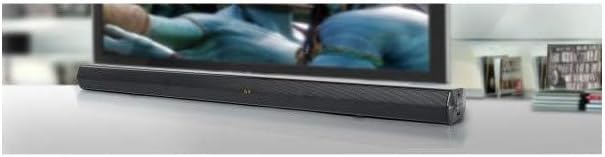
انځور 1: مخکی view of the Muse M-1600 SBT Soundbar, showcasing its sleek design and central display. The soundbar is positioned in front of a television.
مخکینۍ پینل
ښکاره کول: Shows current input mode, volume level, and radio frequency.
د کنټرول تڼۍ: (Located on the right side) Power, Volume Up/Down, Input Source, Play/Pause.
شاته پینل (اړیکې)
انځور 2: شاته view of the Muse M-1600 SBT Soundbar, highlighting the various input ports for external devices.
په DC کې: د بریښنا وتلي درشل.
غوره په: For connecting devices via optical cable.
RCA IN (L/R): For connecting devices via RCA cables.
The included remote control allows for convenient operation of all soundbar functions from a distance. Ensure batteries are correctly inserted (not included).
5. ترتیب کول
5.1 ځای پرځای کول
Place the soundbar on a stable, flat surface, preferably directly in front of your television or monitor. Ensure there are no obstructions in front of the soundbar to allow for optimal sound projection.
5.2 د بریښنا نښلول
د بریښنا اډاپټر د غږ بار په شا کې د DC IN پورټ سره وصل کړئ.
د بریښنا اډاپټر بله پای په دیوال کې ولګوئ.
5.3 د آډیو سرچینو سره نښلول
Choose one of the following methods to connect your soundbar to an audio source (e.g., TV, DVD player, smartphone).
نظری پیوستون: For high-quality digital audio. Connect an optical cable (not supplied) from your TV's Optical Out port to the soundbar's OPTICAL IN port.
د RCA پیوستون: Connect the supplied RCA cable to the RCA OUT ports (red for right, white for left) on your TV and to the corresponding RCA IN ports on the soundbar.
د AUX اتصال: Use a 3.5mm audio cable (not supplied) to connect the headphone jack or AUX Out port of your device to the soundbar's AUX IN port.
بلوتوث پیوستون Refer to section 6.3 for Bluetooth pairing instructions.
6. عملیاتي لارښوونې
۸ پاور آن/بند
فشار ورکړئ پاور د غږ بار یا ریموټ کنټرول تڼۍ د واحد د فعال یا بندولو لپاره.
6.2 د حجم کنټرول
د کارولو VOL+ او VOL- buttons on the soundbar or remote control to adjust the volume level. The current volume will be displayed on the soundbar's screen.
۶.۲ د ننوتنې سرچینې انتخاب
فشار ورکړئ INPUT button on the soundbar or remote control repeatedly to cycle through the available input sources: Bluetooth (BT), USB, AUX, RCA, OPTICAL, and FM Radio.
د ۶.۵ ایف ایم راډیو عملیات
Switch the input source to ایف ایم راډیو.
فشار ورکړئ او ونیسئ پلی/پاز button on the remote control to initiate an automatic scan for FM stations. The soundbar will scan and save up to 30 preset stations.
د کارولو مخکینی/بل buttons on the remote to navigate through the saved preset stations.
7. ارتباط
7.1 د بلوتوټ جوړه کول
Switch the soundbar's input source to بلوتوث (BT) حالت. ښودنه به "BT" وښيي او چمکۍ به پیل کړي، دا په ګوته کوي چې دا د جوړه کولو حالت کې دی.
Once paired, the "BT" indicator on the soundbar's display will stop flashing and remain solid. You can now play audio from your device through the soundbar.
۱۴ USB پلے بیک
یو USB فلش ډرایو (FAT32 ته فارمیټ شوی) دننه کړئ چې مطابقت لرونکی آډیو ولري files (e.g., MP3) into the USB port on the soundbar.
Switch the input source to USB حالت
The soundbar will automatically begin playing the audio files. Use the remote control for playback functions (Play/Pause, Next/Previous Track).
8. ساتنه
8.1 پاکول
Wipe the exterior of the soundbar with a soft, dry, lint-free cloth. Do not use abrasive cleaners, waxes, or solvents as they may damage the finish.
8.2 ذخیره کول
که تاسو پلان لرئ چې د غږ بار د اوږدې مودې لپاره وساتئ، نو دا د بریښنا له سایټ څخه جلا کړئ او په یخ، وچ ځای کې یې وساتئ، د مستقیم لمر وړانګو او سخت تودوخې څخه لرې.
9. ستونزه حل کول
If you encounter any issues with your soundbar, refer to the following table for common problems and solutions.
ستونزه
احتمالي لامل
د حل لاره
هیڅ ځواک نشته
د برېښنا کیبل نه دی وصل شوی؛ د برېښنا ساکټ فعال نه دی
ډاډ ترلاسه کړئ چې د برېښنا کیبل په خوندي ډول وصل دی. وګورئ چې د برېښنا ساکټ کار کوي که نه.
ساؤنډ بار د جوړې کولو حالت کې نه دی؛ د وسیلې بلوتوټ بند دی؛ وسیله ډیره لرې ده
Ensure soundbar is in BT pairing mode. Enable Bluetooth on your device. Move device closer to soundbar.
ریموټ کنټرول کار نه کوي
Batteries depleted; Obstruction between remote and soundbar; Incorrect angle
Replace remote control batteries. Remove any obstructions. Point remote directly at the soundbar's sensor.
د ایف ایم راډیو ضعیف استقبال
کمزوری سیګنال؛ مداخله
Adjust the position of the soundbar. Avoid placing near other electronic devices that may cause interference.
10. مشخصات
د ماډل نوم
M-1600 SBT
برانډ
میوز
د تولید بریښنا
60 واټ
د ارتباط ټیکنالوژي
Bluetooth, Wired & Wireless
د سپیکر ارتباط
Bluetooth, Optical, RCA, USB
د بې سیمه مخابراتو ټیکنالوژي
بلوتوث
د آډیو وتلې حالت
سټیریو
شاوخوا د غږ چینل ترتیب کول
2.0
د کنټرول طریقه
ریموټ کنټرول
د بریښنا سرچینه
تارونه
د USB پورټونو شمیر
1
ابعاد (L x W x H)
88.5 x 5.9 x 82.5 سانتي متره (34.8 x 2.3 x 32.5 انچه)
د توکي وزن
1.8 کیلوګرامه (3.97 پونډه)
رنګ
تور
ځانګړي ځانګړتیاوې
Remote control, PLL FM Radio with 30 presets
مطابقت لرونکې وسیلې
Game console, MP3 player, Laptop, Smartphone, Tablet, Television
11. تضمین او ملاتړ
11.1 د تضمین معلومات
This product is covered by a legal manufacturer's warranty. Please refer to the warranty card included in your package or contact your retailer for specific terms and conditions regarding the warranty period and coverage in your region.
11.2 د پیرودونکي ملاتړ
For technical assistance, troubleshooting beyond this manual, or service inquiries, please contact your local retailer or the MUSE customer support service. Contact details can typically be found on the manufacturer's webپه سایټ یا د محصول په بسته بندۍ کې.
Ask a question about this manual
Ask about setup, troubleshooting, compatibility, parts, safety, or missing instructions. Manuals+ will review the question and use this page’s manual context to help answer it.