
Biconic Bluetooth Tough Weatherproof Portable Wireless Speaker User Manual
Model: ABC-AU-BS-103-BK
برانډ: بایټیک
1. محصول ختم شوview
The Biconic Bluetooth Tough Weatherproof Portable Wireless Speaker is designed for robust outdoor and indoor use, providing enhanced bass and clear audio. Its wireless capabilities allow for easy connection to various devices, and its durable, weatherproof construction ensures reliable performance in diverse environments.

شکل 1.1: مخکی view of the Biconic Bluetooth Speaker, showcasinد دې قوي ډیزاین او سپیکر ګریل سره.
کلیدي ځانګړتیاوې:
- د بیسیم اتصال: Seamless Bluetooth pairing with smartphones, tablets, and other compatible devices.
- د هوا ضد ډیزاین: IPX6 water resistance protects against strong jets of water, making it suitable for outdoor use.
- پرمختللی باس: Delivers rich, deep bass for a superior audio experience.
- د پور وړ وړ: Compact design with a durable strap for easy transport.
- د اوږدې لوبې وخت: په یوه چارج کې تر ۱۶ ساعتونو پورې دوامداره آډیو پلې بیک.
2. د خوندیتوب معلومات
مهرباني وکړئ د دې محصول کارولو دمخه د خوندیتوب ټول اخطارونه او لارښوونې په دقت سره ولولئ ترڅو خوندي عملیات ډاډمن کړئ او د زیان مخه ونیسئ.
- Do not expose the speaker to extreme temperatures (hot or cold).
- Do not immerse the speaker in water. While it is IPX6 water resistant, it is not designed for submersion.
- Keep the speaker away from direct heat sources, open flames, and flammable liquids.
- Use only the provided charging cable and a compatible power adapter (5V/1A recommended) to charge the device.
- د سپیکر د جلا کولو، ترمیم کولو یا بدلولو هڅه مه کوئ. دا به تضمین باطل کړي او ممکن زیان ورسوي.
- د ماشومانو د لاسرسي څخه لرې وساتئ.
- سپیکر په نرم او وچ ټوکر پاک کړئ. د کثافاتو پاکوونکي یا محلول مه کاروئ.
3. د بسته محتويات
د بکس خلاصولو پر مهال ډاډ ترلاسه کړئ چې ټول توکي په کڅوړه کې شتون لري:
- Biconic Bluetooth Tough Weatherproof Portable Wireless Speaker
- د USB چارج کیبل
- د کارونکي لارښود (دا لاسوند)
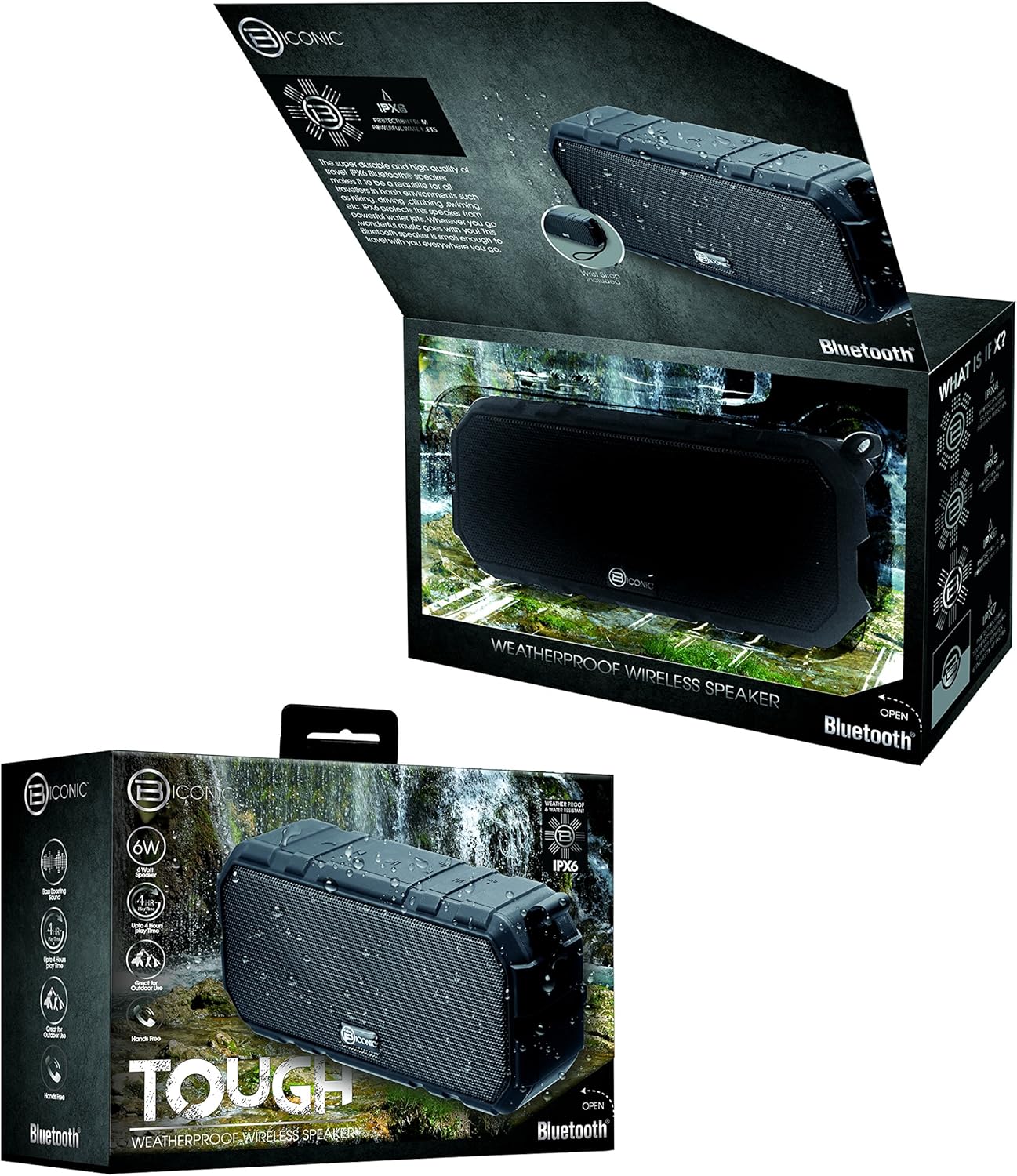
Figure 3.1: The Biconic Bluetooth Speaker shown with its retail packaging, indicating typical package contents.
4. ترتیب کول
۳.۱ د سپیکر چارج کول
- Locate the charging port on the side of the speaker. This port is typically protected by a rubber flap to maintain water resistance.
- د ربړ فلیپ خلاص کړئ.
- Connect the small end of the provided USB charging cable to the speaker's charging port.
- د USB کیبل لویه برخه د USB بریښنا سرچینې سره وصل کړئ (د مثال په توګه، د کمپیوټر USB پورټ، د USB دیوال اډاپټر).
- د چارج کولو شاخص څراغ به روښانه شي، معمولا سور، ترڅو وښيي چې سپیکر چارج کیږي.
- Once fully charged (approximately 2-3 hours), the indicator light will change color (e.g., turn off or turn blue/green). Disconnect the charging cable and close the rubber flap securely to maintain water resistance.
4.2 بریښنا کول / بندول
- د فعالولو لپاره: Press and hold the Power button (usually marked with a power symbol) for a few seconds until you hear an audible tone or see an indicator light illuminate.
- د بریښنا بندولو لپاره: Press and hold the Power button again for a few seconds until you hear an audible tone or the indicator light turns off.
5. عملیاتي لارښوونې
5.1 د بلوتوټ جوړه کول
Before first use, you need to pair the speaker with your Bluetooth-enabled device.
- Ensure the speaker is fully charged and powered on. It will automatically enter pairing mode, indicated by a flashing blue LED light.
- On your smartphone, tablet, or other Bluetooth device, go to the Bluetooth settings menu.
- بلوتوټ فعال کړئ که چیرې دا لا دمخه فعال شوی نه وي.
- Scan for available devices. You should see "Biconic Speaker" or a similar name appear in the list.
- Select "Biconic Speaker" to connect. Once successfully paired, you will hear a confirmation tone, and the blue LED light on the speaker will stop flashing and remain solid.
- که چیرې د پټنوم غوښتنه وشي، "0000" ولیکئ.
- سپیکر به په اتوماتيک ډول د وروستي جوړه شوي وسیلې سره وصل شي کله چې بریښنا فعاله شي، که چیرې وسیله په حد کې وي او بلوتوټ فعال وي.
5.2 د میوزیک غږ
Once paired, you can control music playback directly from your connected device or using the speaker's controls.
- پلی کول / ودرول: Press the Play/Pause button (often marked with a triangle or || symbol) once to play or pause music.
- حجم پورته کول: Press the Volume Up button (+) to increase the volume.
- کموالی: Press the Volume Down button (-) to decrease the volume.
- بله لار: Press and hold the Volume Up button (+) for a few seconds to skip to the next track.
- مخکینی لار Press and hold the Volume Down button (-) for a few seconds to go to the previous track.

شکل 5.1: پورته view of the Biconic Bluetooth Speaker, highlighting the control buttons for power, volume, and playback.
5.3 Answering Calls (Hands-Free Function)
The speaker supports hands-free calling when connected to a smartphone.
- زنګ ووهئ: کله چې زنګ راشي، د ځواب ورکولو لپاره یو ځل د پلی/پاز تڼۍ کېکاږئ.
- ټلیفون پای: د زنګ وهلو په جریان کې، د زنګ پای ته رسولو لپاره یو ځل د پلی/پاز تڼۍ فشار ورکړئ.
- زنګ رد کړئ: د راتلوونکي زنګ ردولو لپاره د څو ثانیو لپاره د پلی/پاز تڼۍ فشار ورکړئ او ونیسئ.
6. ساتنه
مناسب ساتنه ستاسو د سپیکر اوږد عمر او غوره فعالیت تضمینوي.
- پاکول: سپیکر په نرم سره مسح کړئ ، دamp cloth. Do not use harsh chemicals, solvents, or abrasive cleaners. Ensure the charging port flap is closed before cleaning with a damp ټوکر
- ذخیره کول: سپیکر په یخ او وچ ځای کې وساتئ چې د مستقیم لمر وړانګو او سختو تودوخې څخه لرې وي کله چې د اوږدې مودې لپاره نه کارول کیږي.
- د بیټرۍ پاملرنه: To preserve battery life, fully charge the speaker before storing it for long periods. Recharge every 3-6 months if not used regularly.
- د اوبو مقاومت: Always ensure the rubber flap covering the charging port is securely closed to maintain the IPX6 water resistance rating.

Figure 6.1: The Biconic Bluetooth Speaker demonstrating its water-resistant capabilities, highlighting the importance of proper sealing for maintenance.
7. ستونزه حل کول
| ستونزه | احتمالي لامل | د حل لاره |
|---|---|---|
| سپیکر نه چالانېږي. | بیټرۍ ختمه شوې. | سپیکر په بشپړه توګه چارج کړئ. |
| د بلوتوت آلې سره جوړه نشي. | Bluetooth is off on your device; speaker is not in pairing mode; device is too far. | Ensure Bluetooth is enabled on your device. Power off and on the speaker to re-enter pairing mode. Move device closer to the speaker (within 10 meters). Forget the device on your phone and try pairing again. |
| غږ نشته یا ټیټ غږ. | په سپیکر یا وسیله کې غږ ډیر ټیټ دی؛ سپیکر وصل شوی نه دی. | Increase volume on both the speaker and your connected device. Ensure the speaker is properly paired and connected. |
| د غږ تحریف. | حجم ډېر لوړ دی؛ مداخله؛ ټیټ بیټرۍ. | Reduce volume. Move speaker away from other electronic devices. Charge the speaker. |
8. مشخصات
| فیچر | تفصیل |
|---|---|
| د ماډل شمیره | ABC-AU-BS-103-BK |
| برانډ | Bytech |
| د ارتباط ټیکنالوژي | بلوتوث |
| د سپیکر اعظمي تولید ځواک | 3 واټ |
| د آډیو وتلې حالت | سټیریو |
| د اوبو د مقاومت درجه | IPX6 (Water resistant, not submersible) |
| د بیټرۍ ډول | ۱ لیتیم آیون بیټرۍ (لازمي ده) |
| د لوبې وخت | تر 4 ساعتونو پورې |
| د محصول ابعاد | 2.54 x 2.54 x 2.54 سانتي متره |
| د توکي وزن | 522 ګرامه |
| د نصب کولو ډول | ټابلیټ |
9. تضمین او ملاتړ
For warranty information and technical support, please contact Bytech customer service. Details are typically provided on the product packaging or the official Bytech webسایټ
مهرباني وکړئ د هر ډول تضمین ادعا لپاره د پیرود ثبوت وساتئ.
یادونه: د تضمین شرایط ممکن د سیمې له مخې توپیر ولري.