
1. پهview
The Prolink PRT7011L is a portable 4G LTE WiFi hotspot designed for high-speed mobile internet access. It supports data transmission rates of up to 150Mbps and allows sharing of the wireless connection with up to 16 users or devices simultaneously. The device features a built-in rechargeable battery providing up to 10 hours of usage on a single charge, ensuring connectivity even without a nearby power source. LED indicators on the front panel provide clear status updates for battery, Wi-Fi, and 4G signal strength. Its compact and lightweight design makes it suitable for travel.
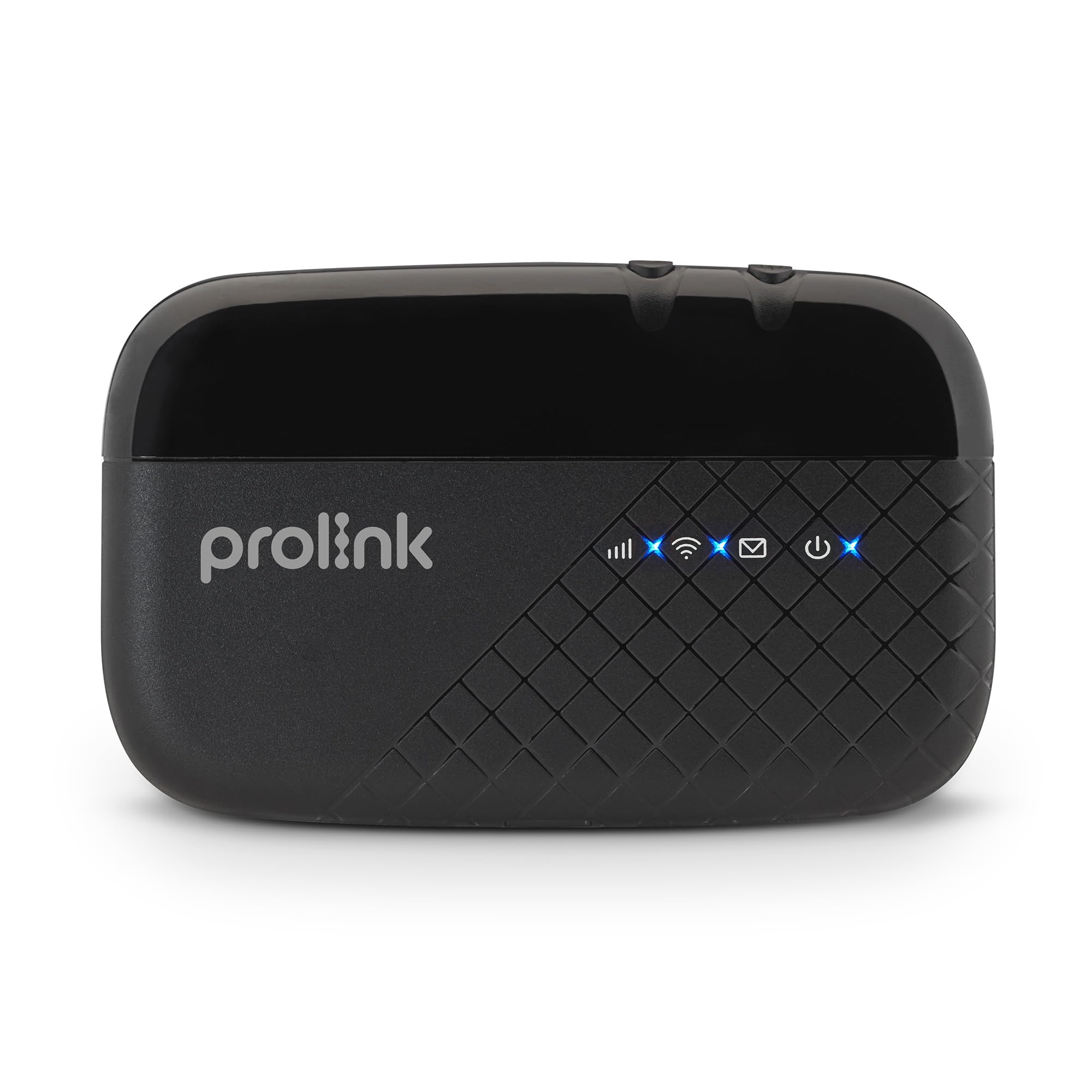
Image: Prolink PRT7011L Portable 4G LTE WiFi Travel Router Hotspot.
2. د بسته محتويات
ډاډ ترلاسه کړئ چې ټول توکي ستاسو په کڅوړه کې شتون لري:
- 1 x PRT7011L Portable 4G LTE WiFi Hotspot
- 1 x د USB چارج کیبل
- 1 x 2000mAh Lithium (Li-ion) Battery
- ۱ x د چټک نصبولو لارښود (QIG)
3. د محصول ډیاګرام
Familiarize yourself with the components of your Prolink PRT7011L device.

مخکی View: LED indicators for signal, Wi-Fi, messages, and power.

اړخ View: Micro USB charging port.

شاته View (internal): Battery compartment and SIM card slots.
4. ترتیب کول
4.1 د بیټرۍ نصب کول
- د وسیلې شاته پوښ په نرمۍ سره لرې کړئ.
- Insert the provided 2000mAh Lithium (Li-ion) battery into its compartment, ensuring the contacts align correctly.
- د شا پوښ بدل کړئ، په ټینګه سره فشار ورکړئ تر هغه چې دا په خپل ځای کې راشي.
4.2 د سیم کارت نصب کول
- With the back cover removed, locate the SIM card slot. The PRT7011L uses a standard-sized SIM card.
- Insert your data SIM card into the slot, ensuring the gold contacts face downwards and the notched corner aligns with the slot's orientation.
- Gently push the SIM card until it is securely in place.
4.3 فعالول
- Press and hold the Power button (usually located on the side or top of the device) for a few seconds until the screen illuminates.
- The device will boot up and attempt to connect to the 4G LTE network. This may take a few moments.
4.4 د وای فای سره نښلول
- Once the device is powered on and connected to the mobile network, the Wi-Fi network name (SSID) and password (Wi-Fi Key) will be displayed on the device screen.
- On your Wi-Fi enabled device (smartphone, tablet, laptop), navigate to the Wi-Fi settings.
- لټون available Wi-Fi networks and select the SSID matching your Prolink PRT7011L.
- کله چې غوښتنه وشي د وای فای کیلي دننه کړئ.
- ستاسو وسیله باید اوس د هټ سپټ له لارې انټرنیټ سره وصل شي.
Video: Installation Guide for Prolink Mobile Wi-Fi. This video demonstrates the general steps for battery and SIM card installation, and powering on the device.
5. عملیات
5.1 Multi-user Sharing
The PRT7011L allows up to 16 users or devices to connect simultaneously, providing internet access for multiple smartphones, tablets, and laptops. This feature is ideal for sharing connectivity with family, friends, or colleagues.

Image: Share Wi-Fi with up to 16 users simultaneously.
۵.۴ د بیټرۍ اوږد ژوند
The integrated 2000mAh battery provides up to 10 hours of continuous 4G sharing on a single charge. The device can be recharged via the included Micro USB charging cable, allowing for continuous operation when connected to a power source or power bank.
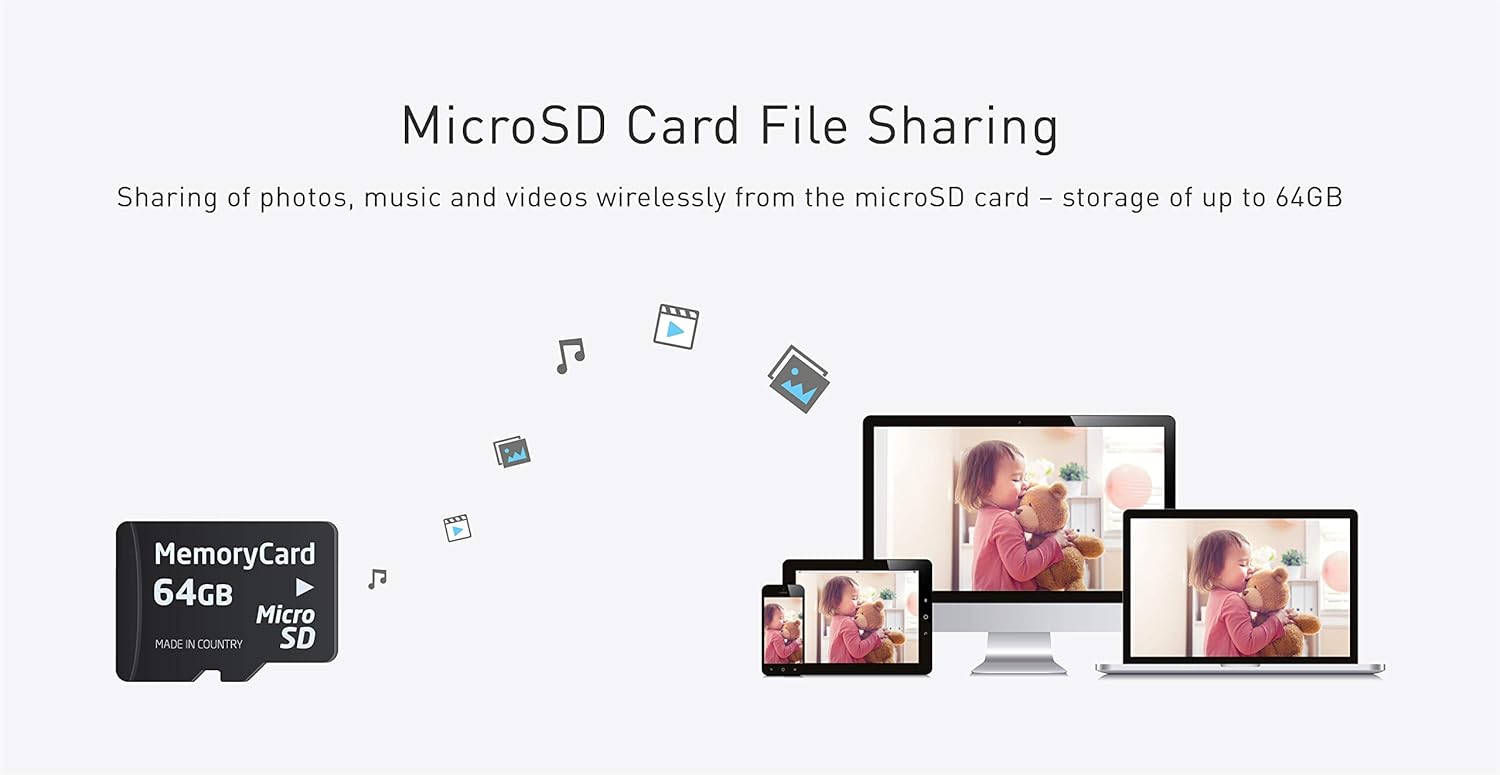
Image: Up to 10 hours of 4G sharing on a single charge.
5.3 مایکرو ایس ډی کارت File شریکول
The device supports MicroSD cards up to 64GB. This feature enables wireless sharing of photos, music, and videos among all connected devices, turning your hotspot into a portable media server.

Image: MicroSD card file sharing up to 64GB.
5.4 mProMiFi App Management
The dedicated "PROLiNK mWiFi" app allows for easy configuration and monitoring of your hotspot. Download the app from Google Play or the App Store to manage your device from your smartphone.

Image: Manage and monitor with the PROLiNK mWiFi app. Download the app دلته.
- د ډیټا رومینګ: Easily enable or disable data roaming as needed to control costs while traveling internationally.
- د وای فای تنظیمات: Change the Network Name (SSID) and password for your Wi-Fi network. Note: You will need to reconnect your devices after changing these settings.
- SMS Management: Send and receive SMS messages directly through the app, using your hotspot's SIM card.
- Data Limit Settings: Set daily or monthly data limits to manage your data consumption and avoid overage charges.
- د بند قلف: Select preferred LTE/5G NR bands for optimized performance based on your location and network provider.
Video: Prolink DL-7211 5G Wi-Fi 6 Mobile Router (mProMiFi app). This video demonstrates the mProMiFi app functionality, including Wi-Fi settings, SMS, and data limit management, which are similar for the PRT7011L.
Video: Prolink DL-7203E Mobile Wi-Fi. This video showcases various features of a Prolink mobile Wi-Fi device, including high-speed internet, long battery life, power bank function, intuitive status display, LAN port, multi-device support, and international compatibility, many of which are applicable to the PRT7011L.
6. ساتنه
- وسیله په یخ او وچ ځای کې وساتئ، د مستقیم لمر وړانګو او سختې تودوخې څخه لرې.
- Avoid dropping the device or exposing it to water.
- یوازې چمتو شوي یا تصویب شوي چارج کیبل او بیټرۍ وکاروئ.
- وسیله د نرم او وچ ټوکر سره پاکه کړئ. د مایع پاکوونکو څخه کار مه اخلئ.
- د بیټرۍ د غوره ژوند لپاره، د بیټرۍ په مکرر ډول په بشپړه توګه چارج کولو څخه ډډه وکړئ.
7. ستونزه حل کول
- د انټرنیټ اتصال نشته: Ensure the SIM card is correctly inserted and activated with a data plan. Check the signal strength indicator on the device. Try restarting the device.
- د وائی فای سره نښلول کیدی نشي: Verify that the Wi-Fi is enabled on the hotspot and your connecting device. Double-check the Wi-Fi network name (SSID) and password. Try restarting both the hotspot and your connecting device.
- ورو سرعتونه: Check the 4G signal strength. Reduce the number of connected devices if too many are using the hotspot simultaneously. Ensure your data plan has sufficient speed and remaining data.
- وسیله نه فعاله کیږي: Ensure the battery is correctly installed and charged. Connect the device to a power source using the USB cable to check if it powers on.
8. مشخصات
| فیچر | تفصیل |
|---|---|
| برانډ | پرولینک |
| د ماډل نوم | PRT7011L |
| ځانګړي ځانګړتیاوې | LED Indicator, WPS |
| د فریکونسی بانډ ټولګی | واحد-بنډ |
| د بې سیمه مواصلاتو معیار | 802.11b، 802.11g، 802.11n |
| مطابقت لرونکې وسیلې | Tablet, Smartphones, Laptops, etc. |
| د محصول وړاندیز شوي استعمالونه | سفر |
| د ارتباط ټیکنالوژي | 3G, 4G, LTE, USB, Wi-Fi |
| د انتن ډول | داخلي |
| عملیاتي سیسټم | روټر او ایس |
| امنیت پروټوکول | WPS |
| د بندرونو شمیر | ۴ (LAN) |
| د معلوماتو د لیږد کچه | په یوه ثانیه کې تر ۳۰۰ میګابایټ پورې |
| د LAN پورټ بینډ ویت | 10/100 megabits per second |
| د مایکرو ایس ډی کارت ملاتړ | تر 64 GB پورې |
| د انتن شمیره | 2 |
| د توکي وزن | 0.1 کیلوګرامه |
| د توکي ابعاد (L x W x H) | 10.6L x 6.5W x 1.6H سانتي متره |
9. تضمین او ملاتړ
9.1 د تضمین معلومات
The Prolink PRT7011L comes with a 3-year local manufacturer warranty for the device itself, and a 1-year warranty for the included battery.
9.2 تخنیکي ملاتړ
For technical assistance or inquiries, please contact Prolink support:
- بریښنالیک: support@prolink2u.com
- تلیفون: (65) 6357 0666

Image: Prolink support contact details.
10. Supported Countries
The Prolink PRT7011L is designed to support various mobile networks across numerous countries. Below is a general list of regions and countries where the device is expected to function. For specific band compatibility, it is recommended to consult with your SIM operator.

Image: Supported Countries for Prolink devices.