
1. پیژندنه
Thank you for choosing the Flexispot EB2B Electric Height-Adjustable Desk Frame. This manual provides essential information for the safe and efficient assembly, operation, and maintenance of your new desk frame. Please read this manual thoroughly before installation and keep it for future reference.
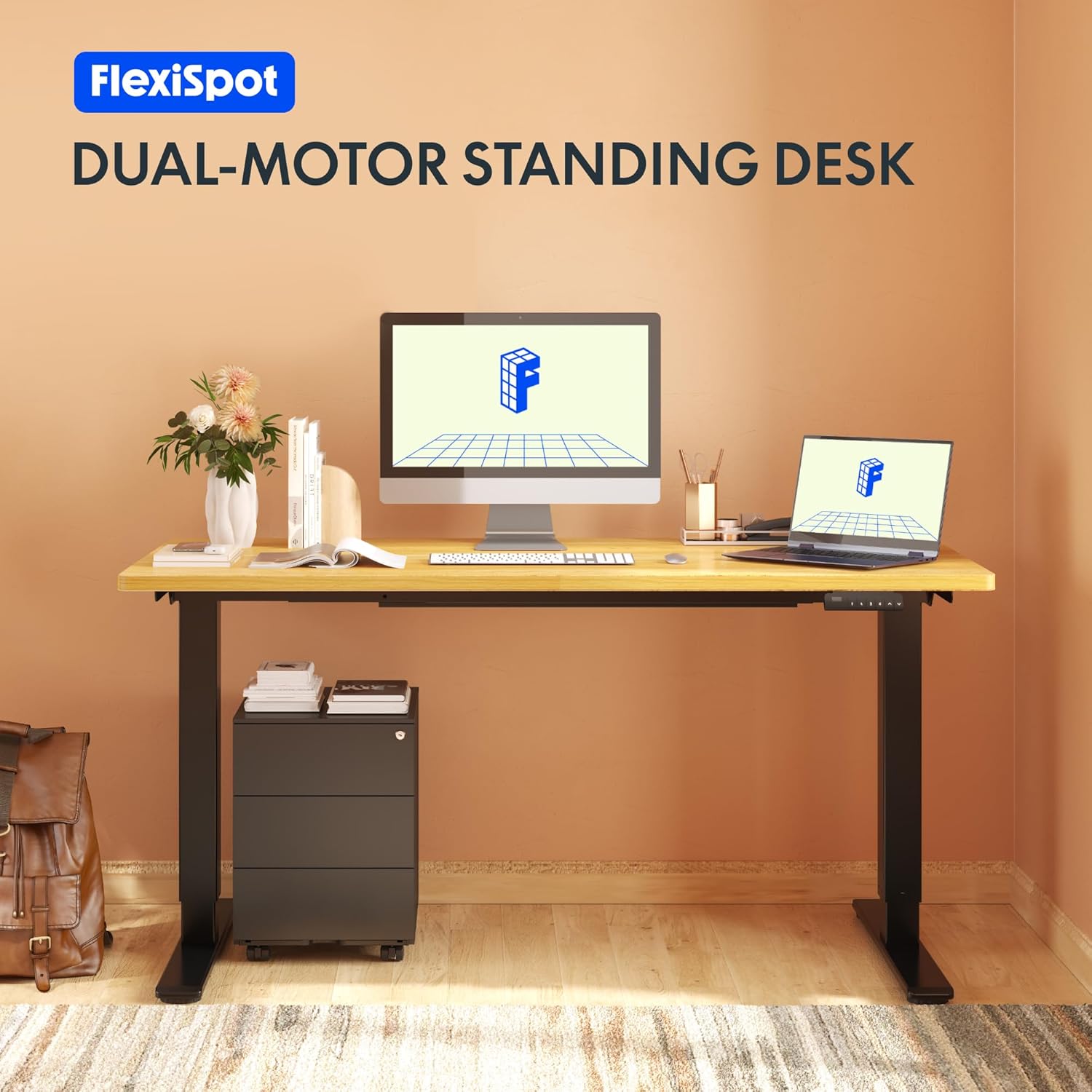
Image: The Flexispot EB2B desk frame supporting a complete desk setup, highlighting its dual-motor design.
2. د خوندیتوب معلومات
د خوندي عملیاتو ډاډ ترلاسه کولو او د زیان مخنیوي لپاره، مهرباني وکړئ لاندې خوندیتوب احتیاطي تدابیر په پام کې ونیسئ:
- ډاډ ترلاسه کړئ چې ټولې برخې د کارونې دمخه په خوندي ډول تړل شوي.
- د وزن اعظمي ظرفیت له ۳۴۰ کیلوګرامه (۷۵۰ پونډه) څخه زیات مه کوئ.
- د عملیاتو په جریان کې ماشومان او څاروي له میز څخه لرې وساتئ ترڅو د حرکت کونکو برخو څخه د ټپي کیدو مخه ونیول شي.
- Ensure there are no obstructions in the desk's path when adjusting height. The anti-collision system is designed to prevent damage, but manual vigilance is always recommended.
- Do not disassemble or modify the desk frame or its electrical components. Contact qualified personnel for repairs.
- د پاکولو یا هر ډول ساتنې ترسره کولو دمخه بریښنا قطع کړئ.

Image: Visual representation of the anti-collision system, showing the desk rebounding upon detecting an obstruction.
3. د بسته محتويات
مهرباني وکړئ تصدیق کړئ چې ټولې برخې د غونډې پیل کولو دمخه شتون لري:
- د میز پښې (۲)
- پښې (2)
- کراس بار (1)
- د غاړې قوسونه (2)
- د کنټرول بکس (1)
- هینډسیټ/کنټرول پینل (۱)
- د بریښنا اډاپټر (1)
- د بریښنا تار (1)
- Cable Management Clips (4)
- د اسمبلۍ هارډویر (پیچونه، د ایلن کیلي، او نور)

Image: All main components of the Flexispot EB2B desk frame, including the dual legs, crossbar, and control panel.
4. تنظیم او مجلس
Follow these steps to assemble your Flexispot EB2B desk frame. It is recommended to have two people for assembly.
- ساحه چمتو کړئ: Clear a spacious area for assembly. Lay down a soft cloth or cardboard to protect the desk frame and your floor.
- پښې له پښو سره وصل کړئ: Securely attach the feet to the bottom of each desk leg using the provided screws.
- Assemble the Crossbar: Connect the two desk legs to the adjustable crossbar. Ensure the crossbar is extended to the desired width to accommodate your tabletop (Min: 110cm, Max: 180cm).
- Install Side Brackets: Attach the side brackets to the top of the desk legs, which will support your tabletop.
- د کنټرول بکس نصب کړئ: Secure the control box to the designated area under the crossbar.
- کیبلونه وصل کړئ: Connect the motor cables from each leg to the control box. Connect the handset cable to the control box. Finally, connect the power adapter to the control box and the power cord to the adapter.
- د ټابلیټ ټاپ سره ضمیمه کړئ: Carefully place your tabletop (not included) onto the assembled frame. Ensure it is centered and aligned. Secure the tabletop to the frame using appropriate screws (ensure screws are not too long to penetrate the tabletop surface). The frame is compatible with tabletops from 110 cm to 180 cm wide and 50 cm to 80 cm deep.
- د کیبل مدیریت: Use the provided cable management clips to organize and secure all cables, preventing them from dangling or getting caught.

Image: A diagram illustrating the adaptable desktop sizes (width and depth) that the Flexispot EB2B desk frame can accommodate.
5. عملیاتي لارښوونې
The Flexispot EB2B features a user-friendly control panel for height adjustment and memory functions.
۱. د لوړوالي اساسي تنظیم
- د میز پورته کول: فشار ورکړئ او ونیسئ UP (^) button to raise the desk to your desired height.
- ښکته میز: فشار ورکړئ او ونیسئ DOWN (v) button to lower the desk to your desired height.
- The LED display will show the current height in centimeters. The desk operates smoothly and quietly, with a noise level below 50 dB and a lifting speed of 3.2 cm/sec.
۵.۲. د حافظې پریزیسټونه
د کنټرول پینل تاسو ته اجازه درکوي چې تر څلورو غوره لوړوالي ترتیبات خوندي کړئ.
- د پورته/ښکته تڼیو په کارولو سره میز خپل مطلوب لوړوالی ته تنظیم کړئ.
- فشار ورکړئ 'م' button (or 'S' depending on the model) followed by the desired preset number (۳، ۴، ۵، یا ۶). The display will show 'S-' then the number, indicating the height has been saved.
- To recall a saved height, simply press the corresponding preset number (۳، ۴، ۵، یا ۶). میز به په اتوماتيک ډول خوندي شوي موقعیت ته لاړ شي.
5.3. Sedentary Reminder System
The advanced control panel includes a sedentary reminder system to encourage healthy work habits. Consult your specific control panel's instructions for activating and setting reminder intervals.
۴.۵. د ټکر ضد سیستم
The desk is equipped with an anti-collision system. If the desk encounters an obstruction during height adjustment, it will automatically stop and reverse slightly to prevent damage. You can adjust the sensitivity of this system (refer to the detailed control panel manual for specific steps).

انځور: یو مفصل view of the control panel, showing the LED display, up/down buttons, and four memory preset buttons.
6. ساتنه
منظم ساتنه ستاسو د میز چوکاټ اوږد عمر او غوره فعالیت تضمینوي.
- پاکول: د میز چوکاټ د نرم، ډ سره پاک کړئamp cloth. Avoid using harsh chemicals or abrasive cleaners. Ensure the desk is unplugged before cleaning.
- معاینه: ټول پیچونه او اړیکې په دوره یي ډول وګورئ ترڅو ډاډ ترلاسه شي چې دوی کلک دي. که اړتیا وي نو بیا یې ټینګ کړئ.
- د کیبل چک: ډاډ ترلاسه کړئ چې ټول کیبلونه په خوندي ډول وصل دي او له زیان څخه پاک دي.
- غوړول: The lifting mechanism is designed for maintenance-free operation. Do not apply lubricants unless specifically instructed by Flexispot support.
7. ستونزه حل کول
If you encounter issues with your Flexispot EB2B desk frame, refer to the following common problems and solutions:
| ستونزه | احتمالي لامل | د حل لاره |
|---|---|---|
| مېز نه حرکت کوي. | Power cable disconnected; control box error. | Check all cable connections. Unplug and replug the power cord. Perform a reset (see below). |
| میز په نا مساوي ډول حرکت کوي یا غیر معمولي غږ کوي. | Loose connections; uneven weight distribution. | Check all screws and ensure they are tight. Redistribute weight evenly on the tabletop. |
| Error code on display (e.g., E01, E02). | System error; overload; motor issue. | Refer to the specific error code in the detailed control panel manual. Often, a reset can resolve these. |
| د ټکر ضد سیسټم ډیر ځله پیل کیږي. | High sensitivity setting. | Adjust the anti-collision sensitivity via the control panel settings (refer to control panel manual). |
7.1. پروسیجر بیا تنظیم کړئ
که چیرې میز په سمه توګه کار نه کوي، نو بیا تنظیم کول ممکن ستونزه حل کړي:
- فشار ورکړئ او ونیسئ DOWN (v) button until the desk reaches its lowest position and slightly rebounds. Continue holding for approximately 5-10 seconds until the display shows 'RST' or 'RESET'.
- Release the button. The desk will then move slightly up and down to calibrate. Once the display shows the lowest height (e.g., 71.0), the reset is complete.
8. مشخصات
| فیچر | تفصیل |
|---|---|
| د ماډل شمیره | EB2B (E2B-DE / EB2B-EU) |
| Height Range (without tabletop) | ۶۲.۵ سانتي متره - ۱۰۶.۸ سانتي متره (۲۴.۷ انچه - ۴۲ انچه) |
| Frame Width (extensible) | ۶۲.۵ سانتي متره - ۱۰۶.۸ سانتي متره (۲۴.۷ انچه - ۴۲ انچه) |
| Compatible Tabletop Width | ۶۲.۵ سانتي متره - ۱۰۶.۸ سانتي متره (۲۴.۷ انچه - ۴۲ انچه) |
| Compatible Tabletop Depth | ۶۲.۵ سانتي متره - ۱۰۶.۸ سانتي متره (۲۴.۷ انچه - ۴۲ انچه) |
| د اعظمي بار ظرفیت | ۷.۰ کیلو ګرامه (۱۵.۵ پونډه) |
| د پورته کولو سرعت | 3.2 cm/sec (1.26"/sec) |
| د شور کچه | < 50 dB |
| موټروان | Dual-motor system |
| د تضمین اداره | Advanced all-in-one keyboard with 4 memory presets and sedentary reminder. |
| د ټکر ضد سیسټم | هو |
| مواد | د الماس فولاد |
| رنګ | تور |

Image: The Flexispot EB2B frame demonstrating its large height adjustment range (70-119 cm) and anti-collision feature.
9. تضمین او ملاتړ
Flexispot stands behind the quality of its products.
- د چوکاټ تضمین: The desk frame is covered by a 5 کلن تضمین.
- د موټرو او کنټرولر تضمین: The motors and controllers are covered by a 3 کلن تضمین.
For warranty claims, technical support, or any questions not covered in this manual, please contact Flexispot customer service through their official website or your point of purchase. Please have your model number (EB2B) and purchase information ready.

Image: Visual representation of the warranty terms: 5 years for the desk frame and 3 years for controllers and motors.