
پیژندنه
The Perixx PERIBOARD-313 is a wired, full-sized keyboard featuring an integrated touchpad and a 3-level LED backlight. Designed for convenience and efficiency, this keyboard combines typing and pointing functionalities into a single device, making it suitable for various computing environments. Its dimensions are approximately 456mm x 160mm x 30mm, with a touchpad measuring 57mm x 40mm.
This manual provides comprehensive instructions for the proper setup, operation, and maintenance of your PERIBOARD-313 keyboard to ensure optimal performance and longevity.
د بسته محتويات
- 1 x Perixx PERIBOARD-313 Wired USB Backlit Keyboard with Touchpad
- د کارونکي لارښود (دا لاسوند)

Image: The Perixx PERIBOARD-313 keyboard, its USB cable, and the user manual shown next to the product packaging.
د سیسټم اړتیاوې
- عملیاتي سیسټم: وینډوز 7، 8، یا 10
- Connectivity: Available USB port
چمتو کول
- کیبورډ خلاص کړئ: Carefully remove the PERIBOARD-313 from its packaging.
- کمپیوټر سره وصل کړئ: د کیبورډ USB نښلونکی په خپل کمپیوټر کې موجود USB پورټ کې ولګوئ.
- د ډرایور نصب کول: The keyboard is plug-and-play. Your operating system will automatically detect and install the necessary drivers. No additional software installation is required.
- د فعالیت تصدیق کول: Once connected, the keyboard and touchpad should be immediately functional. Test by typing and moving the cursor.
عملیاتي لارښوونې
د کیبورډ ترتیب
The PERIBOARD-313 features a standard full-size US English QWERTY layout with 104 keys, including a dedicated numeric keypad and function keys.

Image: Detailed diagram illustrating the full QWERTY keyboard layout, including the numeric keypad and integrated touchpad.
د ټچ پیډ فعالیتونه
The integrated touchpad provides precise cursor control and includes two buttons that function as left and right mouse clicks.
- د کرسر حرکت: خپله ګوته د ټچ پیډ سطحې ته واړوئ ترڅو کرسر په سکرین باندې حرکت وکړئ.
- کیڼ کلیک: د ټچ پیډ لاندې کیڼ تڼۍ فشار ورکړئ یا د ټچ پیډ په سطحه یو ځل ټایپ کړئ.
- ښي کلیک: Press the right button below the touchpad or tap with two fingers on the touchpad surface (if supported by OS settings).
- سکرول کول: Use two fingers to scroll vertically on the touchpad (if supported by OS settings).
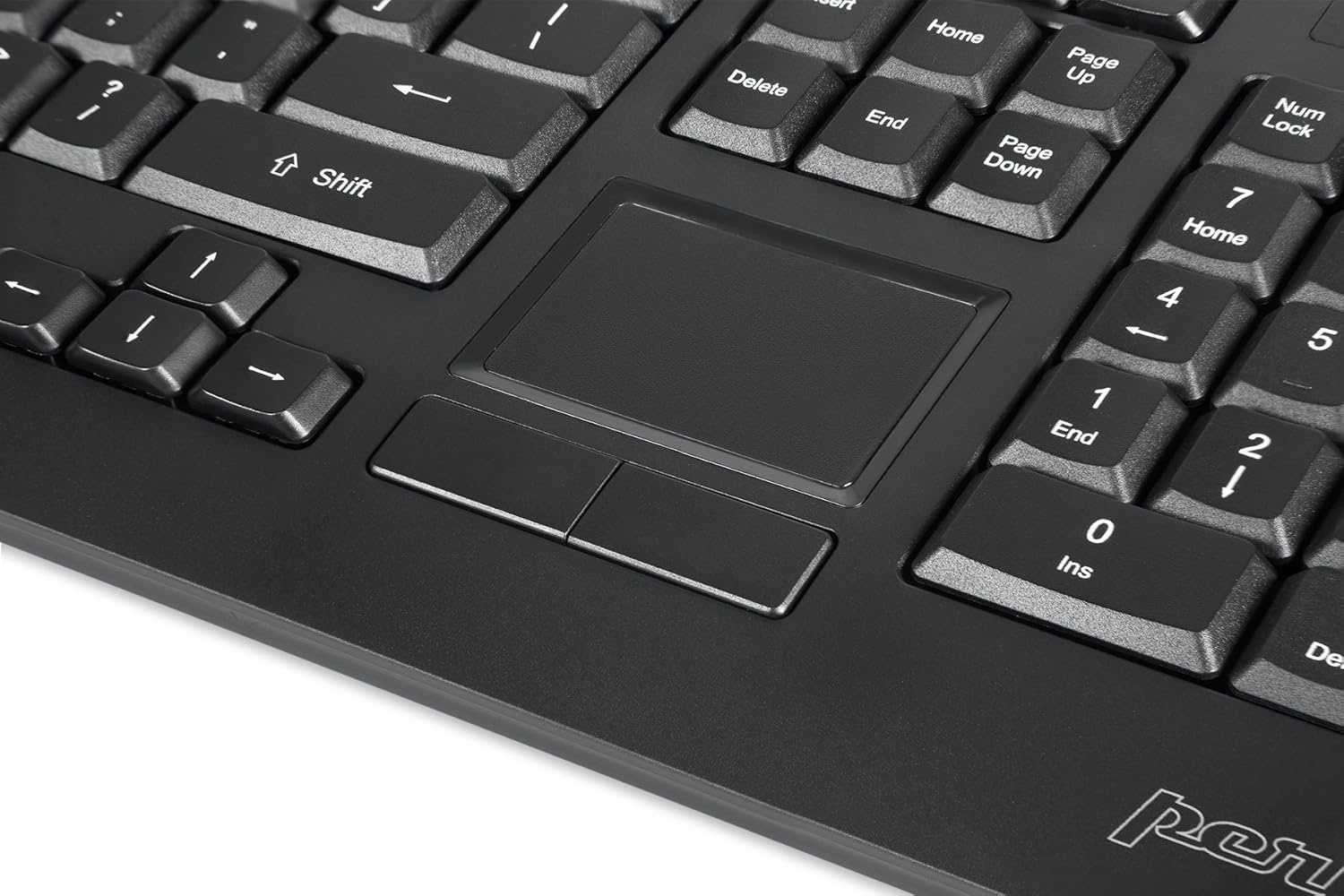
Image: A close-up of the integrated touchpad, highlighting its surface and the two dedicated click buttons.

Image: A user's hand interacting with the touchpad for cursor control.
د شاتنۍ رڼا کنټرول
The keyboard features a white LED backlight with three adjustable brightness levels. Use the dedicated backlight control keys to adjust the illumination.
- د شا څراغ فعال/بند کړئ: فشار ورکړئ Fn + F12 کلیدي ترکیب.
- روښانتیا تنظیم کړئ: مطبوعاتي Fn + F11 د درې روښانتیا کچو له لارې سایکل کول.
ملټي ميډياويکي کیلي
The PERIBOARD-313 includes 10 multimedia function keys for quick access to media controls and internet features. These functions are activated by holding the Fn key and pressing the corresponding function key (F1-F10).
- Fn+F1: د میډیا پلیر خلاص کړئ
- Fn+F2: حجم ښکته
- Fn+F3: حجم پورته
- Fn+F4: خاموش
- Fn+F5: مخکینی ټریک
- Fn+F6: بله لار
- Fn+F7: پلی/ودرول
- Fn+F8: ودریږئ
- Fn+F9: خلاص Web براوزر
- Fn+F10: د برېښنالیک مراجع پرانیزئ
مدغم USB مرکزونه
The keyboard features two integrated USB 2.0 hubs, allowing you to connect additional USB devices directly to the keyboard for convenience.

Image: The side of the keyboard displaying the two built-in USB 2.0 ports for connecting peripherals.
ساتنه
- پاکول: Disconnect the keyboard from your computer before cleaning. Use a soft, damp cloth to wipe the surface. For deeper cleaning between keys, use compressed air to remove dust and debris. Avoid using harsh chemicals or abrasive cleaners.
- ذخیره کول: Store the keyboard in a dry environment, away from extreme temperatures and direct sunlight.
- د مایع افشا کول: This keyboard is not water-resistant. Avoid spilling liquids on it. If liquid exposure occurs, immediately disconnect the keyboard and allow it to dry completely before reconnecting.
د ستونزو حل کول
| ستونزه | احتمالي لامل | د حل لاره |
|---|---|---|
| کیبورډ ځواب نه ورکوي | د USB اتصال خراب دی، د USB پورټ خراب دی، د موټر چلوونکي ستونزه. |
|
| ټچ پیډ کار نه کوي | Driver issue, touchpad disabled (unlikely for wired), physical damage. |
|
| Backlight not turning on/off or adjusting | د کیلي غلط ترکیب، د سافټویر شخړه. |
|
| ملټي میډیا کیلي کار نه کوي | د کیلي غلط ترکیب، د سافټویر شخړه. |
|
مشخصات
| برانډ | پیرکسکس |
| د ماډل نوم | PERIBOARD-313 US |
| د ماډل شمیره | 11445 |
| د ارتباط ټیکنالوژي | USB-A (وایر شوی) |
| د کیبورډ توضیحات | QWERTY, Full-sized, Backlit |
| ځانګړی ځانګړنه | Backlit, Integrated Touchpad, USB Hubs |
| رنګ | تور |
| د کیبورډ د شاته رڼا رنګ | Single Color (White LED) |
| مواد | ABS پلاستيک |
| د کلیدونو شمیر | 104 |
| د سویچ ډول | جھلی |
| د ټچ پیډ ابعاد | ۸۸ ملي متره x ۹۸ ملي متره (۳.۸ انچه x ۳.۴ انچه) |
| د کی بورډ ابعاد | 456mm x 160mm x 30mm (17.95" x 6.30" x 1.18") |
| د توکي وزن | 1.85 پونډه |
| Total USB 2.0 Ports | 2 (Integrated Hubs) |
Image: Technical drawing with key dimensions of the PERIBOARD-313 keyboard.
تضمین
The Perixx PERIBOARD-313 comes with a 1 کلن محدود تضمین from the date of purchase. This warranty covers manufacturing defects and workmanship under normal use. It does not cover damage caused by misuse, accident, modification, or unauthorized repair. Please retain your proof of purchase for warranty claims.
ملاتړ
For further assistance, technical support, or warranty inquiries, please visit the official Perixx webسایټ یا د دوی د پیرودونکو خدماتو سره اړیکه ونیسئ. تاسو کولی شئ نور معلومات او د اړیکو توضیحات په Perixx Brand Store on Amazon.