
پیژندنه
The AT&T CL82407 DECT 6.0 4-Handset Cordless Phone system is designed to provide reliable communication with advanced features for your home or office. This system includes a digital answering machine, Smart Call Blocker, Caller ID Announce, and offers long-range coverage with clear HD audio. Its expandable design allows for up to 12 handsets, ensuring connectivity throughout your space.
د بسته محتويات
Ensure all items are present before beginning setup:
- 1 Answering Device (Base Unit)
- 4 بې تاره دستګاه
- 3 Charging Cradles (for additional handsets)
- 4 AAA Batteries (included, for handsets)
- 1 Power Adapter for Base Unit
- 1 د ټیلیفون کرښه کارډ
- User's Manual and Quick Start Guide

Image: The complete AT&T CL82407 system, showing the main base unit with one handset and three additional handsets in their charging cradles.
چمتو کول
Follow these steps to set up your AT&T CL82407 phone system:
- د اساس واحد سره وصل کړئ: Plug the power adapter into the base unit and a wall outlet. Connect the telephone line cord from the base unit to your telephone wall jack.
- د لاسي بیټرۍ نصب کړئ: Open the battery compartment on the back of each cordless handset. Connect the battery pack plug securely into the jack inside the compartment. Place the battery pack into the compartment and close the cover.
- د چارج کولو دستګاوې: Place each handset in its respective charging cradle or the main base unit. The CHARGE light on the handset will illuminate, indicating it is charging. Allow at least 10 hours for the batteries to fully charge before initial use.
- نېټه او وخت ټاکل: Once charged, follow the on-screen prompts on any handset to set the date and time. This is crucial for accurate Caller ID and answering system timestamps.

Image: The AT&T CL82407 base unit and a handset positioned in different rooms, demonstrating the phone's extended range capability.
عملیاتي لارښوونې
تلیفونونه کول او ترلاسه کول
- د تلیفون کولو لپاره: مطبوعاتي تلیفون or سپیکر، بیا شمیره ډایل کړئ.
- زنګ ته ځواب ویل: مطبوعاتي تلیفون or سپیکر کله چې تلیفون زنګیږي.
- د تلیفون پای ته رسولو لپاره: مطبوعاتي بند یا هینډسیټ بیرته په زنګون کې ځای په ځای کړئ.
د ډیجیټل ځواب ورکولو سیسټم
The base unit features a digital answering system with a voice guide for easy setup. It can record up to 22 minutes of incoming messages, outgoing announcements, and memos.
- د پیغامونو غږول: مطبوعاتي پلی/درول on the base or access the Answering System menu on a handset.
- Recording Announcements: Follow the voice guide prompts to record your personalized outgoing message.

Image: Close-up of the AT&T CL82407 base unit's answering system controls, highlighting the play/stop and record buttons, with a text overlay indicating voice guide functionality.
Smart Call Blocker & Caller ID Announce
Effectively manage unwanted calls with the Smart Call Blocker feature. Robocalls are automatically blocked from ringing through. You can permanently blacklist numbers with one touch, and the call block directory stores up to 1,000 entries.
- Blocking a Call: فشار ورکړئ بلاک وکړئ button on the handset during a call or from the Caller ID log.
- د زنګ وهونکي ID اعلان: The handset announces the name of the caller, allowing you to screen calls without looking at the display.

Image: A close-up of the AT&T CL82407 handset keypad, emphasizing the dedicated 'CALL BLOCK' button for easy access to the smart call blocker feature.

Image: The AT&T CL82407 handset and base unit displaying a caller's name, with a speech bubble illustrating the Caller ID Announce feature.
Intercom and Push-to-Talk
- انټرکام: د هینډسیټونو ترمنځ د اړیکو لپاره د انټرکام ځانګړتیا وکاروئ.
- خبرو ته اړ ایستل: For quick, effortless communication, press and hold the خبرو ته اړ ایستل button on the side of the handset to broadcast to other handsets.

Image: A woman holding the AT&T CL82407 handset, with a circular highlight on the side indicating the 'PUSH TO TALK' button.
لاسي سپیکر تلیفون
The simulated full-duplex speakerphone on the handset allows both parties to speak and be heard simultaneously, making conversations more natural.

Image: A woman using the AT&T CL82407 handset on speakerphone while preparing food in a kitchen, illustrating hands-free communication.
خاموش حالت
Activate Quiet Mode to silence all handset and base ringers for a set period, ensuring undisturbed peace.

Image: A close-up of the AT&T CL82407 handset keypad, highlighting the '# QUIET' button, with a person meditating in the background, symbolizing peace and quiet.
ځانګړتیاوې ختمې شوېview
- د پراخیدو وړ سیسټم: Easily add accessory handsets (CL80107 or CL80067 models) up to 12 total, using just one phone jack.
- High-Contrast Backlit LCD & Lighted Keypad: The extra-large 2-inch screen with high-contrast text makes reading Caller ID and call history easy. Enlarged font and lighted keypad allow for easy dialing in low-light conditions.
- HD آډیو: Experience enhanced sound quality with HD audio and an equalizer for customized audio settings.
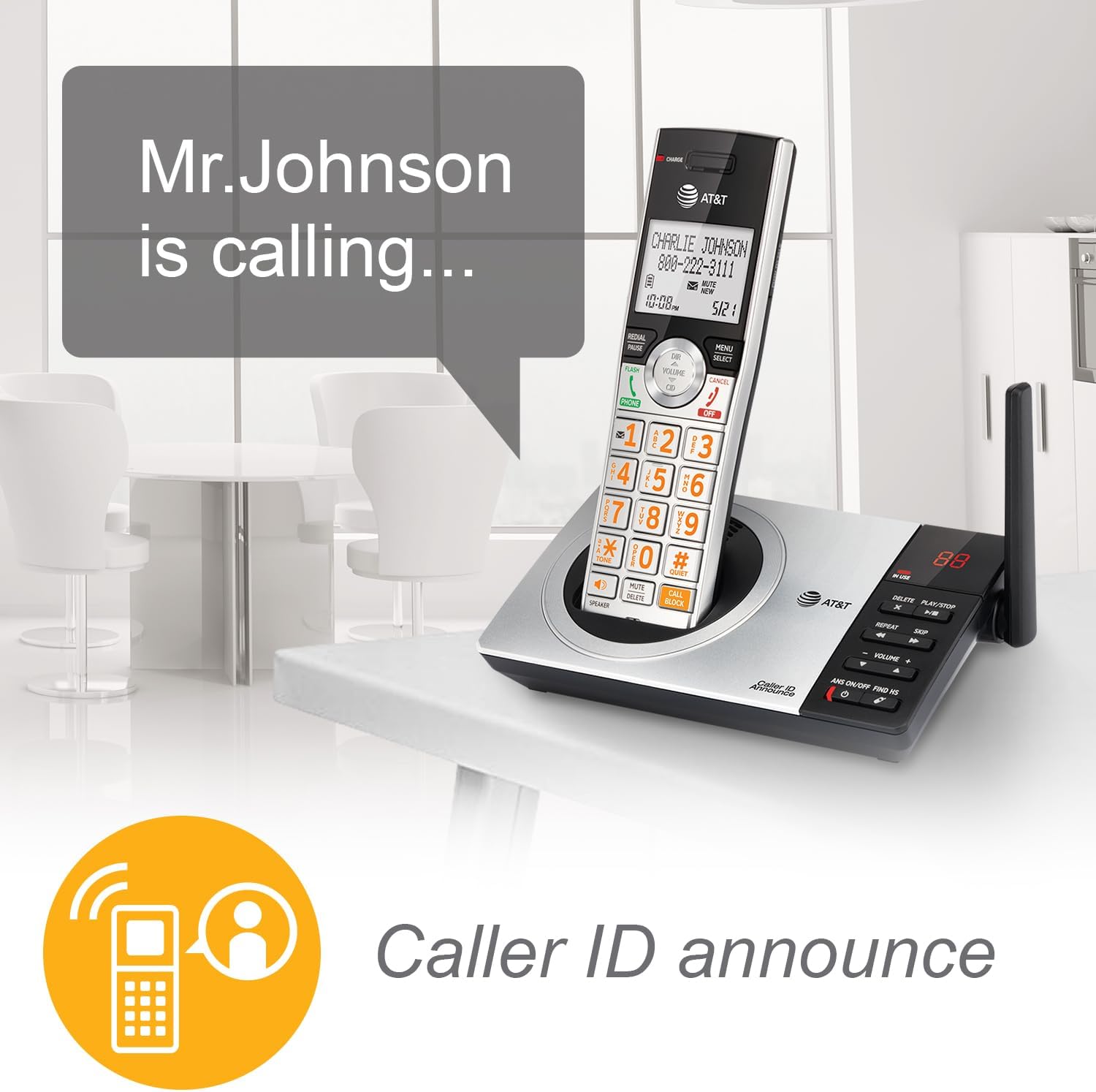
Image: A close-up of the AT&T CL82407 handset, showcasing its large, high-contrast backlit LCD screen and lighted keypad for improved visibility.

Image: A woman holding the AT&T CL82407 handset, with a graphic overlay of an audio equalizer, representing the HD audio and customizable sound features.
د ستونزو حل کول
If you encounter issues with your phone system, try the following common solutions:
- د ډایل ټون نشته: Ensure the telephone line cord is securely plugged into both the base unit and the wall jack. Check if the power adapter is properly connected.
- هغه هینډسیټ چې چارج نه کیږي: Verify the handset is correctly seated in the charging cradle/base and the CHARGE light is on. Clean the charging contacts on both the handset and cradle with a dry cloth.
- د غږ ضعیف کیفیت/ جامد: Move the handset closer to the base unit. Ensure the base unit is not near other electronic devices that may cause interference.
- Handset Out of Range: Move closer to the base unit. If you frequently experience this, consider adding more accessory handsets to extend coverage.
- د ځواب ورکولو سیسټم نه ثبتول: وګورئ چې د ځواب ورکولو سیسټم فعال دی که نه. ډاډ ترلاسه کړئ چې د ثبت کولو کافي وخت شتون لري (تر 22 دقیقو پورې).
For more detailed troubleshooting, please refer to the full User Manual available online or in your product packaging.
مشخصات
| فیچر | تفصیل |
|---|---|
| د محصول ابعاد | 6.3 x 7.26 x 3.96 انچه |
| د توکي وزن | 1 پونډه (16 اونس) |
| د ماډل شمیره | CL82407 |
| بیټرۍ | 4 AAA بیټرۍ اړین دي (شامل دي) |
| د تلیفون ډول | د ځمکې کرښه |
| د ځواب ورکولو سیسټم ډول | ډیجیټل |
| د بریښنا سرچینه | د بریښنا تار شوی |
| مواد | پلاستيک، فلزي |
| رنګ | Silver/Black Cordless |
| جوړونکی | VTech |
| د اصلي هیواد | ملایزیا |
ساتنه
To ensure the longevity and optimal performance of your AT&T CL82407 phone system, follow these maintenance guidelines:
- پاکول: Regularly wipe the handsets and base unit with a soft, damp ټوکر د سختو کیمیاوي موادو یا خړوبولو پاکونکو کارولو څخه ډډه وکړئ.
- د بیټرۍ پاملرنه: For best battery life, allow handsets to fully charge before initial use. If the phone will be unused for an extended period, remove the batteries.
- ځای په ځای کول: Keep the base unit and charging cradles in a dry, stable environment away from direct sunlight, heat sources, and excessive moisture. Avoid placing them near other electronic devices that may cause interference.
تضمین او ملاتړ
Your AT&T CL82407 DECT 6.0 4-Handset Cordless Phone system comes with a manufacturer's warranty. For specific warranty details, technical support, or service inquiries, please refer to the warranty information included in your product packaging or visit the official AT&T support webسایټ
اضافي سرچینې: