
1. پیژندنه
د پیرودلو لپاره مننهasing the SYMA X5UW FPV RC Drone. This quadcopter is designed for beginners and features a 720P HD Wi-Fi camera for live video streaming. Please read this manual thoroughly before operating the drone to ensure safe and correct usage. Keep this manual for future reference.
2. د خوندیتوب لارښوونې
- د عمر سپارښتنه: This product is suitable for users aged 14 years and above. Adult supervision is recommended for younger users.
- د الوتنې چاپیریال: Operate the drone in open, clear areas, away from people, animals, buildings, and power lines. Avoid flying in strong winds or adverse weather conditions.
- د بیټرۍ خوندیتوب: Use only the specified battery and charger. Do not overcharge or short-circuit batteries. Discontinue use if batteries show signs of damage or swelling.
- د پروپیلر خوندیتوب: Keep hands, face, and loose clothing away from rotating propellers. Always ensure propellers are securely attached before flight.
- د اوبو ښکاره کول: ډرون د اوبو ضد نه دی. د اوبو یا رطوبت سره د تماس څخه ډډه وکړئ.
- د لید لید: د الوتنې پرمهال تل د ډرون سره د لید لید وساتئ.
3. د بسته محتويات
مهرباني وکړئ د بکس خلاصولو پر مهال د کڅوړې محتويات وګورئ:
- SYMA X5UW FPV RC Drone
- ریموټ کنټرولر
- 720P HD Wi-Fi Camera
- Drone Battery (500 mAh)
- د USB چارج کیبل
- Spare Propellers (4 pcs)
- Propeller Guards (4 pcs)
- سکرو ډرایور
- د کارن لارښود
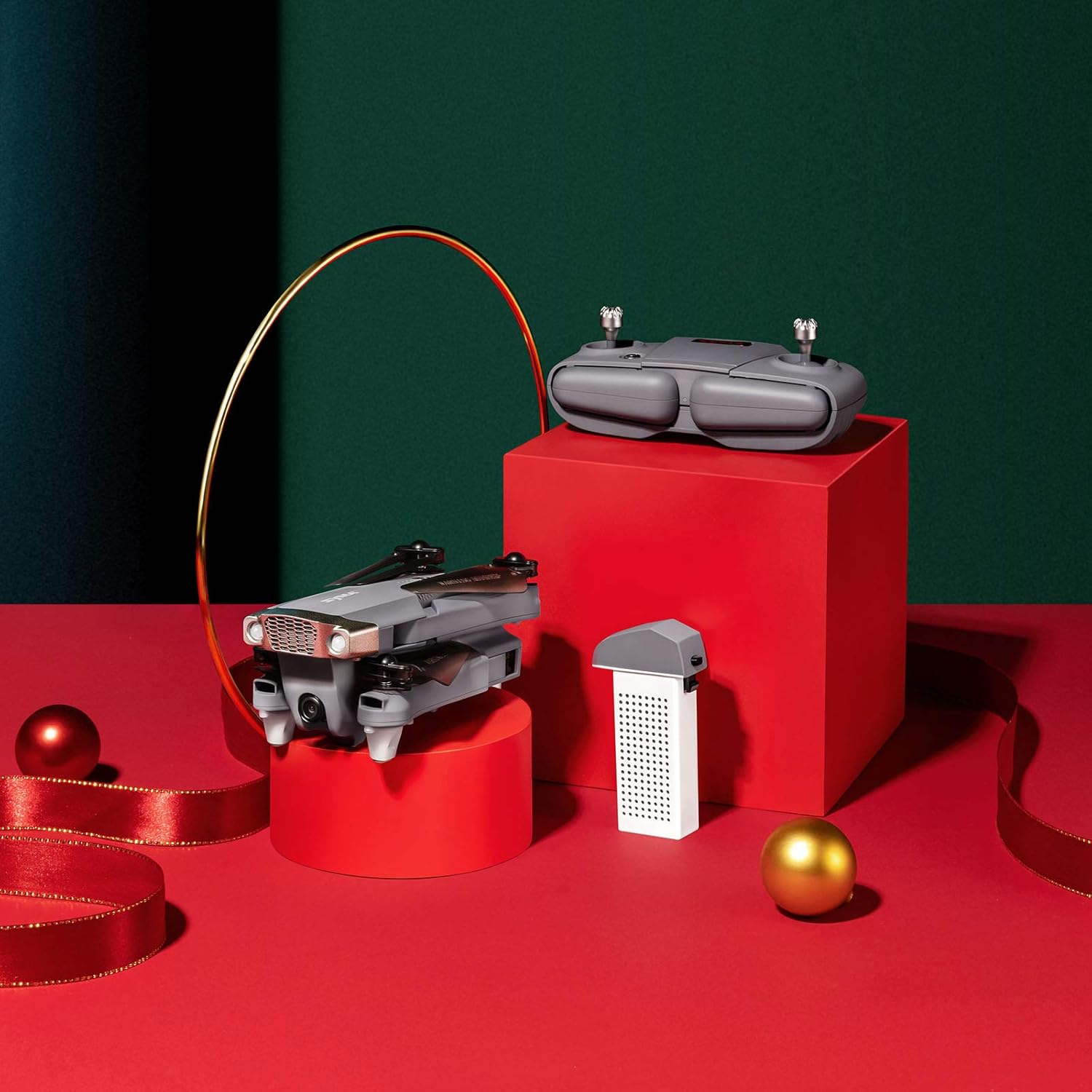
Image: SYMA X5UW Drone, remote control, and battery components.
4. ترتیب کول
۱. د بیټرۍ نصب او چارج کول
- د ډرون بیټرۍ: Insert the provided 500 mAh battery into the drone's battery compartment. Ensure it clicks into place.
- چارج کول: Connect the drone battery to the USB charging cable, then plug the USB cable into a USB power adapter (not included). The indicator light on the USB cable will turn off when charging is complete. Charging time is approximately 60-90 minutes.
- د ریموټ کنټرول بیټرۍ: Open the battery compartment on the back of the remote controller and insert 4 x AA batteries (not included), observing correct polarity. Close the compartment.
4.2. Propeller and Guard Installation
- Attach the propeller guards to the drone's motor arms using the provided screws and screwdriver.
- Ensure propellers are correctly matched to their respective motor shafts (A and B propellers). Press them firmly onto the shafts.
4.3. Camera Attachment
- Locate the camera mounting slot on the underside of the drone.
- Slide the 720P HD Wi-Fi camera into the slot until it is securely fastened.
- Connect the camera's power cable to the drone's camera port.
۴. د اپلیکیشن ډاونلوډ او د وای فای اتصال
- Download the official SYMA FPV app from your smartphone's app store (iOS or Android).
- Turn on the drone and wait for its Wi-Fi signal to appear on your smartphone's Wi-Fi settings.
- Connect to the drone's Wi-Fi network (usually named "SYMA-X5UW-XXXX").
- Open the SYMA FPV app to view the live camera feed and access flight controls.
5. عملیاتي لارښوونې
۳. د ډرون او ریموټ جوړه کول
- ډرون په فلیټ ، سطح سطح کې ځای په ځای کړئ.
- ډرون چالان کړئ. د شاخص څراغونه به روښانه شي.
- ریموټ کنټرولر چالان کړئ.
- Push the left joystick (throttle) all the way up, then all the way down. The drone's indicator lights will become solid, indicating successful pairing.
5.2. کیلیبریشن
After pairing, perform a gyroscope calibration:
- With the drone on a flat surface, push both joysticks to the bottom-right corner simultaneously for 2-3 seconds.
- د ډرون څراغونه به په چټکۍ سره روښانه شي او بیا به جامد شي، چې د بریالي کیلیبریشن ښودنه کوي.
۶.۱. الوتنه او ناسته
- لاسي الوتنه: After pairing and calibration, push the left joystick (throttle) slowly upwards to make the drone ascend.
- یو کیلي الوتنه/کښته: Press the one-key take-off/landing button on the remote (refer to remote diagram in manual) to automatically take off or land.
۲. د الوتنې اساسي کنټرولونه
- کیڼ جویسټک (تروټل): د لوړوالي لپاره پورته/ښکته، د څرخېدو لپاره کیڼ/ښي خوا ته (یاو).
- ښي جویسټک (لارښودنه): Up/Down for forward/backward flight, Left/Right for left/right sideward flight.

Image: The SYMA X5UW drone in stable flight, with a pilot in the background operating the remote control.
5.5. پرمختللي ځانګړتیاوې
- لوړوالی ساتل: The drone maintains a stable altitude automatically after releasing the throttle stick.
- بې سرې حالت: Press the headless mode button. In this mode, the drone's orientation is relative to the pilot, regardless of the drone's front direction. Press again to exit.
- ۳۶۰ درجې فلپ: Fly the drone to a height of at least 3 meters. Press the 360° flip button, then push the right joystick in the desired flip direction.
5.6. Camera Operation (FPV)
- ژوندۍ ویډیو: Once connected to the drone's Wi-Fi via the SYMA FPV app, the live video feed will appear on your smartphone screen.
- د عکس/ویډیو ثبت کول: Use the dedicated buttons within the SYMA FPV app to take photos or start/stop video recording. Files are saved to your smartphone.
6. ساتنه
- پاکول: Use a soft, dry cloth to clean the drone. Avoid using solvents or harsh chemicals.
- پروپیلر بدلول: If propellers are damaged, replace them with new ones, ensuring correct A/B matching.
- د بیټرۍ پاملرنه: Store batteries in a cool, dry place. Do not leave batteries fully charged or fully discharged for extended periods. Charge them to about 50% for storage.
- ذخیره کول: When not in use, store the drone and remote in a dry environment, away from direct sunlight and extreme temperatures.
7. ستونزه حل کول
| ستونزه | احتمالي لامل | د حل لاره |
|---|---|---|
| ډرون ریموټ ته ځواب نه ورکوي. | Not paired or low battery. | Re-pair the drone and remote. Charge drone and replace remote batteries. |
| ډرون د الوتنې پر مهال ګرځي. | Not calibrated or trim settings incorrect. | Perform gyroscope calibration. Adjust trim buttons on the remote. |
| Camera feed is not visible on phone. | Wi-Fi not connected or app issue. | Ensure phone is connected to drone's Wi-Fi. Restart app and drone. |
| Drone lights flash rapidly and cannot take off. | Low drone battery. | د ډرون بیټرۍ په بشپړه توګه چارج کړئ. |
| پروپیلرونه نه ګرځي. | Motors blocked or drone not armed. | Check for obstructions. Ensure drone is paired and calibrated. |
8. مشخصات
| فیچر | تفصیل |
|---|---|
| برانډ | SYMA |
| ماډل | X5UW |
| د مهارت کچه | ابتکار |
| د ویډیو نیول حل | 720p |
| د ویډیو د تولید پریکړه | ۲۴۰x۳۲۰ پېکسلونه |
| د بې سیمه مخابراتو ټیکنالوژي | وای فای |
| د بیټرۍ ظرفیت | 500 ملیونهamp ساعتونه |
| اعظمي حد | 300 متره |
| د کنټرول ډول | ریموټ کنټرول |
| د توکي وزن | 4.54 ګرامه |
| د عمر حد (تفصیل) | 168 میاشتې (14 کاله او پورته) |
| UPC | 717880003426 |
| برخه شمیره | DoDoelephRCDroneEX5UW-B-US |
9. د تضمین معلومات
SYMA products are covered by a limited warranty against manufacturing defects. Please retain your proof of purchase for warranty claims. The warranty period and terms may vary by region. For detailed warranty information, please contact SYMA customer support.
10. د پیرودونکي ملاتړ
If you encounter any issues or have questions regarding your SYMA X5UW drone, please contact our customer support team:
- تلیفون (امریکا): +1 (718) 312-0558
- بریښنالیک (امریکا): usa@symatoy.com
Our support team is available to assist you with technical questions, troubleshooting, and parts replacement.

Image: SYMA Customer Support representatives ready to assist.


