
1. پیژندنه
This manual provides essential information for the safe and efficient operation of your Lenco L-30BK Belt Drive Turntable. Please read these instructions thoroughly before using the device and retain them for future reference. The Lenco L-30BK is designed for playing vinyl records at 33 and 45 RPM, featuring a built-in preamplifier and USB connectivity for digitizing your vinyl collection.
2. د خوندیتوب معلومات
- د بریښنا سرچینه: د بریښنا رسولو حجم ډاډمن کړئtage matches the requirements specified on the unit. Use only the provided power adapter.
- اوبه او رطوبت: واحد د باران، رطوبت، یا څاڅکو/څاڅکو مایعاتو سره مه مخ کوئ. په واحد کې هغه شیان مه کېږدئ چې د مایعاتو څخه ډک وي، لکه ګلدانونه.
- وینټیلیشن: د هوا مناسبه هوا ورکول ډاډمن کړئ. د هوا د بهېدو لارې مه بندوئ.
- تودوخه: واحد د تودوخې سرچینو لکه ریډیټرونو، د تودوخې راجسترونو، بخاریو، یا نورو وسایلو څخه لرې وساتئ (په شمول د ampلایفیر) چې تودوخه تولیدوي.
- پاکول: د پاکولو دمخه د دیوال له ساکټ څخه واحد خلاص کړئ. نرم، وچ ټوکر وکاروئ. د مایع پاکوونکو یا ایروسول پاکوونکو څخه کار مه اخلئ.
- خدمت کول: د دې محصول پخپله خدمت کولو هڅه مه کوئ. ټول خدمتونه وړ خدماتي پرسونل ته راجع کړئ.
- ځای په ځای کول: Place the turntable on a stable, level surface to prevent vibrations and ensure proper playback.
3. د بسته محتويات
مهرباني وکړئ وګورئ چې لاندې ټول لیست شوي توکي په بسته کې شامل دي:
- Lenco L-30BK Turntable Unit
- د دوړو پوښ
- تالی
- د چلولو بیلټ
- سلیپمیټ
- د AC ځواک اډیپټر
- USB کیبل
- د RCA آډیو کیبل
- د لارښوونې لارښود
- Pick-up Needle (pre-installed on cartridge)
4. محصول ختم شوview
Familiarize yourself with the components of your Lenco L-30BK turntable.

شکل 4.1: مخکی view of the Lenco L-30BK Turntable with the dust cover open, revealing the main components including the platter, tonearm, and control buttons.

شکل 4.2: Rear panel connections of the Lenco L-30BK, including RCA audio outputs (L/R), USB port, DC12V power input, and the main power switch.
مهمې برخې:
- تخته: The circular platform where records are placed.
- ټونارم: کارتریج او سټایلس نیسي، کوم چې د ریکارډ نالی لوستلی شي.
- Cartridge and Stylus: Converts physical vibrations into electrical signals. The L-30BK features a Movable Magnet Sensor (MMC) with an individually replaceable stylus.
- سرعت ټاکونکی: Switch to select between 33 and 45 RPM playback speeds.
- د موټرو بندول: Automatically stops the platter rotation at the end of a record.
- د دوړو پوښ: د کارولو پر مهال د ټرنټبل د دوړو څخه ساتي.
- د RCA آډیو آوټ پټس (L/R): د بهرني سره د نښلولو لپاره ampلایفیر یا فعال سپیکر.
- USB پورټ: For connecting to a computer to digitize vinyl records.
- د DC12V بریښنا داخلول: د بریښنا اډاپټر د نښلولو لپاره.
5. ترتیب کول
5.1 پاکول او ځای پرځای کول
- د ټرنټیبل له بسته بندۍ څخه په احتیاط سره لرې کړئ.
- Place the unit on a stable, level surface, away from direct sunlight, heat sources, and excessive dust or vibrations.
- Install the dust cover by aligning its hinges with the slots on the back of the turntable.

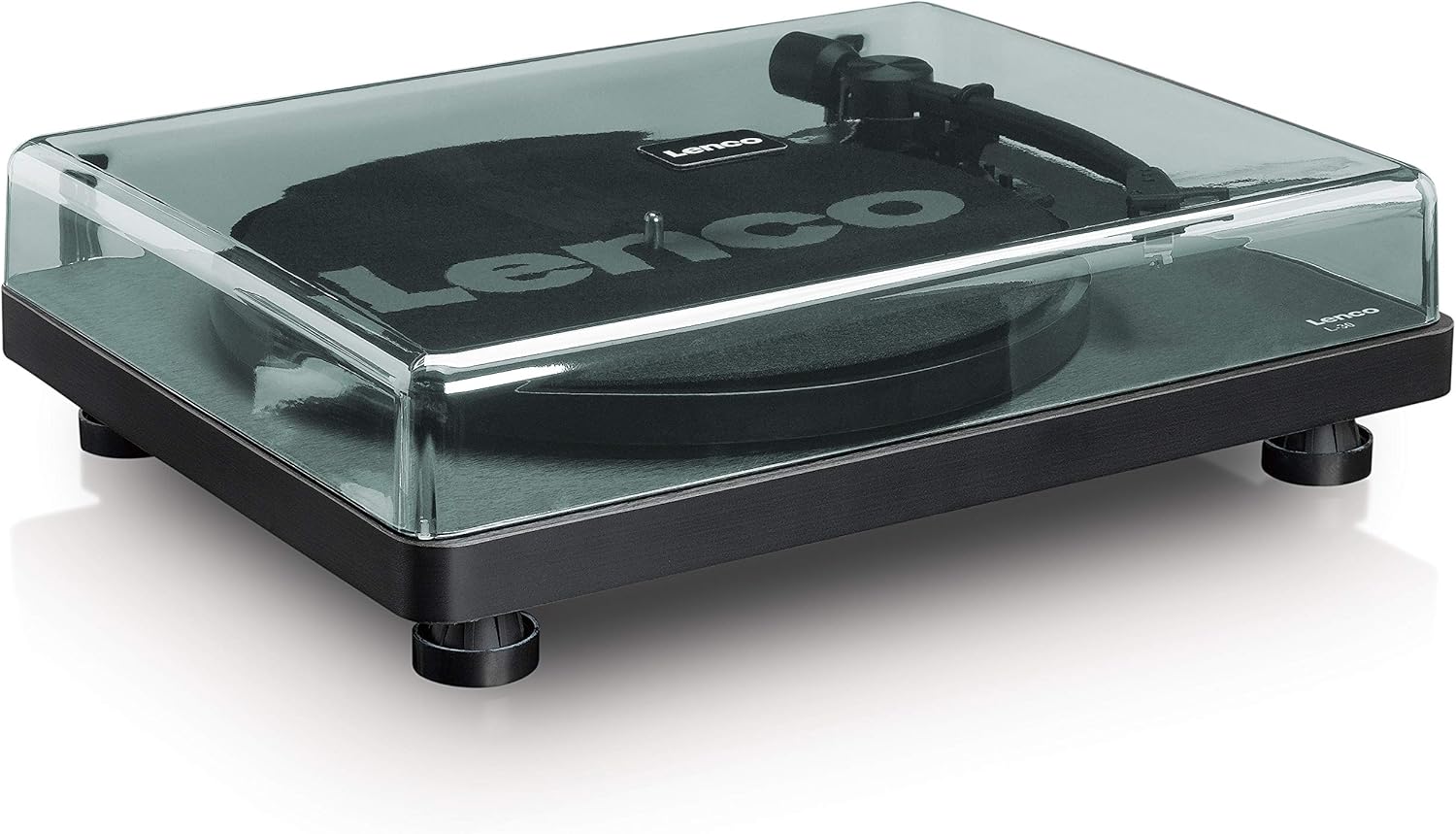
شکل 5.1: The Lenco L-30BK Turntable with its protective dust cover closed, ready for placement.
۵.۲ د پلیټ او کمربند نصبول
- پلیټ د ټرنټیبل په سپینډل کې ځای په ځای کړئ.
- Locate the drive belt, typically found underneath the platter or separately packaged.
- Carefully stretch the drive belt around the motor pulley and the inner rim of the platter. Ensure the belt is not twisted.
- سلپ میټ د تالی په سر کې کیږدئ.
5.3 آډیو پیوستون
The L-30BK has a built-in preamplifier, allowing direct connection to most audio systems.
- Connect the RCA audio cable (red for right channel, white for left channel) from the AUDIO OUT jacks on the rear of the turntable to the LINE IN or AUX IN jacks on your ampلایفیر یا فعال سپیکر.
5.4 د بریښنا نښلول
- Connect the DC12V power adapter to the DC12V POWER input on the rear of the turntable.
- د بریښنا اډاپټر په مناسب دیوال آوټ لیټ کې ولګوئ.
5.5 USB Connection (for Digitization)
- To digitize your vinyl records, connect the USB cable from the USB port on the rear of the turntable to an available USB port on your computer (PC or Mac).
6. عملیاتي لارښوونې
6.1 بریښنا کول / بندول
- Flip the ON/OFF switch on the rear panel to the 'ON' position to power on the turntable.
- Flip the switch to 'OFF' when not in use.
۵.۳ ریکارډ غږول
- په تالی کې یو ریکارډ کیږدئ، ډاډ ترلاسه کړئ چې دا په مرکز کې دی.
- Select the appropriate speed (33 or 45 RPM) using the speed selector switch. For 45 RPM singles, place the included adapter on the spindle if needed.
- د کیوینګ لیور په کارولو سره ټونرمام پورته کړئ.
- ټونرمام په لاسي ډول د ریکارډ د مطلوب پیل شوي نالی په سر کې ځای په ځای کړئ.
- Gently lower the tonearm using the cueing lever. The stylus will descend onto the record, and playback will begin.
- At the end of the record, the auto shut-off function will stop the platter rotation. Lift the tonearm and return it to its rest.

شکل 6.1: Proper technique for lowering the tonearm onto a record for playback.
شکل 6.2: تفصيلي view of the Movable Magnet Sensor (MMC) cartridge and stylus assembly.
6.3 Digitizing Records via USB
The L-30BK allows you to convert your vinyl records into digital audio fileد کمپیوټر په کارولو سره.
- د ورکړل شوي USB کیبل په کارولو سره ټرنټیبل خپل کمپیوټر سره وصل کړئ.
- Download and install audio recording software such as Audacity (available online for free) on your computer.
- Open the recording software and select the USB Audio Device as the input source.
- Start recording in the software, then begin playing your record on the turntable as described in section 6.2.
- Once the record finishes, stop the recording in the software and save your digitized audio file.
7. ساتنه
۵.۳ د ټرنټیبل پاکول
- تل د پاکولو دمخه د بریښنا له سایټ څخه د ټرنټیبل خلاص کړئ.
- Use a soft, dry, lint-free cloth to wipe the cabinet and dust cover.
- د کثافاتو پاکوونکي، موم یا محلول مه کاروئ ځکه چې دوی ممکن پای ته زیان ورسوي.
۷.۲ د سټایلس پاملرنه او ځای ناستی
- سټایلس یوه نازکه برخه ده. د خپلو ګوتو سره یې د لمس کولو څخه ډډه وکړئ.
- Clean the stylus regularly using a soft brush, gently brushing from back to front.
- The stylus should be replaced after approximately 300-500 hours of playback, or if you notice a degradation in sound quality.
- To replace the stylus, carefully pull the old stylus assembly forward and down from the cartridge. Insert the new stylus assembly by pushing it upwards and backwards into the cartridge until it clicks into place.
8. ستونزه حل کول
If you encounter problems with your turntable, refer to the following common issues and solutions:
| ستونزه | احتمالي لامل | د حل لاره |
|---|---|---|
| هیڅ ځواک نشته | Power adapter not connected; Power switch off; Wall outlet faulty. | Ensure power adapter is securely connected; Turn power switch to 'ON'; Test wall outlet with another device. |
| نه غږ یا ټیټ حجم | د RCA کیبلونه په سمه توګه نه دي وصل شوي؛ Amplifier/speakers off or volume low; Input selected incorrectly on ampلايف | Check RCA cable connections; Turn on amplifier/speakers and adjust volume; Select correct input source on your audio system. |
| تحریف شوی غږ | Dirty stylus; Damaged stylus; Dirty record; Turntable not on a stable surface. | Clean the stylus; Replace the stylus if damaged; Clean the record; Ensure turntable is on a stable, level surface. |
| ریکارډ پریښودل | Dirty or scratched record; Stylus worn or damaged; Turntable not level; External vibrations. | Clean the record; Replace the stylus; Ensure turntable is level; Place turntable away from sources of vibration. |
| USB recording issues | USB cable not connected; Incorrect input selected in software; Software not installed. | Check USB cable connection; Select 'USB Audio Device' as input in recording software; Install Audacity or similar software. |
9. مشخصات
| د ماډل نوم | د L-30BK لپاره تفتیش وسپارئ، موږ به په XNUMX ساعتونو کې له تاسو سره اړیکه ونیسو. |
| برانډ | لینکو |
| د ډرایو ډول | بیلټ ډرایو |
| سرعت | 33 1/3، 45 RPM |
| مخکېampلايف | جوړ شوی |
| د کارټریج ډول | Movable Magnet Sensor (MMC) |
| ارتباط | USB, RCA Audio Out |
| اتومات بند | هو |
| د تختې قطر | 300 ملي متره |
| مواد | Wood (Enclosure) |
| رنګ | تور |
| د توکي وزن | 3.28 کیلوګرامه |
| ابعاد (L x W x H) | 41L x 32W x 12H سانتي متره |
| د سیګنال څخه تر شور پورې نسبت | 60 dB |
| والیtage | 240 ولټه |
| د بریښنا سرچینه | د بریښنا تار شوی |
10. تضمین او ملاتړ
Lenco products are manufactured to high quality standards. In the event of a defect, your product is covered by the terms of the warranty in your country of purchase. For detailed warranty information, please refer to the warranty card included with your product or visit the official Lenco website. For technical support or service inquiries, please contact Lenco customer service through their official channels.