
۱.۱. د خوندیتوب مهم معلومات
This product requires assembly. Follow the instructions carefully and ensure proper use of the desk to avoid injury. Do not overload the desk beyond its maximum load capacity of 150 Kilograms. Keep children and pets away from the desk during operation to prevent accidents. Ensure all cables are properly managed to avoid tripping hazards.
2. محصول ختم شوview
The FlexiSpot EA2 is an electric height-adjustable standing desk frame designed to accommodate various desktop sizes. It features a robust alloy steel frame, a smart keypad with memory functions, and a soft start/stop mechanism for smooth height transitions. This frame promotes a healthier work environment by allowing seamless switching between sitting and standing positions.

An assembled FlexiSpot EA2 electric standing desk frame with a dark desktop, supporting a computer monitor and laptop, set in a modern office environment.
کلیدي ځانګړتیاوې:
- Electric height adjustment for seamless transitions.
- Smart keypad with memory presets for preferred heights.
- Soft start/stop function for smooth and quiet operation.
- Durable alloy steel frame construction.
- د وزن اعظمي سپارښتنه: ۱۸ کیلوګرامه.
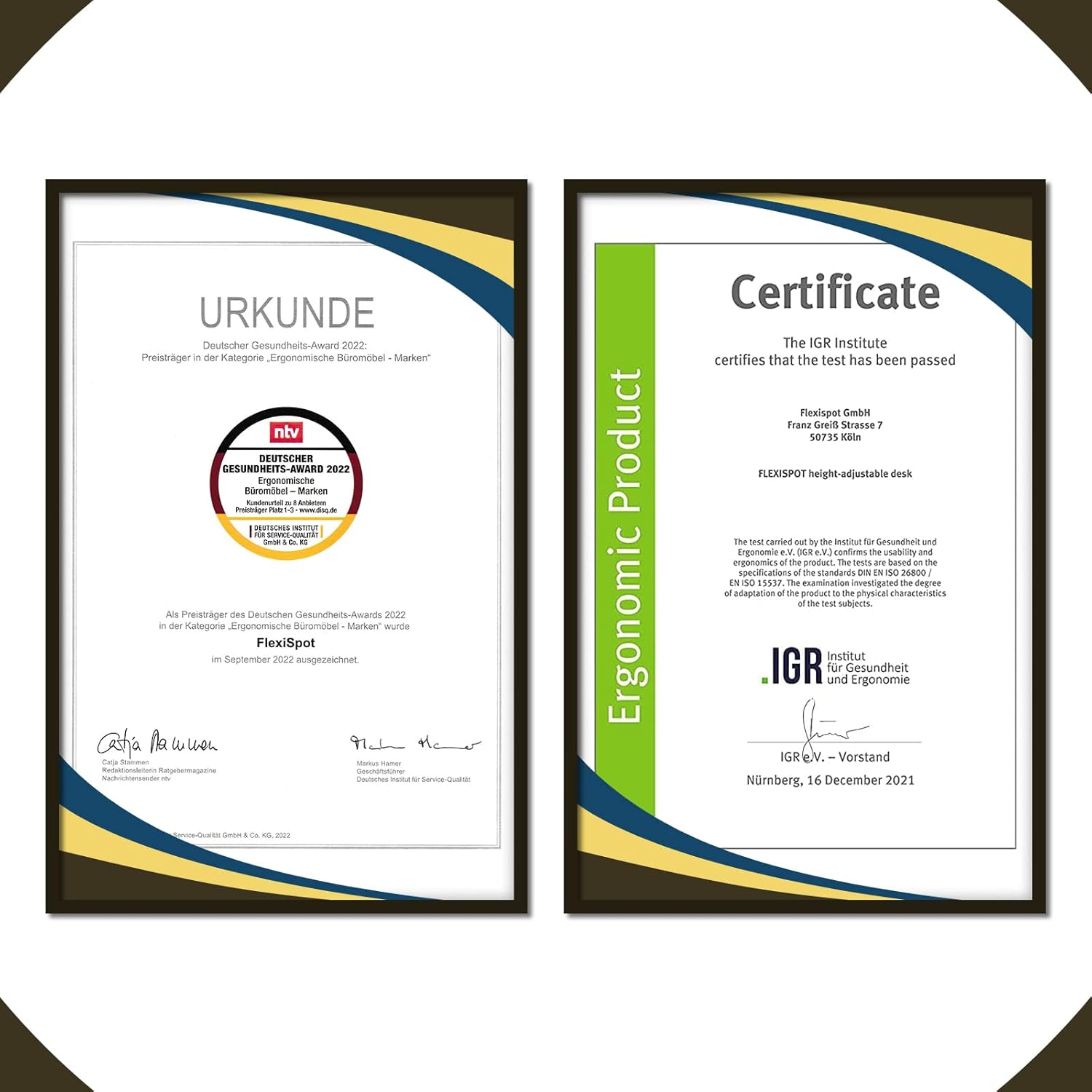
A certificate from the IGR Institute for Health and Ergonomics, confirming the FlexiSpot height-adjustable desk meets ergonomic standards.
3. ترتیب کول
Assembly of the FlexiSpot EA2 desk frame is required. Please ensure you have sufficient space and assistance if needed. Tools are not included with this product, so prepare the necessary tools before starting assembly.
د عمومي غونډې مرحلې:
- اجزا خلاص کړئ: په احتیاط سره ټولې برخې له بسته بندۍ څخه لرې کړئ او د شاملو برخو لیست سره سم یې تایید کړئ.
- Assemble Legs and Crossbar: Follow the detailed instructions in the separate assembly guide to connect the lifting columns to the feet and the crossbar.
- ډیسکټاپ ضمیمه کړئ: Secure your chosen desktop to the assembled frame using the provided screws. Ensure the desktop is centered and aligned.
- Connect Control Box and Keypad: Plug in the control box, motor cables, and keypad cable according to the assembly guide.
- د کیبل مدیریت: Use cable ties or clips to organize and secure all cables, preventing them from interfering with the desk's movement.
- Initial Power-Up and Reset: Plug the desk into a power outlet. Perform the initial reset procedure as described in the assembly guide to synchronize the motors.

A diagram illustrating the adjustable dimensions of the FlexiSpot EA2 desk frame, including width (110-190cm), depth (58cm), and height (58-123cm).
4. عملیاتي لارښوونې
The FlexiSpot EA2 desk frame is operated via a smart keypad, allowing for easy height adjustments and memory presets.
بنسټیز عملیات:
- د لوړوالی تعدیل: Use the up and down arrow buttons on the keypad to raise or lower the desk to your desired height. The desk will move smoothly with its soft start/stop function.
- د حافظې پریزیټ خوندي کول: To save a specific height, adjust the desk to your preferred position. Press the 'M' button, then press one of the numbered preset buttons (e.g., '1', '2', '3') within a few seconds. The height is now saved to that preset.
- د یادولو د حافظې پریزیسټونه: Press a saved numbered preset button (e.g., '1') to automatically move the desk to the stored height.
- د ټکر ضد سیستم: The desk is equipped with a built-in anti-collision system. If the desk encounters an obstruction during movement, it will automatically stop and retract slightly to prevent damage.
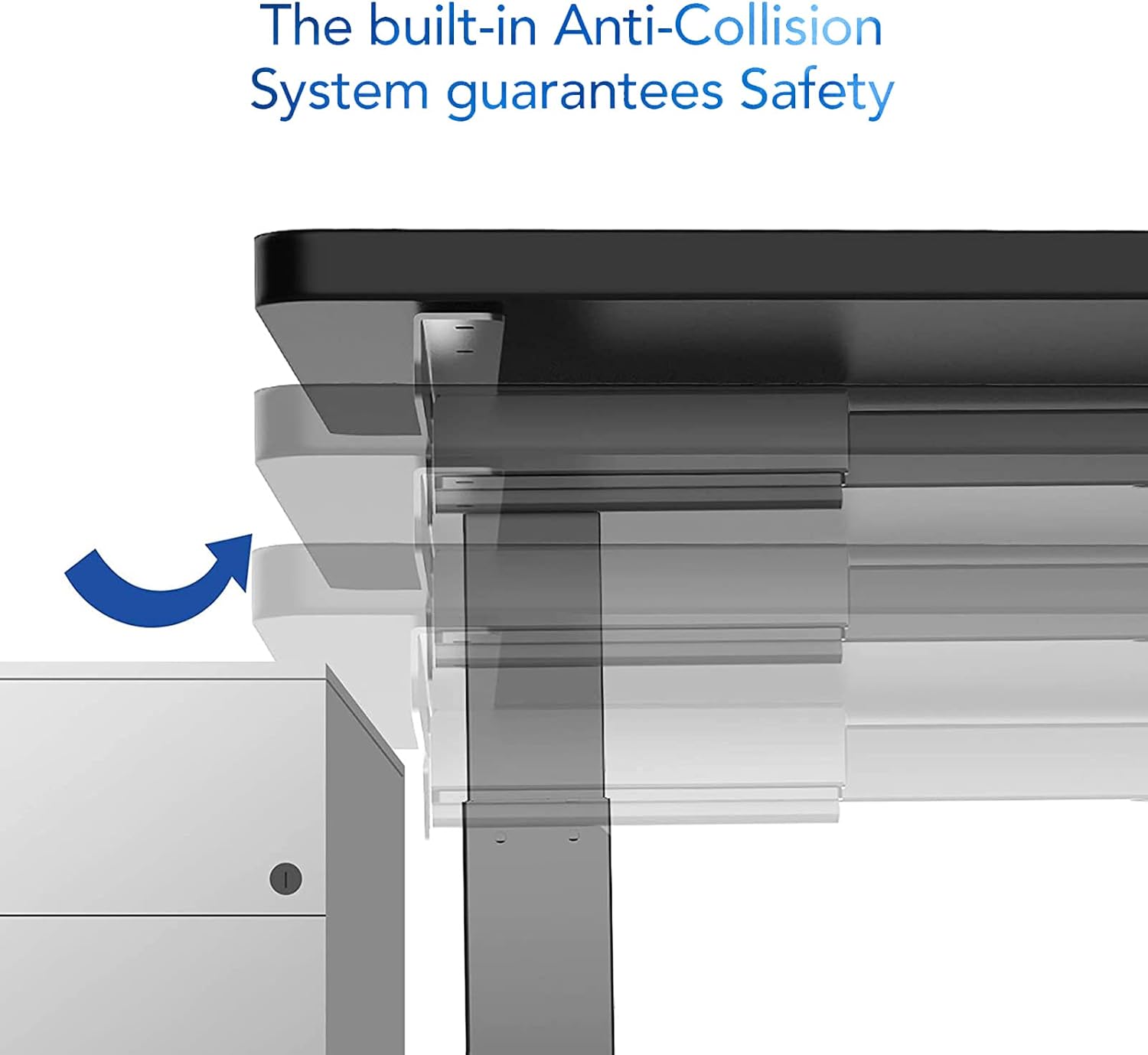
An image demonstrating the built-in anti-collision system of the FlexiSpot EA2 desk, showing the desk stopping and retracting slightly upon encountering an obstruction.
5. ساتنه
Regular maintenance ensures the longevity and optimal performance of your FlexiSpot EA2 desk frame.
- پاکول: د میز چوکاټ د نرم، ډ سره پاک کړئamp ټوکر. د کثافاتو پاکوونکو یا سختو کیمیاوي موادو کارولو څخه ډډه وکړئ، ځکه چې دا کولی شي پای ته زیان ورسوي.
- اړیکې چیک کړئ: ټول پیچونه او بولټونه په دوره یي ډول وګورئ ترڅو ډاډ ترلاسه شي چې دوی کلک دي. که اړتیا وي نو بیا یې ټینګ کړئ.
- د کیبل مدیریت: Ensure cables remain tidy and are not pinched or tangled, which could affect desk operation or cause damage.
- د وزن ویش: Distribute weight evenly across the desktop to prevent undue stress on the frame and motors.

A close-up image of the FlexiSpot EA2 desk leg, highlighting the durable powder coating and the dimensions of the steel tube sections (60x60x2.0mm, 65x65x1.5mm, 70x70x1.5mm).
6. ستونزه حل کول
If you encounter issues with your FlexiSpot EA2 desk frame, try the following troubleshooting steps:
- میز نه حرکت کوي:
- وګورئ چې آیا د بریښنا تار په خوندي ډول د میز او دیوال دواړو سره نښلول شوی دی.
- Ensure all cables connecting the keypad, control box, and motors are properly connected.
- Try unplugging the desk for 10-15 seconds and then plugging it back in to reset the system.
- نا مساوي حرکت یا شور:
- Perform a reset procedure (refer to your assembly guide for specific steps, usually involves holding down a button until the desk reaches its lowest point and slightly rises).
- ډاډ ترلاسه کړئ چې میز د خپل اعظمي وزن ظرفیت څخه ډیر بار نه وي.
- Check for any obstructions under or around the desk legs.
- کیپډ ځواب نه ورکوي:
- Verify the keypad cable is firmly connected to the control box.
- If the issue persists after a power cycle, contact customer support.
For persistent issues or error codes displayed on the keypad, please refer to the detailed troubleshooting section in your full assembly manual or contact FlexiSpot customer support.
7. مشخصات
| فیچر | تفصیل |
|---|---|
| برانډ | FLEXISPOT |
| د ماډل شمیره | E6W-EU2+PR1808-Black-FR1 |
| فورمه | مستطیل |
| رنګ | تور |
| د چوکاټ مواد | د الماس فولاد |
| ځانګړی ځانګړنه | د تنظیم وړ لوړوالی |
| د توکي وزن | 20 کیلوګرامه |
| مجلس ته اړتیا ده | هو |
| د اعظمي وزن سپارښتنه | 150 کیلوګرامه |
| اعظمي لوړوالی | 123 سانتي متره |
| لږ تر لږه لوړوالی | 58 سانتي متره |
| د توکي ابعاد (L x W x H) | 180 x 80 x 125 Centimeters (with typical desktop) |
| Frame Width Adjustment | 110-190 Centimeters |
| د چوکاټ ژورالی | 58 سانتي متره |
8. تضمین او ملاتړ
FlexiSpot products are designed for durability and performance. For information regarding product warranty, please refer to the warranty card included with your purchase or visit the official FlexiSpot webسایټ
For technical support, spare parts, or any inquiries not covered in this manual, please contact FlexiSpot customer service. You can find contact information and additional resources by visiting the official FlexiSpot store: