
پیژندنه
This manual provides detailed instructions for the TECWARE Phantom 87 Key RGB Mechanical Gaming Keyboard. Please read this manual thoroughly before using the product to ensure proper operation and to maximize your experience.
د خوندیتوب معلومات
- کیبورډ د مایعاتو یا ډیر رطوبت سره مه ښکاره کوئ.
- د سخت تودوخې څخه ډډه وکړئ.
- Do not attempt to disassemble or modify the keyboard. This may void your warranty.
- د ماشومانو د لاسرسي څخه لرې وساتئ.
- Use only with compatible devices and power sources.
د بسته محتويات
ډاډ ترلاسه کړئ چې ټول توکي ستاسو په کڅوړه کې شتون لري:
- TECWARE Phantom 87 Key RGB Mechanical Gaming Keyboard
- 4x Spare Mechanical Switches (Outemu Red)
- 1x سویچ پلر
- 1x کیکیپ پلر
- 1x د کارونکي لارښود

Figure 1: TECWARE Phantom 87 Key RGB Mechanical Gaming Keyboard with key features such as low latency, 16.8M RGB colors, gaming-oriented design, full N-key rollover, and durable fiberglass PCB.
چمتو کول
1. د کیبورډ سره نښلول
- Locate the USB-A cable attached to your TECWARE Phantom keyboard.
- Plug the USB-A connector into an available USB port on your computer.
- The keyboard will automatically be detected and drivers will install (Windows/macOS).
۳. د سافټویر نصبول (اختیاري)
For advanced customization, including per-key RGB lighting, macro recording, and user profiles, download the TECWARE software from the official TECWARE webسایټ. د نصبولو لپاره په سکرین کې لارښوونې تعقیب کړئ.

Figure 2: The TECWARE software allows for custom per-key RGB lighting, 18 lighting effects control, macro recording and assignment, and up to 3 user profiles, along with brightness and speed adjustments.
عملیاتي لارښوونې
بنسټیز کارونه
- ټایپ کول: The keyboard features Outemu Red linear switches for a smooth and quiet typing experience.
- N-کیلي رول اوور: All key presses are registered simultaneously, preventing ghosting during rapid input.
- د وینډوز لاک: Use the dedicated Windows Lock key (often Fn + Win key) to disable the Windows key during gaming to prevent accidental interruptions.
د RGB رingا کنټرول
The Phantom keyboard offers 16.8 million RGB colors and 18 pre-set lighting effects. These can be controlled directly on the keyboard or through the TECWARE software.
- د روښنايي حالت بدلول: Use the Fn key combined with specific function keys (refer to your keyboard's keycaps for symbols) to cycle through the 18 pre-set lighting modes.
- Adjusting Brightness/Speed: Use Fn + Arrow keys (or other designated keys) to adjust the brightness and speed of the lighting effects.
- اصلاح کول: For per-key lighting and advanced effects, use the TECWARE software.
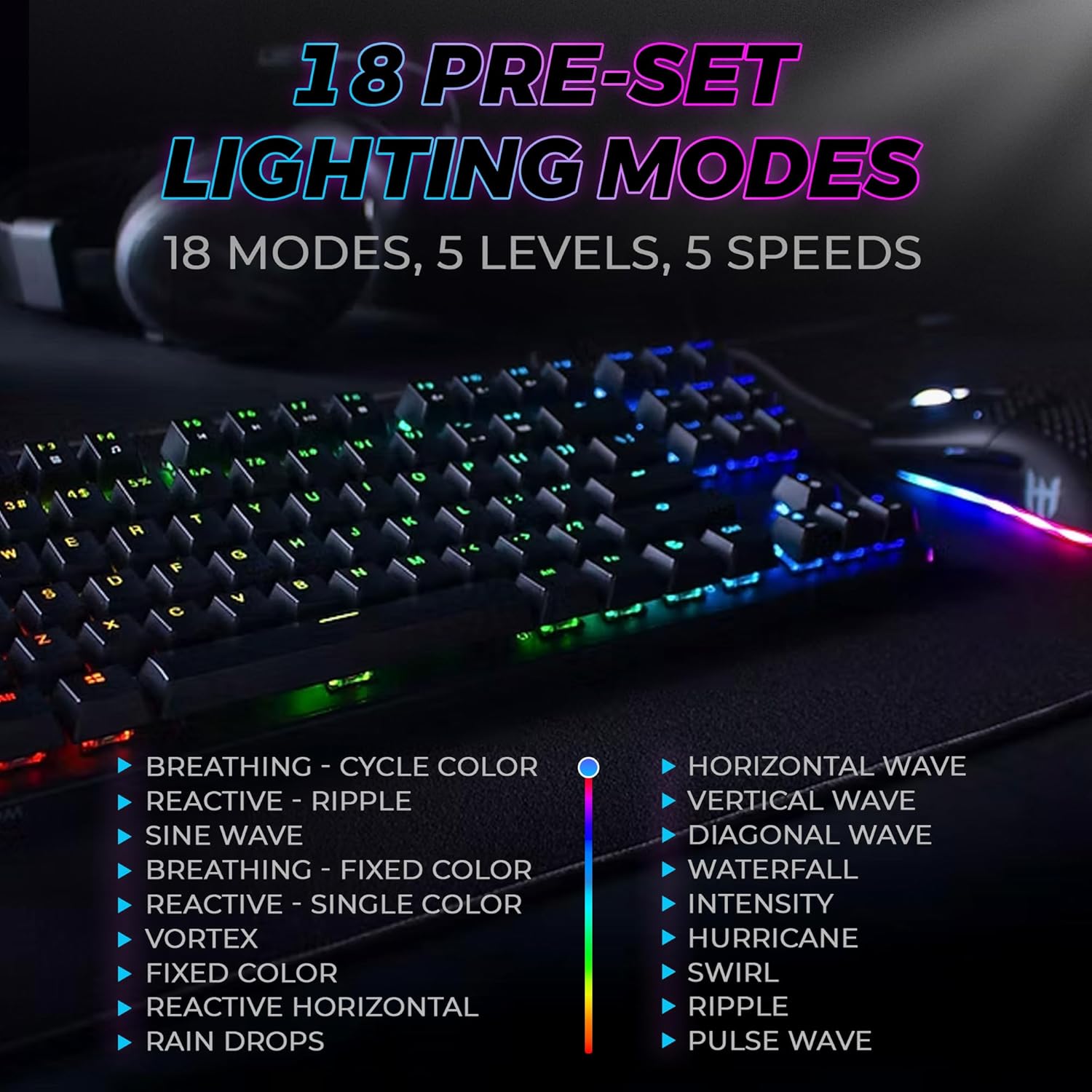
Figure 3: The keyboard features 18 pre-set lighting modes with 5 levels of brightness and 5 levels of speed, including effects like Breathing, Ripple, Sine Wave, Vortex, Waterfall, and Pulse Wave.
ملټي ميډياويکي کیلي
Access multimedia controls by pressing the Fn key in combination with the F-keys (F1-F12). The specific functions are typically indicated by icons on the keycaps.
- ExampLe: Fn + F7 (Play/Pause), Fn + F8 (Stop), Fn + F9 (Mute).
Video 1: Official TECWARE branded video showcasing various products, including the Phantom keyboard, highlighting its features and design philosophy.
ساتنه
پاکول
- د پاکولو دمخه کیبورډ له خپل کمپیوټر څخه جلا کړئ.
- Use a soft, dry cloth to wipe down the keycaps and chassis.
- For deeper cleaning, use the provided keycap puller to remove keycaps and compressed air to clear debris from under the keys.
د بدلون بدلول
The TECWARE Phantom keyboard features hot-swappable Outemu mechanical switches, allowing for easy replacement without soldering.
- د ورکړل شوي کی کیپ پلر په کارولو سره، په نرمۍ سره مطلوب کی کیپ لرې کړئ.
- Use the provided switch puller to carefully grip the switch and pull it straight up to remove it.
- د نوي سویچ پنونه د PCB سوري سره سم کړئ.
- نوی سویچ په نرمۍ سره په خپل ځای کې فشار ورکړئ تر هغه چې په خوندي ډول کلیک وکړي.
- د کیلي کیپ بیا وصل کړئ.
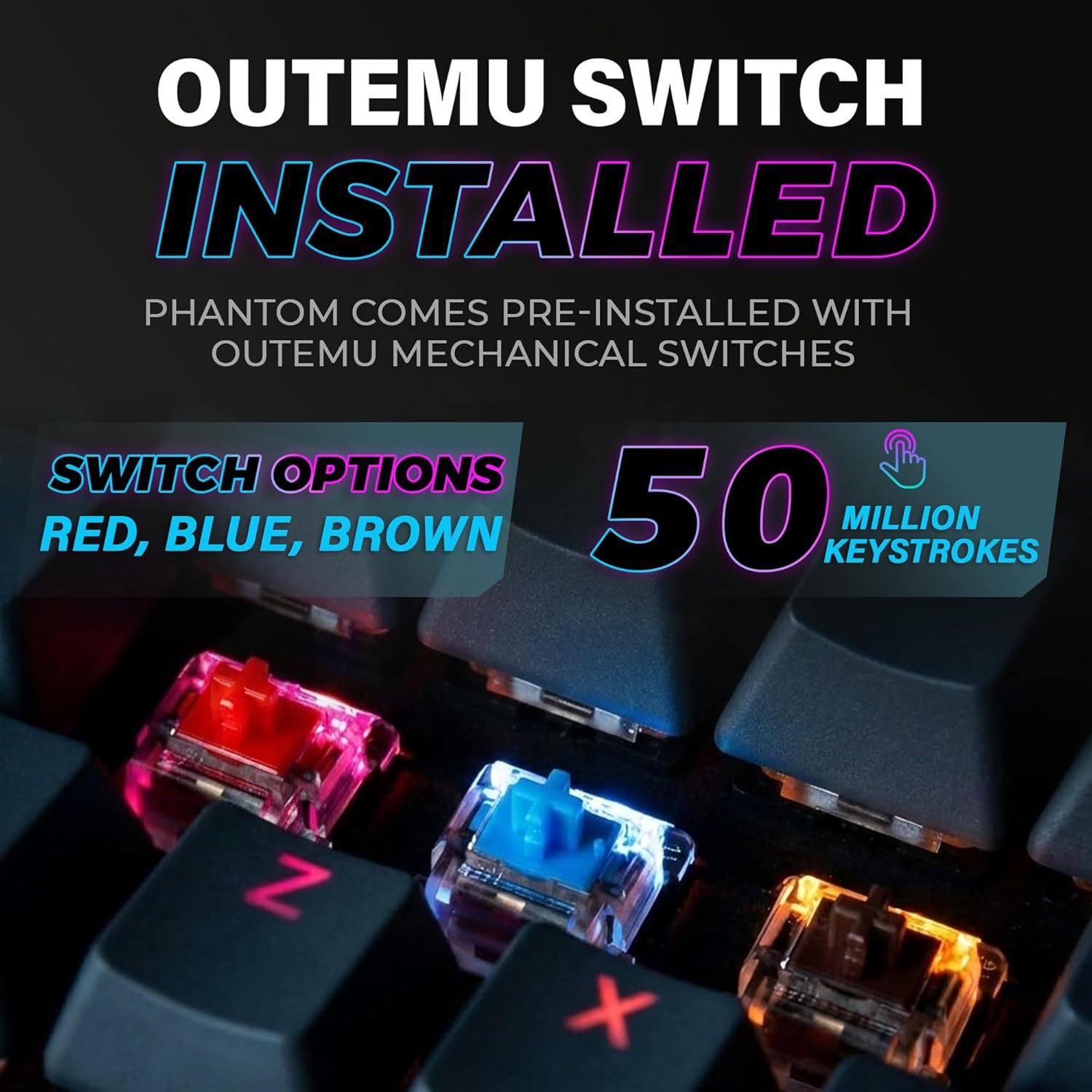
Figure 4: The keyboard comes with pre-installed Outemu switches, available in Red, Blue, and Brown options, rated for 50 million keystrokes.

Figure 5: An Outemu Red linear switch, detailing its pre-travel of 2.00mm, operating force of 45 gf/CN, and total travel of 4.00mm.
د ستونزو حل کول
| مسله | احتمالي حل |
|---|---|
| کیبورډ ځواب نه ورکوي | Ensure the USB cable is securely connected to both the keyboard and the computer. Try a different USB port or computer. |
| د RGB څراغ کار نه کوي | Check if the lighting is turned off or set to minimum brightness using the Fn key combinations. Reinstall the TECWARE software if using custom profiles. |
| ځانګړي کیلي کار نه کوي | If you have hot-swappable switches, try replacing the faulty switch with one of the spare switches provided. Ensure the switch is properly seated. |
| Keys feel inconsistent | Ensure keycaps are fully pressed down. Clean under the keycaps for any debris. |
Video 2: Official TECWARE Phantom video demonstrating various features and functionalities of the keyboard.
مشخصات
| فیچر | تفصیل |
|---|---|
| د ماډل شمیره | TWKB-P87ZORD |
| د سویچ ډول | Outemu Red Mechanical (Linear) |
| کلیدي شمیره | 87 کیلي |
| د RGB رڼا | 16.8 Million Colors, 18 Pre-set Modes |
| د رای ورکولو کچه | 1000Hz |
| N-کیلي رول اوور | بشپړ N-Key رول اوور |
| ارتباط | وائرډ USB-A |
| PCB | Dual-layer Fiberglass PCB |
| ابعاد (L x W x H) | 14.21 x 5.24 x 1.61 انچه |
| وزن | ۲.۴۵ پونډه |
تضمین او ملاتړ
TECWARE products are designed for durability and performance. For warranty information, technical support, or to download the latest software and drivers, please visit the official TECWARE webسایټ ته مراجعه وکړئ یا د دوی د پیرودونکو خدماتو سره اړیکه ونیسئ. د تضمین ادعاوو لپاره د پیرود ثبوت په توګه د پیرود رسید وساتئ.
آنلاین سرچینې:
- Official TECWARE Webسایټ: www.tecware.co
- د محصول ملاتړ پاڼه: TECWARE Amazon Store