
پیژندنه
Thank you for choosing the Gator Frameworks GFW-AV-LCD-15 Adjustable Quadpod LCD/LED TV Monitor Stand. This manual provides essential information for the safe and efficient setup, operation, and maintenance of your new stand. Please read these instructions thoroughly before assembly and use.
د خوندیتوب معلومات
- د راټولولو دمخه ډاډ ترلاسه کړئ چې ټولې برخې شتون لري او زیانمن شوي ندي.
- د وزن اعظمي ظرفیت له ۲۵۰ پونډو (۱۱۳ کیلوګرامه) څخه زیات مه کوئ.
- Ensure the stand is placed on a stable, level surface.
- Always tighten all knobs and fasteners securely after making adjustments.
- Use caution when adjusting height, especially with a display mounted. It is recommended to have assistance.
- The red rings on the feet are designed to enhance visibility and prevent tripping in low-light conditions.
د بسته محتويات
Verify that all parts are included before proceeding with assembly:
- Quad-Leg Base Assembly
- د اصلي ملاتړ قطب
- Universal VESA Mounting Plate
- VESA Extension Arms (if required for larger patterns)
- د نصبولو هارډویر کټ (مختلف پیچونه، واشیرونه، فاصلې)
- Cable Organization Clip
تنظیم او مجلس
Follow these steps to assemble your Gator Frameworks TV Monitor Stand:
- Unfold the Quad-Leg Base: Carefully spread the four legs of the base until they are fully extended and stable. Ensure the central locking mechanism is engaged.
- د اصلي ملاتړ قطب سره وصل کړئ: Insert the main support pole into the top of the quad-leg base. Secure it by tightening the twist knob located on the base.
- Assemble VESA Mounting Plate: Attach the universal VESA mounting plate to the top of the main support pole using the provided bolts and tools. Ensure it is firmly secured.
- Mount VESA Extension Arms (if needed): For larger displays, attach the VESA extension arms to the main VESA plate to match your TV's hole pattern (100x100mm to 640x400mm).
- د VESA بریکٹونه تلویزیون سره وصل کړئ: Secure the VESA brackets (and extension arms if used) to the back of your LCD/LED TV using the appropriate screws and spacers from the hardware kit. Ensure these are tightened securely.
- تلویزیون د ولاړیدو لپاره نصب کړئ: With assistance, carefully lift your TV and align the VESA brackets on the TV with the mounting plate on the stand. Slide the TV into place and secure it using the locking screws or mechanisms provided on the mounting plate.
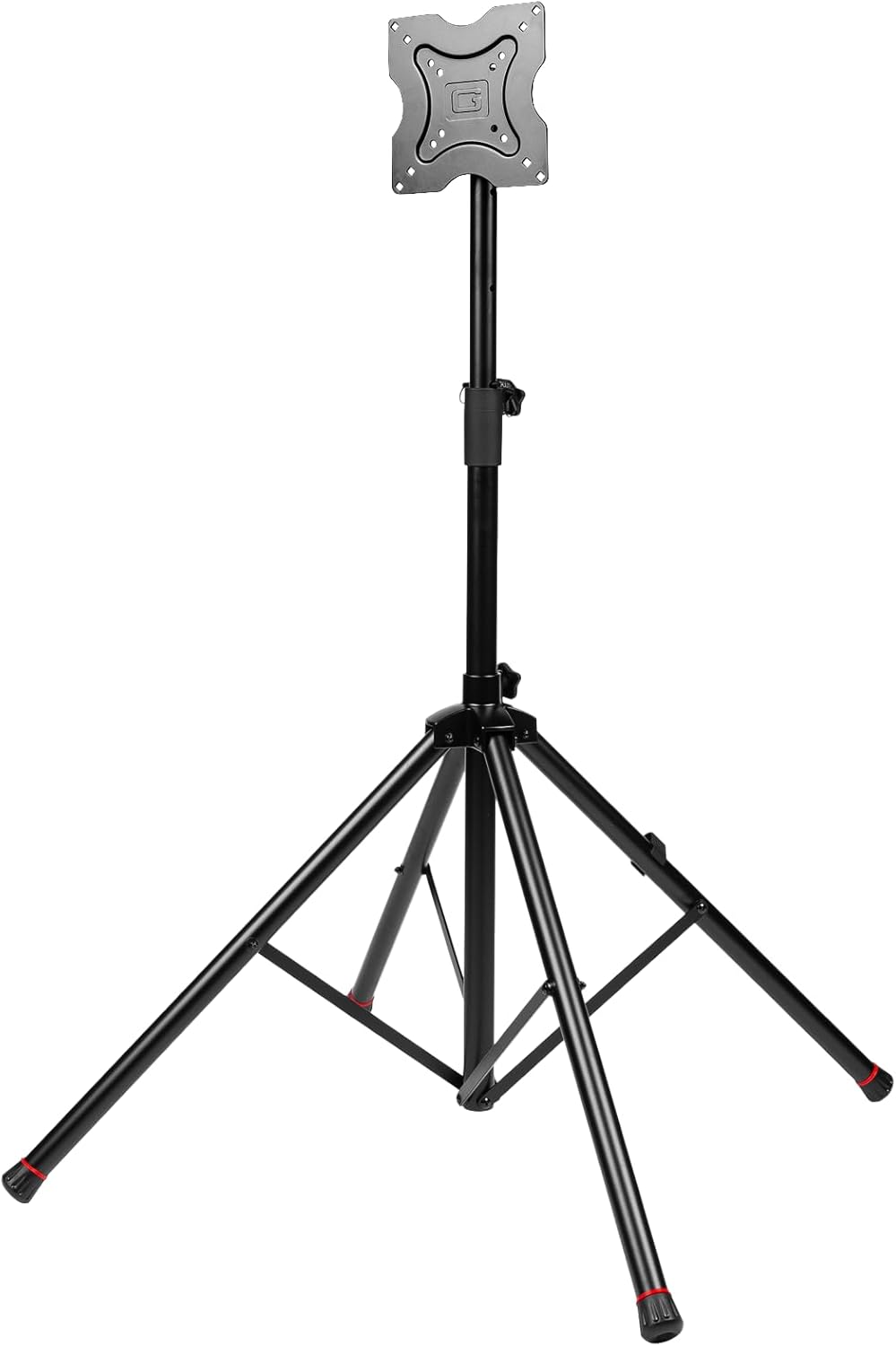
Figure 1: Fully assembled Gator Frameworks GFW-AV-LCD-15 stand without a display.

Figure 2: Detail of the universal VESA mounting plate.

Figure 3: VESA extension arms for adapting to various display sizes.
عملیاتي لارښوونې
Your Gator Frameworks stand offers flexible display options:
- د لوړوالی سمون: Loosen the twist knob on the main support pole. Carefully raise or lower the display to the desired height (40.5” to 72”). Once at the desired height, insert the safety pin through the designated hole in the pole and retighten the twist knob securely.
- د سکرین لارښود: The VESA mount allows for both horizontal (landscape) and vertical (portrait) screen orientations. Adjust the display as needed before securing.
- د کیبل مدیریت: Use the included cable organization clip to neatly route power and video cables along the stand's pole, ensuring a clean and professional appearance.
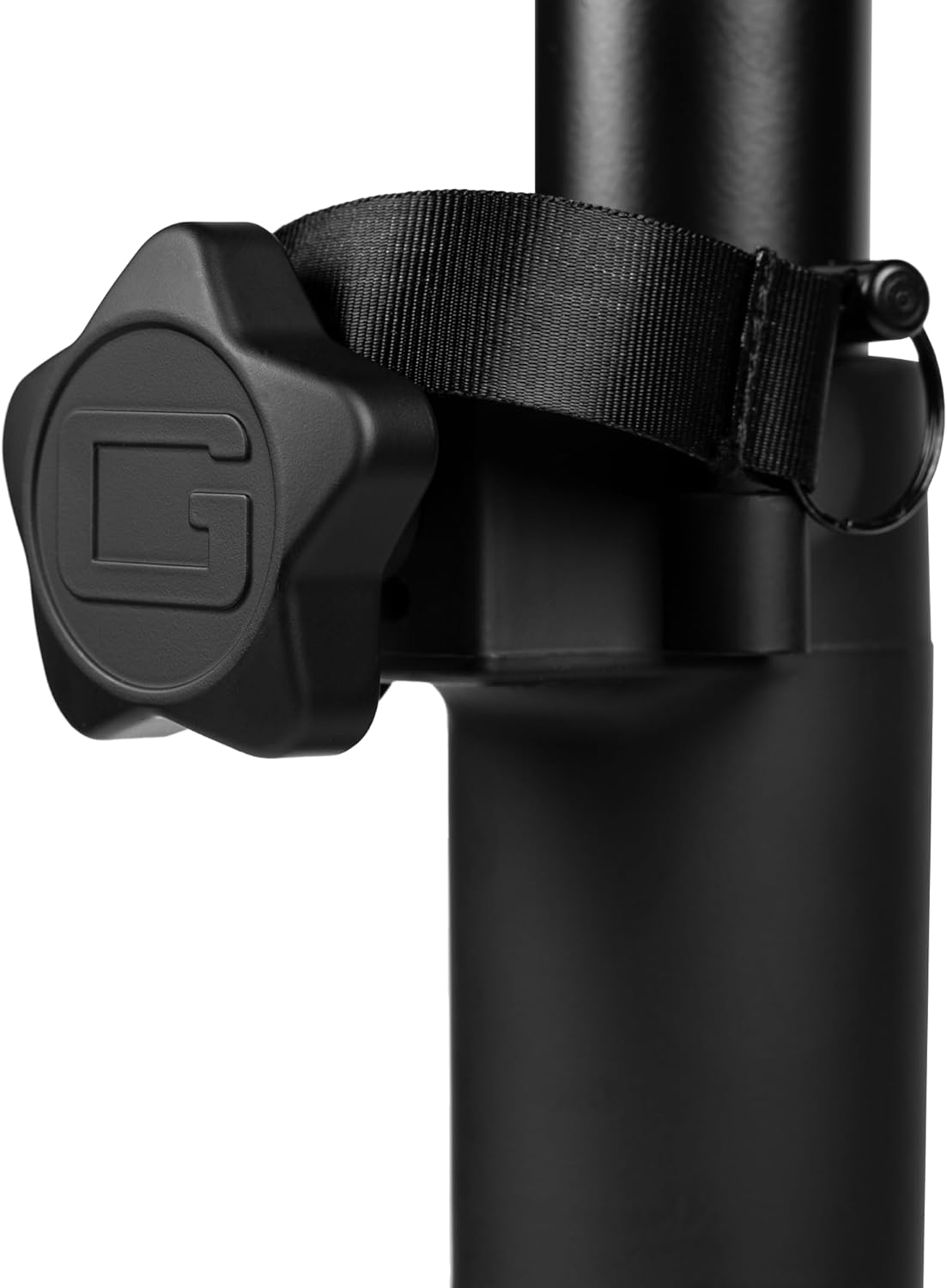
Figure 4: Detail of the twist knob for height adjustment.
Video 1: This video demonstrates the features and usage of Gator Frameworks Quad-Pod Video Display Stands, including setup and adjustment.
ساتنه
- پاکول: موقف په نرمۍ سره پاک کړئ، دamp ټوکر. د کثافاتو پاکوونکو یا محلولونو څخه ډډه وکړئ کوم چې پای ته زیان رسولی شي.
- منظم معاینه: Periodically check all knobs, bolts, and connections to ensure they are tight and secure. Inspect the legs and pole for any signs of wear or damage.
- ذخیره کول: When not in use, the stand can be folded for compact storage. Ensure the display is removed before folding.

Figure 5: The stand can be folded for convenient storage and transport.
د ستونزو حل کول
- د ولاړ بې ثباتي: Ensure all four legs are fully extended and resting evenly on the floor. Verify that the twist knob on the base is tightened.
- د لوړوالي تنظیمولو کې مشکل: Loosen the twist knob completely. Ensure the safety pin is fully removed before attempting to adjust. If the pole is stiff, check for any debris or obstructions.
- TV Not Secure on Mount: Double-check that all VESA screws are correctly installed and tightened. Ensure the locking mechanism on the mounting plate is engaged.
مشخصات
| د ماډل شمیره | GFW-AV-LCD-15 |
| برانډ | Gator Frameworks |
| د محصول ابعاد | 40.5 x 5.8 x 5.8 انچه (102.87 x 14.73 x 14.73 سانتي متره) |
| د توکي وزن | ۶ پونډه (۳ کیلو ګرامه) |
| مواد | د الماس فولاد |
| مطابقت لرونکې وسیلې | مانیټر، تلویزیون |
| Max Screen Size Supported | تر 65 انچو پورې |
| د اعظمي وزن ظرفیت | ۶ پونډه (۳ کیلو ګرامه) |
| د تنظیم وړ لوړوالی سلسله | 40.5” to 72” (1092mm – 1854mm) |
| د VESA مطابقت | له 100x100mm څخه تر 640x400mm پورې |
تضمین او ملاتړ
For specific warranty information regarding your Gator Frameworks GFW-AV-LCD-15 stand, please refer to the documentation provided with your purchase or visit the official Gator Frameworks website. For technical support, troubleshooting assistance, or replacement parts, please contact Gator Cases customer service directly.