
1. پیژندنه
This manual provides comprehensive instructions for the assembly, operation, and maintenance of your FLEXISPOT Standing Desk Frame (Model E1). Designed for home and office use, this electric sit-stand desk base offers adjustable height, an integrated power strip, and a cable management tray for an efficient and organized workspace.

The FLEXISPOT Standing Desk Frame provides a versatile foundation for your workstation, allowing for both sitting and standing positions.
2. د خوندیتوب معلومات
د خوندیتوب مهم احتیاطونه:
- Ensure the desk is securely anchored when used as a standing desk.
- د وزن له سپارښتنې اعظمي حد څخه زیات مه کوئ ۲۰۰ پونډه (۹۰.۷۲ کیلوګرامه).
- Handle electrical components with care to avoid any risk of electric shock.
- د کار پرمهال ماشومان او څاروي له میز څخه لرې وساتئ.
- Avoid placing liquids directly on the control panel or motor.
3. د برخو لیست
د راټولولو دمخه، ډاډ ترلاسه کړئ چې ټولې برخې شتون لري او زیانمن شوي ندي. د پیژندنې لپاره لاندې ډیاګرام ته مراجعه وکړئ.

All components included in the FLEXISPOT Standing Desk Frame package.
شاملې برخې:
- Desk Frame (Legs and Crossbeam)
- د میز Clamp Power Strip (3 AC Outlets, 2 USB Ports)
- د کیبل مدیریت ټری
- Memory Controller/Keypad
- د لیږد راډ
- د اسمبلۍ وسایل (ایلن رنچ، سپنر)
- پیچونه او بندونکي
4. ترتیب او نصب کول
FLEXISPOT provides detailed assembly instructions and all necessary tools. The setup process typically takes less than 30 minutes. For a visual guide, please refer to the official installation video below.
Official FLEXISPOT Standing Desk Frame Installation Guide. This video demonstrates each step of the assembly process, from inserting the motor to attaching the desktop.
د اسمبلۍ مرحلې پای ته ورسېدېview:
- Insert the coupling into the motor: Ensure correct direction as shown in the video.
- Insert the motor and the right column: Secure the motor within the column.
- Install the crossbeam: Align the protrusions with the holes and secure with screws.
- Install the support plates: Attach the support plates to the frame.
- Install the desk foot: Secure the feet to the bottom of the columns.
- Adjust the crossbeam: Ensure the crossbeam is properly aligned and tightened.
- Install table board (customer provided): Secure your chosen desktop to the frame using the provided screws.
- Install the transmission rod: Connect the transmission rod between the motor and the other lifting column.
- Tighten the transmission rod nut: Ensure the rod is securely fastened.
- Install the keypad: Attach the control keypad to the underside of the desk.
- هک نصب کړئ: Attach the headphone hook to the side of the desk.
- ټول کیبلونه وصل کړئ: Ensure all motor, power, and control cables are properly connected and managed.
DIY Desktop Workstation: The adjustable desk legs are compatible with various desktop sizes, providing maximum flexibility for your DIY setup. Recommended desktop sizes: width of 39.3" to 63", depth of 19.7" to 31.5".

The desk frame is designed to accommodate various desktop sizes, allowing for personalized customization.
5. عملیات
Your FLEXISPOT Standing Desk Frame features an electric lifting mechanism and a memory controller for easy height adjustments.
د کنټرول پینل دندې:

The programmable control panel allows for precise height adjustments and memory settings.
- پورته/ښکته تیرونه: Press and hold to continuously adjust the desk height. The adjustable height range is 28.1''-45.7''.
- د LED ښودنې پینل: د میز اوسنی لوړوالی په انچو کې ښیي.
- د حافظې ترتیبات (۱، ۲، ۳، ۴): Press a numbered button to move the desk to a pre-saved height. To save a height, adjust the desk to your desired position, then press and hold one of the numbered buttons until the display flashes or beeps.
Integrated Power Strip and Cable Management:
The desk comes with a clamp power strip for convenient access to power outlets and USB ports, reducing clutter. The integrated cable management tray helps keep your cords organized and out of sight.
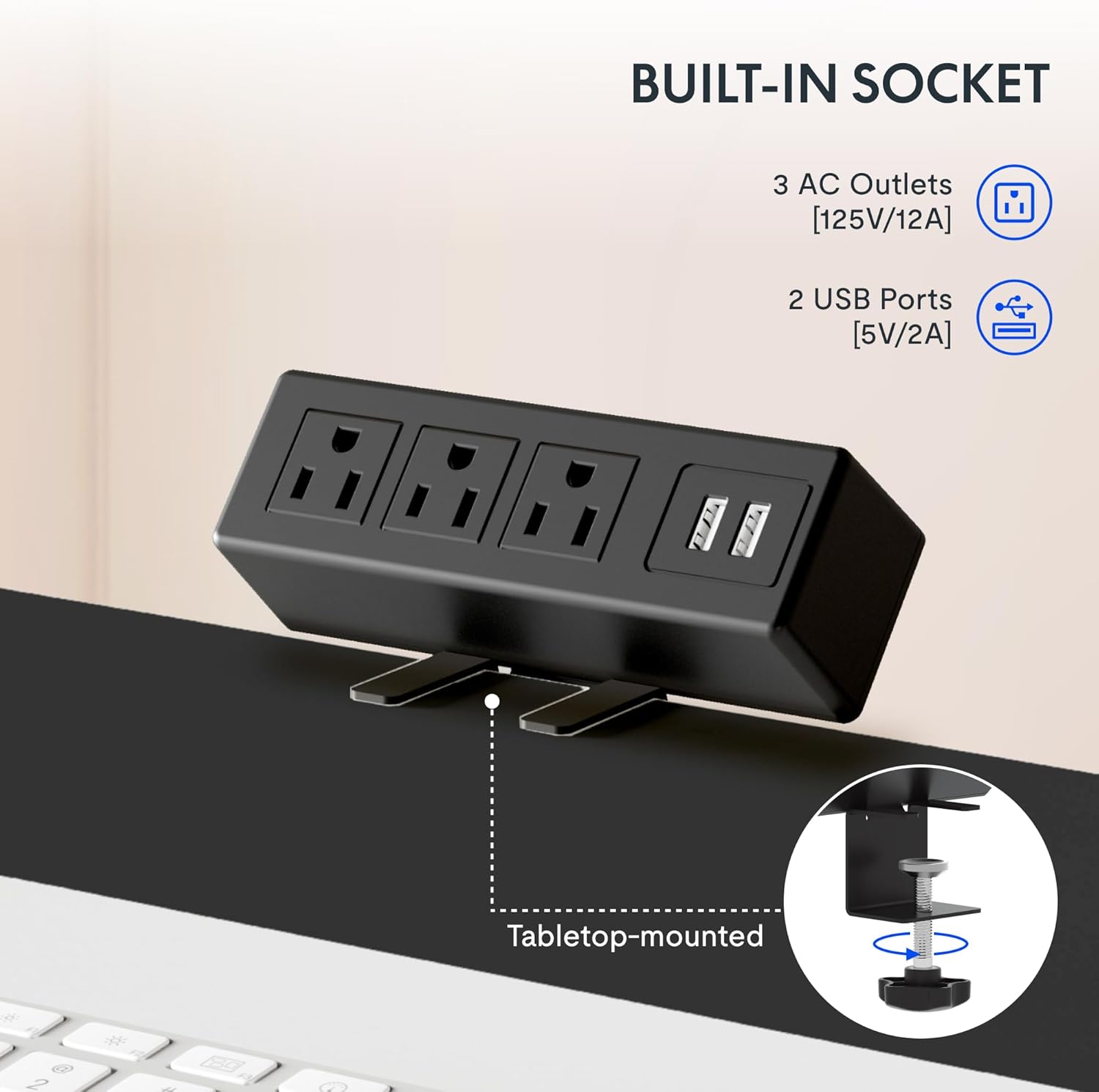
The integrated power strip provides easy access to power for your devices.
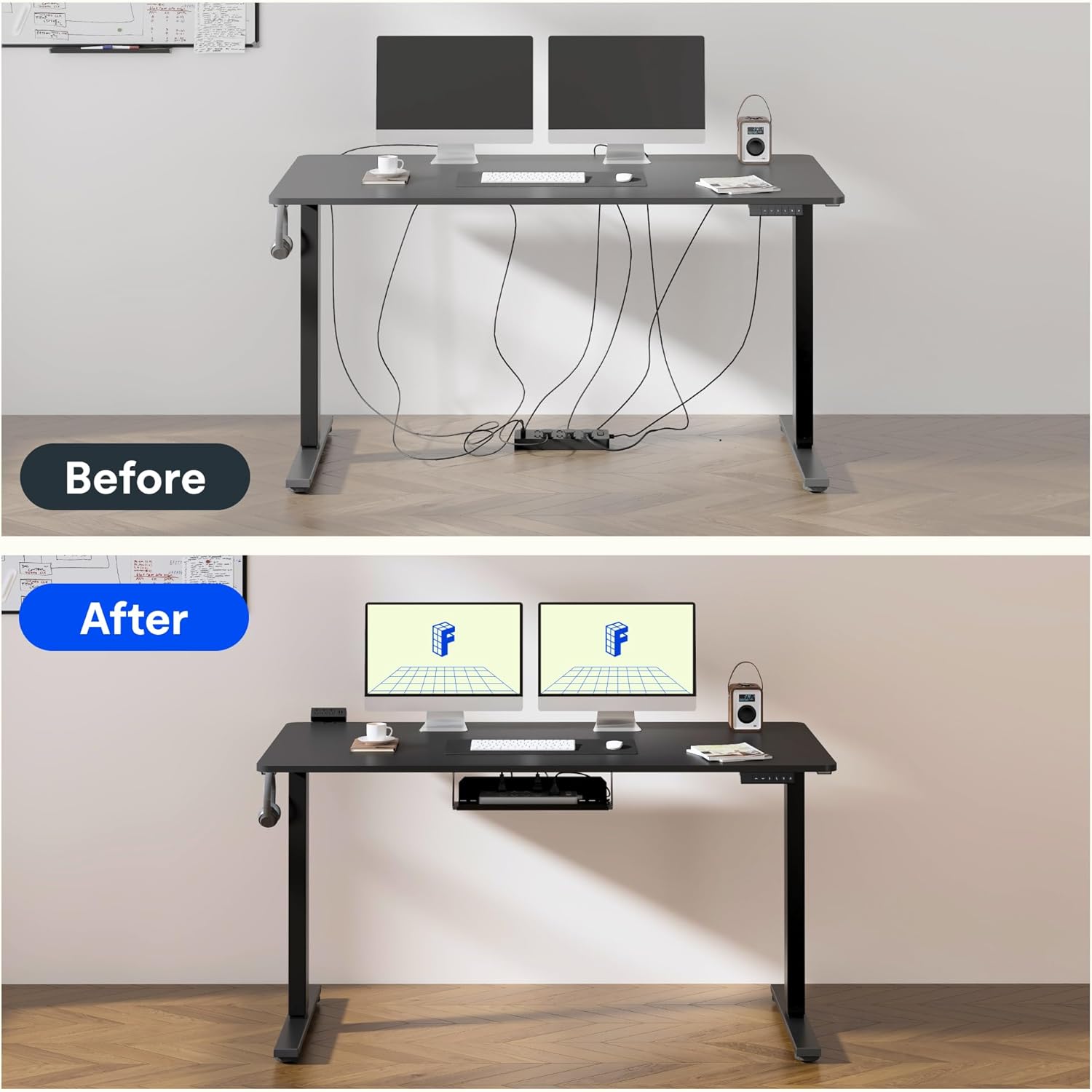
Effective cable management helps maintain a clean and clutter-free workspace.
۸. کیفیت او ازموینه
FLEXISPOT products undergo rigorous testing to ensure durability and stability. The desk frame features dual-stage legs for continuous height adjustment and enhanced stability.

دوه ګونیtage legs provide a wide range of continuous height adjustment for optimal ergonomics.
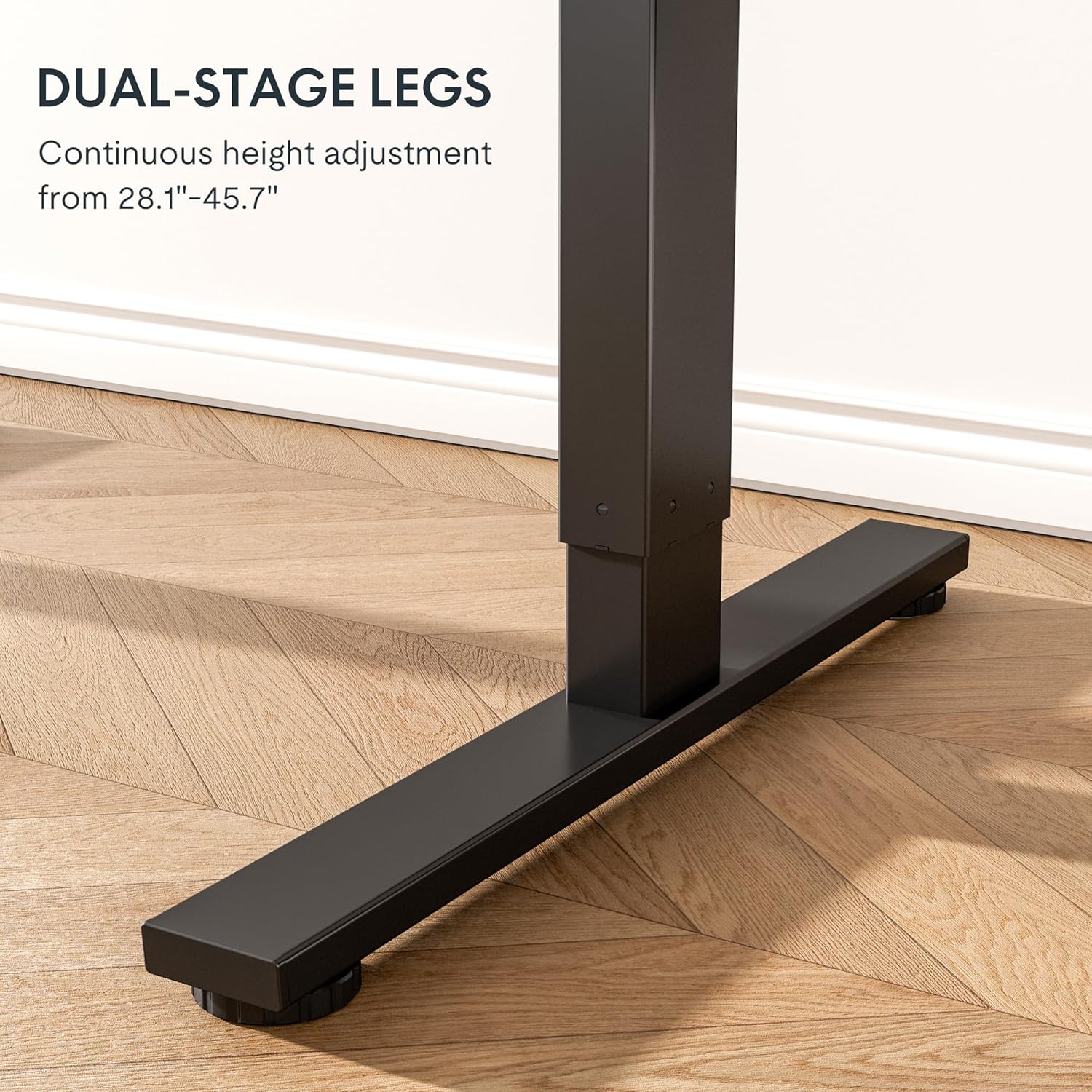
The robust design with bigger flanks, thicker columns, and wider feet ensures superior stability.
This video demonstrates the rigorous testing procedures for FlexiSpot standing desks, including durability and stability tests.
A demonstration of the computer workstation table's stability and functionality under various conditions.
یو اوورview ویډیو نندارهasing the features and benefits of the FLEXISPOT Standing Desk.
7. ساتنه
د خپل FLEXISPOT سټینډینګ ډیسک چوکاټ د اوږد عمر او غوره فعالیت ډاډمن کولو لپاره، د ساتنې دا ساده لارښوونې تعقیب کړئ:
- Regularly wipe down the frame with a soft, damp د دوړو او کثافاتو د لرې کولو لپاره ټوکر. د سختو کیمیاوي موادو څخه ډډه وکړئ.
- Check all screws and fasteners periodically to ensure they are tight. Retighten if necessary.
- Keep the electrical components (motor, control panel, power strip) dry and free from spills.
- Ensure cables are neatly managed and not pinched or tangled, especially during height adjustments.
- Do not overload the desk beyond its maximum weight capacity of 154 pounds (70 kg).
8. ستونزه حل کول
If you encounter any issues with your FLEXISPOT Standing Desk Frame, refer to the common troubleshooting tips below. If the problem persists, please contact customer support.
| ستونزه | احتمالي لامل | د حل لاره |
|---|---|---|
| Desk not moving or unresponsive. | د برېښنا کیبل قطع شوی؛ د اوورلوډ محافظت فعال شوی؛ د موټرو تېروتنه. | Check power connections. Reduce weight on the desk. Unplug for 10 seconds and plug back in to reset. |
| Uneven height adjustment. | Loose screws; uneven weight distribution. | Check and tighten all assembly screws. Redistribute weight evenly on the desktop. |
| د عملیاتو پرمهال غیر معمولي غږونه. | Loose components; motor wear. | Ensure all parts are securely fastened. If noises persist, contact customer support. |
| Memory settings not working. | ناسم پروګرام کول. | Reprogram the memory settings by adjusting to desired height, then pressing and holding the numbered button until confirmation. |
9. مشخصات
| فیچر | تفصیل |
|---|---|
| برانډ | FLEXISPOT |
| د ماډل شمیره | E1 |
| رنګ | تور |
| د تنظیم وړ لوړوالی سلسله | ۵۹.۱'' - ۷۰.۹'' |
| د ډیسټاپ وړاندیز شوی پلنوالی | له ۱۳" څخه تر ۴۹" پورې |
| د ډیسکټاپ وړاندیز شوی ژوروالی | له ۱۳" څخه تر ۴۹" پورې |
| د اعظمي وزن سپارښتنه | 154 پونډه (70 kg) |
| اساسی مواد | د الماس فولاد |
| د پورته کولو میکانیزم | برقی |
| شاملې برخې | د میز Clamp د بریښنا پټه، د کیبل مدیریت ټری |
| اړین مجلس | هو |
| د مجلس ټول وسایل شامل دي | هو |

Detailed dimensions of the FLEXISPOT Standing Desk Frame.
10. تضمین او ملاتړ
د تضمین معلومات:
The FLEXISPOT Standing Desk Frame is covered by a comprehensive warranty:
- دوه کلن تضمین: Covers the frame, motor, and other mechanical mechanisms.
- دوه کلن تضمین: کنټرولر، سویچ، او الکترونیکي وسایل پوښي.
مهرباني وکړئ د تضمین ادعاګانو لپاره د پیرود ثبوت وساتئ.
د پیرودونکي ملاتړ:
For further assistance, technical support, or warranty inquiries, please visit the official FLEXISPOT webسایټ یا د دوی د پیرودونکو خدماتو ټیم سره اړیکه ونیسئ. تاسو کولی شئ نور معلومات او د اړیکو توضیحات په په ایمیزون کې د FLEXISPOT پلورنځی.