
1. پیژندنه
Welcome to the user manual for your Genius Manticore Gaming Keyboard. This guide provides essential information for setting up, operating, maintaining, and troubleshooting your new gaming keyboard. Please read these instructions carefully to ensure optimal performance and longevity of your device.
2. محصول ختم شوview
The Genius Manticore Gaming Keyboard is designed for an enhanced gaming experience, featuring a durable build and responsive keys. It connects via USB and is compatible with a wide range of devices. The keyboard includes 104 keys with a standard QWERTY layout, complemented by additional gaming-specific features.
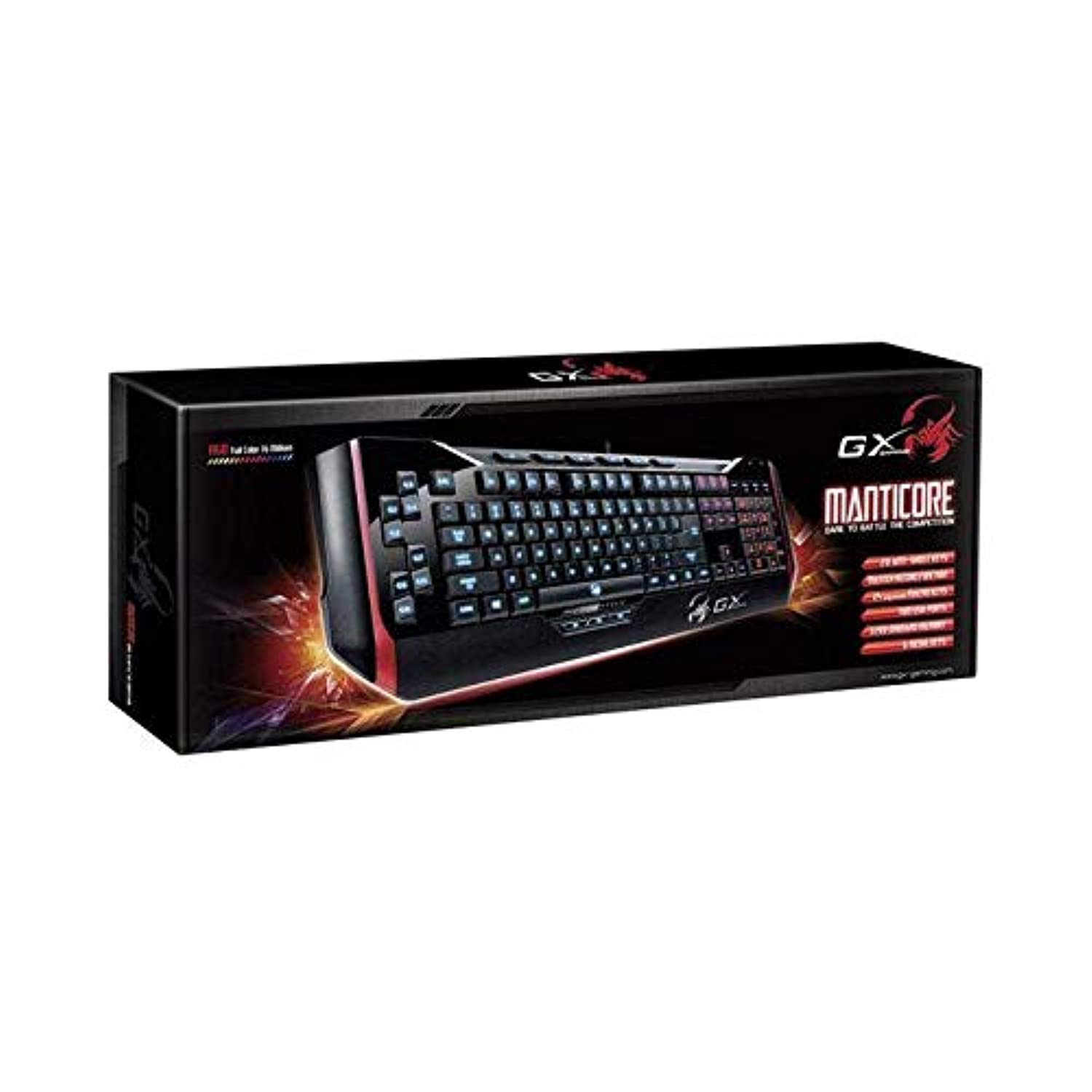
شکل 1: Genius Manticore Gaming Keyboard. This image displays the Genius Manticore Gaming Keyboard, featuring a black body with red accents on the sides. The keys are illuminated, indicating its gaming functionality. The keyboard has a standard QWERTY layout with additional keys on the left side, likely for macros, and a numeric keypad on the right.
3. ترتیب کول
- کیبورډ خلاص کړئ: Carefully remove the Genius Manticore Gaming Keyboard from its packaging. Ensure all components are present.
- خپل وسیله سره وصل کړئ: Locate an available USB port on your computer or compatible device. Insert the USB connector of the keyboard firmly into the USB port.
- د ډرایور نصب کول (که اړتیا وي): For most modern operating systems, the keyboard will be recognized automatically, and standard drivers will be installed. If prompted, follow the on-screen instructions to complete any driver installation.
- د ازموینې فعالیت: د متن مدیر پرانیزئ یا web براوزر وګورئ او کیليګانې معاینه کړئ ترڅو ډاډ ترلاسه کړئ چې دوی سم ځواب ورکوي.
4. عملیاتي لارښوونې
The Genius Manticore Gaming Keyboard offers a standard QWERTY layout for general typing and dedicated features for gaming.
- Standard Key Functions: All standard alphanumeric, symbol, and function keys operate as expected on a typical QWERTY keyboard.
- د لوبو ځانګړتیاوې: The keyboard is designed for gaming. Specific gaming features, such as customizable backlighting or programmable macro keys (if available on your model), can typically be configured through dedicated software provided by Genius or through specific key combinations. Refer to the Genius website for any available software downloads or advanced feature guides.
- د بریښنا سرچینه: The keyboard is powered directly via the USB connection to your device. No external power supply or batteries are required.
5. ساتنه
مناسب ساتنه ستاسو د کیبورډ اوږد عمر او فعالیت تضمینوي.
- پاکول: د کیبورډ سطحې د پاکولو لپاره نرم، وچ ټوکر وکاروئ. د کیلي ګانو ترمنځ د دوړو او کثافاتو لپاره، د فشار شوي هوا څخه کار واخلئ. د سخت کیمیاوي موادو یا کثافاتو موادو کارولو څخه ډډه وکړئ.
- د مایع افشا کول: This keyboard is د اوبو په وړاندې مقاومت نلري. Avoid spilling liquids on the keyboard, as this can cause permanent damage. If liquid exposure occurs, immediately disconnect the keyboard from your device and allow it to dry completely before attempting to use it again.
- ذخیره کول: کله چې په کارولو کې نه وي، کیبورډ په پاک او وچ چاپیریال کې د سختې تودوخې او مستقیم لمر وړانګو څخه لرې وساتئ.
6. ستونزه حل کول
که تاسو په خپل کیبورډ کې ستونزې سره مخ شئ، لاندې حلونه هڅه وکړئ:
- کیبورډ ځواب نه ورکوي:
- ډاډ ترلاسه کړئ چې USB کیبل په خوندي ډول د کیبورډ او کمپیوټر دواړو سره وصل دی.
- هڅه وکړئ چې کیبورډ په خپل کمپیوټر کې بل USB پورټ سره وصل کړئ.
- په بل کمپیوټر کې کیبورډ ازموینه وکړئ ترڅو معلومه کړئ چې ستونزه د کیبورډ سره ده یا د اصلي کمپیوټر سره.
- خپل کمپیوټر بیا پیل کړئ.
- ځانګړي کیلي کار نه کوي:
- Check for any physical obstructions under the non-functional keys.
- کیبورډ پاک کړئ لکه څنګه چې د ساتنې برخې کې تشریح شوي.
- Ensure no software conflicts are present (e.g., macro software interfering with standard key functions).
- د شاليد روښانه کولو ستونزې:
- If your model features adjustable backlighting, ensure it is not turned off or set to the lowest brightness level. Consult the Genius website for specific key combinations to control backlighting.
If these steps do not resolve the issue, please contact Genius customer support for further assistance.
7. مشخصات
| فیچر | تفصیل |
|---|---|
| د برانډ نوم | جینیس |
| د ماډل شمیره | GE31310058108 |
| مطابقت لرونکې وسیلې | ټول |
| د ارتباط ټیکنالوژي | USB |
| د کیبورډ توضیحات | لوبې کول |
| ځانګړي ځانګړتیاوې | لوبې کول |
| رنګ | Multi-color (Black and Red) |
| سټایل | عصري |
| مواد | ګڼ شمېر مواد |
| موضوع | لوبې |
| د بریښنا سرچینه | د USB ځواک |
| د کلیدونو شمیر | 104 |
| د کیبورډ ترتیب | QWERTY کیبورډ |
| د لاس لارښوونه | متضاد |
| د تڼۍ مقدار | 104 |
| د اوبو د مقاومت کچه | د اوبو مقاومت نلري |
| جوړونکی | جینیس |
| ASIN | B07MQMXJS9 |
8. تضمین او ملاتړ
Your Genius Manticore Gaming Keyboard is covered by a standard manufacturer's warranty. For detailed information regarding warranty terms, registration, or to access technical support, please visit the official Genius webسایټ ته مراجعه وکړئ یا د دوی د پیرودونکو خدماتو څانګې سره اړیکه ونیسئ. د پیرود ثبوت په توګه د پیرود رسید وساتئ.
د نورو مرستو لپاره، تاسو کولی شئ لیدنه وکړئ Genius Official Webسایټ.