
پیژندنه
This manual provides detailed instructions for the installation, operation, and maintenance of your Hiseeu SGP10551 5MP PoE IP Security Camera. This camera is designed for both indoor and outdoor surveillance, featuring 5MP HD resolution, night vision, motion detection, and H.265 video compression for efficient storage.
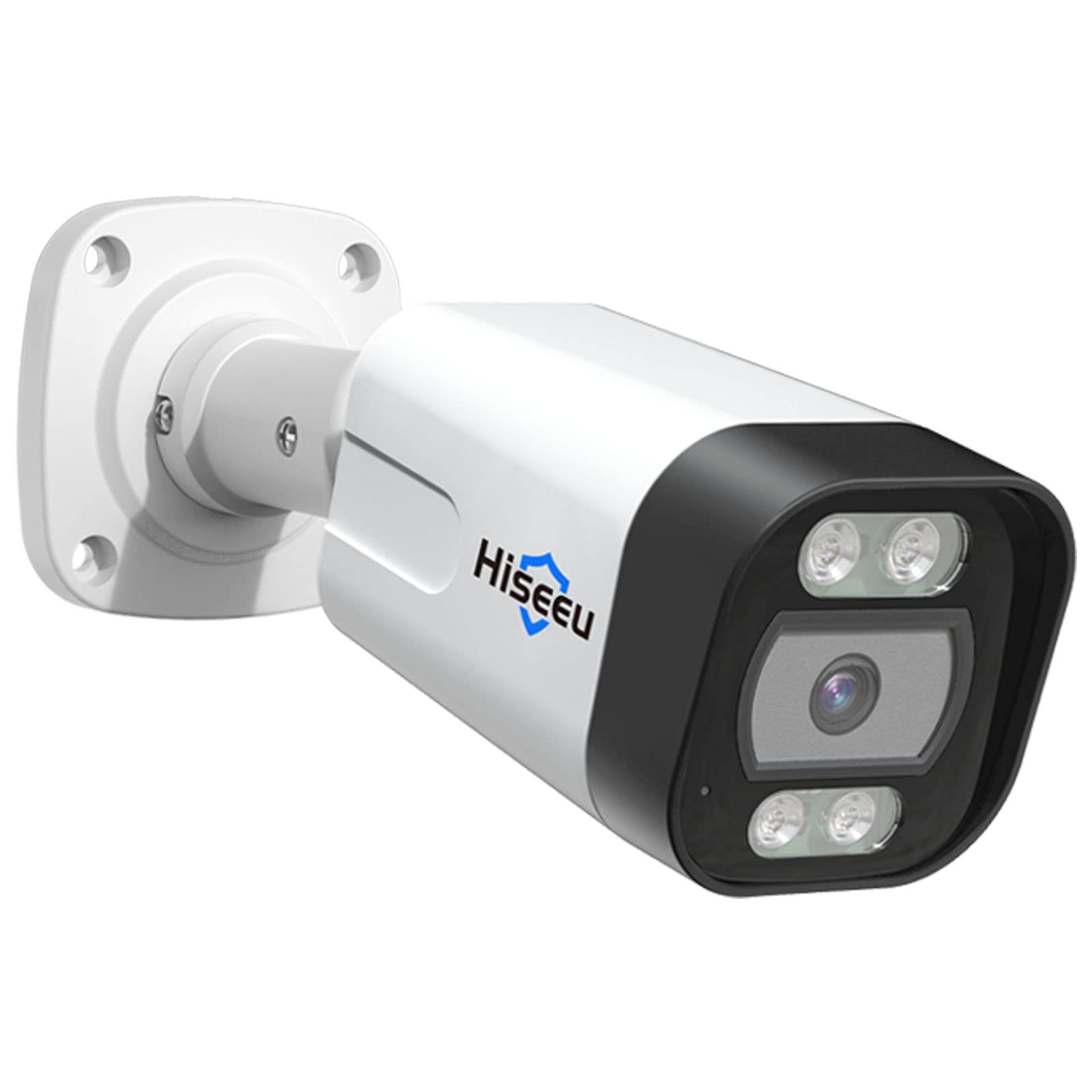
Figure 1: Hiseeu SGP10551 5MP PoE IP Security Camera
کلیدي ځانګړتیاوې:
- 5MP HD Video: Captures video at 2592x1944 pixels for clear images.
- H.265 ویډیو کمپریشن: کموي file size for efficient storage and smoother streaming.
- د شپې لید: Equipped with 18 IR LEDs for up to 30 meters (98 feet) of night vision.
- Motion Detection & Alarm: Sends alerts via email upon detecting motion.
- IP67 د هوا ضد: دوامدار المونیم جasing suitable for outdoor use in various weather conditions.
- PoE (په ایترنیټ باندې بریښنا): د یو واحد ایترنیټ کیبل له لارې د بریښنا او معلوماتو چمتو کولو سره نصب کول ساده کوي.
- ONVIF مطابقت: Works with third-party ONVIF-compatible NVR devices.
د بسته محتويات
Please check the package contents upon unboxing. If any items are missing or damaged, contact Hiseeu support.
- Hiseeu SGP10551 5MP PoE IP Security Camera
- د نصبولو پیچونه او دیوال پلګونه
- د شبکې کیبل لپاره د اوبو ضد پوښ
- د چټک پیل لارښود

شکل ۱: کیمره او پکې شامل لوازمات
د تنظیم کولو لارښود
1. فزیکي نصب کول
- یو ځای غوره کړئ: Select a suitable location for your camera, considering the desired viewing area and proximity to an Ethernet cable connection. The camera is rated IP67 for outdoor use.
- کیمره نصب کړئ:
- Use the provided mounting template (if included) to mark drill holes on the wall or ceiling.
- سوراخونه ډرل کړئ او دیوال پلګونه دننه کړئ.
- د ورکړل شویو پیچونو په کارولو سره د کیمرې اساس خوندي کړئ.
- د اړتیا سره سم د کیمرې زاویه تنظیم کړئ.
- د شبکې کیبل سره وصل کړئ:
- Connect an Ethernet cable from your PoE NVR or PoE switch to the camera's Ethernet port.
- Ensure the waterproof lid is properly installed over the Ethernet connection to protect it from moisture, especially for outdoor installations.

شکل 3: مثالample of camera mounting
2. د شبکې تشکیلات
The camera receives power and data through the PoE Ethernet cable. Once connected to a PoE NVR or PoE switch, the camera should power on automatically.
- For Hiseeu PoE NVR Systems: The camera should be automatically detected and configured by your Hiseeu NVR. Refer to your NVR's manual for adding new cameras.
- For Third-Party ONVIF NVRs: The camera is ONVIF compatible. You may need to manually add the camera to your NVR system using its IP address and ONVIF credentials. Consult your NVR's manual for specific instructions.
3. Mobile App Setup (EseeCloud App)
- اپلیکیشن ډاونلوډ کړئ: لټون "EseeCloud" in your smartphone's app store (iOS or Android) and install it.
- یو حساب ثبت کړئ: Open the EseeCloud app and follow the on-screen instructions to register a new account.
- وسیله اضافه کړئ:
- Tap the "+" icon or "Add Device" option in the app.
- Scan the QR code located on the camera or its packaging, or manually enter the device ID.
- Follow the prompts to complete the device addition.

Figure 4: EseeCloud mobile application for camera management
Note: One device can only be linked to one user account. The device can be shared with other users under specific situations within the app.
عملیاتي لارښوونې
1. ژوندی View او پلې بیک
Once the camera is added to your NVR or the EseeCloud app, you can access live video streams and review ثبت شوی footage.

شکل ۵.۱: له لرې څخه ژوندی view on various devices
- ژوندی View: د خپل وسیلې له لیست څخه کیمره غوره کړئ ترڅو view د ریښتیني وخت فیډ.
- پلې بیک: ثبت شوي foo ته لاسرسیtage through the playback function. The camera supports H.265 video compression for efficient storage and smooth playback.

Figure 6: Professional video surveillance interface with H.265+ support
۳.۳. د حرکت کشف او خبرتیاوې
The camera features intelligent motion detection to alert you to activity in monitored areas.
- Configure Motion Detection:
- Access camera settings via the EseeCloud app or NVR interface.
- Navigate to the "Motion Detection" or "Alarm" section.
- Define detection zones and adjust sensitivity levels to minimize false alarms.
- د الارم خبرتیاوې: When motion is detected, the camera can push alert messages to your email. You can then remotely check the event via the app.

Figure 7: Human and vehicle detection capabilities

Figure 8: Behavior detection features like intrusion and line crossing
The camera's behavior detection reduces false positives from environmental factors like trees, clouds, or rain.
3. د شپې لید
The camera automatically switches to night vision mode in low-light conditions, utilizing its 18 IR LEDs to provide clear black and white images up to 30 meters.
4. Intruder Warning (Buzzer & Spotlight)
For enhanced security, the camera can activate a spotlight and buzzer upon detecting human or vehicle activity. This feature can be configured individually through the camera settings.

Figure 9: Intruder warning system in action
ساتنه
- پاکول: د کیمرې لینز په منظم ډول د نرم، ډamp ټوکر د روښانه انځور کیفیت ډاډمن کولو لپاره. د کثافاتو پاکوونکو څخه ډډه وکړئ.
- د فرم ویئر تازه معلومات: د هیسو چارواکي وګورئ website or the EseeCloud app periodically for available firmware updates. Keeping your camera's firmware updated ensures optimal performance and security.
- د کیبل معاینه: په دوره یي ډول د ایترنیټ کیبل او اتصالونو معاینه وکړئ چې د اغوستلو یا زیان نښې نښانې وي، په ځانګړې توګه د بیروني تاسیساتو لپاره.
د ستونزو حل کول
د انځور/ویډیو فیډ نشته:
- Ensure the camera is properly connected to a PoE NVR or PoE switch.
- Verify the Ethernet cable is securely plugged in at both ends.
- Check if the NVR or switch is powered on.
- If using a third-party NVR, confirm the camera has been correctly added and configured with the right IP address and ONVIF settings.
د عکس ضعیف کیفیت:
- د کیمرې لینز پاک کړئ.
- ډاډ ترلاسه کړئ چې د کیمرې په ساحه کې هیڅ خنډ شتون نلري view.
- Check network bandwidth. Insufficient bandwidth can affect streaming quality.
د حرکت کشف کار نه کوي:
- Verify motion detection settings in the app or NVR, including detection zones and sensitivity.
- Ensure the camera's time and date are correct.
له اپلیکیشن سره وصل نشو:
- ډاډ ترلاسه کړئ چې ستاسو سمارټ فون یو باثباته انټرنیټ اتصال لري.
- Verify the camera is online and connected to your network.
- Try restarting the camera and your router/NVR.
- Ensure you are using the correct EseeCloud account credentials.
د نورو مرستو لپاره، مهرباني وکړئ د ملاتړ برخې ته مراجعه وکړئ.
مشخصات
| فیچر | تفصیل |
|---|---|
| د ماډل شمیره | SGP10551 |
| اغیزمن لاهم حل | ۴ میګاپکسله (۲۵۶۰ x ۱۴۴۰ پکسله) |
| د ارتباط ټیکنالوژي | Wired (PoE), Wireless (Wi-Fi) |
| د کور دننه / بهر کارول | دننه، بهر |
| د پنروک درجه | IP67 |
| د شپې لید واټن | تر ۲۵ مترو پورې (۳۶ IR LEDs) |
| د ویډیو کمپریشن | H.265 |
| د چوکاټ نرخ | 25 fps |
| د حرکت سینسر | Yes (with email alerts) |
| د ارتباط پروتوکول | ONVIF |
| د تړلو موادو | المونیم |
| د بریښنا سرچینه | PoE (48 Volts) |
| د توکي ابعاد | 5.51 x 3.54 x 2.36 انچه |
| د توکي وزن | 27.22 ګرامه |
د تضمین معلومات
Hiseeu products typically come with a limited warranty. For specific warranty terms and conditions, including duration and coverage, please refer to the warranty card included with your product or visit the official Hiseeu webسایټ. د تضمین ادعاوو لپاره د پیرود ثبوت په توګه د پیرود رسید وساتئ.
د پیرودونکي ملاتړ
If you encounter any issues or have questions regarding your Hiseeu SGP10551 camera, please contact Hiseeu customer support.
- آنلاین ملاتړ: رسمي هیسو ته مراجعه وکړئ webد FAQs، د ستونزو د حل لارښوونو، او د اړیکو معلوماتو لپاره سایټ.
- د بریښنالیک ملاتړ: Refer to your product packaging or quick start guide for the support email address.
- Hiseeu Store: تاسو کولی شئ نور معلومات او محصولات په لاندې لینک کې هم ومومئ Hiseeu Amazon Store.

Figure 10: Scan for Hiseeu Support