
پیژندنه
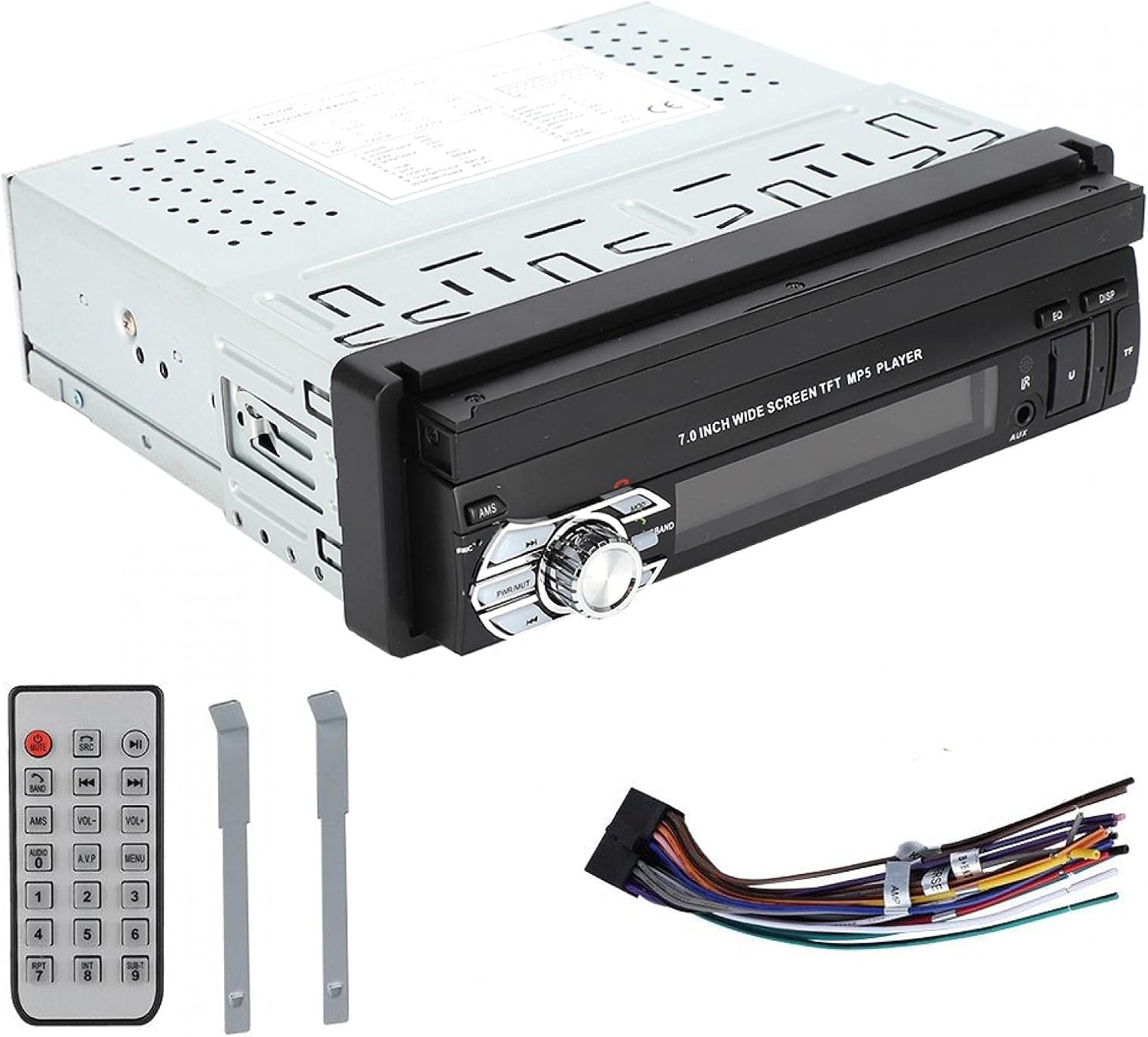
This manual provides detailed instructions for the installation, operation, and maintenance of your ASHATA MP5-SWM9601 Car Stereo. This single-DIN multimedia player features a 7-inch retractable touchscreen, Bluetooth connectivity for calls and music streaming, and supports various audio and video formats via USB, TF card, and AUX input. Please read this manual thoroughly before using the product to ensure proper function and safety.
د محصول ځانګړتیاوې
- 7-inch high-definition retractable touchscreen display.
- د لاسونو څخه پاک زنګ وهلو او آډیو سټریمینګ لپاره بلوتوث.
- Supports various audio formats including APE, FLAC, WAV, DIS, MP3, WMA, ACC, OGG, RA, AC3, MP2, AMR.
- Supports various video formats including AVI, MP4, FLV, PMP, RM, RMVB, MPG.
- USB 2.0 and TF card slot for media playback.
- AUX audio input for external devices.
- Supports rear view camera input for parking assistance.
- Electronic sound processing (EQ) with adjustable treble, bass, balance, and sound field.
- Memory playback function for songs.
- د اسانه عملیاتو لپاره ریموټ کنټرول شامل دی.
تنظیم او نصب کول
Proper installation is crucial for the performance and safety of your car stereo. It is recommended to have this unit installed by a professional technician. Ensure the vehicle's battery is disconnected before starting installation.
ابعاد
Before installation, verify that the unit's dimensions are compatible with your car's dashboard opening. The unit is a standard single-DIN size.

شکل 1: Dimensions of the ASHATA MP5-SWM9601 car stereo. The unit measures approximately 18.4 cm (7.2 inches) in width, 6.2 cm (2.4 inches) in height, and 17.8 cm (7.0 inches) in depth.
د تارونو ډیاګرام
Refer to the following diagram for correct wiring connections. Incorrect wiring can cause damage to the unit or your vehicle's electrical system.
شکل 2: شاته view of the ASHATA MP5-SWM9601 showing the wiring harness connector and RCA outputs for audio and video. The wiring harness typically includes connections for power (ACC, B+, Ground), speakers, antenna, and steering wheel controls (if applicable).
- د بریښنا اړیکې: Connect the yellow wire to the constant 12V power supply (B+), the red wire to the accessory 12V power supply (ACC), and the black wire to ground.
- د سپیکر اړیکې: Connect the speaker wires to the corresponding positive and negative terminals for each speaker (e.g., front left +, front left -).
- انتن: Connect the car's radio antenna to the antenna input.
- شاته View کمره: Connect the video input from your rear view camera to the designated video input on the unit. Ensure the reverse trigger wire is connected to activate the camera display when reversing.
- د RCA پایلې: Use the RCA outputs for connecting external amplifiers or additional displays.
عملیاتي لارښوونې
د بریښنا فعالول/بندول او اساسي کنټرولونه

شکل 3: Front panel of the ASHATA MP5-SWM9601 showing the main controls, including the power/volume knob, mode button, band button, and USB/AUX/TF card slots.
- پاور آن/بند: فشار ورکړئ PWR/MUT button to turn the unit on. Press and hold to turn off. A short press will mute/unmute the audio.
- د حجم کنټرول: د حجم تنظیمولو لپاره مرکزي غوټۍ وګرځوئ.
- د موډل انتخاب: فشار ورکړئ موډ button to cycle through available sources (Radio, USB, TF, AUX, Bluetooth).
- Retract/Extend Screen: The screen can be manually or automatically retracted/extended. Refer to the on-screen menu for specific settings.
د بلوتوټ ارتباط
Pair your mobile phone with the car stereo to enjoy hands-free calling and wireless audio streaming.
- Turn on the unit and select Bluetooth mode using the موډ تڼۍ
- په خپل ګرځنده تلیفون کې، بلوتوث فعال کړئ او د شته وسایلو لټون وکړئ.
- Select "ASHATA" or a similar device name from the list. If prompted for a password, enter "0000" or "1234".
- Once paired, you can make/receive calls and play music through the car stereo.
Media Playback (USB/TF/AUX)
- USB پلیباک: Insert a USB drive into the USB port. The unit will automatically switch to USB mode and begin playing compatible media files.
- د TF کارت پلے بیک: Insert a TF (MicroSD) card into the TF card slot. The unit will automatically switch to TF mode and begin playing compatible media files.
- AUX داخلول: Connect an external audio device (e.g., MP3 player, phone) to the AUX input using a 3.5mm audio cable. Select AUX mode using the موډ تڼۍ
- ملاتړ شوي بڼې:
- Audio: DIS, MP3, WMA, ACC, OGG, WAV, RA, AC3, MP2, AMR, APE, FLAC.
- Video: AVI, MP4, FLV, PMP, RM, RMVB, MPG.
- Image: JPEG.
د غږ ترتیبات
Adjust the audio output to your preference using the electronic sound processing (EQ) features.
- فشار ورکړئ EQ button to access equalizer presets or custom settings.
- Navigate through the menu to adjust electronic volume, treble, bass, left/right balance, and front/rear sound field.

شکل 4: The display showing sound adjustment options, including electronic volume, treble, bass, left and right balance, and front and rear sound field settings.
شاته View د کیمرې فعالیت
کله چې یو شاته view camera is connected and the vehicle is in reverse gear, the unit will automatically display the camera feed on the screen, providing assistance for parking and maneuvering.
ساتنه
- د سکرین پاکول: Use a soft, dry, lint-free cloth to gently wipe the touchscreen. Do not use abrasive cleaners or solvents.
- د واحد پاکول: Wipe the exterior of the unit with a soft, dry cloth. Avoid getting liquids inside the unit.
- دحرارت درجه: د اوږدې مودې لپاره د یونټ د سختې تودوخې یا مستقیم لمر وړانګو سره د مخ کیدو څخه ډډه وکړئ.
د ستونزو حل کول
| ستونزه | احتمالي لامل | د حل لاره |
|---|---|---|
| هیڅ ځواک نشته | ناسم تارونه؛ فلج شوی فیوز؛ د موټر بیټرۍ ټیټه ده. | Check power connections (B+, ACC, Ground). Inspect and replace fuse if necessary. Check vehicle battery. |
| غږ نشته | غږ ډېر ټیټ دی؛ د خاموش فعالیت فعال دی؛ د سپیکرو ناسم تارونه؛ غلط سپیکرونه. | Increase volume. Press PWR/MUT to unmute. Check speaker connections. Test with different speakers if possible. |
| بلوتوث نه نښلي | Bluetooth not enabled on phone/unit; Incorrect pairing procedure; Device out of range. | Ensure Bluetooth is active on both devices. Repeat pairing steps. Move phone closer to the unit. |
| USB/TF کارت نه غږیږي | بې کفایته file بڼه؛ فاسد رسنۍ؛ کارت/ډرایو په سمه توګه نه دی داخل شوی. | ډاډ ترلاسه کړئ files are in supported formats. Try a different USB drive/TF card. Reinsert the media. |
| Screen not retracting/extending | Mechanical obstruction; Software glitch. | Check for any physical obstructions. Try resetting the unit (if a reset button is available, or disconnect power briefly). |
که چیرې د دې حل لارو هڅه کولو وروسته هم ستونزه دوام ومومي، مهرباني وکړئ د پیرودونکو ملاتړ سره اړیکه ونیسئ.
مشخصات
| فیچر | تفصیل |
|---|---|
| برانډ | ASHATA |
| د ماډل شمیره | MP5-SWM9601 (9601G) |
| د ارتباط ټیکنالوژي | بلوتوث |
| د کنټرولر ډول | ریموټ کنټرول |
| ځانګړی ځانګړنه | ملټي میډیا پلیر |
| مطابقت لرونکې وسیلې | MP3 Player, Mobile Phone |
| د نښلونکي ډول | USB |
| د آډیو وتلې حالت | سټیریو |
| شاوخوا د غږ چینل ترتیب کول | 2.0 |
| د چینلونو شمیر | 2 |
| د کنټرول طریقه | ریموټ کنټرول |
| د آډیو تولید ډول | AUX, Speaker, USB |
| د سمارټ کور مطابقت | Not Smart Home Compatible |
| د ډیجیټل رسنیو بڼه | AVI, WAV, WMA (also supports DIS, MP3, ACC, OGG, RA, AC3, MP2, AMR, APE, FLAC, MP4, FLV, PMP, RM, RMVB, MPG, JPEG) |
| UPC | 783335388899 |
| د اصلي هیواد | چین |
تضمین او ملاتړ
د تضمین معلوماتو یا تخنیکي ملاتړ لپاره، مهرباني وکړئ د خپل پیرود سره چمتو شوي اسنادو ته مراجعه وکړئ یا مستقیم پرچون پلورونکي / تولیدونکي سره اړیکه ونیسئ. د هر ډول تضمین ادعا لپاره د پیرود ثبوت وساتئ.