
پیژندنه
The Lenovo Legion H500 Pro 7.1 Gaming Headset is designed to provide an immersive audio experience for gaming, music, and movies. It features driverless 7.1 surround sound, a high-end retractable noise-cancelling microphone, and dedicated audio profiles. Built for durability and comfort, it includes a stainless steel headband and memory foam earcups.
په بکس کې څه دي
- Lenovo Legion H500 PRO 7.1 Gaming Headset
- د کارن لارښود
چمتو کول
د هیډسیټ سره نښلول
The Legion H500 PRO headset offers versatile connectivity options:
- د USB 2.0 پیوستون: For driverless 7.1 surround sound and advanced audio controls, connect the headset via the included USB 2.0 advanced control box.
- 3.5mm آډیو جیک: For standard stereo audio, connect the headset directly using the 3.5mm audio jack.
د مایکروفون تنظیم کول
The headset features a high-end retractable noise-cancelling microphone. Extend the microphone boom from the left earcup and position it appropriately for clear communication.
د غږ کنټرولونه
The USB advanced control box provides convenient access to key audio functions:
- 7.1 Surround Sound Switch: Toggle virtual 7.1 surround sound on or off.
- Pre-set Equalizer Profiles: Select from dedicated audio profiles for optimized sound.
- د مایکروفون خاموش کول: مایکروفون خاموش یا خاموش کړئ.
- د حجم کنټرول: د هیډسیټ حجم تنظیم کړئ.

انځور: تفصیلي view of the Lenovo Legion H500 PRO headset highlighting the inline audio controls, including the 7.1 surround sound switch, equalizer profiles, mic mute, and volume control.
عملیاتي لارښوونې
Using 7.1 Surround Sound
When connected via USB, activate the virtual 7.1 surround sound using the switch on the advanced control box for enhanced spatial audio in games and media. This feature provides directional audio cues, improving situational awareness in gaming environments.
Selecting Audio Profiles
Utilize the pre-set equalizer profiles on the USB control box to quickly switch between optimized audio settings for different content types, such as gaming, music, or movies.
د مایکروفون کارول
The noise-cancelling microphone ensures clear voice capture by reducing background noise. Use the mic mute button on the control box to quickly silence your microphone when needed.
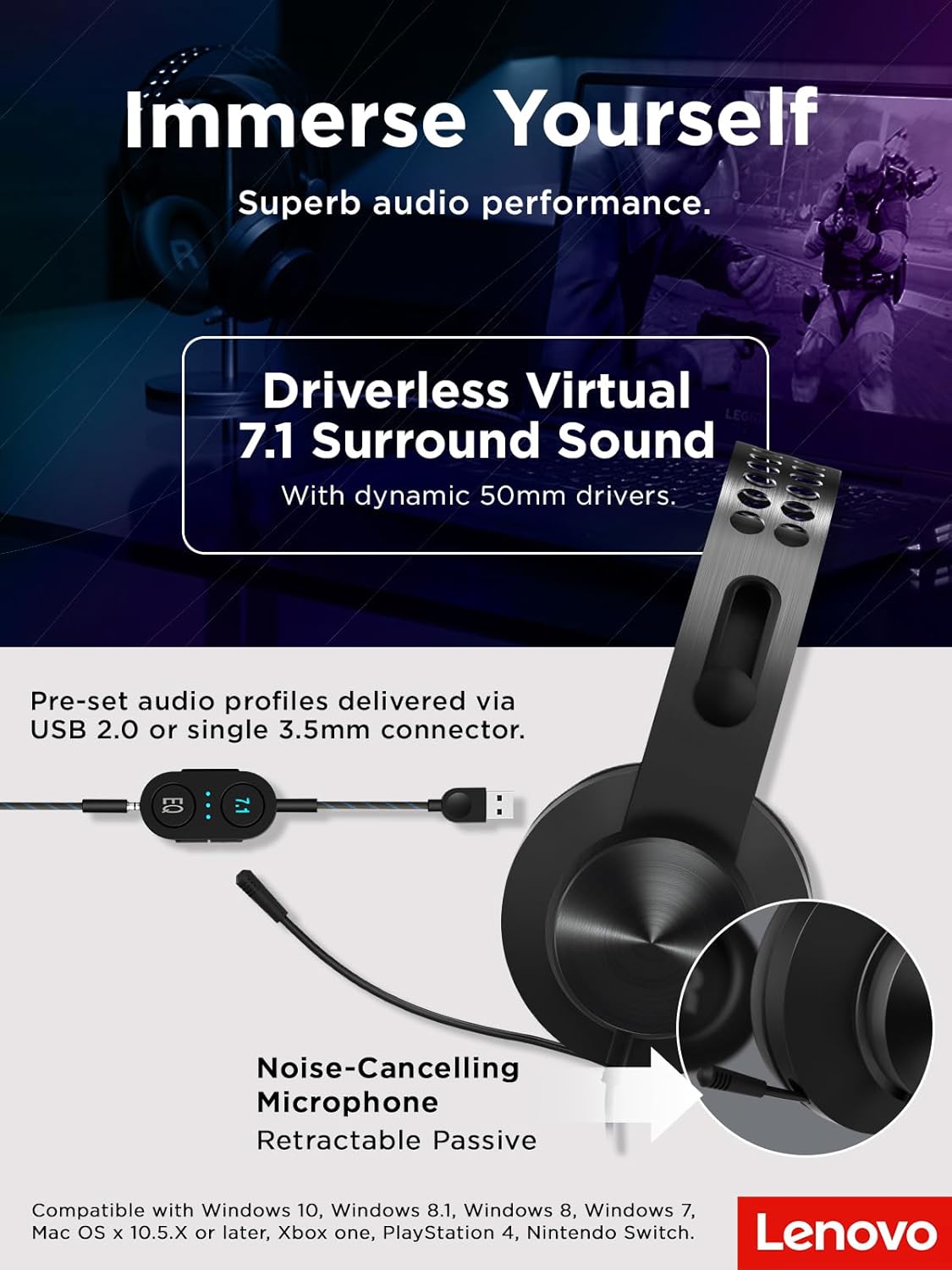
Image: The Lenovo Legion H500 PRO headset with its retractable noise-cancelling microphone extended, illustrating its use for communication.
آرامۍ او ډیزاین
The Legion H500 PRO is engineered for extended use with maximum comfort. It features a durable single-piece stainless steel headband and soft, high-quality PU leather earcups filled with memory foam. The ergonomic design allows the earcups to rotate in every direction, ensuring a comfortable fit for various head shapes without excessive pressure, making it suitable for long gaming sessions.

انځور: نږدې انځور view of the headset's soft PU leather earcups and the lightweight suspension design of the headband, emphasizing comfort.
مطابقت
The Lenovo Legion H500 PRO headset is compatible with a wide range of devices:
- عملیاتي سیسټمونه: Windows 10, Windows 8.1, Windows 8, Windows 7, Mac OS X 10.5.X or later
- د لوبو کنسولونه: Xbox One, PlayStation 4, Nintendo Switch

Image: The Lenovo Legion H500 PRO headset positioned next to a gaming laptop, illustrating its compatibility with PC gaming setups.
مشخصات
| فیچر | تفصیل |
|---|---|
| د لیږد ډول | Dynamic 50mm with neodymium magnets |
| Frequency Range (Headphone) | ۲۰ هرټز - ۲۰ کلو هرټز |
| خنډ | 32Ω ±15% @ 1KHz |
| حساسیت (SPL) | 99dB /1mW @ 1KHz |
| د مایکروفون ډول | Electret condenser microphone with noise canceller |
| د مایکروفون پولر نمونه | هر اړخیز |
| د مایکروفون فریکونسی رینج | ۲۰ هرټز - ۲۰ کلو هرټز |
| ارتباط | Wired via 3.5mm audio jack or USB 2.0 |
| د کیبل اوږدوالی | Headset to 3.5mm: 1M, USB advanced control box: 1M |
| وزن | ۱۱.۶ اونس (تقریبا ۳۳۰ ګرامه) |
| ابعاد (تقریبا) | 18 cm (7.1 in) width, 20.5 cm (8.1 in) height, 9.3 cm (3.7 in) earcup height, 3.5 cm (1.4 in) earcup width |

Image: Diagram showing the approximate dimensions and weight of the Lenovo Legion H500 PRO headset.
ساتنه
د خپل هیډسیټ د اوږد عمر او غوره فعالیت ډاډمن کولو لپاره:
- Clean earcups regularly with a soft, damp ټوکر د سختو کیمیاوي موادو څخه ډډه وکړئ.
- هیډسیټ په یخ او وچ ځای کې د مستقیم لمر وړانګو او سختې تودوخې څخه لرې وساتئ.
- Avoid pulling on the cables to prevent damage to the connectors.
د ستونزو حل کول
غږ نشته / ټیټ غږ
- Ensure the volume control on the headset's inline control box is turned up.
- Check your device's audio settings to ensure the headset is selected as the output device and volume is not muted.
- If using USB, try connecting to a different USB port. If using 3.5mm, ensure the jack is fully inserted.
مایکروفون کار نه کوي
- Verify the microphone mute button on the inline control box is not activated.
- Check your device's sound settings to ensure the headset microphone is selected as the input device and its volume is not muted.
- Ensure the microphone boom is fully extended and positioned correctly.
تضمین او ملاتړ
دا محصول د الف سره راځي د 1 کال محدود تضمین. For detailed warranty information, technical support, or service inquiries, please refer to the official Lenovo support webسایټ یا د دوی پیرودونکي خدمت سره اړیکه ونیسئ.
د محصول رسمي ویډیو
ویډیو: رسمي محصول پای ته ورسېدview of the Lenovo Legion H500 Pro 7.1 Surround Sound Gaming Headset, demonstrating its features and design.