
1. پیژندنه
The Glorious Model O- (Minus) is a compact, wired gaming mouse designed for speed, control, and comfort. Featuring a superlight honeycomb design, customizable RGB lighting, a high-precision Pixart 3360 sensor, and durable Omron switches, it is engineered for competitive gaming. Its ambidextrous shape is ideal for users with medium and small hands.
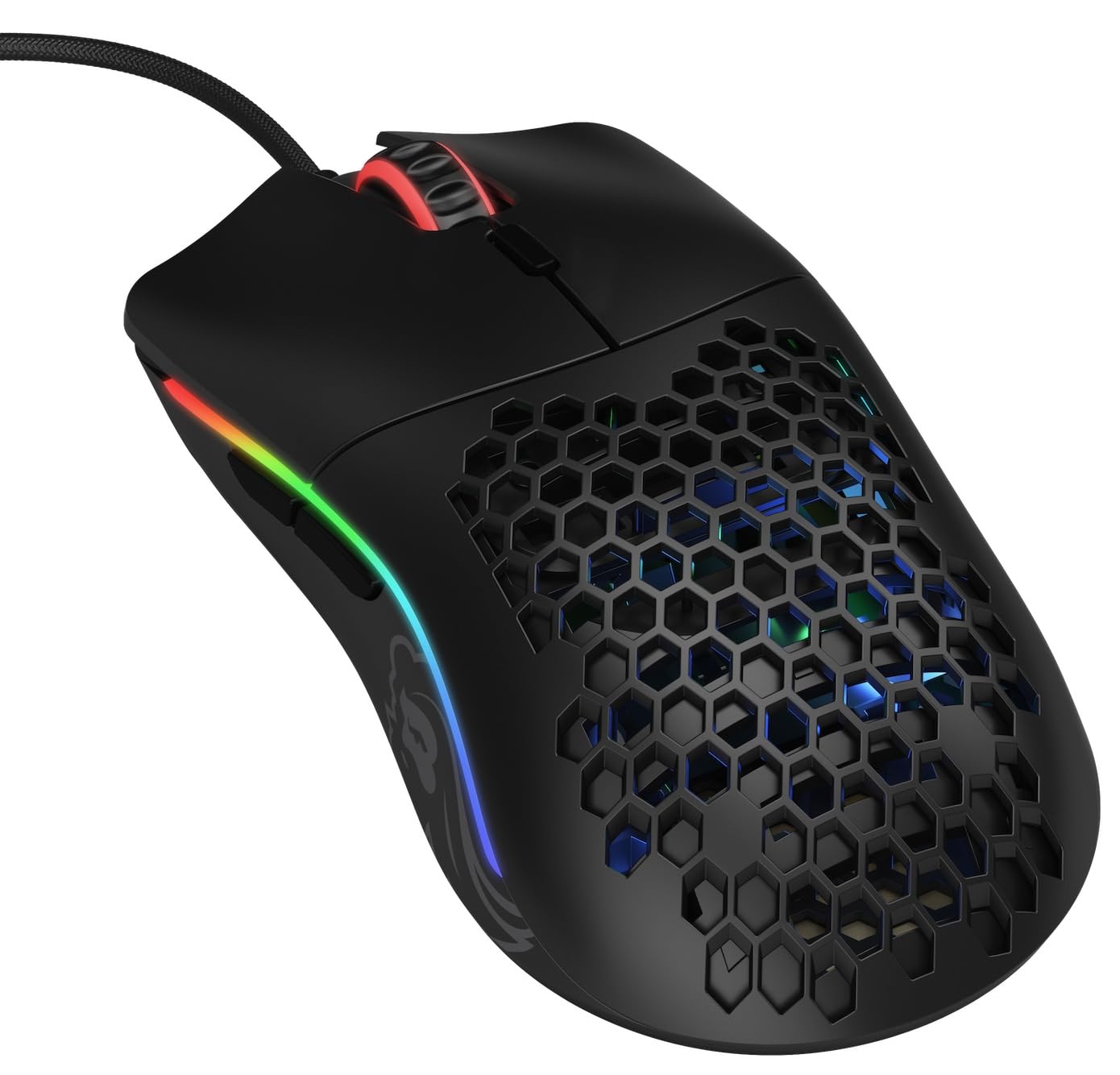
انځور: پورته-ښکته view of the Glorious Model O- (Minus) mouse, showcasing its honeycomb shell and RGB lighting.
2. ترتیب کول
- موږک خلاص کړئ: Carefully remove the Glorious Model O- (Minus) mouse and its Ascended Cord from the packaging.
- کمپیوټر سره وصل کړئ: Plug the USB connector of the mouse's Ascended Cord into an available USB port on your computer.
- د ډرایور نصب کول: Your operating system (Windows, macOS, Linux) should automatically detect and install the necessary drivers. Allow a few moments for this process to complete.
- د سافټویر نصب کول (اختیاري): For advanced customization of DPI settings, RGB lighting, and button macros, download and install the official Glorious Core software from the GLORIOUS webسایټ

Image: The Glorious Model O- (Minus) mouse connected via its lightweight, flexible Ascended Cord.
3. عملیاتي لارښوونې
- بنسټیز فعالیت: Once connected, the mouse will function immediately for basic navigation and clicking.
- د DPI تعدیل: Use the dedicated DPI button located on the top of the mouse, behind the scroll wheel, to cycle through preset DPI levels. The RGB lighting will change to indicate the current DPI setting.
- د غاړې تڼۍ: The mouse features two side buttons, typically used for forward and backward navigation in web browsers or customizable functions in games.
- د RGB اصلاح کول: Utilize the Glorious Core software to personalize the RGB lighting effects, colors, and brightness.
- Macro Support: The software also allows for programming the 6 buttons with custom macros for enhanced productivity or gaming performance.
ویډیو: لنډه کتنهview of the Glorious Model O mouse, highlighting its design and features.
4. کلیدي ځانګړتیاوې
- Superlight Honeycomb Design: Weighing only 58 grams, the mouse's honeycomb shell reduces weight without compromising durability, allowing for swift and precise movements. This design also aids in ventilation, keeping your hand cool during extended use.
- Ascended Paracord Cable: The ultra-flexible, braided cable is designed to minimize drag, providing a near-wireless feel and unrestricted mouse movement.
- G-Skates Premium Mouse Feet: Made from 100% pure Virgin PTFE, these mouse feet ensure an incredibly smooth glide across any surface, offering superior control.
- Pixart 3360 Sensor: Experience pixel-perfect tracking with zero mouse acceleration and no spinouts. The sensor supports up to 12000 DPI and a 1000 Hz polling rate, with a lift-off distance of less than 0.7mm.
- Omron Switches: Equipped with state-of-the-art Omron switches, rated for 20 million clicks, ensuring long-lasting responsiveness and durability.
- محیطي ډیزاین: The symmetrical shape of the mouse is comfortable for both left and right-handed users, catering to various grip styles.
Video: A brief promotional video by Glorious PC Gaming showcasing the Model O mouse.
5. مشخصات
| برانډ | عالي |
| د ماډل نوم | Glorious Model O Minus |
| د ماډل شمیره | GOM-BLACK |
| د ارتباط ټیکنالوژي | USB |
| د حرکت کشف ټیکنالوژي | Optical (Pixart 3360 Sensor) |
| اعظمي حساسیت | 12000 DPI |
| د رای ورکولو کچه | 1000 Hz |
| د لرې کولو فاصله | د 0.7mm څخه کم |
| د تڼۍ مقدار | 6 (د پروګرام وړ) |
| د سویچ ډول | Omron (rated for 20M clicks) |
| د لاس لارښوونه | متضاد |
| د توکي وزن | 58 ګرامه |
| د توکي ابعاد (L x W) | ۴.۴"لیتر x ۲.۲"واټه |
| د کیبل ډول | Ascended Paracord |
| Mouse Feet Material | 100% Pure Virgin PTFE (G-Skates) |

Image: Diagram showing the dimensions of the Glorious Model O- (Minus) mouse.
6. ساتنه
- پاکول: Regularly clean the mouse surface with a soft, dry cloth. For the honeycomb areas, use compressed air to remove dust and debris. Avoid using harsh chemicals or abrasive materials.
- د سینسر پاملرنه: Keep the optical sensor on the underside of the mouse clean and free from obstructions to ensure optimal tracking performance.
- د کیبل مدیریت: While the Ascended Cord is flexible, avoid sharp bends or excessive pulling to prolong its lifespan. Consider using a mouse bungee to prevent cable drag and wear.
- ذخیره کول: کله چې په کارولو کې نه وي، موږک په پاک او وچ چاپیریال کې د سختې تودوخې څخه لرې وساتئ.
7. ستونزه حل کول
- موږک ځواب نه ورکوي:
- ډاډ ترلاسه کړئ چې USB کیبل ستاسو په کمپیوټر کې په خوندي ډول ولګول شوی دی.
- هڅه وکړئ چې موږک په بل USB پورټ کې ولګوئ.
- خپل کمپیوټر بیا پیل کړئ.
- د تعقیب مسلې:
- د موږک په لاندې برخه کې نظري سینسر پاک کړئ.
- ډاډ ترلاسه کړئ چې تاسو موږک په پاک، یونیفورم سطح یا د لوړ کیفیت لرونکي موږک پیډ کې کاروئ.
- Check DPI settings via the mouse button or Glorious Core software.
- د RGB رڼا کار نه کوي/غلط:
- Verify that the Glorious Core software is installed and running.
- Check RGB settings within the software.
- ډاډ ترلاسه کړئ چې د موږک فرم ویئر تازه دی.
- تڼۍ کار نه کوي:
- Check for any software conflicts or re-map buttons using the Glorious Core software.
- ډاډ ترلاسه کړئ چې د موږک فرم ویئر تازه دی.
8. تضمین او ملاتړ
The Glorious Model O- (Minus) Compact Wired Gaming Mouse comes with a د تولید کونکي 2 کلن تضمین. For technical support, warranty claims, or further assistance, please visit the official GLORIOUS webسایټ ته مراجعه وکړئ یا مستقیم د دوی د پیرودونکي ملاتړ سره اړیکه ونیسئ. د تضمین تصدیق لپاره د پیرود ثبوت وساتئ.
For more information and resources, visit the GLORIOUS Store on Amazon.