
پیژندنه
Thank you for choosing the Conceptronic REGAS01B Optical Desktop Mouse. This manual provides essential information for setting up, operating, and maintaining your new mouse. Please read these instructions carefully before use to ensure proper functionality and longevity of your device.
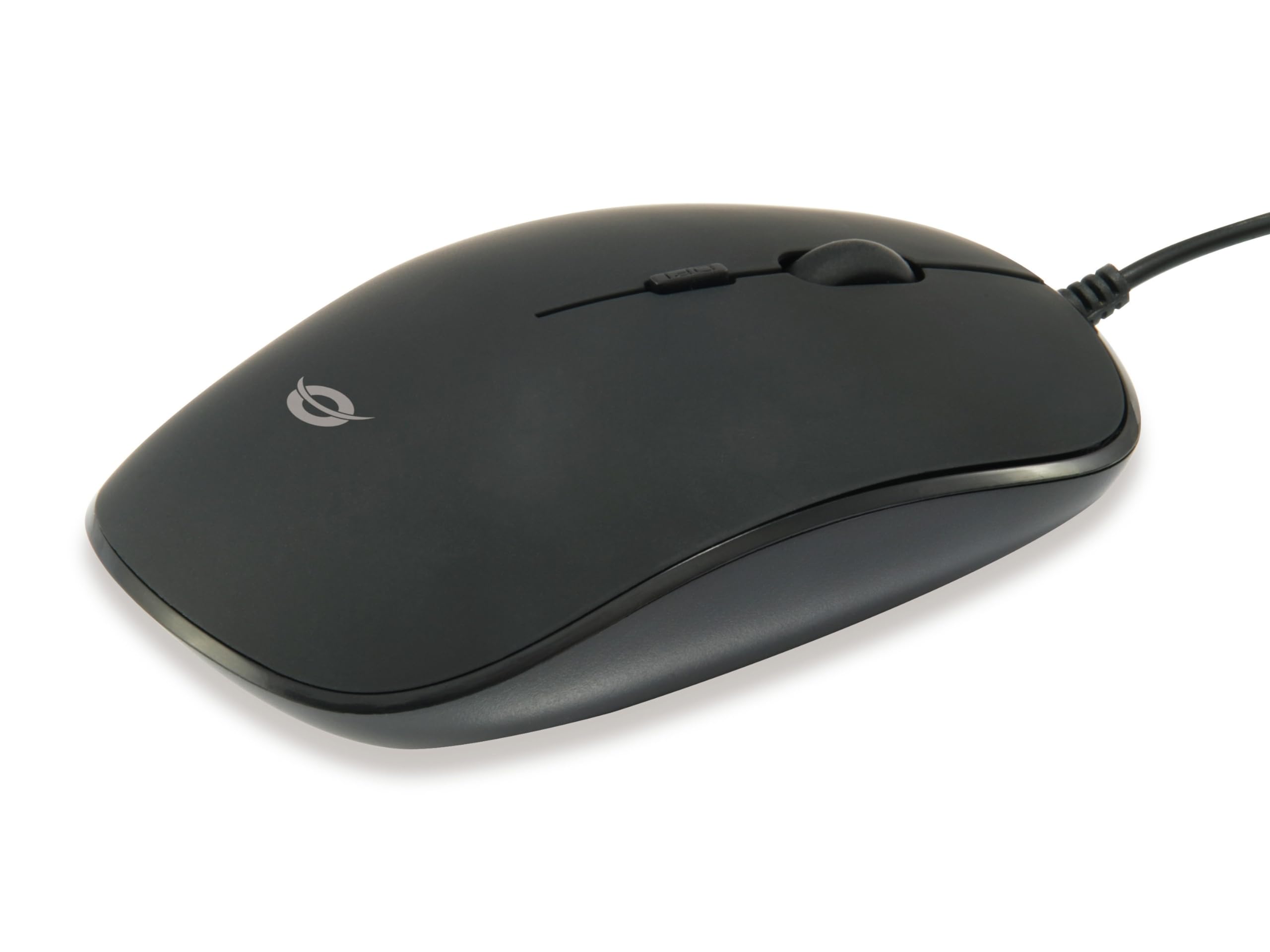
انځور: پورته view of the Conceptronic REGAS01B Optical Desktop Mouse, showcasing its ergonomic black design.
د بسته محتويات
ډاډ ترلاسه کړئ چې ټول توکي په کڅوړه کې شتون لري:
- Conceptronic REGAS01B Optical Desktop Mouse
- د کارونکي لارښود (دا لاسوند)
- Note: This is a wired USB mouse and does not require external batteries for operation, despite some generic product data indicating otherwise.
ځانګړتیاوې
- DPI سویچ: Adjustable sensitivity (800/1000/1200 DPI) for precise control.
- پلګ او پلی کول: د اضافي ډرایورانو اړتیا پرته اسانه نصب کول.
- محیطي ډیزاین: Comfortable for both left and right-handed users.
- Rubberized Surface: Provides enhanced grip and comfort during extended use.
- نظري تعقیب: Reliable and accurate cursor movement.
- د USB نښلول: Standard wired connection for stable performance.
چمتو کول
- موږک سره وصل کړئ: Locate an available USB port on your computer. Insert the USB connector of the Conceptronic REGAS01B mouse into the USB port.
- اتوماتیک نصب کول: Your operating system (Windows, Linux, etc.) will automatically detect and install the necessary drivers. This process typically takes a few seconds.
- د استعمال لپاره چمتو: Once the installation is complete, the mouse is ready for immediate use. No additional software is required.

انځور: نږدې انځور view of the mouse's scroll wheel and the DPI switch button, located behind the scroll wheel.
عملیاتي لارښوونې
بنسټیز کارونه
- کیڼ کلیک: د توکو غوره کولو لپاره کیڼ تڼۍ کېکاږئ، خلاص کړئ files، یا فعالیتونه فعال کړئ.
- ښي کلیک: د شرایطو مینو خلاصولو یا اضافي انتخابونو ته د لاسرسي لپاره ښي تڼۍ فشار ورکړئ.
- سکرول ویل: د اسنادو له لارې د تګ راتګ لپاره د سکرول څرخ پورته یا ښکته وګرځوئ او web pages. The scroll wheel can also be pressed for a middle-click function, depending on software configuration.
د DPI حساسیت تنظیم کول
The Conceptronic REGAS01B mouse features a DPI switch to adjust cursor sensitivity on the fly. This allows you to quickly change between different tracking speeds for various tasks, such as precise editing or fast-paced gaming.
- د DPI سویچ تڼۍ: Located behind the scroll wheel.
- د حساسیت کچه: Press the DPI switch button to cycle through 800, 1000, and 1200 DPI settings.
- انتخاب: Each press will change the sensitivity, allowing you to find the optimal speed for your current activity.
ساتنه
- پاکول: د موږک سطحه پاکولو لپاره نرم، وچ ټوکر وکاروئ. د سختې خاورې لپاره، یو څه وچampټوکر د اوبو یا نرم پاکولو محلول سره ومینځئ. د سختو کیمیاوي موادو یا خړوبونکو موادو څخه ډډه وکړئ.
- نظری سینسر: د موږک په لاندې برخه کې نظري سینسر پاک او د دوړو یا کثافاتو څخه پاک وساتئ ترڅو دقیق تعقیب ډاډمن شي.
- ذخیره کول: When not in use, store the mouse in a clean, dry environment.
- د مایعاتو څخه ډډه وکړئ: موږک ډیر رطوبت ته مه ښکاره کوئ یا یې په مایعاتو کې مه ډوبوئ.
د ستونزو حل کول
موږک ځواب نه ورکوي
- د USB اتصال وګورئ: ډاډ ترلاسه کړئ چې USB کیبل ستاسو په کمپیوټر کې په کار کوونکي USB پورټ کې په خوندي ډول ولګول شوی دی. یو بل USB پورټ هڅه وکړئ.
- کمپیوټر بیا پیل کړئ: ځینې وختونه د کمپیوټر یو ساده بیا پیل کول کولی شي د اتصال ستونزې حل کړي.
- په بل کمپیوټر کې ازموینه: If possible, test the mouse on another computer to determine if the issue is with the mouse or your computer's setup.
Inaccurate Cursor Movement
- پاک آپټیکل سینسر: Ensure the optical sensor on the bottom of the mouse is clean and free of dust or debris.
- Mouse Pad/Surface: موږک په پاک، غیر انعکاس کوونکي او یوشان سطحه وکاروئ. د ډیر انعکاس کوونکي یا شفاف سطحو څخه ډډه وکړئ.
- د DPI تنظیم کول: Experiment with the DPI switch to find a sensitivity setting that provides accurate tracking for your needs.
مشخصات
| فیچر | تفصیل |
|---|---|
| برانډ | مفهوم |
| د ماډل نوم | د REGAS01B معرفي کول |
| رنګ | تور |
| د ارتباط ټیکنالوژي | USB (ویر شوی) |
| د حرکت کشف ټیکنالوژي | نظري |
| د DPI تنظیمات | ۱۰۰۰ / ۱۶۰۰ / ۲۴۰۰ DPI (د تعدیل وړ) |
| د تڼۍ مقدار | 3 (Left, Right, Scroll Wheel/Middle Click) + DPI Switch |
| د لاس لارښوونه | متضاد |
| مطابقت لرونکې وسیلې | شخصي کمپیوټر |
| د عملیاتي سیسټم مطابقت | لینکس، وینډوز ۷، وینډوز ایکس پی (او نوي نسخې) |
| د توکي وزن | 61 ګرامه |
| ځانګړي ځانګړتیاوې | Ergonomic Design, Rubberized Surface, Plug & Play |
| د تولید کونکي برخې شمیره | د REGAS01B معرفي کول |
| GTIN (UPC) | 04015867208526 |
تضمین او ملاتړ
For warranty information and technical support, please refer to the official Conceptronic webسایټ یا خپل محلي پرچون پلورونکي سره اړیکه ونیسئ. د تضمین ادعاوو لپاره د پیرود ثبوت وساتئ.
- آنلاین ملاتړ: لیدنه www.conceptronic.net (یادونه: دا یو ځای ساتونکی دی URL, please replace with the actual support URL که موجود وي.)
- اړیکه: Refer to the contact information provided on the product packaging or the Conceptronic webد پیرودونکي خدمت لپاره سایټ.