
TBI Pro Mechanoid X107 TBI (Model: X64Morvelli)
REAL Mechanical Gaming Keyboard Mechanoid X107 TBI User Manual
Model: X64Morvelli
پیژندنه
The TBI Pro Mechanoid X107 is a high-performance mechanical gaming keyboard designed for professional gamers and everyday use. It features durable blue mechanical switches, customizable RGB LED backlighting, and dedicated multimedia controls for an enhanced user experience. This manual provides comprehensive instructions for setting up, operating, maintaining, and troubleshooting your keyboard.
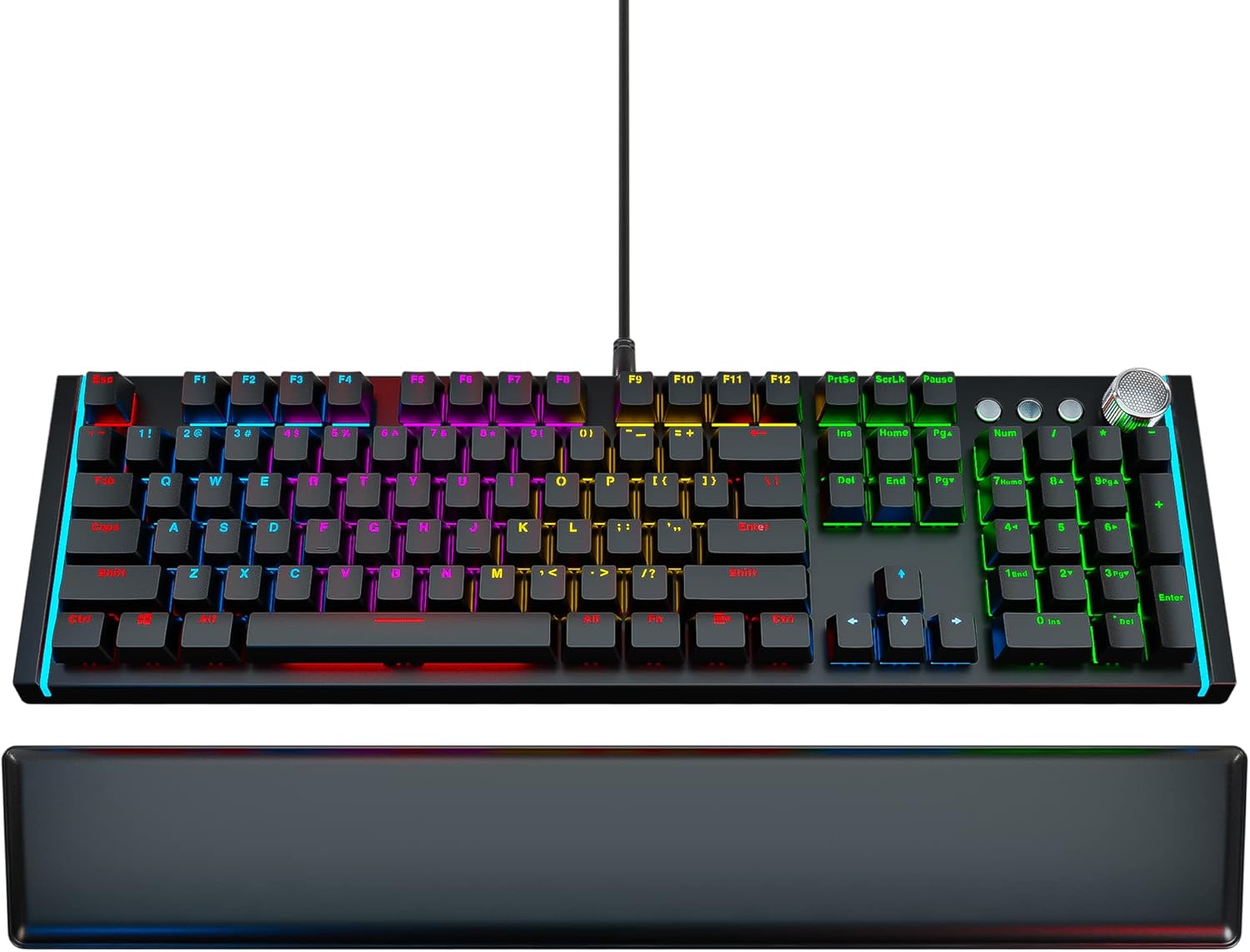
Image: The Mechanoid X107 TBI mechanical gaming keyboard, showcasing its full layout and the included ergonomic leather wrist rest.
په بکس کې څه دي
Upon unboxing your Mechanoid X107 TBI keyboard, please ensure all the following items are present:
- میخانیکي کیبورډ
- د چرمی لاس آرام
- کیکیپ پلر
- USB Cable (6.6ft)
- د کارونکي لارښود (دا لاسوند)
چمتو کول
- کیبورډ خلاص کړئ: Carefully remove the keyboard and all accessories from their packaging.
- Connect the Wrist Rest: The ergonomic leather wrist rest attaches magnetically to the front edge of the keyboard. Align the wrist rest with the keyboard and allow the magnets to secure it in place.

انځور: نږدې انځور view showing the magnetic connection points for the leather wrist rest, ensuring easy attachment and detachment.
- کمپیوټر سره وصل کړئ: Plug the USB cable from the keyboard into an available USB port on your computer. The keyboard is plug-and-play, requiring no additional drivers for basic functionality.
- ابتدايي بریښنا فعاله: The keyboard's RGB lighting will illuminate upon successful connection, indicating it is ready for use.
عملیاتي لارښوونې
RGB LED Backlighting
The Mechanoid X107 features dynamic RGB backlighting with a wide range of customization options. You can adjust lighting modes, brightness, and colors directly from the keyboard without software.

Image: The keyboard illuminated with vibrant RGB lighting, demonstrating the customizable light effects.
- د روښنايي حالت بدلول: Use the dedicated lighting control keys (refer to the manual's specific key combinations, usually Fn + Insert, Home, Page Up, etc.) to cycle through various pre-set lighting effects such as breathing, wave, ripple, and static colors.
- د روښانتیا تنظیم کول: Typically, Fn + Up/Down arrow keys control the brightness level of the backlighting.
- د رنګونو دودیز کول: The keyboard supports 65 million individual colors. Specific key combinations allow for per-key color customization or setting a uniform color across the keyboard. Refer to the included quick guide for detailed instructions on advanced color settings.

Image: A visual representation of the RGB color spectrum, indicating the ability to choose from 65 million individual colors for each key.
ملټي میډیا کنټرولونه
The Mechanoid X107 features advanced separate multimedia buttons and a dedicated volume adjustment knob for convenient control over your audio and media playback.
- د حجم نوب: Rotate the large knob located on the top right of the keyboard to adjust the system volume. Pressing the knob typically mutes/unmutes the audio.

Image: Close-up of the metallic volume control knob, highlighting its textured surface and prominent placement on the keyboard.
- وقف شوي رسنۍ تڼۍ: Use the dedicated buttons next to the volume knob for Play/Pause, Fast Forward, and Rewind functions.

Image: Detail of the multimedia control section, showing the dedicated play/pause, track navigation buttons, and the volume knob.
Programmable Keys (Fn Combinations)
The keyboard features function keys that can be combined with the Fn key to access additional shortcuts and controls.
- Fn+F1: Opens the audio player.
- Fn+F2: Turns sound lower.
- Fn+F3: Turns sound higher.
- Fn+F4: غږ خاموش/غیر خاموش کړئ.
- Fn+F5: د رسنیو پلی بیک بند کړئ.
- Fn+F6: پخوانی ټریک.
- Fn+F7: میډیا پلی کړئ / بند کړئ.
- Fn+F8: راتلونکی ټریک.
- Fn+F9: Opens default email client.
- Fn+F10: Opens default web browser (Homepage).
- Fn+F11: Lock/Unlock the keyboard.
- Fn+F12: Opens Calculator.

Image: Diagram illustrating the Fn key combinations for F1 through F4, showing their respective functions like opening audio player and volume control.

Image: Diagram illustrating the Fn key combinations for F5 through F8, showing their respective media control functions like stop, previous, play/pause, and next track.

Image: Diagram illustrating the Fn key combinations for F9 through F12, showing their respective functions like opening email, homepage, locking keyboard, and calculator.
ساتنه
Proper maintenance ensures the longevity and optimal performance of your Mechanoid X107 keyboard.
- د کیبورډ پاکول:
- د پاکولو دمخه کیبورډ له خپل کمپیوټر څخه جلا کړئ.
- د کیلي کیپسونو ترمنځ د دوړو او کثافاتو د لرې کولو لپاره د فشار شوي هوا کان وکاروئ.
- د کیلي کیپس او کیبورډ سطحه د نرم، لږ څه وچ سره پاک کړئamp، د لینټ نه پاک ټوکر. د ډیر رطوبت څخه ډډه وکړئ.
- د سختو کثافاتو لپاره، په ټوکر باندې لږ مقدار ایزوپروپیل الکول کارول کیدی شي، مګر په مستقیم ډول کیبورډ ته د تطبیق څخه ډډه وکړئ.
- Cleaning the Wrist Rest: Wipe the leather wrist rest with a soft, damp cloth. For leather care, use a specialized leather cleaner if necessary.
- د کیلي کیپ لرې کول: Use the included keycap puller to carefully remove keycaps for deeper cleaning or switch replacement (if applicable). Insert the puller onto the keycap and pull straight up.
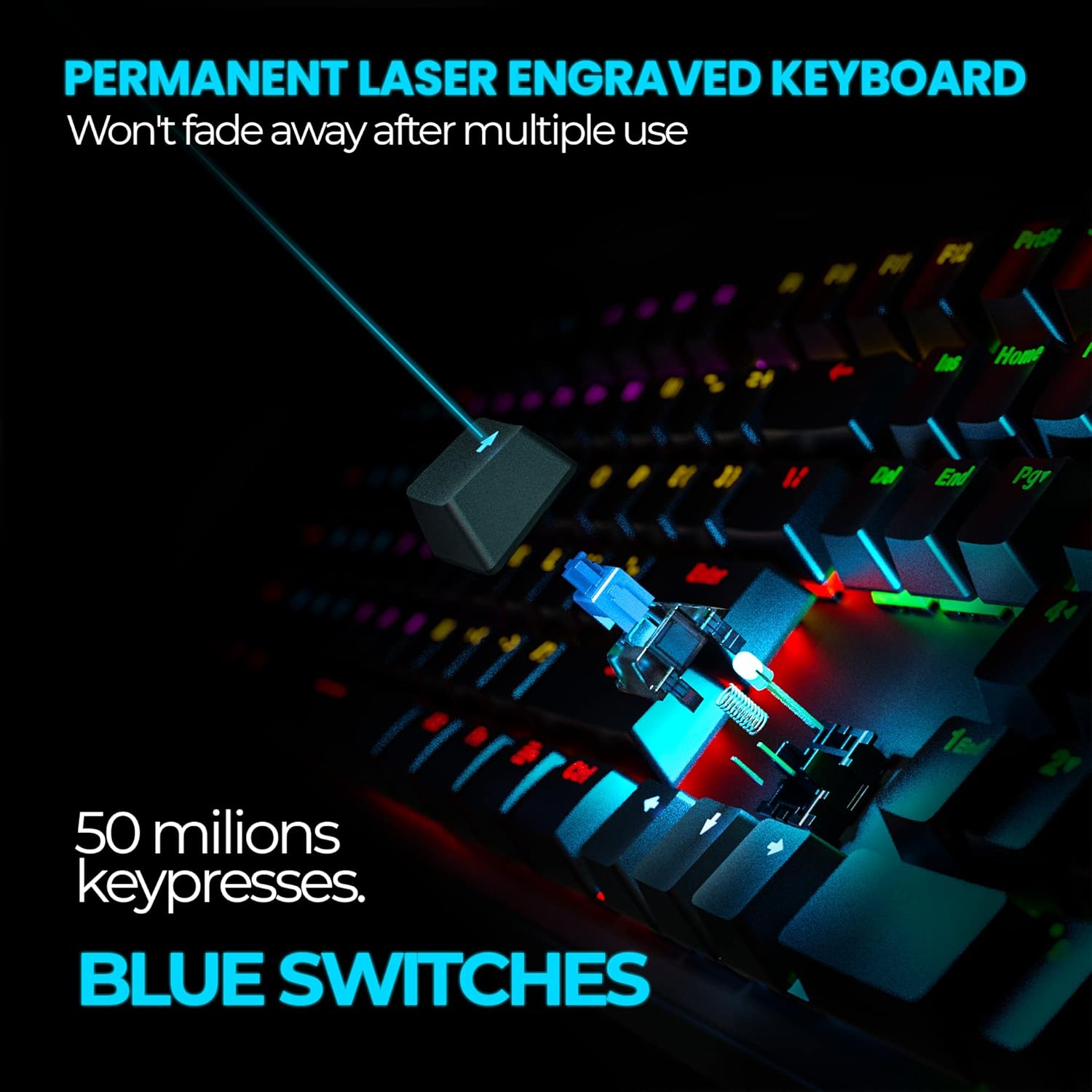
انځور: نږدې انځور view of a blue mechanical switch with a keycap removed, illustrating the durable design and laser-engraved keycap text.
د ستونزو حل کول
| ستونزه | احتمالي لامل | د حل لاره |
|---|---|---|
| کیبورډ ځواب نه ورکوي / څراغونه نشته | Loose USB connection; Faulty USB port; Computer issue. | Ensure USB cable is securely plugged into both the keyboard and the computer. Try a different USB port. Restart your computer. |
| هغه کیلي چې د ننوتلو ثبت نه کوي | Dust/debris under keycap; Keyboard lock enabled (Fn+F11). | Clean under the affected keycap using compressed air or the keycap puller. Press Fn+F11 to unlock the keyboard. |
| د RGB څراغ کار نه کوي یا بند پاتې دی | Lighting mode error; Software conflict (unlikely for hardware control). | Cycle through lighting modes using the dedicated keys. Disconnect and reconnect the keyboard. |
| ملټي میډیا کیلي کار نه کوي | System settings; Application conflict. | Ensure your operating system's media key settings are default. Try in different applications. |
مشخصات
| فیچر | تفصیل |
|---|---|
| برانډ | د TBI پرو |
| د ماډل شمیره | X64Morvelli |
| د کیبورډ ډول | د میخانیکي لوبو کی بورډ |
| د سویچ ډول | نیلي میخانیکي سویچونه |
| د ژوند موده | >50 million clicks |
| د کلیدونو شمیر | 104 (standard) + 3 separate media keys + volume knob |
| شاته رڼا کول | RGB LED (65 million colors) |
| ارتباط | وائرډ USB |
| د کیبل اوږدوالی | 6.6 فوټ (2 متره) |
| رنګ | تور |
| د توکي وزن | ۱.۹ پونډه (تقریبا ۰.۸۶ کیلوګرامه) |
| د هارډویر پلیټ فارم | PC |
تضمین او ملاتړ
For warranty information and customer support, please refer to the documentation included with your purchase or visit the official TBI Pro website. You can also find additional support resources and FAQs there.
For further assistance, you may contact TBI Pro customer service through their official channels.
آنلاین سرچینې:
- TBI Pro Store on Amazon: https://www.amazon.com/stores/TBI+Pro/page/2EB70C71-31FD-407E-B344-FF8BD815BC2A
- د کارونکي لارښود (PDF): https://manuals.plus/m/21c052fadb51be02b7df77ed02b341d92d9b84a0b3cf76279943e80c9c350527
- د نصبولو لارښود (PDF): https://manuals.plus/m/0408a730270bfd311d0f6bba171f46608bb5c210b71eab68db3bb5ca1a26ea20