
1. پیژندنه
This manual provides comprehensive instructions for the Microsoft Surface Laptop 3, Model VGY-00001. Designed for productivity and portability, this device features a 13.5-inch touchscreen, Intel Core i5 processor, 8GB RAM, and a 128GB Solid State Drive. Please read this manual thoroughly to ensure proper setup, operation, and maintenance of your device.
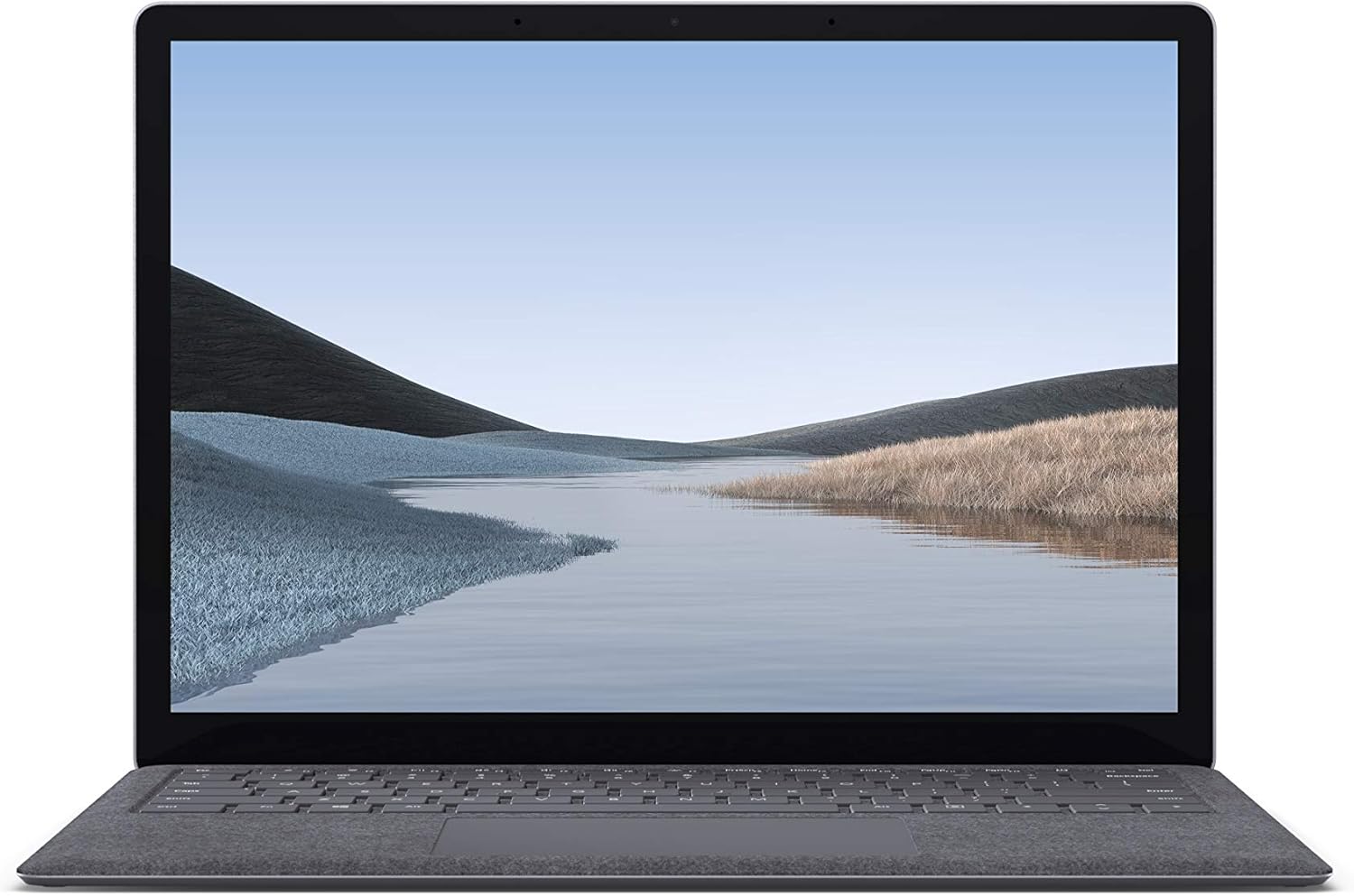
انځور 1.1: مخکی view of the Microsoft Surface Laptop 3 with its display active.
The Surface Laptop 3 offers a clean, elegant design, weighing approximately 2.79 pounds, making it easy to carry. It features improved speed and performance with its 10th Gen Intel Core processors, offering up to two times faster performance than previous models. Connectivity options include USB-C and USB-A ports for connecting to displays, docking stations, and accessories. The device provides up to 11.5 hours of battery life and supports fast charging, reaching up to 80% in about one hour.
۲. په بکس کې څه دي؟
Upon unboxing your Microsoft Surface Laptop 3, verify that all the following items are present:
- Microsoft Surface Laptop 3 (Model VGY-00001)
- د چټک پیل لارښود (QSG)
- د برېښنا رسونه (AC اډاپټر)
3. ترتیب کول
3.1 ابتدايي پاور آن
- بریښنا وصل کړئ: Plug the power supply into a wall outlet and connect the magnetic Surface Connect port to your laptop. The LED indicator on the connector will light up when properly connected.
- پاور آن: د لپ ټاپ پوښ خلاص کړئ یا د کیبورډ په اوږدو کې د بریښنا تڼۍ فشار ورکړئ.
- د وینډوز تنظیم کول: Follow the on-screen instructions to complete the Windows 10 Home setup. This includes selecting your region, connecting to a Wi-Fi network, and creating a user account.
- وینډوز هیلو: Configure Windows Hello for secure and fast login using facial recognition.
3.2 د پردیو سره نښلول
Your Surface Laptop 3 includes various ports for connecting external devices:
- د USB-C پورټ: For data transfer, video output, and charging compatible devices.
- USB-A پورټ: For connecting traditional USB devices like mice, keyboards, and external storage.
- ۳.۵ ملي میتره هیډفون جیک: د هیډفونونو یا بهرني سپیکرو ته د آډیو آوټ پټ لپاره.
- د سطحي نښلولو بندر: For the power supply and compatible Surface docking stations.

انځور ۵.۱: اړخ view illustrating the available ports on the Surface Laptop 3.
4. Operating Your Surface Laptop 3
۴.۱ ښودنه او ټچ سکرین
The 13.5-inch PixelSense touchscreen display offers a resolution of 2256 x 1504 pixels. It supports multi-touch gestures and is compatible with the Surface Pen (sold separately) for writing and drawing directly on the screen.
۳.۳ کیبورډ او ټچ پیډ
The full-size ergonomic keyboard features backlighting for comfortable typing in various lighting conditions. The large precision touchpad supports multi-finger gestures for navigation and control.
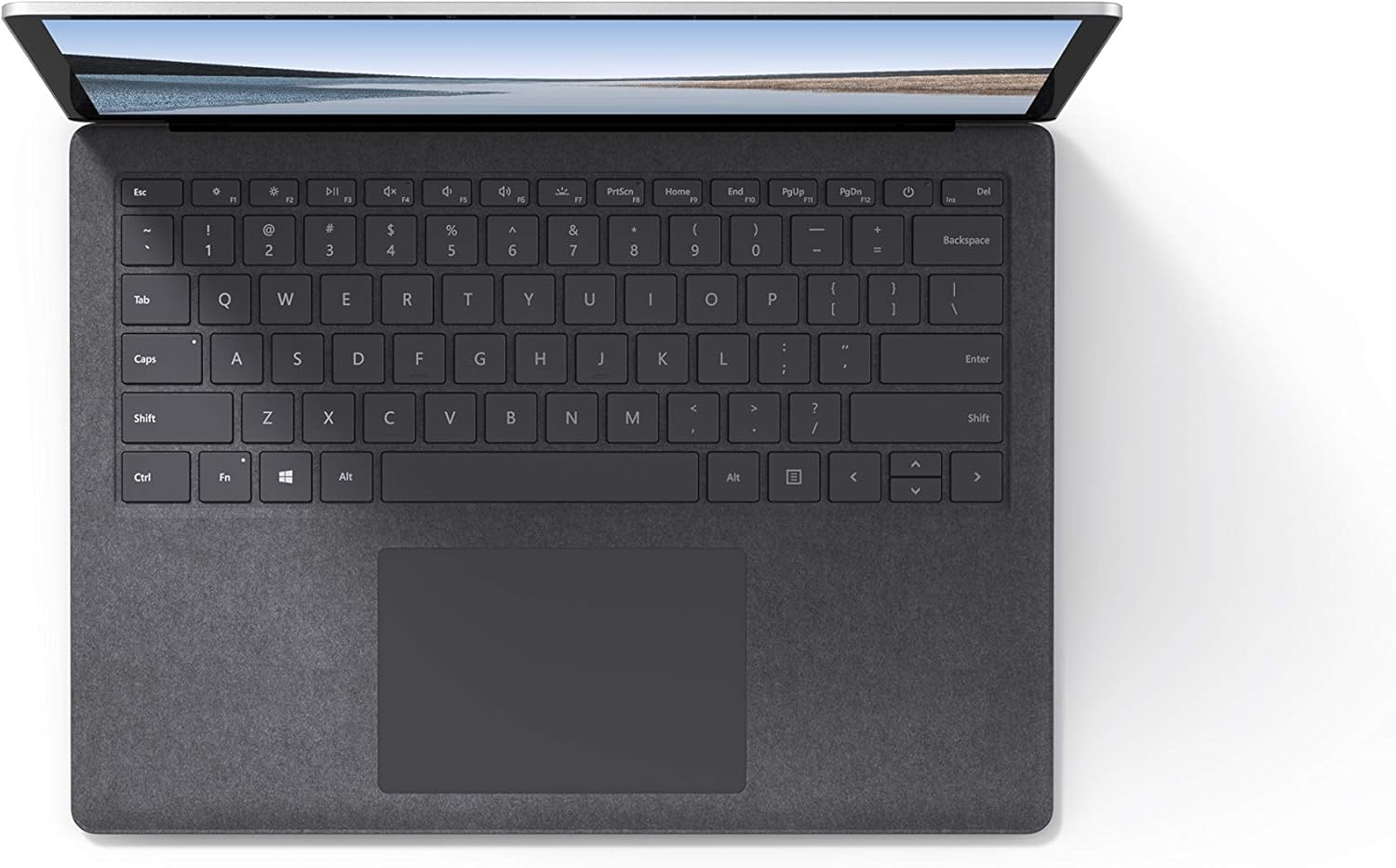
انځور ۲: پورته څخه ښکته view د کیبورډ او ټچ پیډ ساحه.
۳.۳ آډیو او کیمره
The laptop is equipped with Omnisonic Speakers with Dolby Audio Premium for clear sound. Dual far-field Studio Mics enhance voice clarity for calls and recordings. A front-facing 720p HD camera supports video conferencing and Windows Hello facial authentication.
4.4 بې سیم اتصال
The Surface Laptop 3 supports Wi-Fi 6 (802.11ax) for fast and reliable internet access, and Bluetooth 5.0 for connecting wireless accessories.
Video 4.1: Official Microsoft video showcasing the Surface Laptop 3's features and design.
5. ساتنه
۳.۲ ستاسو د آلې پاکول
- د نرم، لینټ پاک ټوکر څخه کار واخلئampened with water or an approved screen cleaner to clean the display.
- د کیبورډ او چیسس لپاره، نرم، وچ ټوکر وکاروئ. د سختو کیمیاوي موادو یا کثافاتو موادو څخه ډډه وکړئ.
- بندرونه له دوړو او کثافاتو څخه پاک وساتئ.
5.2 د سافټویر تازه معلومات
Regularly check for and install Windows updates to ensure optimal performance, security, and access to the latest features. Go to ترتیبات> تازه معلومات او امنیت> وینډوز تازه معلومات.
5.3 د بیټرۍ پاملرنه
- د سخت تودوخې څخه ډډه وکړئ.
- د بیټرۍ د غوره اوږد عمر لپاره، د بیټرۍ په دوامداره توګه د 0٪ څخه د خارجولو یا د اوږدې مودې لپاره د 100٪ ساتلو څخه ډډه وکړئ.
- یوازې د چمتو شوي بریښنا رسولو څخه کار واخلئ.
6. ستونزه حل کول
۵.۱ د برېښنا ستونزې
- وسیله نه فعاله کیږي: Ensure the power supply is securely connected and the outlet is functional. Try a forced shutdown by holding the power button for 30 seconds, then release and press again briefly to restart.
- بیټرۍ چارج نه کوي: Verify the Surface Connect cable is properly attached. Check for any damage to the cable or port.
۶.۲ د فعالیت مسلې
- ورو فعالیت: Close unnecessary applications. Check Task Manager for resource-intensive processes. Ensure Windows is up to date.
- ډیر ګرمول: Ensure ventilation vents are not blocked. Avoid using the laptop on soft surfaces that can obstruct airflow.
۵.۱ د اتصال ستونزې
- وای فای نه وصل کیږي: Restart your router and the laptop. Check Wi-Fi settings and ensure the correct network is selected and password entered.
- د بلوتوث وسیله نه جوړه کیږي: ډاډ ترلاسه کړئ چې د بلوتوث وسیله د جوړې کولو حالت کې او په حد کې ده. په خپل لپ ټاپ کې د بلوتوث ترتیبات وګورئ.
7. مشخصات
| فیچر | تفصیل |
|---|---|
| برانډ | مایکروسافټ |
| د ماډل نوم | سطحي لپ ټاپ 3 |
| د ماډل شمیره | VGY-00001 |
| د سکرین اندازه | ۷۸۷ انچه |
| قرارداد | 2256 x 1504 پکسلز |
| د CPU ماډل | Intel Core i5 (10th Generation) |
| د پروسیسر سرعت | ۳.۲ GHz (تر ۳.۶ GHz پورې د ټربو بوسټ سره) |
| د RAM حافظې نصب شوې اندازه | 8 GB LPDDR4 |
| د هارډ ډیسک اندازه | 128 GB SSD |
| عملیاتي سیسټم | Windows 10 Home (Free Upgrade to Windows 11 when available) |
| د ګرافیک کاپروسیسر | Intel Iris Plus |
| د ارتباط ټیکنالوژي | 1 x USB-C, 1 x USB-A, 3.5 mm headphone jack, 1 x Surface Connect port |
| بې سیم ټیکنالوژي | وای فای ۶ (۸۰۲.۱۱ اکس)، بلوتوث ۵.۰ |
| د بیټرۍ ژوند | تر 11.5 ساعتونو پورې |
| د توکي وزن | 2.79 پونډه |
| Dimensions (L x W x Thickness) | ۸۰"لیتره x ۶۰"واټه x ۱۰"ثانيه |
| کیمره | Front-facing 720p HD camera with Windows Hello face authentication |
| آډیو | Omnisonic Speakers with Dolby Audio Premium, Dual far-field Studio Mics |
8. تضمین او ملاتړ
8.1 د محصول تضمین
The Microsoft Surface Laptop 3 (Model VGY-00001) comes with a د جوړونکي پنځه کلن محدود تضمین. This warranty covers defects in materials and workmanship under normal use. For specific terms and conditions, please refer to the warranty documentation included with your product or visit the official Microsoft support webسایټ
8.2 د پیرودونکي ملاتړ
For technical assistance, troubleshooting, or warranty claims, please contact Microsoft Support. You can find contact information and additional resources on the official Microsoft Surface support website. Keep your proof of purchase and product serial number readily available when contacting support.
آنلاین ملاتړ: لیدنه ملاتړ.مایکروسافټ.com/سطحه د FAQs، ډرایورانو، او سافټویر ډاونلوډونو لپاره.