
1. پیژندنه
The WAVLINK 8-Port Fast Ethernet Switch is designed to expand your network connectivity with ease. It features 8 RJ45 ports supporting 10/100 Mbps auto-negotiation and Auto-MDI/MDIX, eliminating the need for crossover cables. This plug-and-play device is ideal for extending network connections in various environments, from home offices to conference rooms, providing a reliable and efficient solution for your networking needs. It incorporates Green IT technology for energy saving.
2. د بسته محتويات
ډاډ ترلاسه کړئ چې ستاسو کڅوړه لاندې توکي لري:
- WAVLINK 8-Port 10/100 Mbps Fast Ethernet Switch (Model RC-N081M2-EU)
- د بریښنا اډاپټر
- د کارن لارښود
3. د محصول ب Featuresې
- 8 RJ45 10/100 Mbps ports with auto-negotiation and Auto-MDI/MDIX.
- Green IT technology for up to 75% energy savings.
- IEEE802.3x flow control ensures reliable data transfer.
- Durable ABS plastic housing for desktop mounting.
- Plug and Play: No configuration or software required.
- Layer 2 switch functions including IGMP Snooping, Port Mirroring, and Spanning Tree.
4. هارډویر ختمview
The WAVLINK Fast Ethernet Switch features a compact design with essential ports and indicators for easy monitoring and connectivity.
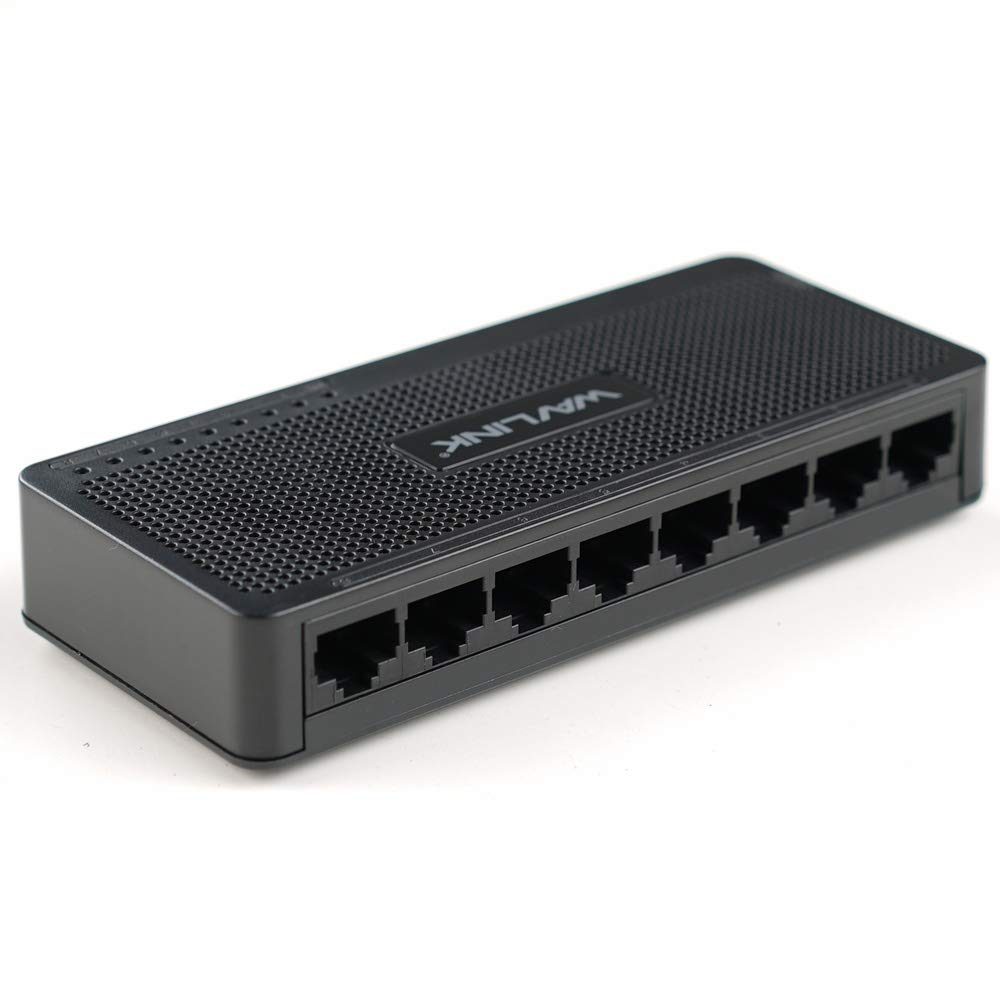
شکل 4.1: پورته view of the WAVLINK 8-Port Fast Ethernet Switch, showing the brand logo and ventilation holes.
مخکینۍ پینل
The front panel includes the 8 RJ45 Ethernet ports and LED indicators for status monitoring.

شکل 4.2: مخکی view of the switch, displaying the eight RJ45 Ethernet ports.
- د RJ45 پورټونه (1-8): Connect your network devices (computers, printers, gaming consoles, etc.) using standard Ethernet cables.
- د LED شاخصونه: Each port has an associated LED that indicates connection status and activity.
شاته پینل
شاته پینل معمولا د بریښنا ان پټ پورټ لري.

شکل 4.3: اړخ view of the switch, illustrating its compact dimensions (13cm x 5.5cm x 2.1cm) and the power input port.
- د بریښنا ننوتل: دلته ورکړل شوی بریښنا اډاپټر وصل کړئ.
5. د تنظیم کولو لارښود
The WAVLINK Fast Ethernet Switch is designed for simple plug-and-play installation. No complex configuration is required.
۲.۲ د سویچ سره نښلول
- ځای په ځای کول: Choose a stable, flat surface for the switch, such as a desktop. Ensure adequate ventilation around the device.
- بریښنا وصل کړئ: Plug the provided power adapter into the switch's power input port, then plug the other end into a standard electrical outlet. The power LED on the switch should illuminate.
- د روټر/موډیم سره وصل شئ: Use an Ethernet cable to connect one of the switch's RJ45 ports to a LAN port on your router or modem.
- د شبکې وسایل وصل کړئ: Connect your computers, printers, network-attached storage (NAS), gaming consoles, or other network devices to the remaining RJ45 ports on the switch using Ethernet cables.

Figure 5.1: Connection diagram illustrating how the switch integrates into a network, connecting to a router and multiple end devices like computers, printers, and gaming consoles.

Figure 5.2: Visual representation of the plug-and-play setup, showing Ethernet cables ready for connection to the switch's ports.
Once all connections are made, the switch will automatically detect and configure the connected devices. The corresponding port LEDs will light up to indicate an active connection.
۵. د سویچ چلول
The WAVLINK Fast Ethernet Switch operates automatically once powered on and connected. It functions as a central connection point for your wired network devices.
- د معلوماتو لیږد: The switch intelligently forwards data packets between connected devices at 10/100 Mbps speeds.
- اتومات MDI/MDIX: This feature automatically detects the type of Ethernet cable (straight-through or crossover) and adjusts accordingly, simplifying connections.
- د LED شاخصونه:
- کلک شنه: Indicates a stable link connection.
- شنه چمکۍ: په بندر کې د معلوماتو فعالیت په ګوته کوي.
- بند: No device connected or device is powered off.

Figure 6.1: The Ethernet switch acting as a splitter, providing additional wired connections for multiple devices such as laptops, gaming consoles, and printers.
7. ساتنه
To ensure optimal performance and longevity of your WAVLINK Fast Ethernet Switch, follow these simple maintenance guidelines:
- پاک ساتل: Regularly wipe the exterior of the switch with a soft, dry cloth. Avoid using liquid cleaners or aerosols.
- وینټیلیشن: Ensure that the ventilation holes are not blocked to prevent overheating.
- په خوندي ډول بریښنا بنده کړئ: If you need to power off the device, disconnect the power adapter from the electrical outlet.
- د چاپیریال شرایط: Operate the switch within the recommended temperature range of 0°C to 40°C (32°F to 104°F). Avoid extreme humidity.
8. ستونزه حل کول
If you encounter issues with your WAVLINK Fast Ethernet Switch, refer to the following common problems and solutions:
۱ برېښنا نشته
- ډاډ ترلاسه کړئ چې د بریښنا اډاپټر په خوندي ډول د سویچ او کار کونکي بریښنایی آوټ لیټ دواړو سره وصل دی.
- د بل وسیلې په لګولو سره تایید کړئ چې د بریښنا آوټ لیټ فعال دی.
8.2 No Link/Activity LED
- وګورئ چې د ایترنیټ کیبل په خوندي ډول د سویچ پورټ او شبکې وسیلې دواړو سره وصل دی.
- د غلط کیبل د ردولو لپاره یو بل ایترنیټ کیبل هڅه وکړئ.
- ډاډ ترلاسه کړئ چې وصل شوی شبکې وسیله فعاله ده او په سمه توګه کار کوي.
- هڅه وکړئ وسیله په سویچ کې مختلف بندر سره وصل کړئ.
۵.۳ د شبکې ورو سرعت
- Ensure all connected devices and cables support 10/100 Mbps speeds.
- د ډیر شبکې ترافیک یا د بینډ ویت-شدت لرونکي غوښتنلیکونو لپاره وګورئ چې په وصل شوي وسیلو کې روان دي.
- Verify that your router/modem is providing adequate internet speed.
9. مشخصات
| فیچر | تفصیل |
|---|---|
| برانډ | ویو لینک |
| د ماډل شمیره | RC-N081M2-EU |
| د بندرونو شمیر | 8 |
| د پورټ ډول | RJ45 |
| د معلوماتو د لیږد کچه | 10/100 Mbps (چټک ایترنیټ) |
| اتومات خبرې اترې | ملاتړ شوی |
| Auto-MDI/MDIX | ملاتړ شوی |
| د جریان کنټرول | IEEE802.3x |
| د کور جوړولو مواد | ABS پلاستيک |
| نصب کول | ډیسټاپ |
| د عملیاتي حرارت درجه | 0°C ~ 40°C (32°F ~ 104°F) |
| ابعاد (تقریبا) | 13 سانتي متره x 5.5 سانتي متره x 2.1 سانتي متره (5.1 په x 2.2 x 0.8 کې) |
10. د سیسټم اړتیاوې
The WAVLINK Fast Ethernet Switch is compatible with any operating system that supports standard Ethernet connectivity. No specific drivers are required for the switch itself.
- Microsoft Windows (10/8/2012/7/2008/Vista/2003/XP/2000/Me/NT/98/95/3.11)
- macOS
- NetWare
- UNIX
- لینکس
11. تضمین او ملاتړ
د WAVLINK محصولات د اعتبار او فعالیت لپاره ډیزاین شوي دي. د تضمین معلوماتو او تخنیکي ملاتړ لپاره، مهرباني وکړئ د خپل محصول سره شامل شوي تضمین کارت ته مراجعه وکړئ یا رسمي WAVLINK ته مراجعه وکړئ. webسایټ د تضمین ادعاګانو لپاره خپل د پیرود رسید وساتئ.
For further assistance, you may contact WAVLINK customer support through their official channels.