
پیژندنه
This manual provides detailed instructions for the setup, operation, and maintenance of your LTC Nimbleback LK-301 Low Profile Mechanical Keyboard. Please read this manual thoroughly before using the product to ensure proper functionality and to maximize your user experience.

Image: The LTC Nimbleback LK-301 Low Profile Mechanical Keyboard, showcasinبشپړ ترتیب او ښکلی ډیزاین.
د محصول ځانګړتیاوې
- ټیټ پروfile میخانیکي سویچونه: Equipped with responsive and comfortable white mechanical switches.
- دوه اړخیز ارتباط: Supports both Bluetooth 3.0 wireless and wired USB Type-C connections.
- د څو وسیلو بدلول: Seamlessly switch between up to three connected Bluetooth devices.
- ۶۱-کليدي ترتیب: A compact layout that retains essential keys, including a numeric keypad.
- White Backlighting: Features white backlighting with 17 different modes, adjustable brightness, and speed.
- RGB Side Lighting: Customizable RGB lighting on the sides of the keyboard.
- دوامدار ساختمان: Built with an all-metal frame for enhanced durability and a premium feel.
- نری او سپک ډیزاین: Ideal for portability and comfortable use.
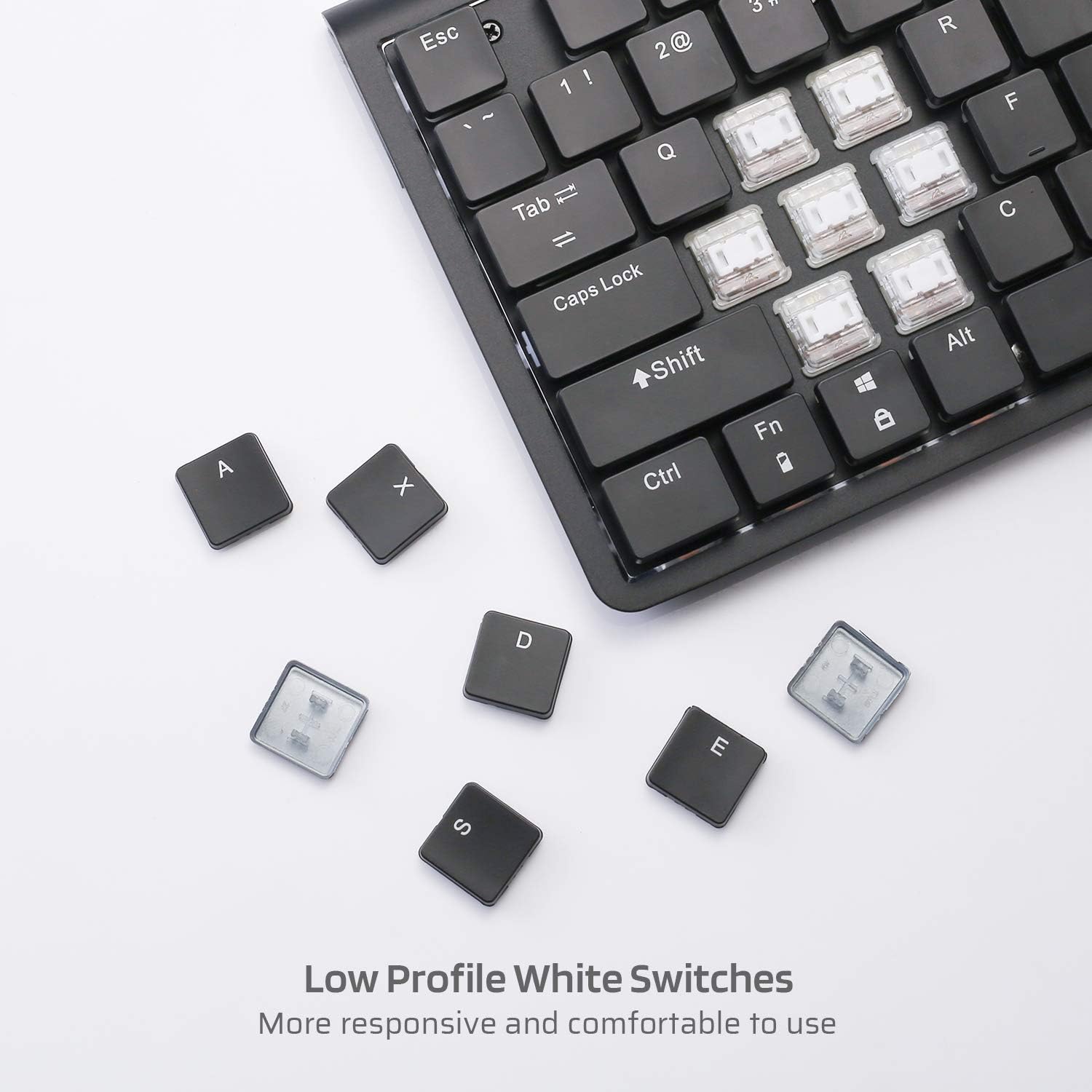
انځور: نږدې انځور view of the low profile white mechanical switches, highlighting their design.
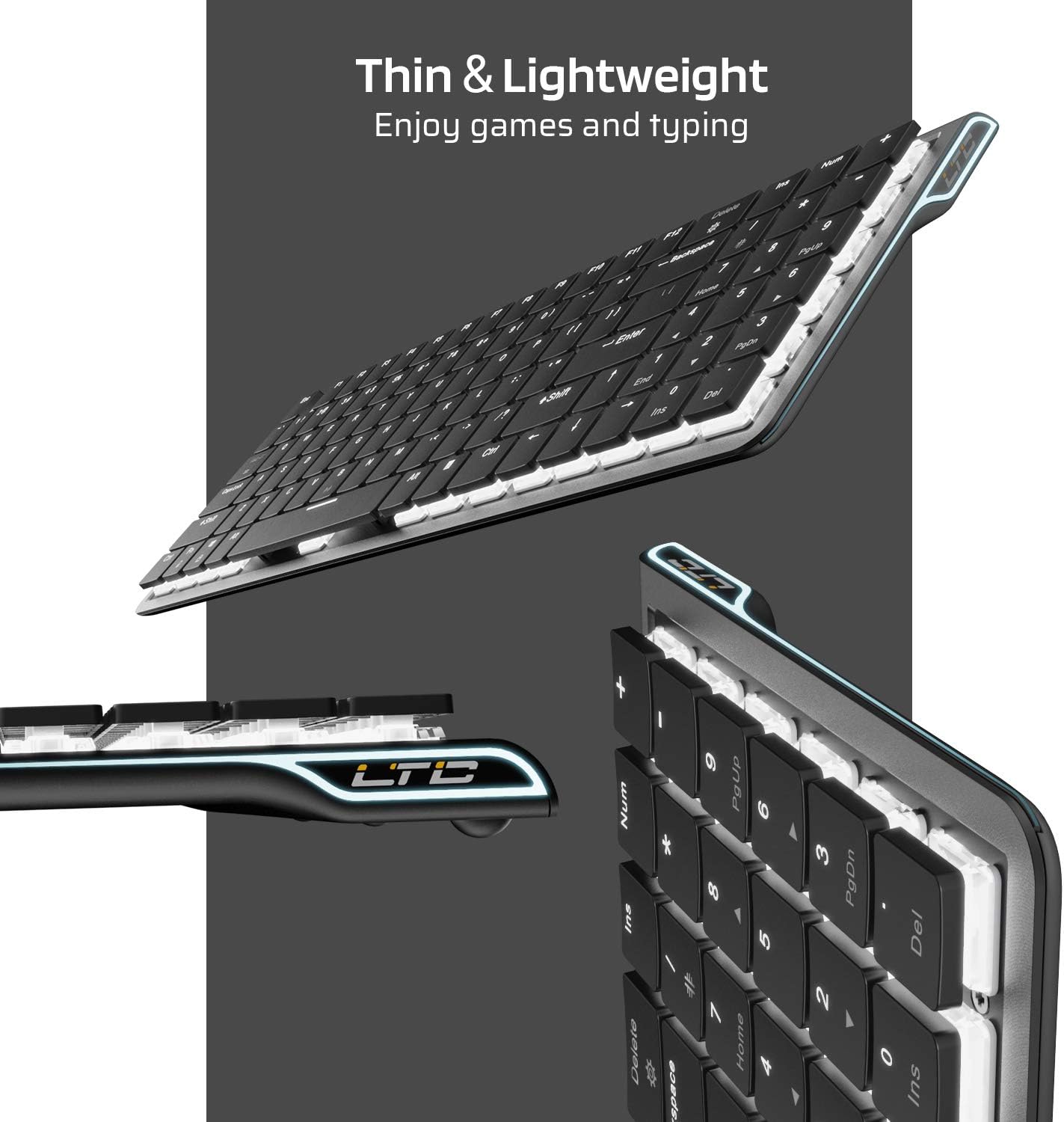
انځور: اړخ view of the keyboard, emphasizing its thin and lightweight profile.
د تنظیم کولو لارښوونې
د بریښنا پيوستون
- Locate the USB Type-C cable included in the package.
- Connect one end of the USB Type-C cable to the port on the keyboard.
- د کیبل بل پای ستاسو په کمپیوټر کې موجود USB پورټ سره وصل کړئ.
- کیبورډ به په اتوماتيک ډول وپیژندل شي او د کارولو لپاره چمتو شي.
د بلوتوت بې سیم کی پيوستون
- ډاډ ترلاسه کړئ چې کیبورډ په پیل کې د USB-C له لارې چارج شوی یا وصل دی.
- Locate the ON/OFF switch on the underside of the keyboard and slide it to the 'ON' position.
- مطبوعاتي Fn + Tab to switch the keyboard to wireless mode. The keyboard's backlight will blink twice to indicate wireless mode.
- To select a Bluetooth device slot, press Fn + Q, Fn + W، یا Fn + E. The corresponding key will blink slowly.
- To enter pairing mode, long-press Fn+B for 3 seconds. The selected Bluetooth key (Q, W, or E) will blink quickly, indicating it is ready to pair.
- On your device (computer, tablet, or mobile phone), enable Bluetooth and search for available devices. Select "LTC Nimbleback LK-301" from the list.
- Once paired, the selected Bluetooth key will stop blinking and remain steadily lit.

Image: Illustration showing both wireless Bluetooth 3.0 and wired USB Type-C connection options for the keyboard.

Image: The keyboard connected to multiple devices (smartphone, tablet, laptop), demonstrating its multi-device switching capability.
ویډیو: یو اوورview of the LTC Nimbleback LK-301 Low Profile Mechanical Keyboard, demonstrating its features and design. This video is provided by AceGadget.
عملیاتي لارښوونې
د شاتنۍ رڼا کنټرول
- د شاته رڼا حالت بدل کړئ: مطبوعاتي Fn + حذف کړئ to cycle through 17 different white backlight modes.
- Pre-set Backlight Modes:
- مطبوعاتي fn+1 for FPS (First-Person Shooter) backlight mode.
- مطبوعاتي fn+2 for LOL (League of Legends) backlight mode.
- مطبوعاتي fn+3 for Office backlight mode.
- د شاته څراغ روښانتیا تنظیم کړئ: مطبوعاتي Fn + پورته تیر د روښانتیا زیاتولو لپاره، او Fn + ښکته تیر د روښانتیا کمولو لپاره.
- د شاتنۍ رڼا سرعت تنظیم کړئ: مطبوعاتي Fn + ښي تیر to increase animation speed, and Fn + کیڼ تیر to decrease animation speed.
Side RGB Lighting Control
- Change Side Light Mode/Color: مطبوعاتي Fn + /? (located on the numeric keypad) to cycle through various RGB side lighting effects and colors.
ویډیو: تفصيلي بیاکتنهview of the LTC Nimbleback LK-301 Low Profile Mechanical Keyboard, including demonstrations of its backlighting and side RGB effects. This video is provided by AngelPGC Store.
ساتنه
د خپل کیبورډ د اوږد عمر او غوره فعالیت ډاډمن کولو لپاره، د ساتنې دا لارښوونې تعقیب کړئ:
- پاکول: Use a soft, dry cloth to wipe down the keyboard surface. For deeper cleaning, use compressed air to remove dust and debris from between the keycaps. Avoid using harsh chemicals or abrasive materials.
- ذخیره کول: When not in use, store the keyboard in a cool, dry place away from direct sunlight and extreme temperatures. The included fabric bag can be used for protection during storage or travel.
- د مایع افشا کول: Avoid spilling liquids on the keyboard. In case of accidental spills, immediately disconnect the keyboard, turn it off, and allow it to dry completely before attempting to use it again.
د ستونزو حل کول
Keyboard Not Responding (Wired Mode)
- ډاډ ترلاسه کړئ چې د USB Type-C کیبل په خوندي ډول د کیبورډ او کمپیوټر دواړو سره وصل دی.
- هڅه وکړئ چې کیبورډ په خپل کمپیوټر کې بل USB پورټ سره وصل کړئ.
- د سیسټم پورې اړوند ستونزو د له منځه وړلو لپاره په بل کمپیوټر کې کیبورډ ازموینه وکړئ.
Keyboard Not Connecting (Bluetooth Mode)
- Verify that the keyboard's ON/OFF switch is in the 'ON' position.
- Ensure the keyboard is in wireless mode (Fn + Tab).
- Confirm that the correct Bluetooth device slot is selected (فېن + قوس/وقت/وروستی).
- Re-enter pairing mode by long-pressing Fn+B د 3 ثانیو لپاره.
- Check your device's Bluetooth settings to ensure Bluetooth is enabled and the keyboard is visible or already paired. Try removing and re-pairing the device.
- ډاډ ترلاسه کړئ چې د کیبورډ بیټرۍ کافي چارج لري.
د شا څراغ کار نه کوي یا تیاره کیږي
- د روښانتیا تنظیم کول د کارولو سره Fn + پورته تیر.
- د بیک لایټ حالتونو له لارې سایکل وکړئ په کارولو سره Fn + حذف کړئ د دې لپاره چې وګورئ ایا یو بل حالت څراغونه فعالوي.
- Ensure the keyboard battery has sufficient charge, as low battery can affect backlight performance.
مشخصات
| فیچر | تفصیل |
|---|---|
| د ماډل شمیره | LK-301 |
| د ارتباط ټیکنالوژي | بلوتوث ۴.۰، د USB ډول-سي (وایر لرونکی) |
| د کیبورډ توضیحات | د میخانیکي لوبو کی بورډ |
| ځانګړي ځانګړتیاوې | Bluetooth, Lighting (White Backlit, RGB Side), Wireless |
| رنګ | تور |
| مواد | فلزي |
| د توکي وزن | ۲ پونډه (تقریبا ۰.۹۱ کیلوګرامه) |
| د کڅوړې ابعاد | 15.28 x 6.3 x 2.2 انچه |
| شاملې برخې | USB Receiver (Note: USB Type-C cable is also included for wired connection and charging) |
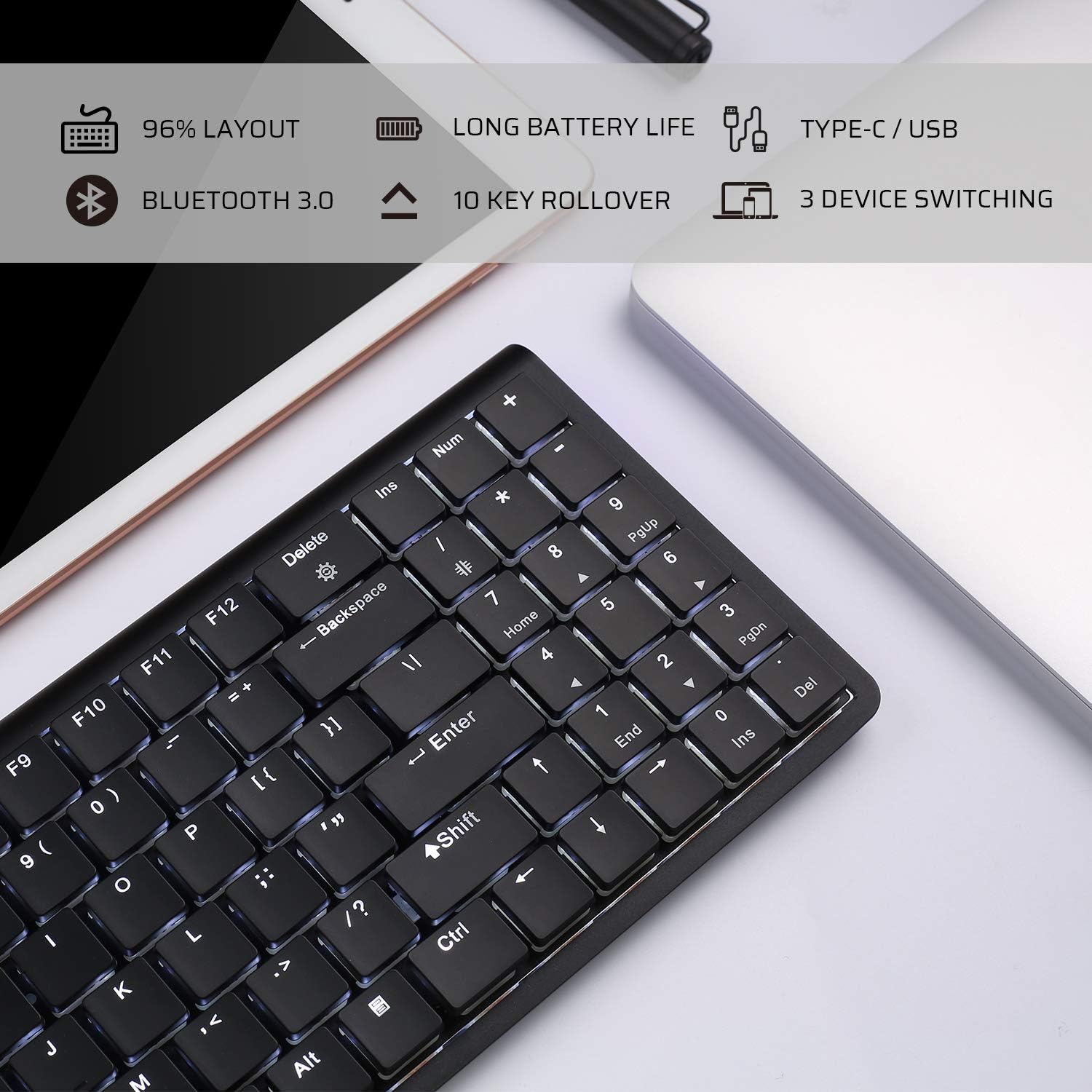
Image: An infographic highlighting key features such as 96% layout, long battery life, Type-C/USB, Bluetooth 3.0, 10-key rollover, and 3-device switching.
تضمین او ملاتړ
For warranty information and customer support, please refer to the warranty card included in your product packaging or visit the official LTC webسایټ. د هر ډول تضمین ادعا لپاره د پیرود ثبوت په توګه د پیرود رسید وساتئ.