
پیژندنه
د پیرودلو لپاره مننهasing the eKids Harry Potter Bluetooth Speaker. This portable wireless speaker is designed to provide clear audio from your Bluetooth-enabled devices. This manual provides essential information for setting up, operating, and maintaining your speaker.

انځور: مخکینۍ برخه view of the eKids Harry Potter Bluetooth Speaker, featuring the Harry Potter character design.
د خوندیتوب معلومات
Please read and follow all safety instructions before using this product to prevent injury or damage.
- Do not expose the unit to extreme temperatures, direct sunlight, or moisture.
- Do not immerse the unit in water. This product is not waterproof.
- یوازې چمتو شوي چارجینګ کیبل وکاروئ.
- د واحد د جلا کولو یا ترمیم کولو هڅه مه کوئ.
- د کوچنیو ماشومانو د لاسرسي څخه لرې وساتئ.
- د ځایی مقرراتو سره سم بیټرۍ په سمه توګه تصفیه کړئ.
د بسته محتويات
ډاډ ترلاسه کړئ چې ټول توکي په کڅوړه کې شتون لري:
- Harry Potter Bluetooth Speaker
- د مایکرو USB چارج کولو کیبل
- د لاس پټه
محصول پای ته ورسیدview
Familiarize yourself with the components of your speaker:

Image: Diagram showing the speaker's dimensions (2.2 inches / 56mm height, 1.8 inches / 46mm width) and labeled parts including the speaker grille, slot to attach wrist strap, port for charging (Micro USB), and Power/Pairing Button.
- سپیکر ګریل: Located at the top for audio output.
- د بریښنا / جوړه کولو تڼۍ: بریښنا کنټرولوي او د بلوتوث جوړه پیل کوي.
- د چارج کولو بندر: د چارج کولو کیبل د نښلولو لپاره مایکرو USB پورټ.
- Wrist Strap Slot: د شامل شوي لاس تسمې د نښلولو لپاره.
د سپیکر چارج کول
The speaker is powered by a built-in rechargeable Lithium-Ion battery. Before first use, fully charge the speaker.
- Connect the small end of the Micro USB charging cable to the Charging Port on the speaker.
- Connect the large end of the Micro USB charging cable to a powered USB port (e.g., computer, USB wall adapter).
- The charging indicator light (if present, refer to product for exact location) will illuminate during charging and turn off when fully charged.
- Charging time may vary. Disconnect the cable once charging is complete.
د بلوتوث جوړې کول
Follow these steps to connect your speaker to a Bluetooth-enabled device:
- ډاډ ترلاسه کړئ چې سپیکر په بشپړ ډول چارج شوی.
- فشار ورکړئ او ونیسئ د بریښنا / جوړه کولو تڼۍ on the speaker until you hear an audible prompt or see an indicator light flashing, indicating it is in pairing mode.
- On your Bluetooth-enabled device (smartphone, tablet, computer, etc.), go to the Bluetooth settings menu.
- بلوتوټ فعال کړئ او د شته وسایلو لټون وکړئ.
- Select "Harry Potter Speaker" (or similar name) from the list of devices.
- Once paired, you will hear a confirmation tone, and the indicator light will stop flashing.
- The speaker can wirelessly stream audio up to 30 feet from your device.
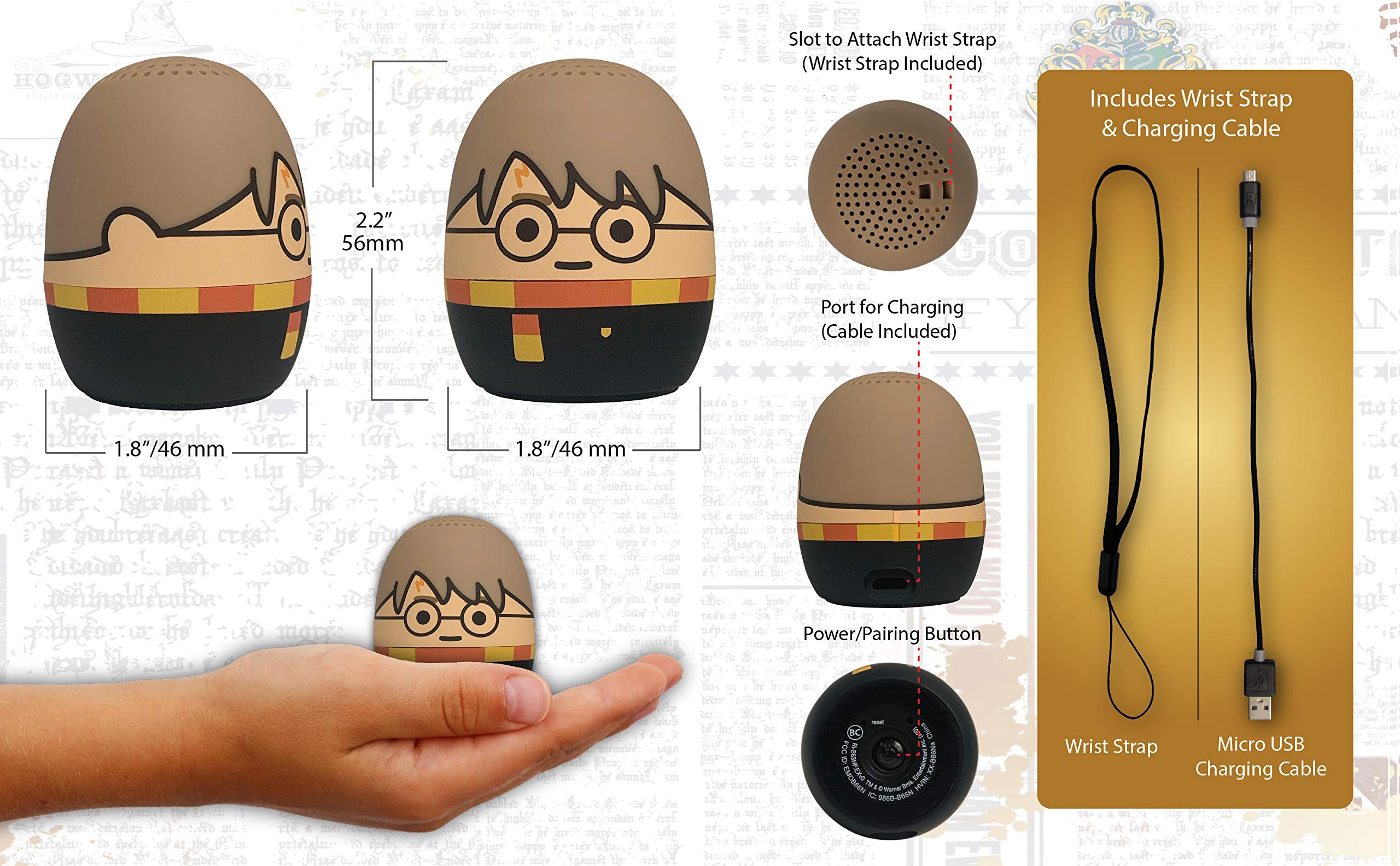
Image: The Harry Potter Bluetooth Speaker shown with icons representing compatible devices: mobile phone, tablet, notebook, PC, smart watch, and game device.
عملیات
After successful pairing, you can begin playing audio:
- آډیو غږول: Start playing music or other audio content on your paired device. The sound will be transmitted to the speaker.
- د حجم کنټرول: Adjust the volume directly from your paired device.
- پاور آن/بند: فشار ورکړئ او ونیسئ د بریښنا / جوړه کولو تڼۍ to turn the speaker on or off.
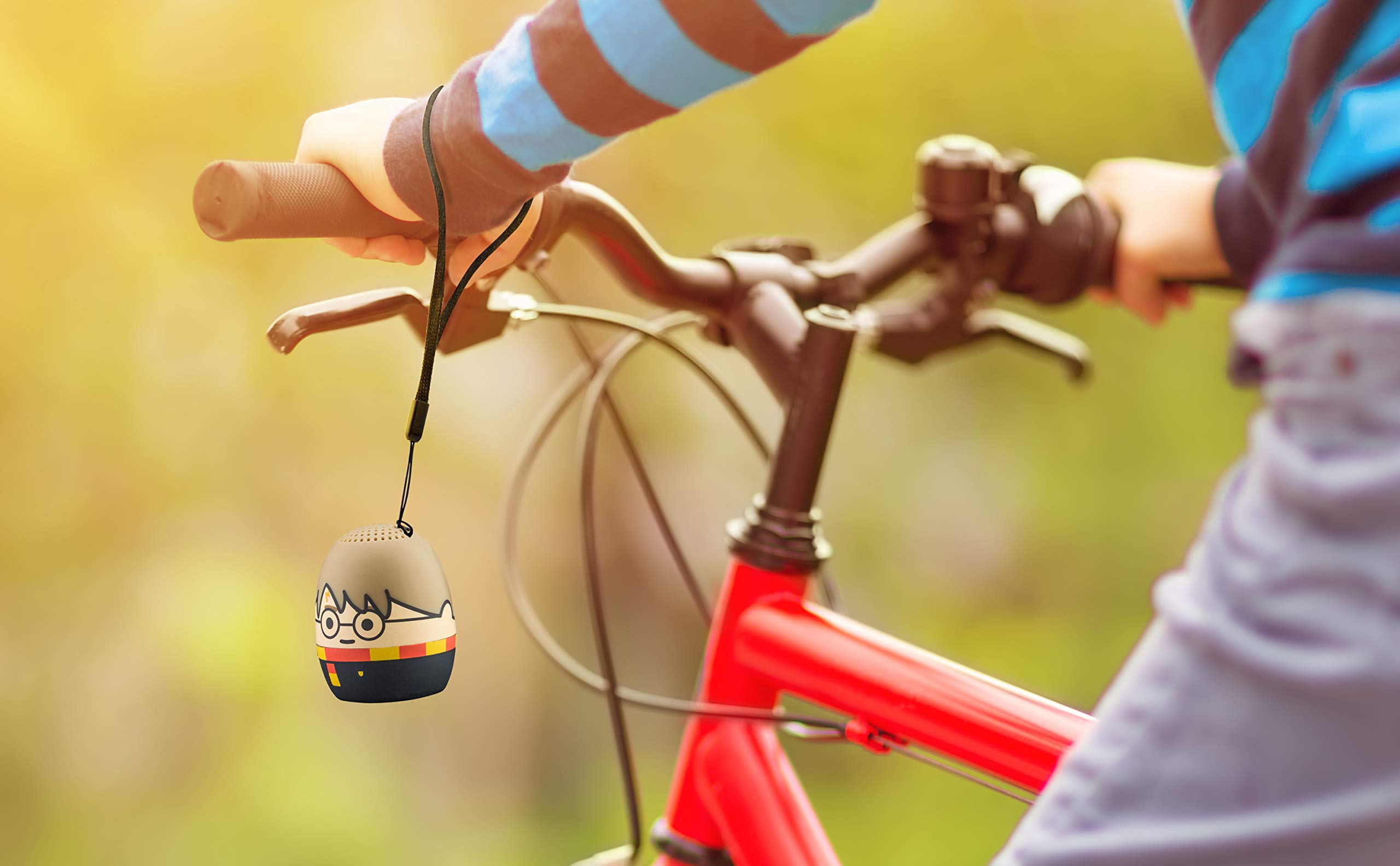
Image: The Harry Potter Bluetooth Speaker, with its wrist strap, attached to the handlebar of a bicycle, demonstrating its portability for outdoor use.
ساتنه
To ensure the longevity of your speaker, follow these maintenance guidelines:
- پاکول: Wipe the speaker with a soft, dry cloth. Do not use liquid cleaners or abrasive materials.
- ذخیره کول: سپیکر په یخ او وچ ځای کې وساتئ چې د مستقیم لمر وړانګو او سختو تودوخې څخه لرې وي کله چې د اوږدې مودې لپاره نه کارول کیږي.
- د بیټرۍ پاملرنه: For optimal battery life, avoid fully discharging the battery frequently. Charge it regularly, even if not used often.
د ستونزو حل کول
If you encounter issues with your speaker, refer to the following table:
| ستونزه | د حل لاره |
|---|---|
| سپیکر نه خلاصیږي. | ډاډ ترلاسه کړئ چې بیټرۍ چارج شوې ده. سپیکر د مایکرو USB کیبل په کارولو سره د بریښنا سرچینې سره وصل کړئ. |
| د بلوتوث وسیلې سره جوړه نشي کیدی. |
|
| غږ نشته یا ټیټ غږ. |
|
| ضعیف غږ کیفیت. |
|
مشخصات
| فیچر | تفصیل |
|---|---|
| برانډ | eKids |
| د ماډل نوم | هېړي پاټر |
| د ارتباط ټیکنالوژي | بلوتوث، USB |
| د سپیکر اعظمي تولید ځواک | 10 واټ |
| د آډیو وتلې حالت | سټیریو |
| د سپیکر ډول | د پورټ وړ |
| د کنټرول طریقه | تڼۍ |
| د سپیکر اندازه | 40 ملی متره |
| د بریښنا سرچینه | د بیټرۍ چلول (1 لیتیم آیون بیټرۍ شامله ده) |
| مطابقت لرونکې وسیلې | Personal Computer, Smartphone, Tablet, Television |
| پنروک دی | غلط |
| UPC | 092298948775 |
| ASIN | B087NFC293 |
تضمین او ملاتړ
This product comes with a Limited Warranty. For specific warranty details, please refer to the documentation included with your purchase or contact eKids customer support.
For technical support or further assistance, please visit the eKids official webسایټ ته مراجعه وکړئ یا د دوی د پیرودونکو خدماتو څانګې سره اړیکه ونیسئ. د تضمین ادعاوو لپاره خپل د پیرود رسید وساتئ.