
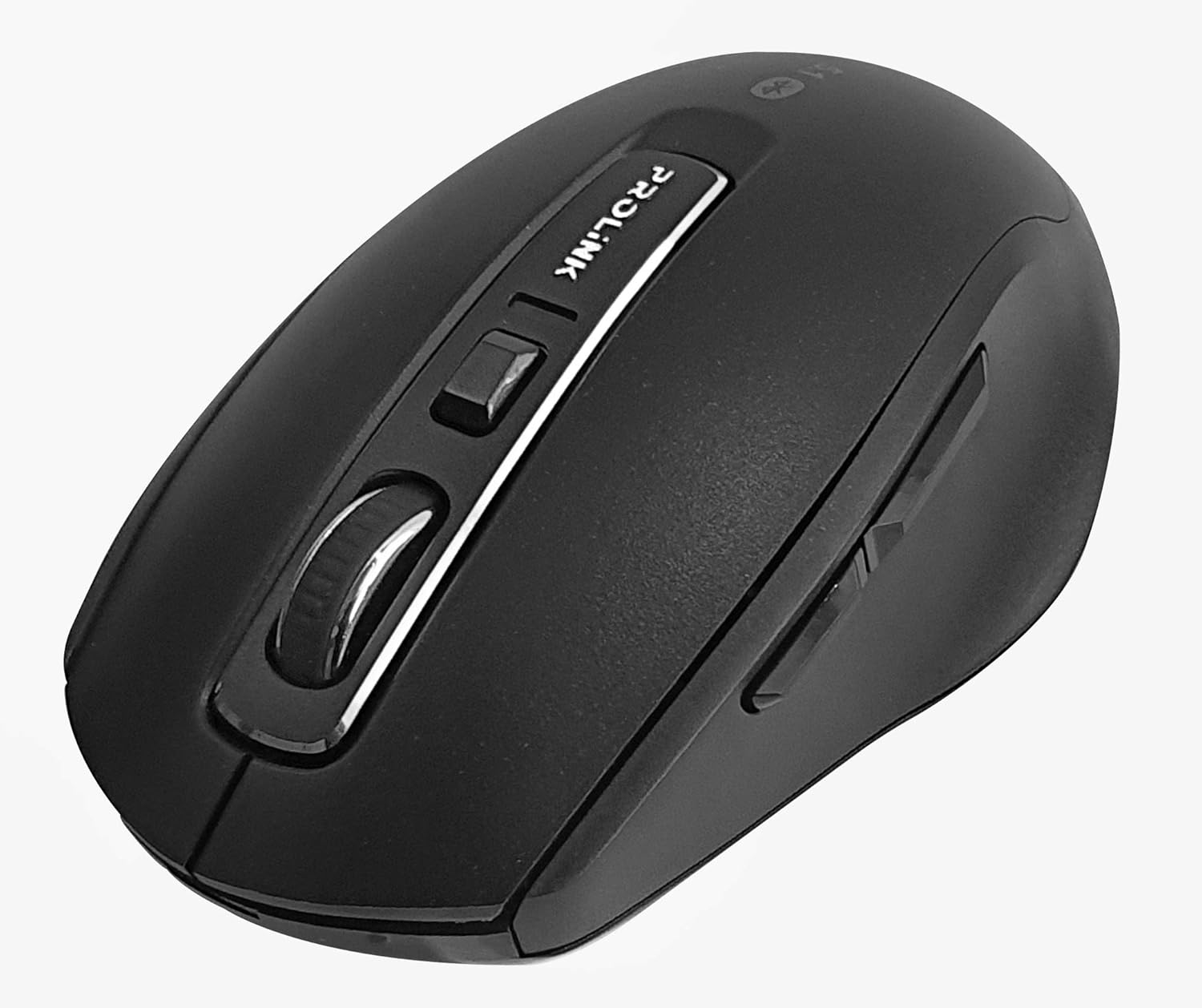
انځور: پورته-ښکته view of the Prolink PMB8502 Bluetooth Wireless Optical Mouse.
1. پیژندنه او وروستهview
The Prolink PMB8502 Bluetooth Mouse is designed for seamless wireless control of your desktop, laptop, or tablet. It features Bluetooth 5.2 connectivity, an ergonomic design, and adjustable DPI settings for personalized comfort and precision. This manual provides detailed instructions for setup, operation, maintenance, and troubleshooting.
کلیدي ځانګړتیاوې:
- Bluetooth 5.2 connectivity (backward compatible with 5.1/5.0/4.2/4.1/4.0)
- Up to 27 months battery life (based on supplied batteries)
- د تنظیم وړ DPI: 800/1200/1600
- 6-button design including back and forward buttons
- د آرامۍ کارولو لپاره ارګونومیک ډیزاین
- Operating range of up to 10 meters

Image: Prolink PMB8502 mouse highlighting its Bluetooth 5.2, battery life, DPI, and range features.
2. د بسته محتويات
- Prolink PMB8502 Bluetooth Wireless Optical Mouse
- ۱ x AA بیټرۍ (مخکې نصب شوې یا په جلا توګه شامله ده)
- د کارونکي لارښود (دا لاسوند)
۴. د تنظیم لارښوونې
3.1. د بیټرۍ نصب کول
- د موږک په لاندې برخه کې د بیټرۍ د برخې پوښ ومومئ.
- د خونې د خلاصولو لپاره پوښ په نرمۍ سره پورته کړئ یا یې وغورځوئ.
- یو AA بیټرۍ دننه کړئ، ډاډ ترلاسه کړئ چې مثبت (+) او منفي (-) ټرمینلونه د خونې دننه د نښانونو سره په سمه توګه سمون لري.
- د بیټرۍ د برخې پوښ بدل کړئ تر هغه چې په خوندي ډول ځای پر ځای شي.
3.2. د بلوتوث جوړه کول
Before pairing, ensure your device (computer, laptop, tablet) has Bluetooth enabled.
- د لاندې برخې کې موقعیت لرونکي آن/آف سویچ په کارولو سره موږک چالان کړئ.
- Press and hold the Bluetooth 'Connect' button (usually located near the On/Off switch or within the battery compartment) for 3-5 seconds until the LED indicator on the mouse begins to flash, indicating it is in pairing mode.
- ستاسو په وسیله، د بلوتوټ ترتیباتو ته لاړ شئ.
- لټون new devices. The mouse should appear as "Prolink PMB8502" or similar.
- Select the mouse from the list to complete the pairing process. The LED indicator on the mouse will stop flashing and remain solid for a few seconds, then turn off, indicating a successful connection.

انځور: مخکینۍ برخه view of the Prolink PMB8502 mouse, showing its ergonomic shape.
4. عملیاتي لارښوونې
4.1. د تڼۍ دندې
- د کیڼ کلیک تڼۍ: معیاري انتخاب او فعالول.
- د ښي کلیک تڼۍ: د شرایطو مینو ته لاسرسی لري.
- سکرول ویل: اسناد سکرول کوي او web pages vertically. Can also be pressed for middle-click functionality.
- د DPI تنظیم کولو تڼۍ: Located below the scroll wheel. Press to cycle through DPI settings (800/1200/1600).
- د وړاندې کولو تڼۍ: مخ په وړاندې ځي web براوزرونه یا file سپړونکي
- د شا تڼۍ: شاته نیویګیټ کوي web براوزرونه یا file سپړونکي

انځور: اړخ view of the Prolink PMB8502 mouse, illustrating the placement of the back and forward navigation buttons.
۴.۴. د DPI سمون
The mouse offers three DPI (Dots Per Inch) settings: 800, 1200, and 1600. Press the DPI button located below the scroll wheel to switch between these sensitivities. A higher DPI setting results in faster cursor movement across the screen.
4.3. د بریښنا مدیریت
- آن/بند سویچ: To conserve battery life, turn off the mouse using the switch on its underside when not in use for extended periods.
- د اتوماتیک خوب حالت: The mouse automatically enters a sleep mode after more than 10 minutes of inactivity. To wake it up, simply move the mouse or click any button.
5. ساتنه
5.1. پاکول
د موږک د پاکولو لپاره، یو نرم، وچ، له لینټ څخه پاک ټوکر وکاروئ. د سختې خاورې لپاره، یو څه کمampen the cloth with water or a mild cleaning solution. Avoid using harsh chemicals, abrasive cleaners, or spraying liquids directly onto the mouse.
5.2. د بیټرۍ بدلول
When the mouse performance degrades or the LED indicator suggests low battery, replace the AA battery following the steps in Section 3.1. Dispose of used batteries responsibly according to local regulations.
6. ستونزه حل کول
- Mouse not connecting or erratic movement:
- ډاډ ترلاسه کړئ چې موږک فعال دی.
- د بیټرۍ کچه وګورئ او د اړتیا په صورت کې بدل کړئ.
- ډاډ ترلاسه کړئ چې ستاسو په وسیله بلوتوټ فعال شوی.
- Try re-pairing the mouse with your device (refer to Section 3.2).
- د رینج مسلو د له منځه وړلو لپاره موږک خپل وسیله ته نږدې کړئ.
- Ensure there are no other strong wireless signals interfering with the Bluetooth connection.
- Cursor not moving smoothly:
- د موږک په لاندې برخه کې نظري سینسر پاک کړئ.
- موږک په پاکه، غیر انعکاسي سطحه وکاروئ.
- د DPI ترتیب هغه کچې ته تنظیم کړئ چې ستاسو د خوښې سره سم وي.
- تڼۍ ځواب نه ورکوي:
- د بیټرۍ کچه چیک کړئ.
- Ensure the mouse is properly connected via Bluetooth.
- خپل کمپیوټر یا وسیله بیا پیل کړئ.
7. مشخصات
| فیچر | تفصیل |
|---|---|
| تڼۍ | 6 |
| سینسر | نظري |
| د DPI ریزولوشن | 800 / 1200 / 1600 DPI |
| انٹرفیس | Bluetooth 5.2 (backward compatible with Bluetooth 5.1/5.0/4.2/4.1/4.0) |
| د USB راپور نرخ | 125Hz |
| FPS | 2400 ځله / ثانیه |
| عملیاتي رطوبت | 30%RH - 95%RH |
| د عملیاتي حرارت درجه | -۲۵ درجو سانتي ګراد - +۵۵ درجو سانتي ګراد |
| عملیاتي سیسټم | Windows 7 / 10 / 11, Mac OS 10.2 above |
| ابعاد (L x W x H) | 108 mm x 66.7 mm x 40.2 mm |
| وزن | 69.2g (product only) |
| د بیټرۍ ډول | 1 x AA بیټرۍ |

Image: Graphic displaying the technical specifications of the Prolink PMB8502 mouse.
8. تضمین او ملاتړ
The Prolink PMB8502 Bluetooth Wireless Optical Mouse typically comes with a 3 کلن تضمین from the date of purchase. Please refer to your purchase receipt or the official Prolink website for specific warranty terms and conditions applicable in your region.
For technical support, troubleshooting assistance, or warranty claims, please visit the official Prolink website or contact their customer service department. Contact information can usually be found on the product packaging or the Prolink official webسایټ
آنلاین سرچینې:

Image: Prolink PMB8502 mouse with a "3 Year Warranty" label, indicating product assurance.