
پیژندنه
This manual provides detailed instructions for the installation, operation, and maintenance of your BINIZE Double Din Car Stereo. Please read this manual thoroughly before using the product to ensure proper functionality and to prevent damage. Keep this manual for future reference.
محصول پای ته ورسیدview
The BINIZE Double Din Car Stereo is a 10.1-inch multimedia player running on an Android 13 system. It offers a range of features designed to enhance your in-car entertainment and navigation experience.
کلیدي ځانګړتیاوې:
- 10.1-inch capacitive touch screen with 1024x600 resolution.
- Android 13 Operating System with Quad-core Coretex-A7 processor (up to 1.3GHz).
- ۲ جي بي رام + ۶۴ جي بي داخلي ذخیره.
- Wireless CarPlay and Android Auto support.
- Wired MirrorLink for Android and iOS devices.
- د لاسونو څخه پاک زنګ وهلو او آډیو سټریمینګ لپاره جوړ شوی بلوتوث.
- Integrated GPS receiver for online and offline navigation.
- FM Radio tuner.
- Support for AUX, front, and rear camera inputs.
- Steering Wheel Control compatibility (manual learning required).
- Built-in Wi-Fi receiver and support for 4G communication (via external dongle, not included).
- Expandable options for OBD and tire pressure monitoring (accessories sold separately).

Figure 1: BINIZE Double Din Car Stereo Front View د مهمو ځانګړتیاوو سره روښانه شوی.
تنظیم او نصب کول
Proper installation is crucial for the optimal performance of your car stereo. If you are unfamiliar with car audio wiring and installation, professional assistance is recommended.
فزیکي ابعاد:
The unit measures approximately 251mm (width) x 146mm (height) x 56mm (depth). Ensure your vehicle's dashboard opening is compatible with these dimensions.
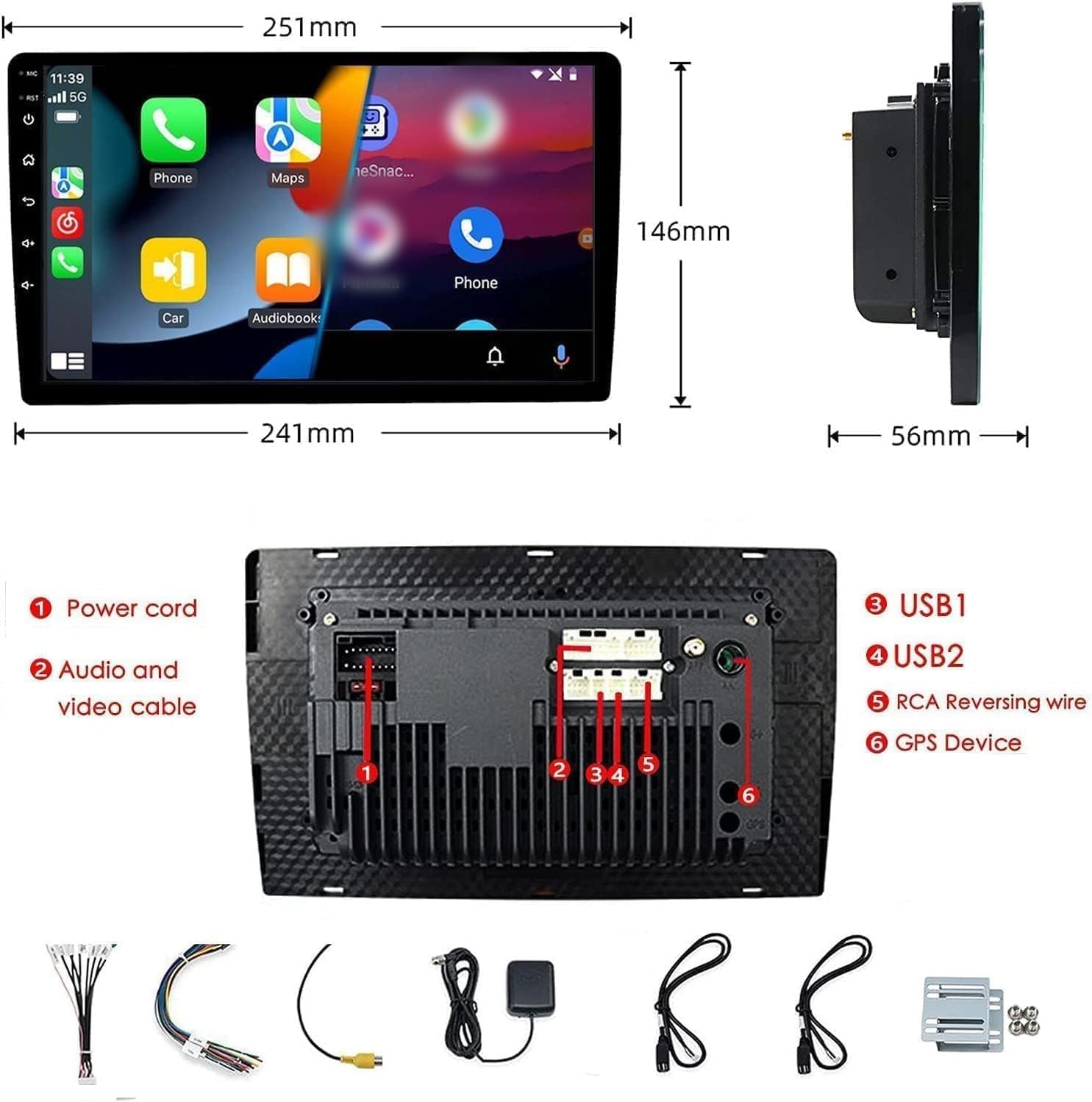
Figure 2: Unit dimensions and rear panel connection points.
د تارونو نښلول:
Refer to the included wiring diagram for specific connections. Key connections include:
- د بریښنا تار: Connect to vehicle's power supply (constant 12V, accessory 12V, ground).
- Audio and Video Cable: For external audio/video devices.
- د USB پورټونه (USB1، USB2): For media playback, phone charging, and wired CarPlay/Android Auto.
- RCA Reversing Wire: Connect to the backup camera trigger wire.
- GPS Device: Connect the external GPS antenna for navigation functionality.
- Steering Wheel Control Wires (Key/SW): For integrating with vehicle's steering wheel controls.
ډاډ ترلاسه کړئ چې ټولې اړیکې خوندي او په سمه توګه موصل شوي دي ترڅو د لنډ سرکټ مخه ونیول شي.
عملیاتي لارښوونې
پاور آن/بند:
The unit will power on automatically when the vehicle's ignition is turned on. To manually power off or restart, use the power button on the front panel.
د ټچ سکرین عملیات:
Navigate the interface by tapping, swiping, and pinching on the 10.1-inch capacitive touch screen, similar to a smartphone or tablet.
ایف ایم راډیو:
Access the FM Radio application from the main menu. You can scan for stations, save presets, and adjust volume. The unit supports standard FM frequencies.

شکل ۶.۵: د ایف ایم راډیو انٹرفیس.
بلوتوث
- ډاډ ترلاسه کړئ چې ستاسو په ګرځنده تلیفون کې بلوتوټ فعال دی.
- د موټر سټیریو کې، د بلوتوث اپلیکیشن خلاص کړئ.
- لټون available devices on your phone and select "BINIZE" or a similar device name.
- که غوښتنه وشي، په دواړو وسیلو کې د جوړه کولو کوډ تایید کړئ.
- یوځل چې جوړه شي، تاسو کولی شئ د لاسونو پرته زنګونه ووهئ او آډیو واورئ.
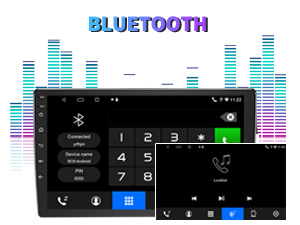
Figure 4: Bluetooth pairing screen.
د سټیرینګ ویل کنټرول:
To use your vehicle's steering wheel controls, manual learning is required. Access the Steering Wheel Control settings in the system menu and follow the on-screen instructions to map your vehicle's buttons to the stereo functions.
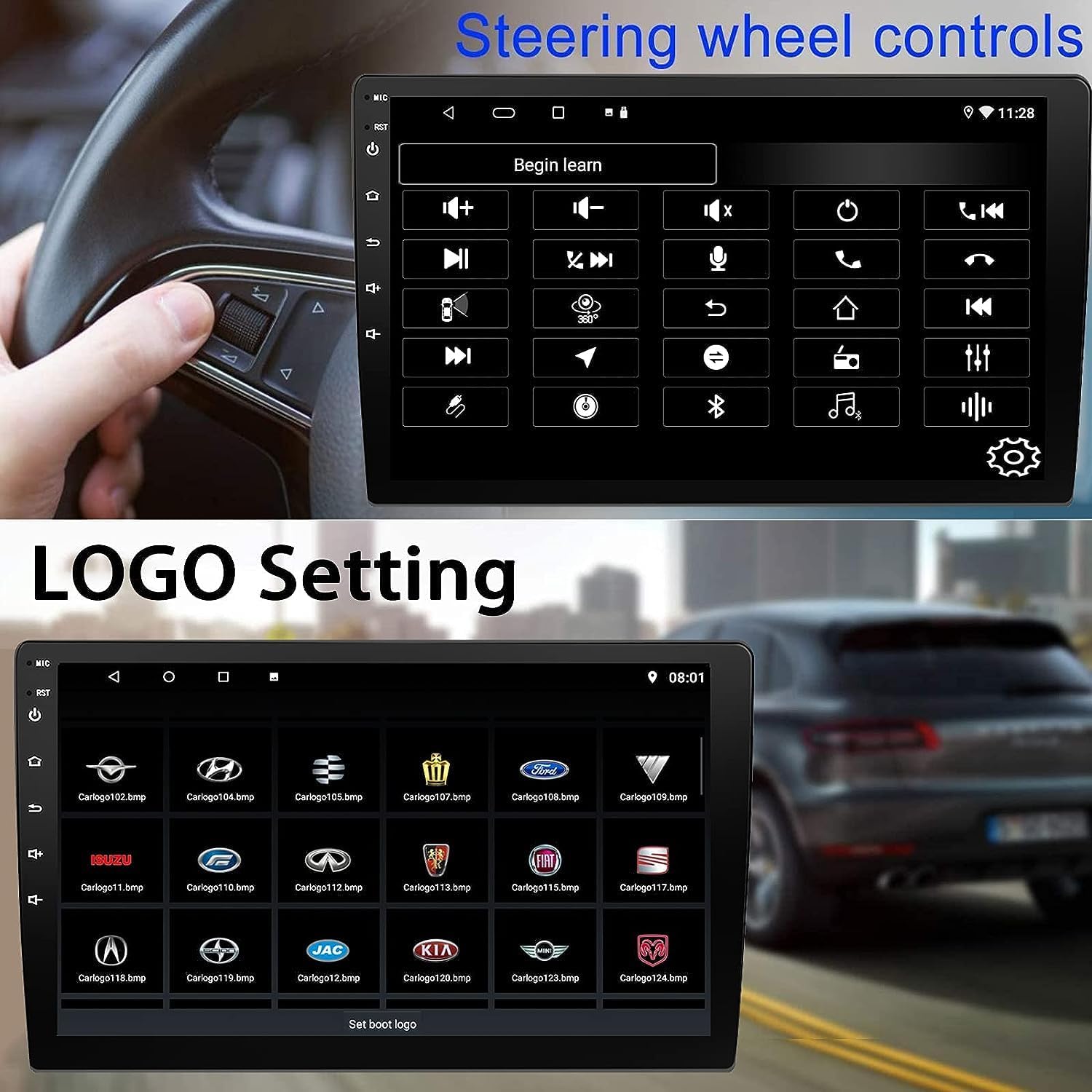
Figure 5: Steering Wheel Control setup screen.
Connectivity: CarPlay, Android Auto, and MirrorLink
بې سیم کار پلی:
Connect your iPhone wirelessly to access CarPlay features such as navigation, music, messages, and calls directly on the stereo display. Ensure Wi-Fi and Bluetooth are enabled on your iPhone.
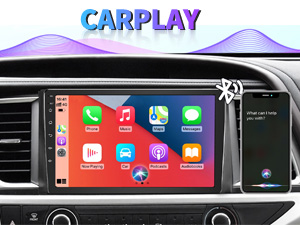
Figure 6: Wireless CarPlay interface.
بې سیم Android Auto:
Connect your Android phone wirelessly to use Android Auto for navigation, communication, and entertainment apps. Ensure Wi-Fi and Bluetooth are enabled on your Android device.

Figure 7: Wireless Android Auto interface.
MirrorLink:
MirrorLink allows you to display your smartphone's screen directly onto the car stereo. This feature works with both Android and iOS devices via a wired connection. Note that CarPlay/Android Auto and MirrorLink cannot be used simultaneously.

Figure 8: MirrorLink feature displaying a phone screen on the stereo.
نیویګیشن
The car stereo features an integrated GPS receiver, supporting both online and offline navigation. Connect to Wi-Fi or a mobile hotspot to use online navigation apps. For offline navigation, you may need to download map data.

Figure 9: GPS navigation map display.
د کیمرې داخلول
بیک اپ کیمره:
The unit supports backup camera input. When properly connected, the display will automatically switch to the rear view when the vehicle is put into reverse, providing parking assistance with guidelines.
مخکی View کمره:
The stereo also supports front view camera input, allowing for enhanced visibility when maneuvering in tight spaces.

Figure 10: Backup camera and front view camera displays.
ساتنه
To ensure the longevity and optimal performance of your BINIZE car stereo, follow these maintenance guidelines:
- د سکرین پاکول: د ټچ سکرین د نرم، لینټ نه پاک ټوکر څخه کار واخلئ ترڅو په نرمۍ سره پاک کړئ. د سختو داغونو لپاره، لږ څهampټوکر د اوبو یا سکرین خوندي پاکوونکي سره ومینځئ. د سخت کیمیاوي موادو یا خړوبونکي موادو څخه ډډه وکړئ.
- عمومي پاکول: Keep the unit and surrounding areas free from dust and debris. Use a soft brush or compressed air to clean vents and button areas.
- د سافټویر تازه معلومات: Periodically check for available software updates through the system settings to ensure you have the latest features and performance improvements.
- د سختې تودوخې څخه ډډه وکړئ: واحد د اوږدې مودې لپاره سخت تودوخې یا سړې هوا ته مه ښکاره کوئ، ځکه چې دا کولی شي د هغې بریښنایی اجزا اغیزمن کړي.
د ستونزو حل کول
که تاسو د خپل موټر سټیریو سره ستونزې سره مخ شئ، لاندې عامې ستونزې او حل لارې وګورئ:
| ستونزه | احتمالي لامل | د حل لاره |
|---|---|---|
| واحد فعال نه دی. | ناسم تارونه؛ چاودېدلی فیوز؛ د موټر د برېښنا ستونزه. | Check power connections and vehicle fuses. Ensure constant 12V and accessory 12V are correctly wired. |
| غږ نشته. | غږ ډېر ټیټ دی؛ خاموش فعال شوی دی؛ د سپیکر د تارونو ستونزه ده. | غږ زیات کړئ. وګورئ چې خاموش فعال دی که نه. د سپیکر اتصالونه تایید کړئ. |
| کارپلی/انډرایډ آټو بې سیم نه وصل کیږي. | Bluetooth/Wi-Fi off on phone; Pairing issue; Software glitch. | Ensure phone's Bluetooth and Wi-Fi are on. Try re-pairing the device. Restart both phone and stereo. Some users reported needing to open phone's Bluetooth settings each time. |
| Screen too bright/dim at night. | Display settings not optimized. | Adjust brightness settings in the display menu. Consider using a screen dimming app if available. |
| د بیک اپ کیمره نه ښکاري. | Camera not connected; RCA reversing wire not connected or faulty. | Check camera and RCA reversing wire connections. Ensure the camera is powered. |
مشخصات
| فیچر | تفصیل |
|---|---|
| برانډ | BINIZE |
| د ماډل شمیره | بنیز |
| عملیاتي سیسټم | Android 13 |
| د سکرین اندازه | ۳۲ انچه (۸۲ سانتي متره لیدل کېدونکی قطری) |
| قرارداد | 1024x600 |
| پروسیسر | Quad-core Coretex-A7, 1.3GHz |
| حافظه (RAM) | 2GB |
| ذخیره (ROM) | 32GB |
| ارتباط | Bluetooth, Wi-Fi, USB, Auxiliary |
| ځانګړي ځانګړتیاوې | Wireless CarPlay, Wireless Android Auto, MirrorLink, GPS Navigation, Touchscreen, Built-In Bluetooth |
| د آډیو وتلې حالت | سټیریو (د 2.0 شاوخوا غږ چینل ترتیب) |
| د توکي وزن | ۲.۴۵ پونډه |
| رنګ | تور |
تضمین او ملاتړ
د تضمین معلومات:
The BINIZE Double Din Car Stereo comes with a 1 کلن وړیا تضمین د پیرود نیټې څخه. دا تضمین د عادي استعمال لاندې د تولید نیمګړتیاوې او نیمګړتیاوې پوښي. مهرباني وکړئ د تضمین ادعاوو لپاره د پیرود ثبوت وساتئ.
تخنیکي ملاتړ:
For any technical assistance, questions, or issues not covered in this manual, please contact our professional technical support team. You can reach us via Amazon email for 24/7 online technical support. Our team is available to assist with system upgrades and parts replacement.
We are committed to providing enthusiastic customer service and ensuring your satisfaction with the BINIZE product.