
محصول پای ته ورسیدview
The FLEXISPOT EN2 Electric Standing Desk is designed to provide a versatile and ergonomic workspace. This whole-piece standing desk features a motorized height adjustment system, programmable memory presets, and integrated power solutions to enhance productivity and comfort.

انځور: The FLEXISPOT EN2 Electric Standing Desk in a home office, showcasing its spacious black tabletop and black frame. Two computer monitors are set up on the desk, with a chair positioned for sitting. A water cooler is visible to the left.
خوندیتوب او مهم معلومات
- تل د مجلس لارښوونې په دقت سره تعقیب کړئ.
- Use the desk on a stable surface.
- میز د تودوخې سرچینو څخه لرې وساتئ.
- د میز د سطحې لپاره د وزن اعظمي سپارښتنې ۱۷۶ پونډه (۸۰ کیلوګرامه) څخه زیات مه کوئ.
- Keep children and pets away from the desk when it is in motion.
- د اسمبلۍ لپاره ممکن برقي ډرل ته اړتیا وي، کوم چې پکې شامل نه دی.
تنظیم او مجلس
The FLEXISPOT EN2 desk is designed for straightforward assembly. Ensure all parts are present and refer to the detailed instructions provided in the packaging. An electric drill may be required for certain steps.
د اسمبلۍ مرحلې پای ته ورسېدېview:
- ټولې برخې خلاصې کړئ او د برخو لیست سره سم یې تایید کړئ.
- Assemble the desk frame, attaching the feet and crossbeam.
- Attach the desktop to the assembled frame using the provided screws.
- Install the control panel and connect all necessary cables.
- Attach the removable desktop power outlet and cable management device.
د اسمبلۍ په اړه د بصري لارښود لپاره، مهرباني وکړئ لاندې ویډیو وګورئ:
ویډیو: A seller-provided video demonstrating the assembly process of a FLEXISPOT electric standing desk, showing the frame construction and desktop attachment.
عملیاتي لارښوونې
د لوړوالی سمون:
The desk features a 6-button digital controller for easy height adjustment. Use the up and down arrows to manually adjust the desk height. The motorized system adjusts smoothly from 28.1 inches to 45.7 inches.
د حافظې پریزیټ:
The controller includes four programmable memory presets (buttons 1, 2, 3, 4). To set a preset:
- د پورته/ښکته تیرونو په کارولو سره میز د خپلې خوښې لوړوالي سره سم تنظیم کړئ.
- Press and hold one of the number buttons (1-4) until the display flashes or beeps, indicating the height is saved.
- د خوندي شوي لوړوالي د یادولو لپاره، په ساده ډول د اړونده شمېرې تڼۍ فشار ورکړئ.
انځور: یو تړلی view of the FLEXISPOT EN2's digital control panel, highlighting the LED display, up/down arrows, and four height setting buttons.
د لرې کولو وړ ډیسټاپ بریښنا آوټ لیټ:
The desktop is equipped with 3 AC power outlets and 2 USB charging ports. This unit can be clipped to the back or side of your desk for convenient access to power for your electronic devices.
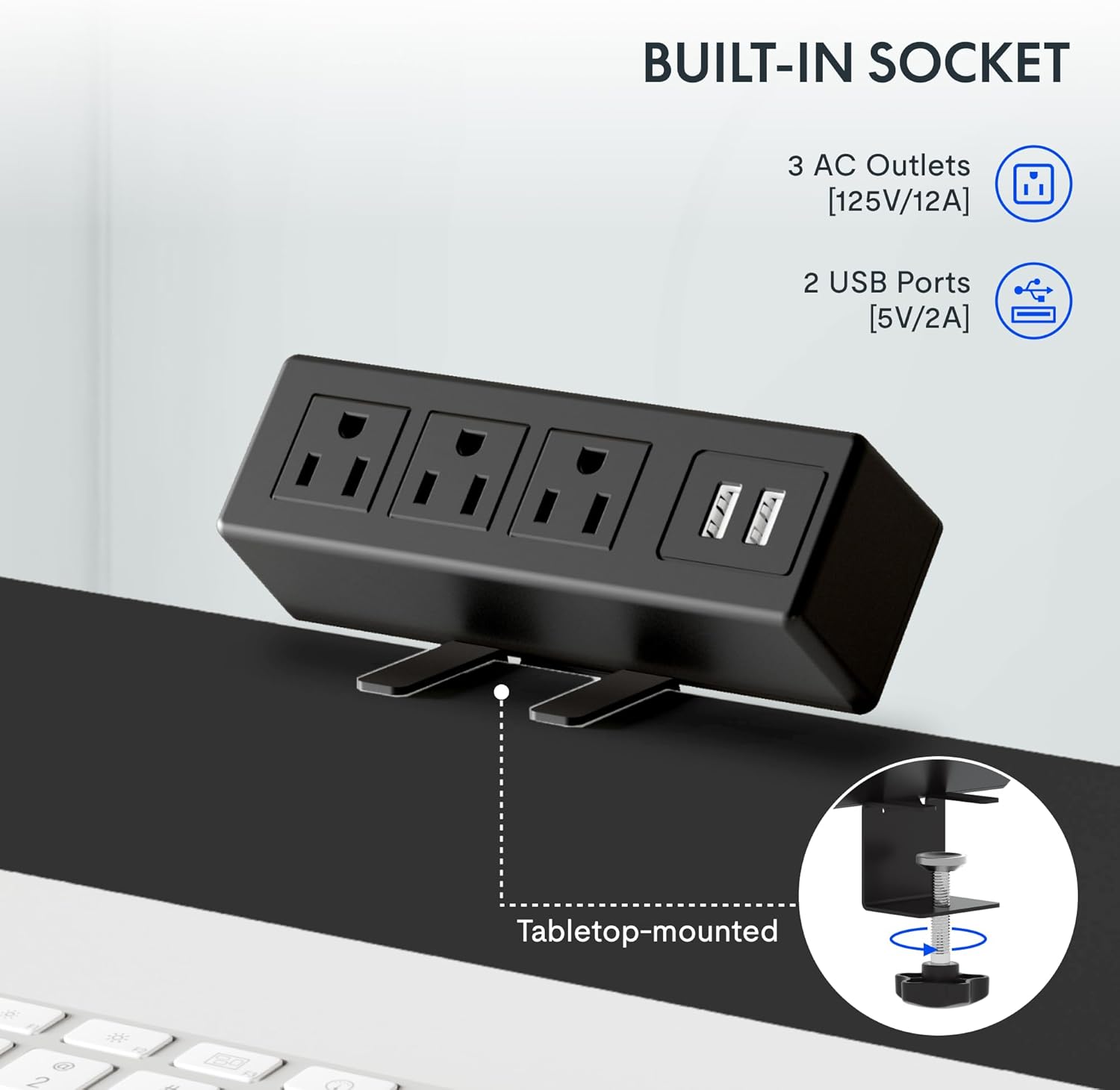
انځور: A detailed shot of the removable desktop power outlet, showing its three AC outlets and two USB ports, designed to clamp د میز په څنډه کې.
ساتنه
د خپل FLEXISPOT EN2 میز د اوږد عمر او غوره فعالیت ډاډمن کولو لپاره، د ساتنې دا لارښوونې تعقیب کړئ:
- پاکول: د ډیسټاپ سطحه د نرم، d سره پاک کړئamp ټوکر د کثافاتو پاکونکو یا سخت کیمیاوي موادو څخه ډډه وکړئ چې ممکن پای ته زیان ورسوي.
- د موټرو پاملرنه: The motor is designed for quiet operation. Avoid obstructing the motor or lifting mechanisms.
- د کیبل مدیریت: Regularly check and organize cables using the provided cable management device to prevent tangles and damage.
- د وزن ویش: وزن په مساوي ډول د ډیسټاپ په اوږدو کې وویشئ ترڅو په موټرو او چوکاټ باندې فشار ونه راځي.
د ستونزو حل کول
If you encounter any issues with your FLEXISPOT EN2 desk, refer to the following common troubleshooting tips:
- میز نه حرکت کوي:
- وګورئ چې آیا د بریښنا تار په خوندي ډول د میز او دیوال دواړو سره نښلول شوی دی.
- Ensure there are no obstructions preventing the desk from moving up or down.
- Reset the system by unplugging the desk for 10 seconds and then plugging it back in.
- ناانډوله حرکت:
- ډاډ ترلاسه کړئ چې میز په یوه هواره سطحه کې ایښودل شوی دی.
- ډاډ ترلاسه کړئ چې وزن په مساوي ډول په ډیسټاپ باندې ویشل شوی دی.
- د عملیاتو پرمهال شور:
- A quiet motor operation (less than 50 dB) is normal. Excessive noise may indicate an obstruction or loose component. Inspect the moving parts for any issues.
که ستونزې دوام ومومي، مهرباني وکړئ د پیرودونکو ملاتړ سره اړیکه ونیسئ.
مشخصات
| فیچر | تفصیل |
|---|---|
| برانډ | FLEXISPOT |
| د ماډل شمیره | EN2 |
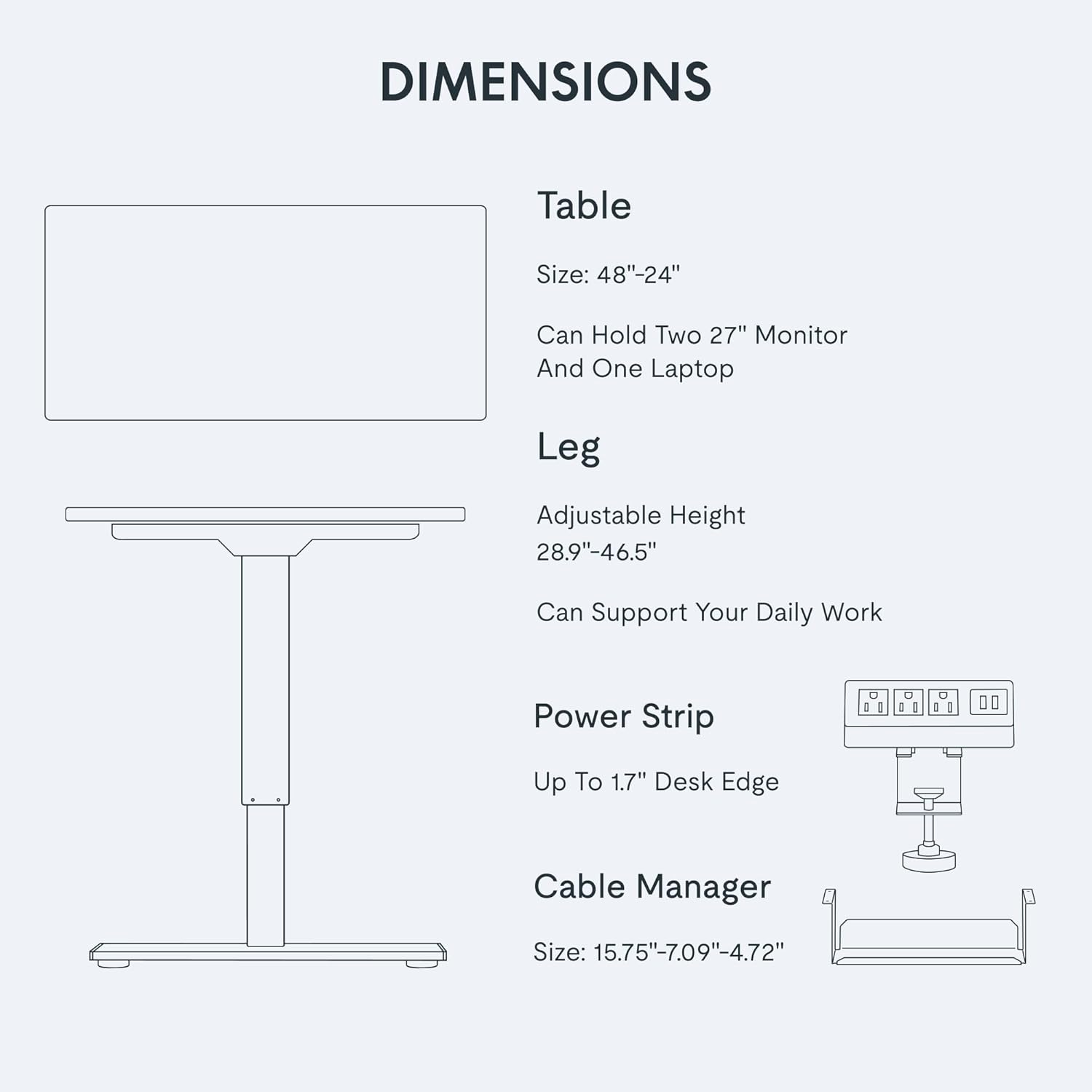
| د ډیسټاپ ابعاد | ۲۰"واټه x ۲۰.۹"د |
| د لوړوالی تنظیم کولو سلسله | له ۱۳" څخه تر ۴۹" پورې |
| د اعظمي وزن ظرفیت | ۶ پونډه (۳ کیلو ګرامه) |
| د ډیسټاپ مواد | د FSC تصدیق شوی لرګی |
| د چوکاټ مواد | Industrial-grade Steel |
| د شور کچه | له 50 dB څخه کم |
| بریښنایی رسنۍ | 3 AC outlets, 2 USB charging ports |
| د کنټرولر ډول | 6-button digital with 4 memory presets |
تضمین او ملاتړ
FLEXISPOT provides the following warranty for your EN2 Electric Standing Desk:
- ۱ کلن تضمین: چوکاټونه، موټورونه، او نور میخانیکي وسایل پوښي.
- ۱ کلن تضمین: کنټرولرونه، سویچونه، او برقیات پوښي.
For technical support, warranty claims, or any questions regarding your product, please visit the official FLEXISPOT webسایټ ته مراجعه وکړئ یا د دوی د پیرودونکو خدماتو څانګې سره اړیکه ونیسئ. د تضمین تصدیق لپاره خپل د پیرود رسید وساتئ.
تاسو کولی شئ په دې اړه نور معلومات او ملاتړ ومومئ په ایمیزون کې د FLEXISPOT پلورنځی.