
پیژندنه
Thank you for choosing the iClever BK10 Bluetooth Wireless Keyboard. This manual provides detailed instructions on how to set up, operate, and maintain your keyboard to ensure optimal performance. Please read this manual carefully before use and retain it for future reference.
د بسته محتويات
- د iClever BK10 بلوتوث بېسیم کیبورډ
- د USB چارج کیبل
- د کارن لارښود
مشخصات
| برانډ | iClever |
| د ماډل شمیره | BK10 |
| د ارتباط ټیکنالوژي | بلوتوث |
| مطابقت لرونکې وسیلې | Android 9+, ChromeOS (BT 4.0+), Windows 10/11, iPadOS 13.4+, macOS 10.15+ |
| د کیبورډ ترتیب | AZERTY |
| د کلیدونو شمیر | 78 |
| د سویچ ډول | د کینچی سویچ |
| د بریښنا سرچینه | د بیټرۍ چلول |
| د محصول ابعاد | ۱۱۷ لیتره x ۲۶ واټ x ۲۲ ساعته سانتي متره |
| داخلي مواد | اکریلونیټریل بوټاډین سټیرین ، سټینلیس سټیل |
چمتو کول
۱. ابتدايي چارج کول
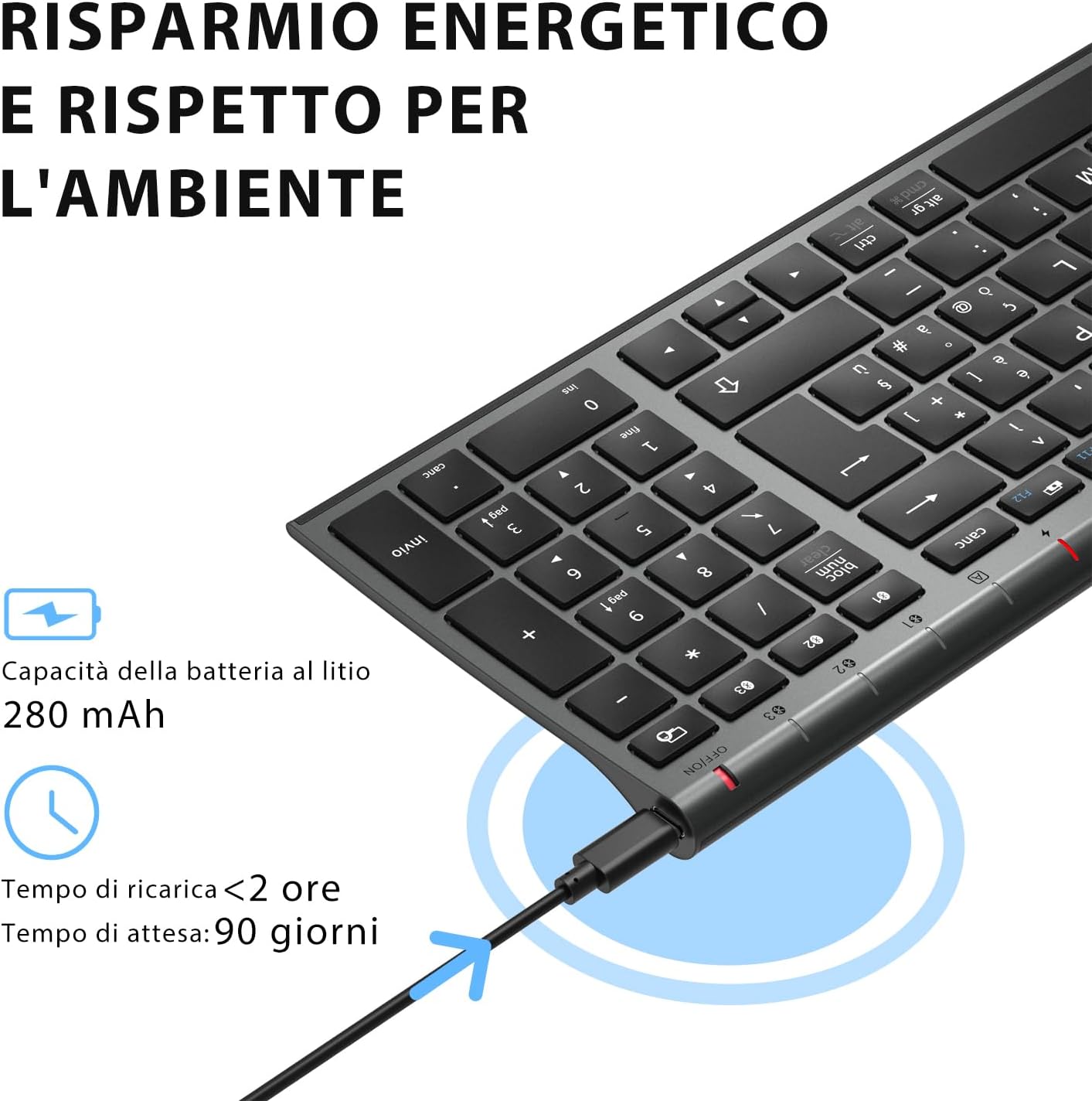
Before first use, fully charge the keyboard. Connect the provided USB charging cable to the keyboard's USB-C port and the other end to a USB power source (e.g., computer, wall adapter). The charging indicator light will show charging status and turn off when fully charged.

The iClever BK10 keyboard connected via USB-C for charging. This image details the 280 mAh lithium battery capacity, a charging time of less than 2 hours, and a standby time of 90 days.
2. بریښنا فعال/بند
Locate the power switch on the keyboard. Slide the switch to the 'ON' position to power on the keyboard. Slide it to the 'OFF' position when not in use to conserve battery.
3. د بلوتوث جوړه کول
The iClever BK10 keyboard supports connection to up to three devices simultaneously.
- د بریښنا سویچ په کارولو سره کیبورډ چالان کړئ.
- فشار ورکړئ Fn د بلوتوث چینل کیلي سره په ورته وخت کې کیلي (BT1, BT2، یا BT3) to select a channel.
- Press and hold the selected Bluetooth channel key (e.g., BT1) for 3-5 seconds until the indicator light for that channel starts blinking rapidly. This indicates the keyboard is in pairing mode.
- په خپل وسیله (کمپیوټر، ټابلیټ، سمارټ فون) کې، بلوتوټ فعال کړئ او د شته وسایلو لټون وکړئ.
- Select "iClever BK10" (or similar name) from the list of found devices.
- Follow any on-screen prompts to complete the pairing process. The indicator light will stop blinking and remain solid for a few seconds, then turn off, indicating a successful connection.

The iClever BK10 keyboard demonstrating its ability to connect to an iPad, MacBook, and iPhone via three distinct Bluetooth channels. The image also illustrates key mapping for Windows/Android (Alt/Cmd) and iPad/Mac (Alt/Cmd) operating systems.
د کیبورډ چلول
1. Switching Between Paired Devices
د خپلو جوړه شویو وسیلو ترمنځ د بدلولو لپاره، په ساده ډول فشار ورکړئ Fn د اړونده بلوتوث چینل کیلي سره کیلي (BT1, BT2، یا BT3) that your device is paired to. The keyboard will automatically connect to the selected device.
۳.۲. د فعالیت کیلي (Fn)
The keyboard features a row of function keys (F1-F12) that also serve as multimedia and shortcut keys. To use the secondary function of these keys, press and hold the Fn key while pressing the desired function key.
۳. د عملیاتي سیسټم مطابقت
The iClever BK10 keyboard is designed to be compatible with various operating systems. Key functions may adapt slightly depending on the connected OS. For optimal performance, ensure your device's Bluetooth version is 4.0 or higher.

Close-up of the iClever BK10 keyboard with a hand typing, highlighting the low-profile keys and scissor switch mechanism designed for quiet and comfortable typing.
ساتنه
1. پاکول
To clean your keyboard, power it off and disconnect it from any devices. Use a soft, lint-free cloth slightly dampened with water or a mild cleaning solution. Avoid using harsh chemicals, abrasives, or excessive moisture. Do not spray cleaners directly onto the keyboard.
2. د بیټرۍ پاملرنه
To prolong the battery life of your keyboard:
- Charge the keyboard fully before its first use.
- د بیټرۍ په مکرر ډول له بشپړې وچولو څخه ډډه وکړئ.
- کله چې د اوږدې مودې لپاره نه کارول کیږي، کیبورډ په یخ او وچ ځای کې وساتئ.
- Turn off the keyboard when transporting it or when not in use to prevent accidental key presses and battery drain.
د ستونزو حل کول
1. Keyboard Not Connecting/Pairing
- ډاډ ترلاسه کړئ چې کیبورډ فعال دی او په بشپړ ډول چارج شوی دی.
- ډاډ ترلاسه کړئ چې ستاسو په وسیله بلوتوټ فعال شوی.
- Ensure the keyboard is in pairing mode (indicator light blinking).
- د خپل وسیلې د بلوتوث ترتیباتو څخه د کیبورډ جلا کولو او بیا جوړه کولو هڅه وکړئ.
- کیبورډ او خپل وسیله دواړه بیا پیل کړئ.
- Ensure your device's Bluetooth version is compatible (BT 4.0+ recommended).
۷.۲. هغه کیلي چې ځواب نه ورکوي
- Check if the keyboard is connected to the correct device.
- Ensure the battery is not low. Charge the keyboard if necessary.
- کیبورډ او وصل شوی وسیله بیا پیل کړئ.
- د کیلي شاوخوا هر ډول کثافات پاک کړئ.
۸.۲. په مکرر ډول اړیکه پرې کېږي
- ډاډ ترلاسه کړئ چې نږدې د مداخلې قوي سرچینې شتون نلري (د بیلګې په توګه، د وای فای روټرونه، نور بلوتوث وسایل).
- Keep the keyboard within the recommended operating range of your device.
- ډاډ ترلاسه کړئ چې کیبورډ په بشپړ ډول چارج شوی دی.
تضمین او ملاتړ
iClever products come with a standard warranty. For detailed warranty information, technical support, or customer service, please refer to the warranty card included with your product or visit the official iClever website. Please have your product model number (BK10) and purchase information ready when contacting support.
محصول پای ته ورسیدview انځورونه

یو پورته ښکته view of the iClever BK10 Bluetooth Wireless Keyboard, showcasing its full layout including the numeric keypad and function keys.
یو اړخ view of the iClever BK10 keyboard, illustrating its ultra-thin profile with a thickness ranging from 0.16 inches to 0.45 inches.

The iClever BK10 keyboard positioned on a desk in an office environment, alongside a computer monitor, laptop, tablet, and smartphone, illustrating its versatile use in various professional and personal setups.