
1. پیژندنه
This manual provides detailed instructions for the assembly, operation, and maintenance of your FLEXISPOT EN1 Electric Height Adjustable Standing Desk. This desk features a 48x30 inch one-piece desktop, an electric lift system for smooth height adjustments, and a smart keypad with four memory presets. Please read this manual thoroughly before use to ensure proper function and safety.

2. د خوندیتوب معلومات
د محصول د ټپي کیدو یا زیان مخنیوي لپاره، لاندې خوندیتوب لارښوونې تعقیب کړئ:
- This desk has a maximum weight capacity of 176 lbs (80 kg). Do not exceed this limit.
- ډاډ ترلاسه کړئ چې ټولې برخې د راټولولو پرمهال په خوندي ډول تړل شوي دي.
- د کار پرمهال ماشومان او څاروي له میز څخه لرې وساتئ.
- Do not place hands or other objects near moving parts during height adjustment.
- میز یوازې په هواره سطحه وکاروئ.
- د پاکولو یا ساتنې ترسره کولو دمخه بریښنا قطع کړئ.
3. د بسته محتويات
Verify that all components are present before beginning assembly. The package includes:
- Desk frame (legs and crossbar)
- Desktop (one-piece, 48x30 inch, white)
- د LED نندارې سره د کنټرول پینل
- د بریښنا اډاپټر او کیبلونه
- د مجلس وسیلې
- تفصيلي لارښود لارښود
Note: The desk frame and desktop may ship and arrive in separate packages.

4. د مجلس لارښوونې
Assembly typically requires two people. Follow the step-by-step instructions provided in the included manual. A detailed sit-stand desk installation video is also available for reference.
- ټولې برخې خلاصې کړئ او د بسته بندۍ د منځپانګې لیست سره سم یې تایید کړئ.
- Attach the lifting columns to the feet using the provided screws and tools.
- Connect the crossbar between the two lifting columns.
- Carefully place the desktop upside down on a soft, clean surface.
- Align the assembled frame with the pre-drilled holes on the desktop and secure it with screws.
- د کنټرول پینل د ډیسټاپ لاندې برخې ته په مناسب ځای کې نصب کړئ.
- Connect all cables (motor to control box, control panel to control box, power adapter to control box).
- Flip the desk upright and connect it to a power outlet.
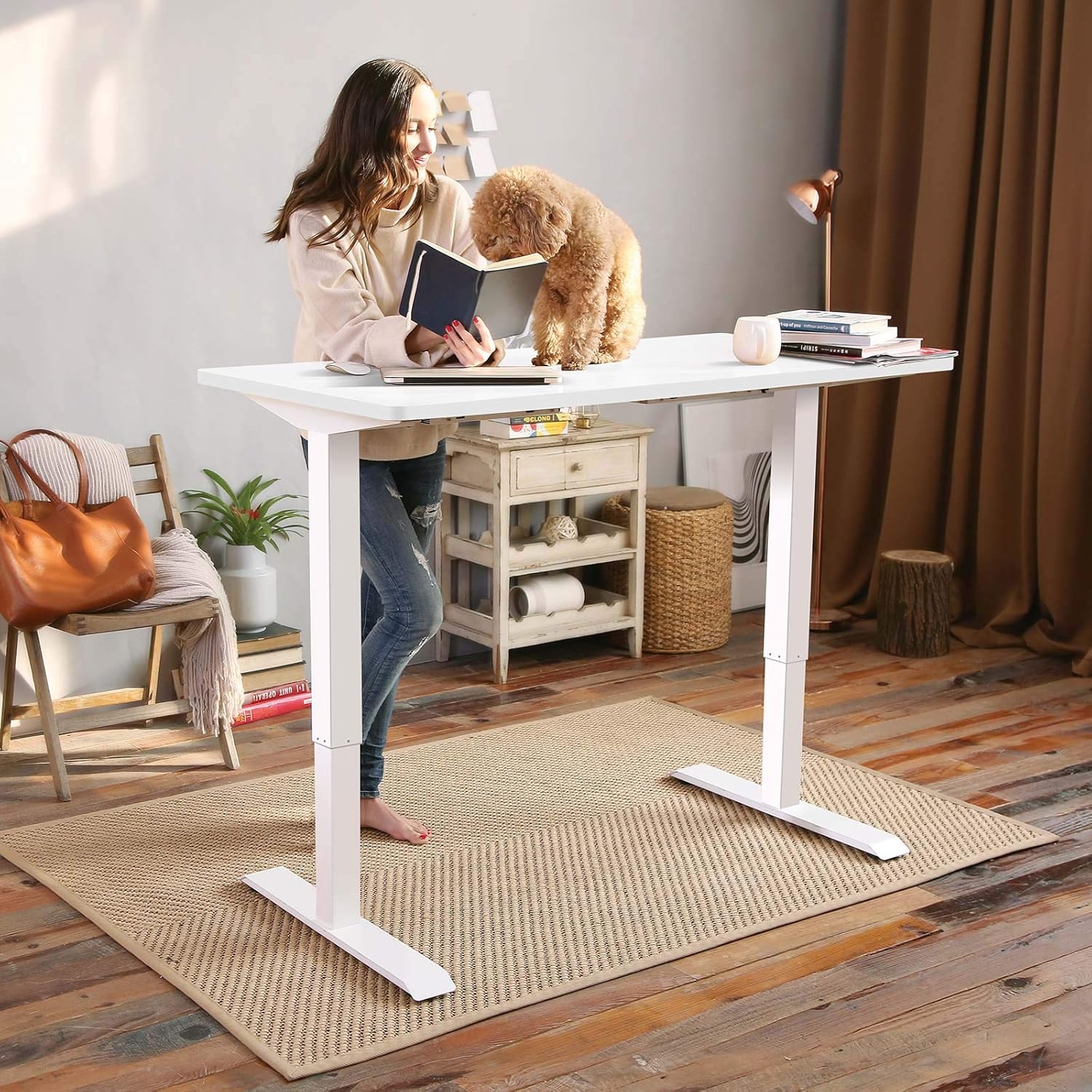
The desk features a 1-inch thick one-piece desktop, which provides enhanced stability compared to multi-piece designs.

5. عملیاتي لارښوونې
5.1. د لوړوالی سمون
The desk is equipped with an electric lift system for smooth height adjustments. Use the 'Up' and 'Down' arrows on the control panel to move the desk to your desired height. The height range is from 28.1 inches to 45.7 inches (excluding the 1-inch desktop thickness). The motor operates quietly, with noise levels below 50 dB.
۵.۲. د حافظې پریزیسټونه
The control panel features four programmable memory presets, allowing you to save and recall your preferred sitting and standing heights.
- Adjust the desk to your desired height using the 'Up' or 'Down' arrows.
- Press the 'M' button (or similar memory set button, indicated by 'i' on the image) followed by a number button (1, 2, 3, or 4) to save the current height.
- د خوندي شوي لوړوالي د یادولو لپاره، په ساده ډول د اړونده شمېرې تڼۍ فشار ورکړئ (۱، ۲، ۳، یا ۴). میز به په اتوماتيک ډول خوندي شوي موقعیت ته لاړ شي.

6. ساتنه
Regular maintenance ensures the longevity and optimal performance of your desk.
- پاکول: ډیسټاپ او چوکاټ د نرم، d سره پاک کړئamp ټوکر. د کثافاتو پاکوونکو یا سختو کیمیاوي موادو څخه ډډه وکړئ.
- معاینه: ټول پیچونه او بولټونه په دوره یي ډول وګورئ ترڅو ډاډ ترلاسه شي چې دوی کلک دي. که اړتیا وي نو بیا یې ټینګ کړئ.
- د کیبل مدیریت: ډاډ ترلاسه کړئ چې کیبلونه نه تړل شوي یا ګډوډ شوي دي، په ځانګړي توګه د لوړوالي د تنظیم کولو پرمهال.
7. ستونزه حل کول
If you encounter any issues with your FLEXISPOT EN1 desk, please refer to the following general troubleshooting tips:
- میز نه حرکت کوي: Check if the power cable is securely connected to both the desk and the wall outlet. Try unplugging and re-plugging the desk.
- په ښودنه کې د تېروتنې پیغام: Disconnect the power for 10 seconds, then reconnect. If the error persists, contact customer support.
- Unstable desk: Ensure all assembly screws are tightened. Verify the desk is on a level surface.
For further assistance, please contact FLEXISPOT customer support.
8. مشخصات
| فیچر | مشخصات |
|---|---|
| برانډ | FLEXISPOT |
| د ماډل شمیره | MAH0002307 |
| د ډیسکټاپ ابعاد (D x W) | ۱۷.۱" x ۱۷.۱" (۴۳.۴ سانتي متره x ۴۳.۴ سانتي متره) |
| د ډیسټاپ ضخامت | 1 انچه (2.54 سانتي متره) |
| د تنظیم وړ لوړوالی سلسله | ۳.۲" - ۱۹.۱۷" (۸.۱ سانتي متره - ۴۸.۷ سانتي متره) |
| د اعظمي وزن ظرفیت | ۱۱.۵۷ پونډه (۵.۲۵ کیلو ګرامه) |
| د موټرو شور کچه | د 50 dB څخه ښکته |
| د ډیسټاپ مواد | د FSC تصدیق شوی لرګی |
| د چوکاټ مواد | د الماس فولاد |
| رنګ | سپین چوکاټ + سپین سر |
| د توکي وزن | 80 پونډه (36.3 kg) |
| اړین مجلس | هو |


9. تضمین او ملاتړ
The FLEXISPOT EN1 desk comes with a manufacturer's warranty. Please refer to the product packaging or the official FLEXISPOT website for specific warranty terms and conditions (e.g., 'Limited' or 'Full' warranty type). For technical support, assembly questions, or warranty claims, please contact FLEXISPOT customer service directly.
Contact information can typically be found on the FLEXISPOT official webسایټ یا ستاسو د محصول بسته بندۍ دننه.