
۱.۱. د خوندیتوب مهم معلومات
Please read this manual carefully before assembly and use. Keep this manual for future reference.
- د وزن ظرفیت: Do not exceed the maximum weight capacity of 80 kg (176 lbs). Overloading can cause instability and potential damage.
- ثبات: Ensure the desk is stable and level on a flat surface before placing items on it and during height adjustments.
- تصفیه: Keep the area around the desk clear of obstructions during operation to prevent pinching or damage.
- ماشومان او څاروي: د عملیاتو په جریان کې ماشومان او څاروي له میز څخه لرې وساتئ ترڅو د پیښو مخه ونیول شي.
- مجلس: Follow all assembly instructions precisely. Incorrect assembly can lead to instability and injury.
2. محصول ختم شوview
The FLEXISPOT H1W is a hand-crank adjustable standing desk frame designed to provide a flexible and ergonomic workspace. It allows for smooth transitions between sitting and standing positions.
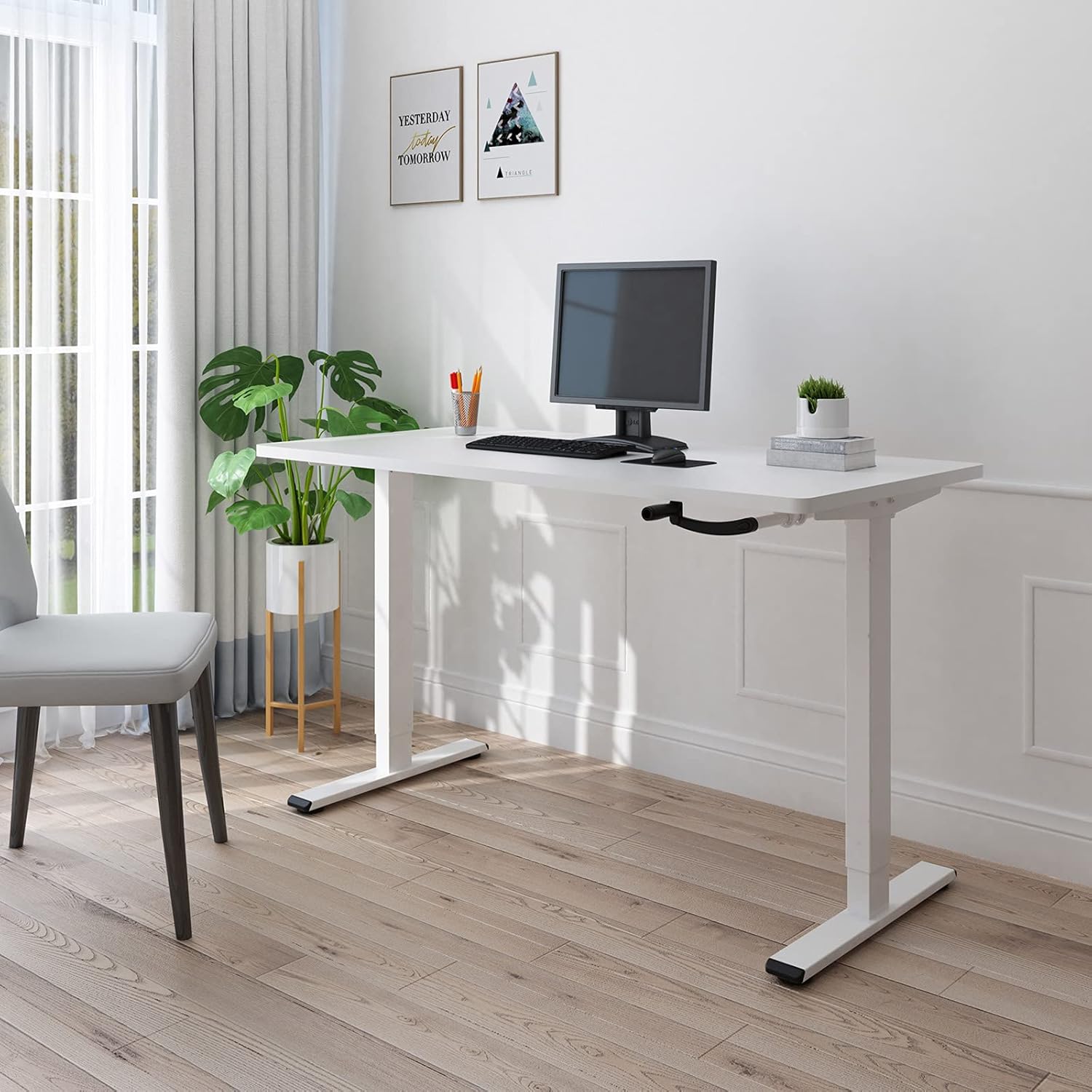
Figure 2.1: The FLEXISPOT H1W Hand-Crank Adjustable Standing Desk frame with a white tabletop, set up in an office environment.
کلیدي ځانګړتیاوې:
- د لوړوالي اسانه تنظیم: The innovative hand-crank system provides a smooth and quiet height adjustment experience.
- د تنظیم وړ لوړوالی سلسله: The desk frame can be adjusted from 71 cm (27.9 inches) to 121 cm (47.6 inches).
- Customizable Frame Width: The frame extends laterally from 85 cm (33.5 inches) to 129 cm (50.8 inches) to accommodate various tabletop sizes.
- د لوړ وزن ظرفیت: Designed for maximum structural integrity, supporting up to 80 kg (176 lbs).
- دوامدار ساختمان: Features double-walled steel tubes for enhanced strength and stability.
- Flexible Crank Installation: The hand crank can be installed on either the left or right side, or completely removed when not in use.
3. تنظیم او مجلس
Assembly of the FLEXISPOT H1W desk frame is designed to be straightforward. It is recommended that one person performs the assembly.
3.1 پیک کول او تفتیش کول
- په احتیاط سره د بکس څخه ټولې برخې خلاصې کړئ.
- ډاډ ترلاسه کړئ چې د بسته بندۍ په لیست کې لیست شوي ټولې برخې شتون لري او زیانمنې نه دي. که کومه برخه ورکه یا زیانمنه وي نو سمدلاسه د پیرودونکي ملاتړ سره اړیکه ونیسئ.
- All necessary tools for assembly are included in the package.
3.2 د مجلس مرحلې
Follow the detailed step-by-step instructions provided in the separate assembly guide included with your product. Key steps include:
- Assemble the leg columns and feet.
- Attach the crossbar and side brackets, adjusting the width to match your tabletop.
- Install the hand-crank mechanism. The hand crank can be positioned on the left or right side of the desk, or removed entirely when not needed.
- Securely attach your chosen tabletop to the assembled frame using appropriate screws (tabletop not included).

Figure 3.1: The desk frame's width can be adjusted from 850mm to 1290mm to fit various tabletops.

Figure 3.2: The hand crank offers flexible installation options, allowing it to be placed on either side or removed.
3.3 Recommended Tabletop Dimensions
- اوږدوالی: له 100 سانتي تر 160 سانتي مترو پورې (39.4 انچه تر 63 انچه)
- عرض: له 60 سانتي تر 80 سانتي مترو پورې (23.6 انچه تر 31.5 انچه)
- ضخامت: 2 سانتي متره (0.8 انچه) یا ډیر

Figure 3.3: Recommended tabletop dimensions for optimal fit and stability.
4. عملیاتي لارښوونې
The FLEXISPOT H1W desk frame features a manual hand-crank system for height adjustment.
۵.۲ د میز لوړوالی تنظیم کول
- Ensure the area above and below the desk is clear of any obstacles.
- Locate the hand crank on the side of the desk.
- To raise the desk, turn the hand crank clockwise.
- To lower the desk, turn the hand crank counter-clockwise.
- Adjust the desk to your desired sitting or standing height within the range of 71 cm to 121 cm.

Figure 4.1: The desk frame offers a height adjustment range from 710mm to 1210mm.
4.2 د وزن ظرفیت
The desk frame is designed to safely support a maximum load of 80 kg (176 lbs). Distribute weight evenly across the tabletop to maintain stability.

Figure 4.2: The desk frame supports a maximum weight of 80 kg (176 lbs).
5. ساتنه
Regular maintenance helps ensure the longevity and smooth operation of your FLEXISPOT H1W desk frame.
- پاکول: د میز چوکاټ د نرم، ډ سره پاک کړئamp ټوکر. د سختو کیمیاوي موادو یا خړوبونکو پاکوونکو څخه ډډه وکړئ چې کولی شي پای ته زیان ورسوي.
- بندونکي: په دوره یي ډول ټول پیچونه او بولټونه وګورئ ترڅو ډاډ ترلاسه شي چې دوی کلک دي. که اړتیا وي نو د ثبات ساتلو لپاره بیا کلک کړئ.
- خوځنده برخې: The hand-crank mechanism is designed for smooth operation. If you notice any stiffness, ensure no debris is obstructing the mechanism. Do not lubricate unless specifically instructed by the manufacturer.
- د وزن ویش: Always distribute weight evenly on the tabletop. Avoid placing heavy items on one side only.
6. ستونزه حل کول
If you encounter any issues with your FLEXISPOT H1W desk frame, refer to the following common troubleshooting tips:
- میز ډوب دی:
- ډاډ ترلاسه کړئ چې ټول اسمبلۍ پیچونه او بولټونه په خوندي ډول ټینګ شوي دي.
- Check that the desk is placed on a level surface. Adjust the leveling feet if necessary.
- Verify that the tabletop is securely attached to the frame.
- Hand Crank is Stiff or Difficult to Turn:
- Check for any obstructions in the crank mechanism or along the lifting columns.
- Ensure the desk is not overloaded beyond its 80 kg capacity.
- Confirm that the crank handle is properly installed.
- Desk Does Not Adjust Height Smoothly:
- Ensure the weight on the desk is within the specified limit and evenly distributed.
- Inspect the lifting columns for any visible damage or foreign objects.
که دا ګامونه ستونزه حل نه کړي، مهرباني وکړئ د نورو مرستو لپاره د FLEXISPOT پیرودونکي ملاتړ سره اړیکه ونیسئ.
7. مشخصات
| د ماډل شمیره | H1W |
| برانډ | FLEXISPOT |
| ډول | Hand-Crank Adjustable Standing Desk Frame |
| مواد | د الماس فولاد |
| رنګ | سپین چوکاټ |
| د لوړوالی تنظیم کولو سلسله | ۵۲ سانتي متره - ۶۷ سانتي متره (۲۰.۵ انچه - ۲۶.۴ انچه) |
| Frame Width Adjustment | ۵۲ سانتي متره - ۶۷ سانتي متره (۲۰.۵ انچه - ۲۶.۴ انچه) |
| Recommended Tabletop Length | ۵۲ سانتي متره - ۶۷ سانتي متره (۲۰.۵ انچه - ۲۶.۴ انچه) |
| Recommended Tabletop Width | ۵۲ سانتي متره - ۶۷ سانتي متره (۲۰.۵ انچه - ۲۶.۴ انچه) |
| Recommended Tabletop Thickness | 2 cm (0.8 in) or more |
| د اعظمي وزن ظرفیت | ۷.۰ کیلو ګرامه (۱۵.۵ پونډه) |
| Item Weight (Frame Only) | ۷.۰ کیلو ګرامه (۱۵.۵ پونډه) |
| مجلس ته اړتیا ده | هو |
| Recommended Persons for Assembly | 1 |
| UPC/GTIN | 810054070498 |
8. تضمین او ملاتړ
For warranty information and customer support, please refer to the documentation included with your purchase or visit the official FLEXISPOT webسایټ
If you have any questions or require assistance with your FLEXISPOT H1W desk frame, please contact FLEXISPOT customer service directly.