
1. د خوندیتوب مهمې لارښوونې
مهرباني وکړئ د دې وسیلې کارولو دمخه ټولې لارښوونې په دقت سره ولولئ او د راتلونکي حوالې لپاره یې وساتئ. د دې لارښوونو په تعقیب کې پاتې راتلل ممکن د بریښنا شاک، اور، یا جدي ټپي کیدو لامل شي.
- بریښنایی خوندیتوب: د حجم ډاډ ترلاسه کړئtage rating on the appliance matches your local power supply (220-240V~50Hz). Do not overload electrical outlets.
- ځای په ځای کول: Position the heater on a firm, level surface. Maintain a safe distance from walls, furniture, curtains, and other flammable materials (at least 1 meter). Do not cover the heater.
- وینټیلیشن: Do not block air inlets or outlets. Ensure proper air circulation around the heater.
- اوبه او رطوبت: Do not use the heater in bathrooms, laundry areas, or similar wet locations. Never immerse the heater in water or other liquids.
- ماشومان او څاروي: Keep the heater out of reach of children and pets. Supervise children when the heater is in use.
- د ډیر تودوخې ساتنه: This heater is equipped with an overheat protection system. If the heater overheats, it will automatically shut off. Unplug the heater and allow it to cool down before restarting.
- ساتنه: د پاکولو یا کوم ترمیم ترسره کولو دمخه د هیټر پلګ خلاص کړئ. د وسایلو د ترمیم هڅه مه کوئ؛ د وړ خدماتو پرسونل سره اړیکه ونیسئ.
- د بریښنا تار: Do not run the power cord under carpeting or cover it with throw rugs. Position the cord away from high traffic areas to prevent tripping.
2. محصول ختم شوview
The BION 1500W Floor Convector Heater is designed to provide efficient and comfortable heating for indoor spaces. It features a modern design with a user-friendly LED display and convenient remote control operation.
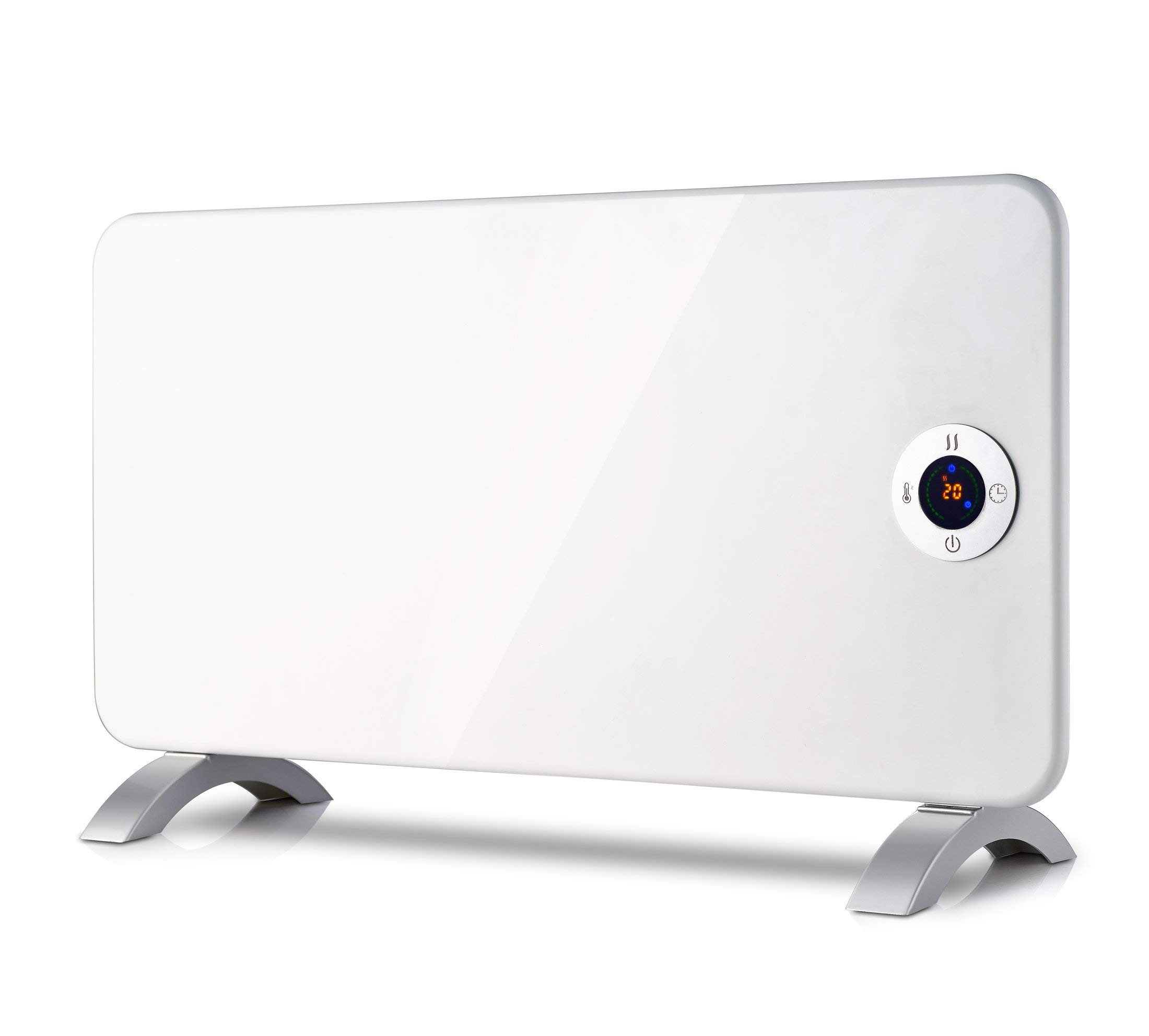
انځور 2.1: پورته view of the BION 1500W Floor Convector Heater, highlighting the integrated control panel and the 'bion' brand logo. A warning symbol for 'DO NOT COVER' is also visible.
کلیدي ځانګړتیاوې:
- Floor-standing convector heater with digital display.
- Adjustable thermostat for precise temperature control.
- LED display for clear indication of settings.
- د ریموټ کنټرول مناسب چلول.
- Overheat protection system for enhanced safety.
- Power supply: 220-240V~50Hz.
- د محصول وزن: 4.8 کیلوګرامه.
د بسته محتويات:
- BION 1500W Floor Convector Heater
- ریموټ کنټرول
- د کارن لارښود
3. ترتیب کول
- بسته بندي کول: په احتیاط سره هیټر له بسته بندۍ څخه لرې کړئ. بسته بندۍ د راتلونکي ذخیره کولو یا لیږد لپاره وساتئ.
- ځای په ځای کول: Place the heater on a stable, flat, and heat-resistant surface. Ensure there is at least 1 meter (3 feet) of clear space around the heater from any walls, furniture, curtains, or other combustible materials. Do not place it directly under a power outlet.
- د بریښنا پیوستون: Plug the power cord into a grounded 220-240V~50Hz electrical outlet. Ensure the power cord is not damaged or pinched.
4. عملیاتي لارښوونې
The heater can be operated using the control panel on the unit or the provided remote control.
4.1 د کنټرول پینلview

انځور 4.1: تفصيلي view of the heater's control panel. It features a central LED display, power button (bottom), temperature setting button (left, thermometer icon), heat mode button (top, wavy lines icon), and timer button (right, clock icon). The display shows "25" indicating the set temperature.
- د پاور تڼۍ (⏻): هیټر چالان یا بند کړئ.
- Temperature Button (⏰): Adjusts the desired temperature. Press to cycle through temperature settings.
- Heat Mode Button (≈): Selects different heating modes (e.g., low, high, eco).
- د ټایمر تڼۍ (⏱): د عملیاتي وخت تنظیموي.
- د LED ښودنه: Shows the current temperature setting, timer, or selected mode.
4.2 بنسټیز عملیات
- پاور آن: Press the Power button (⏻) on the control panel or remote control. The LED display will illuminate.
- د حرارت درجه تنظیم کړئ: Press the Temperature button (⏰) repeatedly to select your desired room temperature. The display will show the set temperature (e.g., "23" or "25"). The heater will automatically adjust its output to maintain this temperature.

انځور 4.2: The control panel displaying "23", indicating a set temperature of 23 degrees Celsius.
- Select Heat Mode: Press the Heat Mode button (≈) to cycle through available heating power levels or modes.
- ټایمر وټاکئ: Press the Timer button (⏱) to set an auto-off timer. Each press typically increases the timer duration by one hour. The display will show the remaining hours.
- بندول: Press the Power button (⏻) again to turn off the heater. Always unplug the heater from the power outlet when not in use for extended periods.
4.3 ریموٹ کنټرول
The remote control provides convenient access to all functions of the heater from a distance. Ensure the remote control has working batteries (not included, typically AAA). Point the remote control directly at the heater's receiver for optimal performance.
The buttons on the remote control correspond to the functions on the main control panel: Power, Temperature, Heat Mode, and Timer.
5. ساتنه
منظم پاکول او مناسب ذخیره کول به ستاسو د هیټر اوږد عمر او مؤثر عملیات ډاډمن کړي.
- د پاکولو دمخه: تل هیټر د بریښنا له سایټ څخه خلاص کړئ او د پاکولو دمخه یې په بشپړه توګه یخولو ته اجازه ورکړئ.
- بهرنۍ پاکوالی: د هیټر بهرنۍ سطحې د نرم، d سره پاک کړئamp ټوکر. د کثافاتو پاکوونکي، محلولونه، یا سخت کیمیاوي مواد مه کاروئ، ځکه چې دا کولی شي پای ته زیان ورسوي.
- د دوړو لرې کول: Use a vacuum cleaner with a brush attachment to remove dust from the air inlet and outlet grilles. This helps maintain efficient airflow.
- ذخیره کول: کله چې په کارولو کې نه وي، هیټر په یخ، وچ ځای کې وساتئ، په غوره توګه په خپل اصلي بسته بندۍ کې، ترڅو د دوړو او زیان څخه یې خوندي کړي.
- د تار ساتنه: Do not wrap the power cord tightly around the heater. Avoid kinking or stressing the cord.
6. ستونزه حل کول
If you experience issues with your BION heater, please refer to the following common problems and solutions:
| ستونزه | احتمالي لامل | د حل لاره |
|---|---|---|
| هیټر نه چالانیږي. | بریښنا نشته. د بریښنا تڼۍ نه ده فشار شوې. د ډیر تودوخې محافظت فعال شوی. | وګورئ چې آیا د بریښنا تار په خوندي ډول په کاري ځای کې پلګ شوی دی. د بریښنا تڼۍ فشار ورکړئ. Unplug the heater, let it cool for 30 minutes, then plug it back in. Ensure air inlets/outlets are not blocked. |
| هیټر چالان دی خو تودوخه نه تولیدوي. | د حرارت درجه ډیره ټیټه ده. Heat mode not selected. | د مطلوب تودوخې تنظیم زیات کړئ. Press the Heat Mode button to select a heating level. |
| ریموټ کنټرول کار نه کوي. | مړه بیټرۍ. د ریموټ او هیټر ترمنځ خنډ. | بیټرۍ بدل کړئ (AAA). ډاډ ترلاسه کړئ چې د هیټر ریسیور ته د لید روښانه کرښه شتون لري. |
| Heater emits unusual noise or smell. | د دوړو راټولېدل. داخلي خرابوالی. | Unplug and clean the heater as per maintenance instructions. If the issue persists, discontinue use and contact customer support. |
که چیرې د دې حل لارو هڅه کولو وروسته هم ستونزه دوام ومومي، مهرباني وکړئ د پیرودونکو ملاتړ سره اړیکه ونیسئ.
7. مشخصات
| برانډ | BION |
| ماډل | 1500W Floor Convector Heater |
| د بریښنا تولید | 1500 واټ |
| والیtage | 220-240V~ |
| فریکونسی | 50Hz |
| ابعاد (L x W x H) | ۴۴.۶ x ۳۲.۴ x ۲۷ سانتي متره (تقریبا) |
| وزن | ۱۴.۳۸ کیلوګرامه (۱۴.۴ کیلوګرامه) |
| رنګ | سپین |
| ځانګړي ځانګړتیاوې | Adjustable Thermostat, LED Display, Remote Control, Overheat Protection |
| ASIN | B08R68W5CC |
8. تضمین او ملاتړ
This product comes with a standard manufacturer's warranty. Please refer to the warranty card included in your package for specific terms and conditions, including the warranty period and coverage details.
For technical support, troubleshooting assistance, or warranty claims, please contact the retailer or the manufacturer's customer service department. Contact information can typically be found on the product packaging or the manufacturer's official webسایټ
When contacting support, please have your product model number (1500W Floor Convector Heater) and ASIN (B08R68W5CC) ready.