
پیژندنه
The Sharkoon Skiller SGK30 is a mechanical gaming keyboard designed for performance and durability. It features customizable RGB lighting, N-Key rollover, and a 1000Hz polling rate for responsive gameplay and typing. This manual provides essential information for setting up, operating, and maintaining your keyboard.

Image: Sharkoon Skiller SGK30 Mechanical Gaming Keyboard banner displaying the product name and type.
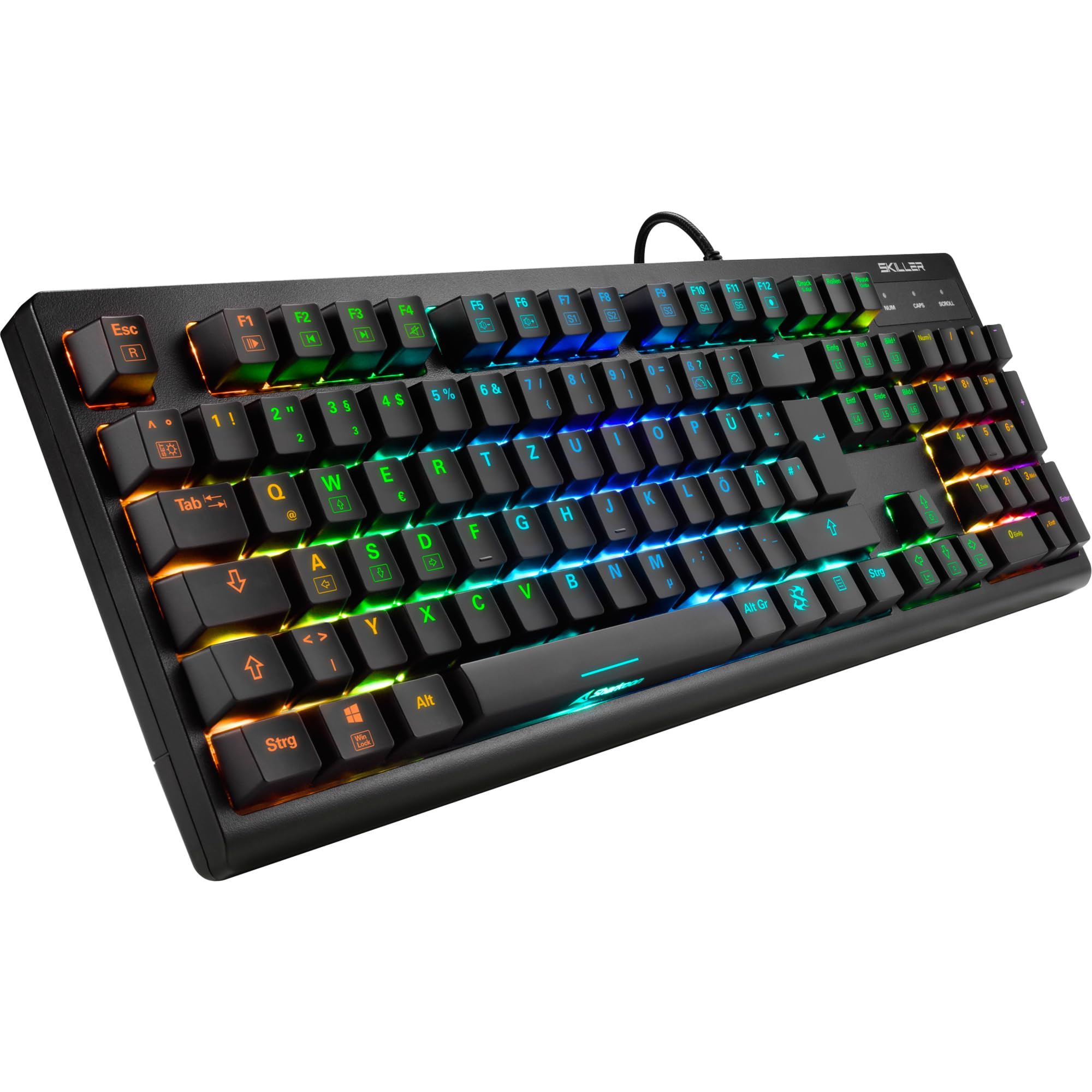
انځور: له پورته څخه ښکته view of the Sharkoon Skiller SGK30 mechanical gaming keyboard, showcasinد دې بشپړ ترتیب او متحرک RGB بیک لایټینګ سره.
محصول پای ته ورسیدview ویډیو
ویډیو: یو رسمي محصول پای ته ورسیدview of the Sharkoon Skiller SGK30 Mechanical Gaming Keyboard, demonstrating its features, RGB lighting effects, and mechanical switches.
چمتو کول
Follow these steps to set up your Sharkoon Skiller SGK30 keyboard:
- کیبورډ خلاص کړئ: کیبورډ او شامل USB کیبل په احتیاط سره د هغې له بسته بندۍ څخه لرې کړئ.
- کمپیوټر سره وصل کړئ: Plug the Micro USB end of the cable into the keyboard's port and the standard USB-A end into an available USB port on your computer.
- د ډرایور نصب کول: The keyboard is plug-and-play. Your operating system (Windows 10 or later recommended) should automatically detect and install the necessary drivers.
- د سافټویر نصب کول (اختیاري): For advanced customization of RGB lighting and key assignments, download the official Sharkoon software from the manufacturer's webسایټ

Image: The Sharkoon Skiller SGK30 keyboard positioned on a desk, ready for connection.
عملیاتي لارښوونې
بنسټیز کلیدي دندې
The Sharkoon Skiller SGK30 features a standard layout with additional function keys accessible via the FN کلید
- ایف این + ایف ۱-ایف ۱۲: Access multimedia controls (e.g., play/pause, volume up/down, mute).
- FN + وینډوز کیلي: Lock/unlock the Windows key to prevent accidental presses during gaming.
- N-کیلي رول اوور: All keys are registered simultaneously, ensuring every keystroke is detected, even during rapid input.
د RGB رingا کنټرول
The keyboard offers extensive RGB lighting customization. Use the following combinations to adjust lighting effects:
- FN + Insert/Home/Page Up/Delete/End/Page Down: د مختلفو مخکې له مخکې پروګرام شوي رڼا اغیزو څخه تیر شئ.
- FN + Arrow Keys (Up/Down): Adjust brightness levels of the lighting.
- FN + Arrow Keys (Left/Right): د متحرک رڼا اغیزو سرعت تنظیم کړئ.
- Custom Illumination: Use the dedicated software for advanced per-key lighting customization.

انځور: نږدې انځور view of the keyboard keys highlighting the adjustable RGB illumination capabilities.
د سافټویر اصلاح کول
For advanced settings, macro programming, and detailed RGB customization, download and install the Sharkoon Skiller SGK30 software from the official Sharkoon webسایټ. سافټویر تاسو ته اجازه درکوي:
- د دودیز رڼا پرو جوړ او خوندي کړئfiles.
- Program macros for specific keys.
- د مهمو دندو بیا نقشه کول.

Image: A screenshot showing the graphical user interface of the Sharkoon Skiller SGK30 customization software, illustrating various options for lighting and key remapping.
ساتنه
مناسب ساتنه ستاسو د کیبورډ اوږد عمر او فعالیت تضمینوي:
- پاکول: Use a soft, dry cloth to wipe the surface of the keyboard. For deeper cleaning, use compressed air to remove dust and debris from between the keycaps.
- د کیلي کیپ لرې کول: If necessary, keycaps can be carefully removed using a keycap puller (not included) for thorough cleaning of the switches. Reinstall keycaps by pressing them firmly onto the switch stems.
- د مایعاتو څخه ډډه وکړئ: کیبورډ د مایعاتو سره مه مخ کوئ. د توییدو په صورت کې، سمدلاسه کیبورډ منقطع کړئ او بیا وصل کیدو دمخه یې په بشپړه توګه وچیدو ته پریږدئ.
- ذخیره کول: کیبورډ په یخ او وچ ځای کې د مستقیم لمر وړانګو او سختې تودوخې څخه لرې وساتئ.

انځور: نږدې انځور view of the mechanical switches on the Sharkoon Skiller SGK30 keyboard, illustrating their design for durability and ease of maintenance. Note: This model is available with Red switches, while the image shows Blue switches.
د ستونزو حل کول
If you encounter issues with your Sharkoon Skiller SGK30 keyboard, refer to the following common solutions:
| ستونزه | احتمالي لامل | د حل لاره |
|---|---|---|
| کیبورډ ځواب نه ورکوي | د USB اتصال خراب دی، د USB پورټ خراب دی، د موټر چلوونکي ستونزه. |
|
| د RGB رڼا کار نه کوي یا غلطه ده | Lighting settings incorrect, software conflict. |
|
| کیلي نه راجستر کیږي | د کیلي کیپ لاندې دوړې/کثافات، خراب سویچ. |
|
مشخصات
| فیچر | تفصیل |
|---|---|
| برانډ | شارکون |
| د ماډل شمیره | 4044951030026 |
| د کیبورډ ډول | د میخانیکي لوبو کی بورډ |
| د سویچ ډول | Red Switch (Blue switches are also available for this model series) |
| ارتباط | مایکرو USB |
| د رای ورکولو کچه | 1000Hz |
| N-کیلي رول اوور | ملاتړ شوی |
| د RGB رڼا | Customizable RGB |
| عملیاتي سیسټم | وینډوز ۱۰ (او د وینډوز نورو نسخو سره مطابقت لري) |
| ابعاد (LxWxH) | 44 x 14.4 x 3.5 سانتي متره |
| وزن | 867 ګرامه |
په بکس کې څه دي
The Sharkoon Skiller SGK30 package includes:
- Sharkoon Skiller SGK30 Mechanical Gaming Keyboard
- USB کیبل
تضمین او ملاتړ
For warranty information and technical support, please refer to the official Sharkoon webسایټ یا خپل محلي پرچون پلورونکي سره اړیکه ونیسئ. د تضمین ادعاوو لپاره د پیرود ثبوت وساتئ.
یادونه: د محصول مشخصات او ځانګړتیاوې پرته له مخکینۍ خبرتیا څخه د بدلون تابع دي.