
OnePlus GM1917
OnePlus 7 Pro Dual SIM Smartphone Instruction Manual (Model GM1917)
Your comprehensive guide to the OnePlus 7 Pro
1. پیژندنه
The OnePlus 7 Pro (Model GM1917) is a high-performance smartphone designed to deliver a smooth and immersive user experience. It features a 6.67-inch Fluid AMOLED display with a 90 Hz refresh rate and QHD+ resolution, offering exceptional clarity and fluidity. The device is equipped with a versatile camera system, including a 48 MP main camera, an ultra-wide-angle lens, and 3x optical zoom, enhanced by smart scene recognition and Nightscape 2.0 technology. This manual provides essential information for setting up, operating, and maintaining your OnePlus 7 Pro.

شکل 1: مخکی view of the OnePlus 7 Pro smartphone.
2. ابتدايي ترتیب
2.1. د بسته محتويات
مخکې له دې چې پرمخ لاړ شئ، ډاډ ترلاسه کړئ چې ټول توکي ستاسو په کڅوړه کې شتون لري:
- OnePlus 7 Pro Smartphone (Model GM1917)
- د بریښنا اډاپټر
- د USB ډول - سي کیبل
- د سیم Ejector وسیله
- د چټک پیل لارښود
- د خوندیتوب معلومات
2.2. د سیم کارتونو داخلول
- د خپل وسیلې په اړخ کې د سیم کارت ټری ومومئ.
- Insert the SIM ejector tool into the small hole on the tray and press firmly until the tray ejects.
- Place your Nano-SIM cards into the tray with the gold contacts facing down. The OnePlus 7 Pro supports Dual SIM functionality.
- ټری په احتیاط سره وسیله ته دننه کړئ.
2.3. د پاور کول او ابتدايي ترتیب
- د پاور تڼۍ (چې په ښي خوا کې موقعیت لري) فشار ورکړئ او ونیسئ تر هغه چې د OnePlus لوګو څرګند شي.
- د خپلې ژبې د غوره کولو، د وای فای شبکې سره د وصل کیدو او د خپل ګوګل حساب د تنظیمولو لپاره په سکرین کې موجود لارښوونې تعقیب کړئ.
- You will be guided through setting up security features such as fingerprint unlock and face unlock.
3. Operating Your OnePlus 7 Pro
۴. د ښودلو ځانګړتیاوې
The OnePlus 7 Pro features a 6.67-inch Fluid AMOLED display with a QHD+ resolution (2560 x 1440 pixels) and a 90 Hz refresh rate. This combination provides incredibly smooth scrolling, fluid animations, and vibrant colors. Adjust display settings such as brightness, color mode, and refresh rate (if applicable) in the Settings menu under 'Display'.
۳.۲. فعالیت او ذخیره کول
Powered by a Qualcomm Snapdragon 855 processor and 6GB of RAM, the OnePlus 7 Pro delivers robust performance for multitasking, gaming, and demanding applications. The device comes with 128GB of internal storage, providing ampد اپلیکیشنونو، عکسونو او ویډیوګانو لپاره ځای.
3.3. نیویګیشن
Your device offers various navigation options, including traditional on-screen navigation buttons or gesture navigation. These can be customized in the Settings menu under 'Buttons & gestures'.
۳. د کیمرې سیسټم
The OnePlus 7 Pro is equipped with a triple rear camera setup and a unique pop-up front camera.
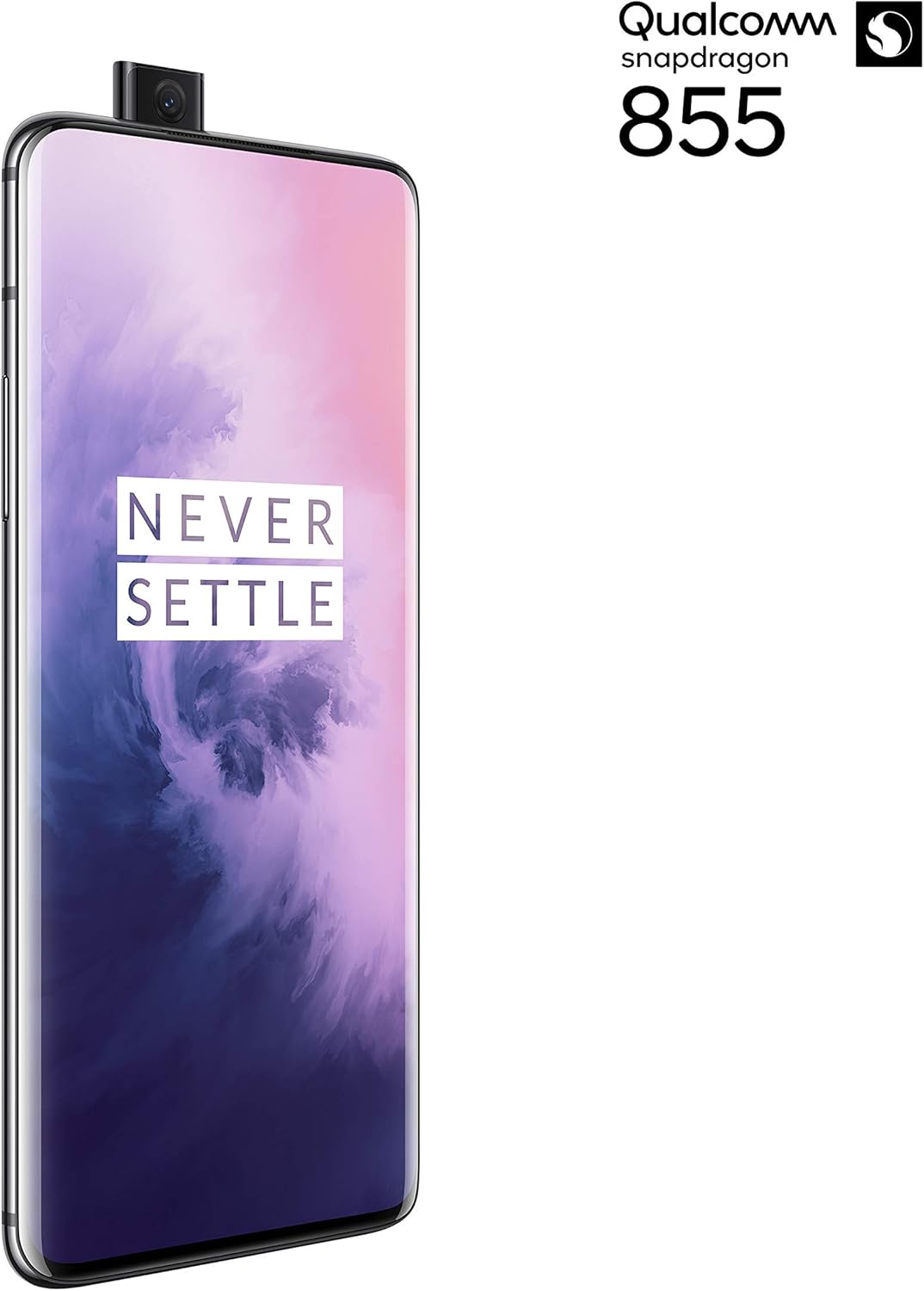
شکل 2: مخکی view of the OnePlus 7 Pro with its pop-up selfie camera.
4.1. شاته کیمرې
- اصلي کامره: 48 MP sensor for high-resolution photos.
- Ultra-Wide Angle Lens: د یوې پراخې ساحې نیول view, ideal for landscapes and group shots.
- د ټیلیفون لینز: د لرې واټن څخه د روښانه او مفصلو عکسونو لپاره 3x آپټیکل زوم وړاندې کوي.
4.2. فرنټ کیمره
The device features a motorized pop-up front camera, ensuring an uninterrupted full-screen display. This camera is designed for high-quality selfies and video calls.
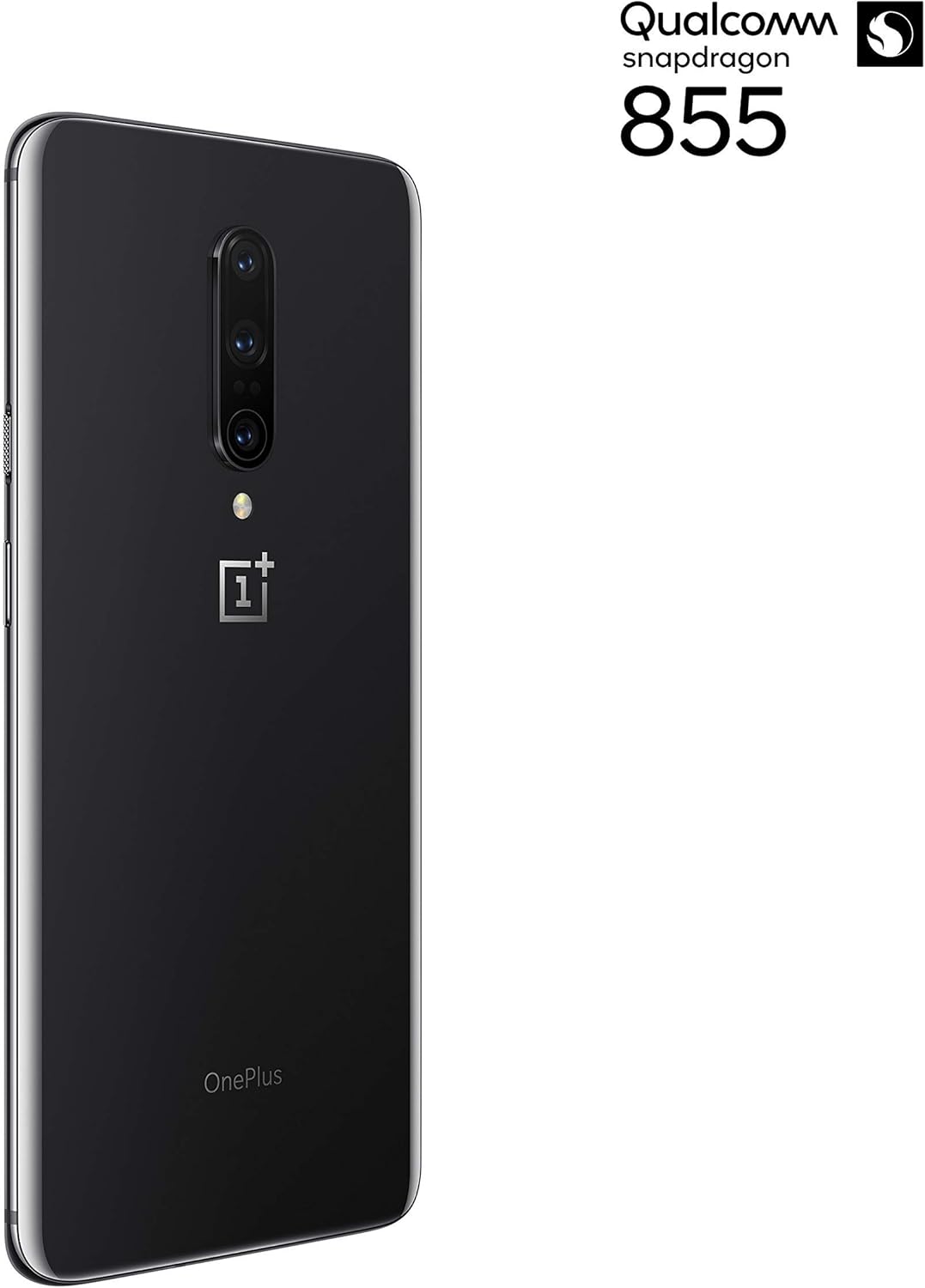
شکل 3: شاته view of the OnePlus 7 Pro highlighting the triple camera module.
۴.۲. د کیمرې طریقې
Explore various camera modes to enhance your photography:
- عکس: د ورځني عکسونو لپاره معیاري حالت.
- انځور: د ساحې ژوروالی اغیزه رامینځته کوي، شالید تیاره کوي.
- Nightscape 2.0: Optimizes photos taken in low-light conditions for brighter and clearer results.
- پرو حالت: د ISO، شټر سرعت، او سپین توازن په څیر ترتیباتو باندې لاسي کنټرول وړاندې کوي.
- ویډیو: Records high-quality videos.
۲. بیټرۍ او چارج کول
The OnePlus 7 Pro is equipped with a 4000 mAh battery, designed to provide extended usage. It supports Warp Charge technology for rapid charging.
5.1. خپل وسیله چارج کړئ
To charge your device, connect the provided USB Type-C cable to the phone's charging port and the power adapter. Plug the adapter into a wall outlet. For optimal charging speed, use only the official OnePlus Warp Charge adapter and cable.
۴.۲. د بیټرۍ اصلاح کول
To maximize battery life, consider the following:
- د سکرین روښانتیا تنظیم کړئ.
- د اړتیا په وخت کې د بیټرۍ سیور حالت فعال کړئ.
- هغه نا کارول شوي غوښتنلیکونه بند کړئ چې په شاليد کې روان دي.
- د ځینو ایپسونو لپاره د شالید ډیټا کارول محدود کړئ.
6. تخنیکي مشخصات
| فیچر | مشخصات |
|---|---|
| د ماډل شمیره | GM1917 |
| ښودل | 6.67-inch Fluid AMOLED, QHD+ (2560 x 1440), 90 Hz |
| پروسیسر | Qualcomm Snapdragon 855 |
| RAM | 6 جي بي |
| داخلي ذخیره | 128 جي بي |
| شاته کیمره | 48 MP Main, Ultra-Wide, 3x Optical Zoom Telephoto |
| مخکینۍ کیمره | Pop-up Selfie Camera |
| د بیټرۍ ظرفیت | 4000 mAh |
| عملیاتي سیسټم | Android |
| ارتباط | Wi-Fi, 4G LTE (AT&T, Verizon, T-Mobile compatible) |
| د سیم ډول | دوه ګونی نانو سیم |
7. ستونزه حل کول
If you encounter issues with your OnePlus 7 Pro, try the following steps:
- وسیله بې ځوابه: Press and hold the Power button for approximately 10 seconds to force restart the device.
- د اپلیکیشن مسلې: Clear the cache and data for the problematic app in Settings > Apps > [App Name] > Storage. If the issue persists, uninstall and reinstall the app.
- د شبکې ارتباط: د الوتکې حالت فعال او بند کړئ. خپل وسیله بیا پیل کړئ. د خپل سیم کارت داخلول وګورئ.
- د بیټرۍ ختمول: Review 'Battery Usage' in Settings to identify apps consuming excessive power. Reduce screen brightness and disable unnecessary features.
- د سافټویر ستونزې: Ensure your device's software is up to date via Settings > System > System updates.
- د فابریکې رییس: د وروستي حل په توګه، تاسو کولی شئ د فابریکې ری سیٹ ترسره کړئ (ترتیبات> سیسټم> د بیا تنظیم کولو اختیارونه> ټول معلومات پاک کړئ). خبرداری: دا به ستاسو په وسیله کې ټول معلومات له منځه یوسي. د پرمخ تللو دمخه مهم معلومات بیک اپ کړئ.
8. پاملرنه او ساتنه
To ensure the longevity and optimal performance of your OnePlus 7 Pro:
- Keep the device clean using a soft, lint-free cloth. Avoid harsh chemicals.
- سکرین د سکرین محافظ سره خوندي کړئ او د محافظتي پوښ څخه کار واخلئ.
- وسیله د سختې تودوخې، مستقیم لمر وړانګو، یا رطوبت سره مخ کیدو څخه ډډه وکړئ.
- Regularly back up your data to a cloud service or external storage.
- Install software updates to benefit from the latest features and security enhancements.
9. تضمین او ملاتړ
For information regarding warranty coverage, technical support, or service, please refer to the documentation provided with your purchase or visit the official OnePlus support website. As this is a renewed product, specific warranty terms may vary; please consult your seller for details on their renewed product warranty and return policy.