
1. پیژندنه
The MEDION MD 10171 Air Purifier is designed to significantly improve your indoor air quality by effectively filtering various airborne particles. This device features a 3-stage filtration system, smart app control, and a quiet sleep mode, making it suitable for rooms up to 52 square meters.
Please read this instruction manual thoroughly before operating the device to ensure proper use, maintenance, and safety.
2. د خوندیتوب معلومات
- د وسیلې کارولو دمخه تل ټولې لارښوونې ولولئ.
- وسیله د ماشومانو او څارویو له لاسرسي لرې وساتئ.
- د عملیاتو په جریان کې د هوا داخلې یا آوټ لیټونه مه بندوئ.
- Unplug the air purifier from the power outlet before cleaning, maintenance, or when not in use for extended periods.
- وسیله د اوبو سره نږدې یا په ډیر مرطوب چاپیریال کې مه کاروئ.
- Only use original MEDION replacement filters.
- د وسایلو د ترمیم یا ترمیم هڅه مه کوئ. د ترمیم لپاره د وړ خدماتو پرسونل سره اړیکه ونیسئ.
3. محصول ختم شوview
The MEDION MD 10171 Air Purifier features a sleek design with intuitive controls. Familiarize yourself with the main components and control panel before operation.

شکل 1: مخکی view of the MEDION MD 10171 Air Purifier, showing its cylindrical shape and air intake vents.

شکل 2: Top control panel of the air purifier, featuring touch buttons for power, fan speed, timer, sleep mode, and a circular LED air quality indicator. The indicator changes color to reflect air quality: Blue (Very good), Green (Good), Orange (Unhealthy), Red (Dangerous).
4. ترتیب کول
4.1 پیک کول
Carefully remove the air purifier from its packaging. Ensure all packing materials are removed before use.
4.2 د فلټر نصب
The MEDION MD 10171 uses a 3-stage filtration system. The filters are typically pre-installed but may require removal of protective packaging before first use.
- Turn the air purifier upside down and twist the base counter-clockwise to unlock and remove it.
- Remove the filter assembly. If new, remove any plastic wrapping from the filter.
- فلټر بیرته په واحد کې دننه کړئ، ډاډ ترلاسه کړئ چې دا په سمه توګه ناست دی.
- اساس بدل کړئ او د ساعت په لور یې وګرځوئ ترڅو په خوندي ډول یې بند کړئ.

شکل 3: Diagram illustrating the 3-in-1 air purification filter system. It shows the Pre-filter grid for coarse dirt particles, the HEPA Filter (H13) for air pollutants, pollen, and respirable dusts, and the Activated Carbon Filter for fine dust particles, gases, and odors. This system removes 99.97% of airborne allergens and aerosols. Note: An air purifier alone does not protect against a viral infection. Mobile air purifiers do not replace AHA measures or ventilation.

شکل 4: Visual representation of different filter types and the particles they target, including dust, pollen, pet hair, odors, mold spores, allergens, smoke, and viruses.
4.3 ځای پرځای کول
Place the air purifier on a flat, stable surface. Ensure there is adequate space around the unit (at least 20 cm) for proper air circulation. The MEDION MD 10171 is suitable for rooms up to 52 square meters.

شکل 5: The MEDION MD 10171 Air Purifier shown in a room setting, indicating its suitable room size of 52 m² and physical dimensions (400 mm height, 230 mm diameter).
4.4 د بریښنا نښلول
د بریښنا تار په معیاري بریښنایی پلورنځی کې ولګوه.
5. عملیاتي لارښوونې
۸ پاور آن/بند
فشار ورکړئ د بریښنا تڼۍ د کنټرول پینل کې د هوا پاکونکی فعال یا بندولو لپاره.
۶.۲ د فین سرعت تنظیم کول
فشار ورکړئ د فین سرعت تڼۍ to cycle through different fan speed settings (e.g., Low, Medium, High).
5.3 Automatic Mode and Air Quality Display
The air purifier features an automatic mode that adjusts fan speed based on detected air quality. The circular LED indicator on the control panel displays the current air quality:
- آبي: Very good air quality
- شین: د هوا ښه کیفیت
- نارنجي: د هوا غیر صحي کیفیت
- سور: Dangerous air quality
5.4 د خوب حالت
فعالول د خوب حالت for extra quiet operation, ideal for nighttime use. In this mode, the operating noise is lowered to 29 dB, and display lights may dim or turn off.
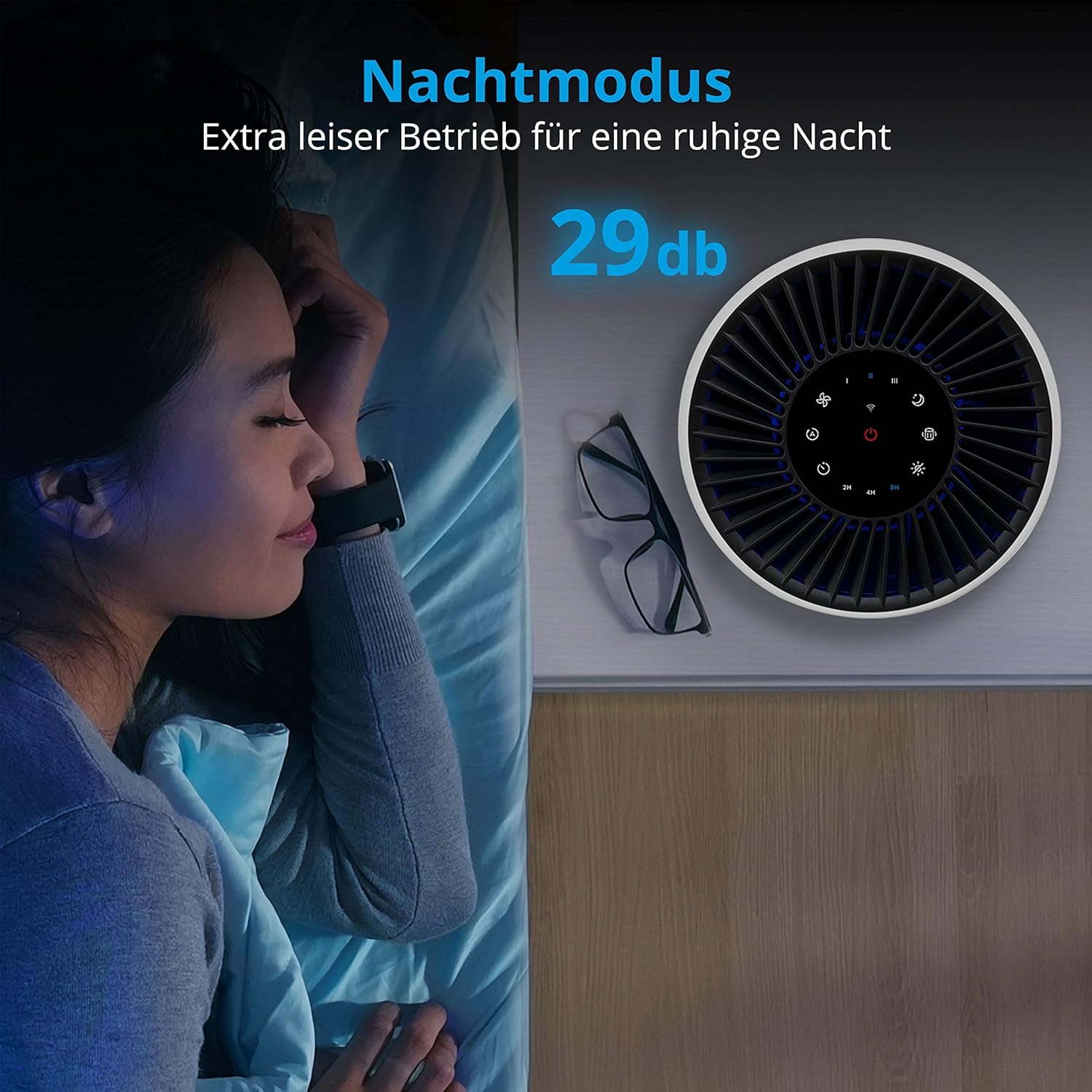
شکل 6: The air purifier operating in Night Mode, highlighting its extra quiet operation at 29 dB for a peaceful night.
5.5 د ټیمر فعالیت
د کارولو د ټایمر تڼۍ to set the air purifier to operate for a specific duration (e.g., 2H, 4H, 8H) before automatically turning off.
5.6 د اپلیکیشن کنټرول
The MEDION MD 10171 can be conveniently controlled via the MEDION Air App, available for download on the App Store and Google Play. Follow the app's instructions to connect your device and access additional features, including voice control.

شکل 7: A smartphone screen showing the MEDION Air App interface, demonstrating full control over the air purifier, including power, timer, light, sleep mode, and fan speed. It also highlights voice control capabilities with an example command: "Start air purification in the living room." Download links for App Store and Google Play are visible.
6. ساتنه
6.1 د فلټر ځای په ځای کول
The air purifier will notify you when a filter replacement is due. The filter lifetime depends on usage and air quality. Replace the filter promptly to maintain optimal performance.
- د بریښنا د ځای څخه د هوا پاکونکی لرې کړئ.
- Remove the base and old filter as described in Section 4.2.
- زوړ فلټر په مسؤلیت سره له منځه یوسئ.
- Install a new, genuine MEDION replacement filter.
- Replace and lock the base.
- Plug in the air purifier. You may need to reset the filter replacement indicator by pressing and holding a specific button (refer to the app or control panel for specific instructions).
6.2 پاکول
Wipe the exterior of the air purifier with a soft, dry cloth. Do not use abrasive cleaners or solvents. Ensure no water enters the unit.
7. ستونزه حل کول
- واحد نه فعالیږي: Check if the power cord is securely plugged into the outlet and the unit. Ensure the filter is correctly installed and the base is locked.
- د هوا ضعیف تصفیه: Check if the filter needs replacement. Ensure air inlets and outlets are not blocked.
- غیر معمولي شور: Ensure the unit is on a flat, stable surface. Check if the filter is properly seated.
- د اپلیکیشن د اتصال مسلې: Ensure your Wi-Fi network is active and the air purifier is within range. Follow the app's pairing instructions carefully.
If problems persist, contact MEDION customer support.
8. مشخصات
| برانډ | روغتیا |
| د ماډل شمیره | MD 10171 |
| رنګ | سپین |
| د محصول ابعاد | 17.72 x 11.02 x 11.02 انچه (45 x 28 x 28 سانتي متره) |
| د توکي وزن | ۶ پونډه (۳ کیلو ګرامه) |
| د پوړ ساحه پوښښ | تر 52 مربع مترو پورې |
| د شور کچه | 29 Decibels (in Sleep Mode) |
| واټtage | ۴۵ واټه |
| د کنټرول طریقه | App, Button Control |
| شاملې برخې | 1 Air Purifier unit |
| د بریښنا سرچینه | د بریښنا تار شوی |
9. تضمین او ملاتړ
9.1 د تضمین معلومات
This product is covered by a Manufacturer Guarantee. Please refer to the warranty card included with your purchase or visit the official MEDION webد تضمین د تفصيلي شرایطو او مقرراتو لپاره سایټ.
9.2 د پیرودونکي ملاتړ
For technical assistance, troubleshooting, or inquiries regarding replacement parts, please contact MEDION customer support through their official webسایټ یا ستاسو د محصول اسنادو کې چمتو شوي د اړیکو معلومات.