
1. پیژندنه
Thank you for choosing the Yanmai USB Bluetooth 5.0 Adapter. This compact device enables wireless communication between your computer and various Bluetooth-enabled peripherals. This manual provides essential information for proper setup, operation, and maintenance to ensure optimal performance.
2. محصول ختم شوview
The Yanmai USB Bluetooth 5.0 Adapter is a nano-sized dongle designed to add Bluetooth 5.0 capabilities to your desktop or laptop computer. It supports a wide range of Bluetooth devices, offering enhanced speed and efficiency for wireless connectivity.
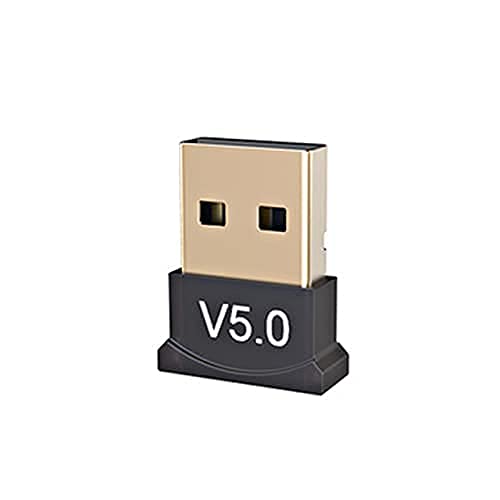
شکل 2.1: The Yanmai USB Bluetooth 5.0 Adapter. This image shows the compact design of the adapter, featuring a black base with 'V5.0' marking and a gold-colored USB connector.

شکل 2.2: The adapter held between fingers, illustrating its small, unobtrusive size. The 'V5.0' branding is visible on the black casing.
3. ځانګړتیاوې
- د بلوتوټ 5.0 ټیکنالوژي: Utilizes the latest Bluetooth 5.0 standard, backward compatible with Bluetooth V4.0, 3.0, 2.1, 2.0, and 1.0.
- Nano-sized Design: Ultra-small form factor allows it to remain plugged into a USB port without obstruction.
- د اعتماد وړ ارتباط: Enables wireless communication with a broad range of Bluetooth-enabled devices including computers, printers, phones, headsets, and speakers.
- Broad Operation Range: Offers a transmission distance of up to 20 meters (65 feet) for flexible use.
- د انرژي سپما: Incorporates Bluetooth Low Energy (BLE) technology for efficient power consumption.
- پلګ او پلی کول: Supports plug-and-play functionality on Windows 10, 8.1, and 8 operating systems.
4. مشخصات
| برانډ | Yanmai |
| د بلوتوټ معیاري | V5.0 |
| چپ | CSR8510 |
| د فریکونسی رینج | 2.4GHz |
| Operation System Support | Windows 10, Windows 8.1, Windows 8 (Plug & Play); Windows Me/2000/XP/Vista, Windows 7 (Driver installation may be required) |
| انٹرفیس | USB |
| د معلوماتو کچه | 10Mbps |
| Receiving/Sending Range | تر 20 مترو پورې (65 فوټ) |
| ابعاد (LxWxH) | ۶۶ x ۴۶ x ۲۵ ملي متره (تقریبا) |
| د توکي وزن | 60 ګرامه |
| UPC | 193356049370 |
۴. د تنظیم لارښوونې
Follow these steps to install and set up your Yanmai USB Bluetooth 5.0 Adapter:
- اډاپټر داخل کړئ: Locate an available USB port on your desktop or laptop computer. Carefully insert the Yanmai USB Bluetooth 5.0 Adapter into the USB port.
- Automatic Driver Installation (Windows 10/8.1/8): For Windows 10, 8.1, and 8, the operating system should automatically detect the adapter and install the necessary drivers. A notification will typically appear once the device is ready for use.
- Manual Driver Installation (Older Windows Versions): If you are using Windows Me, 2000, XP, Vista, or 7, you may need to install drivers manually. Please refer to the manufacturer's website or included driver CD (if applicable) for specific instructions and driver downloads.
- نصب کول تایید کړئ: After installation, check your computer's Device Manager (search for 'Device Manager' in Windows search bar) under 'Bluetooth' or 'Network adapters' to confirm that the 'Bluetooth Radio' or 'Generic Bluetooth Adapter' is listed and functioning correctly.
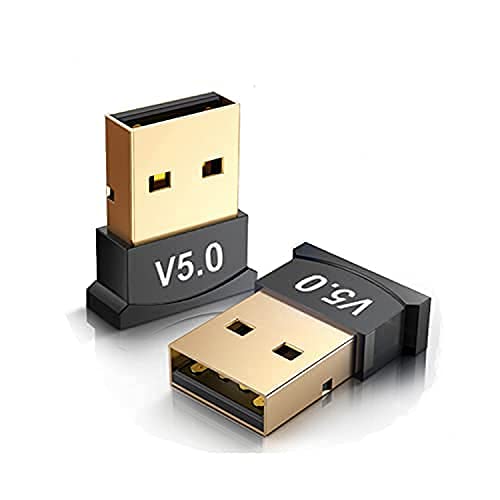
شکل 5.1: Two adapters shown, highlighting their compact size and USB connector. This illustrates the small footprint of the device when plugged in.
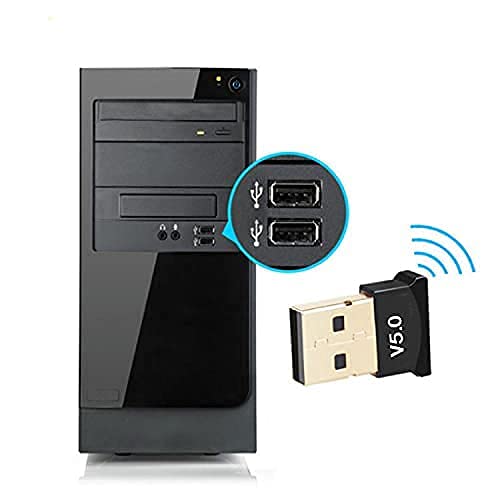
شکل 5.2: The adapter inserted into a USB port on the front of a desktop computer tower. A magnified inset shows the USB ports clearly.
6. عملیاتي لارښوونې
Once the adapter is installed, you can connect your Bluetooth devices:
- Enable Bluetooth on Your Computer:
- وینډوز 10: ورتګ ترتیبات > وسایل > بلوتوث او نور وسایل. Ensure Bluetooth is turned On.
- وینډوز 8.1/8: ورتګ د کمپیوټر تنظیمات > کمپیوټر او وسایل > بلوتوث. Ensure Bluetooth is turned On.
- Put Your Bluetooth Device in Pairing Mode: Refer to your specific Bluetooth device's manual for instructions on how to enter pairing mode. This usually involves pressing and holding a button until an indicator light flashes.
- Add a Bluetooth Device:
- In the Bluetooth settings window on your computer, click 'بلوتوث یا بل وسیله اضافه کړئ'.
- وټاکئ 'بلوتوث' له اختیارونو څخه.
- ستاسو کمپیوټر به د نږدې بلوتوث وسیلو لپاره سکین وکړي. کله چې ښکاره شي نو له لیست څخه خپل وسیله غوره کړئ.
- Follow any on-screen prompts to complete the pairing process, which may include entering a PIN (e.g., '0000' or '1234') if requested.
- د بېسیم اتصال څخه خوند واخلئ: Once paired, your device should connect automatically when in range and Bluetooth is enabled on both ends.
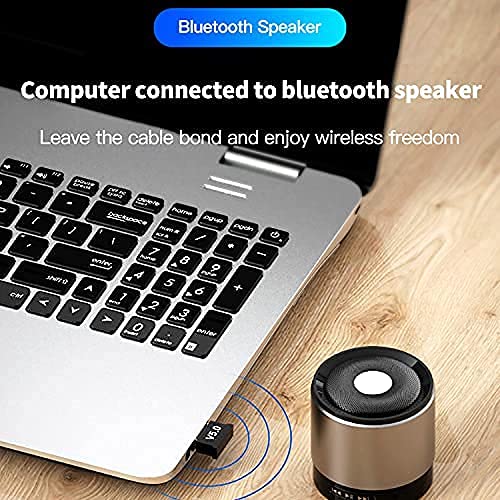
شکل 6.1: A laptop with the Bluetooth adapter connected, wirelessly streaming audio to a small Bluetooth speaker. This demonstrates a common use case for the adapter.

شکل 6.2: A person's hand adjusting a Bluetooth speaker, with a laptop and the adapter visible in the background. The image emphasizes wireless audio enjoyment.
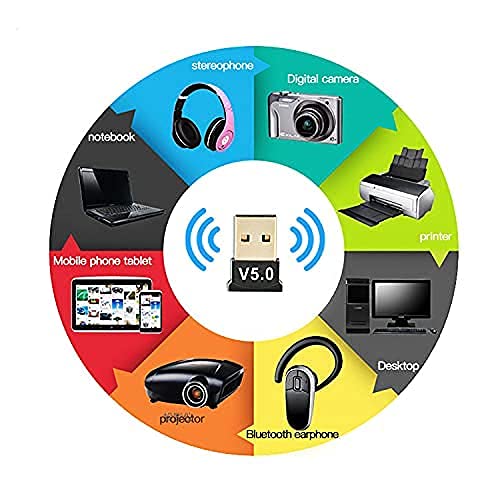
شکل 6.3: A circular diagram illustrating the wide range of devices compatible with the Bluetooth adapter, including laptops, mobile phones, projectors, Bluetooth earphones, desktops, printers, digital cameras, and stereophones.
7. ساتنه
The Yanmai USB Bluetooth 5.0 Adapter requires minimal maintenance. Follow these guidelines to ensure its longevity:
- پاک ساتل: Periodically wipe the adapter with a soft, dry cloth to remove dust. Avoid using liquid cleaners.
- په سمه توګه ذخیره کول: کله چې په کارولو کې نه وي، اډاپټر په یخ او وچ ځای کې د مستقیم لمر وړانګو او خورا تودوخې څخه لرې وساتئ.
- په احتیاط سره سمبالول: Avoid dropping the adapter or subjecting it to physical shock, which can damage internal components.
- د اوبو څخه ډډه کول: اډاپټر اوبو یا نورو مایعاتو ته مه ښکاره کوئ.
8. ستونزه حل کول
If you encounter issues with your Yanmai USB Bluetooth 5.0 Adapter, refer to the following common problems and solutions:
- اډاپټر ونه موندل شو:
- Ensure the adapter is fully inserted into a working USB port. Try a different USB port.
- خپل کمپیوټر بیا پیل کړئ.
- Check Device Manager for any unknown devices or errors under 'Bluetooth' or 'Network adapters'. If an error exists, try updating or reinstalling the driver.
- وسایل نشي جوړېدای:
- ډاډ ترلاسه کړئ چې بلوتوث ستاسو په کمپیوټر او هغه وسیله دواړو کې فعال دی چې تاسو یې د جوړې کولو هڅه کوئ.
- ډاډ ترلاسه کړئ چې ستاسو بلوتوټ وسیله د جوړه کولو حالت کې ده.
- Bring the Bluetooth device closer to the adapter.
- Remove any previously paired instances of the device from your computer's Bluetooth settings and attempt to pair again.
- ډاډ ترلاسه کړئ چې نږدې د مداخلې قوي سرچینې شتون نلري (د بیلګې په توګه، د وای فای روټرونه، نور بېسیم وسایل).
- Poor Connection Quality or Disconnections:
- د اډاپټر او وصل شوي وسیلې ترمینځ فاصله کم کړئ.
- Ensure there are no physical obstructions (walls, large metal objects) between the adapter and the device.
- Check for updated drivers for the Bluetooth adapter.
- Minimize other wireless activity on the 2.4GHz band if possible.
9. تضمین او ملاتړ
د تضمین معلوماتو یا تخنیکي ملاتړ لپاره، مهرباني وکړئ د خپل پیرود سره چمتو شوي اسنادو ته مراجعه وکړئ یا مستقیم پرچون پلورونکي / تولیدونکي سره اړیکه ونیسئ. د تضمین ادعاوو لپاره د پیرود ثبوت وساتئ.